
Thin, light laptops are easy to romanticize: a sleek metal shell, a low carry weight, and a price that seems far lower than competing models can make almost any machine look like a smart buy. The common mistake is treating “thin,” “light,” “premium,” and “high end” as interchangeable terms. They are not.
A laptop can weigh under 3 pounds yet have too little memory for comfortable multitasking. It can have an attractive aluminum-colored finish but a flexible plastic chassis. It can include a large advertised storage number while relying on slow, limited internal storage plus an external drive. And it can arrive with productivity software and accessories that sound valuable while still being underpowered for the work you actually do.
As an Amazon Associate we earn from qualifying purchases at no extra cost to you.
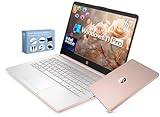


The right thin-and-light laptop should feel easy to carry without forcing daily compromises in screen quality, keyboard comfort, ports, battery capacity, memory, repair support, or performance. Here is what actually matters when shopping in 2026.
Top 3 picks at a glance
Decide These 3 Things First
- Define your heaviest regular task. Email, web browsing, streaming, and documents require far less hardware than large spreadsheets, photo editing, programming, video calls with many tabs open, or creative work. Buy for your busiest normal day, not the simplest task you do.
- Set a realistic carry-weight target. For frequent commuting or travel, aim for a laptop at or below 3.0 pounds. If it mostly moves from room to room, a 3.2- to 3.8-pound machine may offer better cooling, ports, screen quality, and battery capacity.
- Choose a total budget, not just a laptop price. Include sales tax, a protective sleeve, a USB-C hub if needed, extended coverage if appropriate, and possibly a larger charger. A $700 laptop can become an $800 to $900 purchase after essentials.
Size, Screen, and Travel Weight
Screen size is the first practical decision because it determines the laptop’s footprint, keyboard room, and how pleasant it is to use for several hours. A 13- or 14-inch laptop is the sweet spot for most people. These models generally measure about 11.5 to 12.5 inches wide, 8 to 9 inches deep, and 0.45 to 0.7 inches thick. They fit easily into standard backpacks and leave room for a charger, notebook, and water bottle.
A 14-inch display is especially versatile: large enough for side-by-side windows, but still manageable for travel. A 16-inch model is better for spreadsheets, design work, and replacing a desktop monitor, yet often weighs 3.8 to 5.0 pounds before its charger is added. Smaller 13-inch systems can weigh 2.2 to 2.8 pounds, but keyboard layouts and screen space may feel cramped for all-day work.
Do not judge display quality by size alone. Look for at least 1920 x 1080 resolution on a 14-inch screen; 1920 x 1200 is even better because the extra vertical space is useful for documents and web pages. Brightness matters, too. Around 300 nits is adequate indoors, while 400 nits or more is noticeably more comfortable near windows or outdoors. For a premium purchase, an IPS-class or OLED panel with good viewing angles is preferable to a dim, low-contrast panel.
Material and Exterior Finish
True premium thin-and-light laptops usually use aluminum, magnesium alloy, carbon fiber, or a well-engineered mix of these materials. These materials help create a rigid chassis without excessive weight. Aluminum models commonly weigh 2.7 to 3.5 pounds in the 13- to 14-inch category; magnesium can reduce that figure further.
Plastic is not automatically a deal-breaker. A well-built plastic laptop can be durable, lighter than expected, and more affordable. But it should not be marketed to you as equivalent to a high-end metal design simply because it has a metallic-looking paint finish. Press gently around the keyboard deck and along the display lid when possible. Excess flex, creaking, or a lid that twists easily are signs of cost-cutting.
Finish also affects ownership. Dark blue, black, and some rose-gold coatings can show fingerprints more readily than silver or matte gray. Glossy edges and polished logos look striking in product photos but may collect scratches. If the laptop will travel daily, a matte or satin finish is usually the most forgiving choice.
Construction, Hinges, Ports, and Everyday Durability
Thin construction should not mean fragile construction. Open and close the lid if you can see the laptop in person. A good hinge moves smoothly, holds the display at your chosen angle, and does not make the base lift off the desk. Excessive wobble after you stop typing can become irritating during video calls or train travel.
Check the port selection before assuming a thin laptop will work with your existing accessories. At a minimum, many buyers need two USB-C ports, with at least one supporting charging and display output. One USB-A port remains useful for flash drives, wireless mouse receivers, and older accessories. HDMI is convenient for conference rooms and televisions, although a compact USB-C adapter can replace it.
For a laptop priced above roughly $900, expect modern wireless connectivity, such as Wi-Fi 6 or newer, and Bluetooth support for headphones and peripherals. A headphone jack is still valuable for wired headsets, especially for work calls. If ports are sparse, budget $30 to $80 for a reliable USB-C hub rather than buying the cheapest unbranded adapter available.
Also consider serviceability. Many very thin laptops have soldered memory and sealed storage, so the configuration you buy may be the configuration you live with for its full life. That makes choosing sufficient RAM and storage at checkout more important.
Comfort and Performance: The Specs That Affect Daily Work
For a high-end experience, memory is often more important than a flashy processor label. Avoid 4GB of RAM for a new Windows laptop unless it is intended only for extremely light, temporary use. Modern browsing, video calls, cloud applications, and background security software can make 4GB feel restrictive quickly.
For basic productivity, 8GB is the practical minimum. For a laptop you expect to keep for several years, choose 16GB. Users who edit large photos, run virtual machines, work with complex spreadsheets, code, or keep dozens of browser tabs open should consider 16GB to 32GB.
Internal storage should be a solid-state drive, ideally a 512GB SSD or larger for most buyers. A 256GB SSD can work for web-focused use, but it fills rapidly once you add applications, local files, and photos. Be careful with listings that advertise totals such as “628GB storage” when the internal drive is only 128GB and the remaining capacity comes from a bundled external card or drive. External storage is useful for archives, but it is not the same as having a roomy internal SSD.
Keyboard and trackpad quality are equally important. Look for at least 1.2 to 1.5 mm of key travel when specifications are available, a firm deck that does not bow under typing pressure, and a backlit keyboard if you work in dim spaces. A large, precise glass or high-quality composite trackpad is a meaningful comfort upgrade over a small plastic one.
Battery claims should be treated as estimates, not promises. Compare battery capacity when available: around 45 to 55 watt-hours is common in portable 14-inch laptops, while 60 to 75 watt-hours is more reassuring for longer unplugged sessions. A 45W to 65W USB-C charger is typical; higher-wattage systems may charge faster but can come with larger power adapters.
Price Tiers: What Your Money Should Buy
Budget thin laptops: $300 to $550. These are appropriate for email, documents, web browsing, streaming, and light schoolwork. Expect compromises: 4GB to 8GB of RAM, 128GB to 256GB of internal storage, lower-brightness screens, plastic construction, and limited upgrade options. A $299 ultra-light model may be appealing, but its 4GB RAM and 128GB internal UFS storage put it firmly in the entry-level category, regardless of bundled accessories or premium wording.
Midrange: $600 to $1,000. This is the value sweet spot for many shoppers. Look for 16GB RAM, a 512GB SSD, a 13- or 14-inch 1080p-or-better display, a solid keyboard, USB-C charging, and a weight around 2.6 to 3.4 pounds. Build quality should be good, though not necessarily luxurious.
Premium: $1,000 to $1,700. At this level, you should see a more rigid chassis, a brighter and more color-accurate display, 16GB or more of memory, 512GB to 1TB storage, better speakers, stronger webcams, improved thermal design, and a thoughtful port layout. You are paying for the complete experience, not simply a thin profile.
Luxury or specialized: $1,700 and up. These laptops may add OLED or high-resolution displays, 32GB memory, 1TB to 2TB storage, advanced processors, dedicated graphics, cellular connectivity, or exceptionally light materials. Buy here only if the feature set solves a real need.
Warranty and Support
A one-year limited warranty is standard, but the details matter. Confirm whether it covers parts and labor, whether shipping is included for repairs, and whether accidental damage is excluded. For a $300 to $500 laptop, an expensive multi-year plan may not make financial sense. For a $1,200 to $1,700 premium machine that travels frequently, two or three years of accidental-damage coverage can be worthwhile if the price is reasonable.
Look for clear support channels, a published repair process, and available replacement parts. A thin laptop with no practical repair path can become disposable after a damaged keyboard, worn battery, or failed port.
Delivery, Setup, and Accessories
Laptops do not require furniture-style assembly, but setup still deserves attention. On delivery, inspect the carton before opening, photograph visible shipping damage, and keep packaging until you confirm the computer works properly. Check that the charger, documentation, and promised accessories are included.
Allow 30 to 90 minutes for initial updates, account sign-in, security settings, and transferring files. Test Wi-Fi, webcam, speakers, microphone, keyboard, trackpad, charging port, and every included USB port during the return window. If you use an external monitor, test it immediately; USB-C display compatibility varies by model.
Spec Checklist
| Spec | Budget | Mid | Premium |
|---|---|---|---|
| Typical price | $300–$550 | $600–$1,000 | $1,000–$1,700 |
| RAM | 8GB preferred; avoid 4GB | 16GB | 16GB–32GB |
| Internal storage | 256GB SSD | 512GB SSD | 512GB–1TB SSD |
| Display | 14-inch, 1920 x 1080, 250–300 nits | 13–14 inch, 1920 x 1200, 300+ nits | 13–14 inch, high-quality 1920 x 1200 or better, 400+ nits |
| Weight | 3.0–3.8 lb. | 2.6–3.4 lb. | 2.2–3.1 lb. |
| Battery capacity | 40–50Wh | 50–65Wh | 60–75Wh |
| Build | Sturdy plastic or mixed materials | Aluminum or reinforced mixed chassis | Aluminum, magnesium, or carbon-fiber design |
Red Flags
- “Premium” branding paired with only 4GB of RAM.
- A large storage claim that combines a small internal drive with bundled external storage.
- No listed screen resolution, brightness, battery capacity, or laptop weight.
- Only one USB-C port, especially if it is also required for charging.
- A low price explained mainly by bundled software, accessories, or vague AI branding rather than core hardware.
- Unclear warranty terms, difficult-to-find support information, or no stated return window.
- Claims of “all-day battery” without battery capacity or a clear usage context.
FAQ
Is a 14-inch laptop considered thin and light?
Yes. A 14-inch laptop weighing about 2.5 to 3.3 pounds and measuring 0.5 to 0.7 inches thick is generally considered a thin-and-light model. It offers a better balance of portability and usable workspace than many smaller or larger alternatives.
How much RAM should a thin, light laptop have?
Choose 8GB only for basic web, email, and document work. For a more comfortable long-term purchase, 16GB is the best target. It provides noticeably more breathing room for multitasking, video calls, browser tabs, and modern applications.
Is 128GB of storage enough?
It can be enough for a very light cloud-based workflow, but it is restrictive for most people. After system files, updates, applications, and personal documents, free space can disappear quickly. A 256GB SSD is the minimum worth considering, while 512GB is more comfortable.
Should I buy the lightest laptop available?
Not automatically. The lightest option may sacrifice ports, cooling, keyboard travel, battery size, or repairability. For most buyers, a well-built 2.7- to 3.3-pound laptop is a smarter choice than chasing the lowest possible weight.
Related guides
- Alienware 16 Aurora RTX 5070 Review: Display, Portability and Configuration Gaps
- Lenovo Legion Pro 7i Gen 10 Review: 64GB RAM and Dual-SSD Configuration
- MSI Katana 15.6-inch RTX 5050 Review: Configuration Strengths and Upgrade Unknowns
- ASUS ROG Strix SCAR 16 G635LX-XS97 Review: Display Ambition, Upgrade Questions


