
You finally pulled the trigger on a proper flight simulator setup for your laptop, and that is when the room itself becomes the problem. A gaming laptop strong enough to run a modern flight simulator already runs hot, which means it needs open airflow, a stable surface, and a power plan that does not put you three feet from an outlet. Meanwhile, a full flight sim rig — joystick, throttle, pedals, maybe a yoke and a panel or two — does not want to live on the same wobbly desk as that machine. Coffee-table flying means a sticky throttle, a slidey base, and a laptop breathing through a blanket. The fix is not a bigger room; it is a smarter set of add-ons that give your laptop a stable home, give your controls a real mounting point, and put everything within arm’s reach of the chair.
The good news: you do not need to spend four figures to fly comfortably from a laptop. We sorted through the controllers, mounting hardware, seats, and software that matter most for a laptop-based cockpit and ranked eight picks across budget tiers, from a $49.99 starter stick to a full HOTAS-with-pedals kit. Below you will find a quick-picks table, our research and selection criteria, detailed mini-reviews, a buying guide, and answers to the questions we hear most.
As an Amazon Associate we earn from qualifying purchases at no extra cost to you.


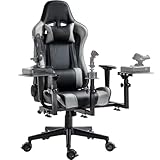


Top 3 picks at a glance
Quick Picks
| Product | Best for | Price |
|---|---|---|
| PXN 2113PRO PC Joystick | Best budget starter stick | $49.99 |
| Microsoft Flight Simulator 2004: A Century of Flight | Best for older laptops | $69.99 |
| Combat Flight Simulator 3: Battle for Europe | Best for dogfight fans | $22.99 |
| Thrustmaster T-Flight Full Kit HOTAS with Rudder Pedals | Best all-in-one control kit | $229.99 |
| Marada Flight Sim Chair Stand with Gaming Chair | Best complete seating solution | $214.99 |
| Masyrt Wired PC Flight Joystick with Vibration | Best mid-range stick | $56.79 |
| Marada Universal Flight Racing Simulator Stand | Best laptop-and-controls stand | $119.99 |
| Meza Cockpit Simulator Panel Kit | Best yoke and panel mounting | $199 |
How We Picked
Because the target setup is a laptop cockpit, we weighted our picks around three realities. First, laptop USB ports and desk space are scarce, so we favored gear that consolidates controls or mounts cleanly without permanent modification. Second, laptop cooling matters, so anything that lifts the laptop off soft surfaces or pairs it with a rigid stand earned extra credit. Third, price-to-value had to make sense: every pick here lands between $22.99 and $229.99, which keeps a complete build — stick, stand, chair or pedals, and a title or two — under roughly $500.
We did not run instrumented lab tests, and we will not pretend otherwise. Instead, we evaluated build materials, adjustability ranges, mounting compatibility, and input method (USB wired, in every case here), then matched each item to the buyer it genuinely serves. Where dimensions matter — the Meza panel’s 30 x 20 x 4 inch footprint, for example — we report them so you can measure your space before ordering.
The 8 Best Picks
1. PXN 2113PRO PC Joystick USB Gaming Flight Simulator Controller Flight Stick — $49.99
If you have never flown with real controls, this is the cheapest honest way to find out whether you will stick with the hobby. The PXN 2113PRO connects over USB, sits on a desk without any mounting hardware, and covers the basics — pitch, roll, yaw, and throttle — for less than the cost of a new game. It is the pick for a student pilot testing the waters on a laptop parked at a desk. When you upgrade later, it makes a fine guest stick for a second seat.
- Pro: Under $50, so it is the lowest-risk entry into physical flight controls.
- Pro: USB plug-and-play means no mounting, no driver hunting, no clutter.
- Con: Desk placement limits the precision and control surface count a stick-with-throttle rig offers.
Skip it if you already know you are committed — the T-Flight kit below delivers far more capability per dollar over time.
2. Microsoft Flight Simulator 2004: A Century of Flight — $69.99
This is the pick for anyone flying on an older or mid-range laptop that cannot push a modern sim at playable frame rates. A Century of Flight celebrates 100 years of aviation with historical aircraft and a tutorial-driven structure that remains one of the friendliest onboarding experiences in the genre. Because it is far less demanding than current releases, it pairs beautifully with the integrated graphics in thinner laptops and with budget control hardware like the PXN stick above. It is also a charming nostalgia purchase for sim veterans who remember it fondly.
- Pro: Very light hardware requirements make it ideal for laptops without discrete GPUs.
- Pro: Excellent historical aircraft selection and structured lessons for beginners.
- Con: Dated visuals and world data compared with modern simulators.
Skip it if your laptop comfortably runs a current sim — you will want the newer scenery and weather.
3. Combat Flight Simulator 3: Battle for Europe — $22.99
For simmers who would rather evade flak than file flight plans, this wartime title puts you in European theater aircraft at the lowest price on this list. At $22.99 it costs less than a nice dinner, and its modest system demands make it a natural companion to older hardware, just like the title above. It suits laptop pilots who want mission structure and dogfights rather than free-flight sightseeing, and it works well with an inexpensive stick since combat flying is exactly the kind of twitchy input that shows why a physical stick beats a keyboard.
- Pro: Exceptional value at under $25 for a full combat sim experience.
- Pro: Runs well on modest laptop hardware.
- Con: Aging presentation and a narrower scope than modern combat flight titles.
Skip it if your interests are strictly civilian — airliners and bush flying get nothing here.
4. Thrustmaster T-Flight Full Kit HOTAS with Rudder Pedals – XBOX & PC — $229.99
This is the single biggest capability jump on the list: a hands-on-throttle-and-stick setup plus rudder pedals in one box. For a laptop cockpit, that matters because everything is USB and console-compatible, so nothing needs custom wiring or a separate controller board. It is the pick for anyone who has outgrown a desk stick and wants twist-free yaw via pedals, which is genuinely transformative for taxiing and coordinated turns. If you buy one item from this roundup, this is the one.
- Pro: Complete HOTAS plus pedals covers every primary control axis in one purchase.
- Pro: Works with both PC and Xbox, adding flexibility if you fly on two platforms.
- Con: At $229.99 it is the priciest control set here and needs floor space for the pedals.
Skip it only if you fly yoke aircraft exclusively — see the Meza kit below instead.
5. Marada Flight Sim Chair Stand Adjustable for Joystick with Gaming Chair — $214.99
The Marada solves the furniture problem in one purchase: a gaming chair and an adjustable stand that puts your joystick exactly where your hand falls, no desk required. For laptop pilots, this is the cleanest path to a real cockpit feel in a small room — park the laptop on a side table or a stand (see pick seven), recline in the chair, and fly. It suits anyone tired of the keyboard-desk posture that plagues laptop simming, and the adjustability accommodates different heights and control positions.
- Pro: Chair and mount together, so seating and control placement are solved at once.
- Pro: Adjustable stand geometry fits different arm lengths and control layouts.
- Con: At $214.99 it is a big commitment if you are still deciding whether simming sticks.
Skip it if you already own a comfortable chair and just need a mount — pick seven costs half as much.
6. Masyrt Wired PC Flight Joystick with Vibration Function, Flight Simulator Control Stick with Throttle Control — $56.79
The Masyrt is the mid-step between the bare-bones PXN and the full Thrustmaster kit: an integrated stick-and-throttle layout with a vibration function, wired over USB and compatible with Windows 7 through 11, which conveniently includes laptop users on older installs. It is the pick for someone who wants throttle control under the same hand as the stick without jumping to a $230 kit. Vibration adds tactile feedback that cheap desk sticks lack, which is most noticeable during rough air and touchdown.
- Pro: Integrated throttle and vibration feedback at a $56.79 price point.
- Pro: Broad Windows 7–11 compatibility covers older and newer laptops alike.
- Con: Vibration feedback at this price is subtle rather than realistic.
Skip it if rudder pedals are your next priority — the Thrustmaster kit bundles those in for a step up in price.
7. Marada Universal Flight Racing Simulator Stand, Hold Mouse and Keyboard — $119.99
This is the sleeper pick for laptop pilots specifically. The Marada Universal Stand holds not just controls but your mouse and keyboard, which means your laptop gets a fixed, stable companion surface instead of balancing acts. Standing-style rigs also keep the laptop itself elevated and ventilated rather than buried in blankets, a real benefit for machines that throttle when they overheat. It is the pick for anyone with a laptop, a stick, and no dedicated desk — or for apartment dwellers who need a rig that packs smaller than a full cockpit.
- Pro: Holds mouse and keyboard alongside controls, consolidating the whole setup.
- Pro: Priced at $119.99, it is the most affordable rigging on the list.
- Con: You supply your own chair and mounting hardware for specific devices.
Skip it if you want a seat included — the chair combo above handles that.
8. Meza – Cockpit Simulator Panel Kit — $199
For simmers who fly general aviation aircraft with a yoke rather than a stick, the Meza panel kit is the finishing touch. It is a pre-cut mounting set compatible with Logitech yokes and throttle quadrants, Honeycomb yokes, and Logitech flight panels, with an LED light bar and a 30 x 20 x 4 inch footprint — measure your space, because that is a substantial tabletop presence. It is the pick for the GA pilot whose laptop setup has outgrown sticks entirely and who wants their yoke and panels sitting at cockpit height instead of desk height.
- Pro: Pre-cut panels fit major yoke and throttle brands without DIY fabrication.
- Pro: LED light bar adds cockpit ambiance and night-session visibility.
- Con: Only worthwhile once you own — or plan to buy — a yoke and panels, since it includes none.
Skip it if your setup is stick-based; a HOTAS rig has nothing to mount here.
Buying Guide
Match the controls to the aircraft you fly
Sticks (picks one and six) suit warbirds, jets, and anything in the combat category. Yokes and throttle quadrants suit GA and airliner flying, which is what the Meza kit mounts. If you fly both, a HOTAS kit like the Thrustmaster T-Flight is the flexible middle ground, and pedals are the upgrade that improves every aircraft type. Buy for the fleet you actually fly, not the one you imagine.
Plan around laptop thermals and ports
A gaming laptop running a sim pulls serious wattage and needs unobstructed airflow, so rigid stands like the Marada Universal beat laps and sofas every time. Keep the power brick ventilated, sit within reach of an outlet, and count your USB ports before buying: a stick, throttle, and pedals can consume three ports, so a small powered USB hub is a worthwhile add-on if your laptop only has two or three.
Build in the right order
Start with software that runs well on your machine (the two sim titles above cost $22.99 and $69.99), then a basic stick around $50–$57. Once you know you are hooked, jump to the full HOTAS kit at $229.99 and then pick your furniture — a $119.99 stand if you have a chair, or the $214.99 chair combo if you do not. That sequencing means no purchase is wasted if the hobby does not take.
Our Verdict
For most laptop simmers, the winning build is the Thrustmaster T-Flight Full Kit at $229.99 paired with the Marada Universal Stand at $119.99 — a complete, stable cockpit for about $350. If budget is the constraint, start with the PXN 2113PRO at $49.99 and Combat Flight Simulator 3 at $22.99 and upgrade in the order above. Yoke pilots should budget the Meza panel kit at $199 into their plan from the start.
FAQ
Can I use these controllers with any gaming laptop?
Yes — every controller and rig here connects via wired USB and, in the case of the Masyrt, supports Windows 7 through 11. Any modern laptop with a free USB port works; just verify you have enough ports for stick, throttle, and pedals together.
Do I need a yoke or a joystick?
It depends on your aircraft. Joysticks suit fighters and warbirds; yokes suit general aviation and airliners. If you fly a mix or are undecided, a HOTAS kit is the more flexible first purchase.
Are rudder pedals really necessary?
Not strictly — twist-grip sticks handle yaw adequately. But pedals make ground handling, crosswind landings, and coordinated turns noticeably better, which is why we rate the Thrustmaster kit so highly: the pedals are included rather than bought later.
Will older simulator titles run on a newer laptop?
Generally yes. Titles like A Century of Flight have modest system demands, so a modern gaming laptop will run them comfortably — the opposite of the usual problem. Check the publisher’s stated requirements and any community compatibility notes for your specific Windows version before buying.


