
Rocket League is deceptively light on graphics but brutal on reaction time, so the laptop that wins here is not the one with the biggest GPU. It is the one with a high-refresh panel, low input latency, and rock-solid frame pacing. This guide explains where your money actually helps in a game that can hit hundreds of frames per second.
Top 3 picks at a glance

Why Rocket League favors refresh rate
Because the engine is efficient, almost any modern gaming laptop pushes 200-400 FPS at 1080p. The bottleneck becomes your display. A 240Hz or 360Hz panel translates those frames into visibly smoother ball tracking and aerials. Pair the panel with a MUX switch so the GPU drives the screen directly and shaves latency.
As an Amazon Associate we earn from qualifying purchases at no extra cost to you.


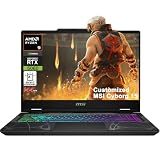


Do you need a powerful GPU?
No. An RTX 5050 or 5060 is more than enough. Spend the savings on the fastest panel your budget allows and on 32GB of RAM if you also stream or keep replays open.
Latency: the hidden spec
Rocket League rewards a full input-to-photon pipeline that is as short as possible. Uncapped FPS with a MUX switch, a wired mouse or controller, and NVIDIA Reflex-style low-latency modes can trim 10-20ms off your response. That is the difference between hitting and whiffing a redirect.
| Tier | Panel | GPU | Typical FPS 1080p | Price |
|---|---|---|---|---|
| Budget | 1080p 144Hz | RTX 5050 | 200-300 | $850-1,100 |
| Competitive | 1080p 240Hz | RTX 5060 | 250-400 | $1,200-1,550 |
| Top ranked | 1080p 360Hz | RTX 5060-5070 | 300-450 | $1,600-2,000 |
Practical setup tips
Uncap your frame rate in the video settings, enable vsync only if you see tearing, and keep the laptop plugged in with a performance power plan. On battery, refresh often drops and the GPU limits itself, which ruins consistency in ranked.
FAQ
Is 360Hz overkill for Rocket League?
Not for serious competitors. The game routinely exceeds 300 FPS, so a 360Hz panel is one of the few titles where that refresh rate is genuinely usable.
Can integrated graphics run Rocket League?
They can at low settings, but you will miss the high frame rates that make the game feel responsive. A discrete RTX GPU is strongly recommended for competitive play.
Panel quality beyond the refresh number
Rocket League benefits from a fast panel, but response time and overdrive tuning matter as much as the headline refresh rate. A 240Hz screen with sluggish grey-to-grey pixels still smears the ball; look for a low measured GtG and a sensible overdrive setting that avoids inverse ghosting. IPS and OLED panels both work, with OLED offering near-instant pixel response that suits the game’s fast camera swings.
Controller vs keyboard considerations
Most Rocket League players use a controller, so a laptop’s USB and Bluetooth support matter. Wired controllers over USB give the lowest latency; if you play wireless, a 2.4GHz dongle beats Bluetooth for responsiveness. Either way, keep the laptop plugged in so the GPU runs at full power and the panel maintains its top refresh rate.
Practical value
Since the game is so light, spending on a flagship GPU is wasted here. A $1,200-1,500 laptop with a fast panel and an RTX 5060 delivers a better Rocket League experience than a $2,500 machine with a slower 165Hz screen.
Settings and long-term suitability
Rocket League’s video menu is simple but impactful. Uncap the frame rate, keep render quality at high performance for competitive clarity, and disable dynamic shadows and weather effects that add visual noise without helping play. These choices let even a modest RTX 5050 sustain the very high frame rates that make aerials and redirects feel crisp on a fast panel.
Because the game is so light, a Rocket League laptop stays relevant for many years, which makes it a smart pick for students or anyone on a budget. You can prioritize a fast display and solid build quality now, confident the hardware will run the game beautifully well into the future without needing an upgrade.
Bottom line: For Rocket League, buy the fastest panel you can afford, pair it with a modest RTX 5050-5060 and a MUX switch, and keep it plugged in. Refresh rate and latency, not GPU horsepower, decide how good the game feels.


