
Network engineering has evolved rapidly, and by 2026, the demands placed on a professional’s primary workstation are heavier than ever. Whether you are spinning up massive enterprise topologies in virtual environments, analyzing multi-gigabit packet captures, or configuring edge switches in a cold data center, your hardware cannot afford to bottleneck your workflow. Standard consumer ultrabooks might look sleek in a coffee shop, but they routinely fall short when you need robust virtualization, reliable legacy port connectivity, and sustained multi-core performance during complex troubleshooting sessions.
Choosing the right machine requires looking past flashy marketing and focusing on the concrete features that impact daily network operations. Network engineers juggle a unique mix of heavy software—ranging from terminal emulators and packet analyzers to resource-heavy network simulation platforms like CML and EVE-NG. Understanding which specifications genuinely matter will save you from performance throttling, peripheral adapter nightmares, and premature hardware upgrades, ensuring your laptop remains a dependable command center for years to come.
As an Amazon Associate we earn from qualifying purchases at no extra cost to you.
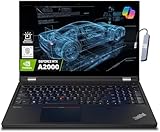
The Essential Role of Native Physical Ports
One of the most frustrating mistakes network engineers make is buying a razor-thin laptop devoid of physical ports. While USB-C dongles and hubs are fine for casual users, relying on adapters in a data center rack or during an emergency field deployment is a recipe for disaster. Look for a machine that offers at least one native RJ-45 Gigabit Ethernet port, multiple USB-A ports for legacy flash drives and console cables, and native video outputs like HDMI or DisplayPort for external monitors at the command desk. Minimizing your reliance on dongles reduces potential points of failure when you are troubleshooting a live network outage under pressure.
RAM Capacity and Virtualization Demands
Network simulation is notoriously memory-intensive. Running enterprise-grade virtual routers, switches, and firewalls locally requires an immense amount of RAM. If you plan to run local labs using platforms like GNS3, Cisco Modeling Labs, or EVE-NG, sixteen gigabytes of RAM is the absolute bare minimum, and thirty-two gigabytes should be your target sweet spot. Running multiple virtualized nodes simultaneously alongside Wireshark and standard administrative tools will quickly choke a machine with constrained memory, leading to sluggish lab responses and crashed simulation instances.
CPU Performance for Packet Processing and Emulation
Your central processing unit dictates how smoothly your emulation topologies and packet decryption tasks will run. Network engineers benefit significantly from processors with a strong balance of high clock speeds and a high core count. When compiling routing tables, calculating complex OSPF or BGP convergence scenarios, or parsing massive packet capture files, a multi-core processor distributes the workload efficiently. Opt for modern high-performance mobile processors that can maintain sustained workloads without triggering aggressive thermal throttling, ensuring your laptop handles heavy computational tasks without stuttering.
Keyboard Ergonomics and Display Real Estate
As a network engineer, you will spend countless hours writing configuration scripts, reviewing routing tables, and interacting with command-line interfaces. A cramped keyboard with shallow travel will quickly induce hand fatigue. Look for a laptop featuring a full-sized, tactile keyboard with a dedicated layout that makes typing commands intuitive. Additionally, prioritize a high-resolution display with an anti-glare finish and ample screen real estate. Being able to snap your terminal window side-by-side with Wireshark or network topology diagrams without constantly scrolling is crucial for efficient troubleshooting.
Battery Life and Power Management in the Field
Network deployments rarely happen entirely at a neat desk. You may find yourself tracing cable runs, sitting on a raised floor, or working out of a temporary staging room with limited access to wall outlets. A reliable battery life is essential for surviving extended troubleshooting sessions away from a charger. While running intensive emulation software will always drain a battery quickly, look for laptops that offer smart power management features, efficient processors, and fast-charging capabilities that can juice up your machine significantly during a quick lunch break.
Storage Speed and Capacity for Logs and VM Images
Storage performance directly impacts how fast your virtual machines boot up and how quickly you can index or search massive text-based log files. Solid-state drives utilizing fast NVMe technology are mandatory. Beyond speed, capacity is a major factor. Virtual machine appliance images, massive packet captures, ISO files, and system backups consume terabytes of space faster than you might expect. Aim for at least a one-terabyte solid-state drive, and ensure the laptop allows for easy storage upgrades down the line if your local lab repository expands.
Build Quality and Chassis Durability
Your laptop is a mobile tool, meaning it needs to withstand the physical realities of travel, field work, and being tossed into a backpack alongside heavy tools. Look for chassis built from reinforced plastics, aluminum alloys, or magnesium composites that offer structural rigidity without adding excessive weight. A sturdy hinge design and spill-resistant keyboard features provide an extra layer of security, ensuring your investment survives the bumps, drops, and dusty environments common in server room deployments.
Related Guides
To see our top hardware recommendations currently on the market, check out our comprehensive guide covering the best laptops for network engineers.
FAQ
Do network engineers need a dedicated GPU?
Generally speaking, a dedicated graphics processing unit is not required for network engineering tasks unless you are also gaming or doing heavy video editing on the side. Integrated graphics are more than capable of handling network diagrams, terminal windows, and basic UI rendering while saving battery life and reducing heat output.
Is macOS or Windows better for network engineering?
Both operating systems have their merits, but Windows—often combined with the Windows Subsystem for Linux—provides broader compatibility for various niche enterprise management utilities and proprietary vendor software. macOS offers a UNIX-based terminal environment natively, making it popular among engineers who heavily rely on shell scripting and network automation.
How much RAM do I need for running EVE-NG locally?
While basic topologies can scrape by with sixteen gigabytes, running a robust, multi-vendor enterprise lab in EVE-NG requires at least thirty-two gigabytes of RAM. If you intend to emulate large data center fabrics or extensive service provider networks, upgrading to sixty-four gigabytes is strongly recommended.
Why is a physical Ethernet port still important?
Many network devices lack Wireshark or modern wireless configuration capabilities out of the box, requiring a direct wired connection for initial setup, firmware flashes, or emergency console access. Having a built-in Ethernet port eliminates the need to carry fragile dongles that can easily be lost or broken in the field.
Related guides
- Alienware 16 Aurora RTX 5070 Review: Display, Portability and Configuration Gaps
- Lenovo Legion Pro 7i Gen 10 Review: 64GB RAM and Dual-SSD Configuration
- MSI Katana 15.6-inch RTX 5050 Review: Configuration Strengths and Upgrade Unknowns
- ASUS ROG Strix SCAR 16 G635LX-XS97 Review: Display Ambition, Upgrade Questions


