
Designing a productive home studio often comes down to spatial efficiency, especially when your desk serves double duty for drafting, sketching, and digital rendering. Selecting the best 14 inch laptop for 3d modeling allows you to reclaim valuable tabletop real estate without tethering your workflow to a massive, power-hungry desktop tower. Lightweight 14-inch chassis easily fit into compact standing desks, floating shelves, or portable briefcase setups, giving interior designers, architects, and 3D animators the flexibility to present concepts on-site or model seamlessly from a minimalist home office in 2026.
However, high-polygon modeling and real-time viewport shading demand significant hardware capabilities that challenge smaller form factors. Pushing complex geometries in Blender, SketchUp, or Maya requires a balance of high clock speeds, robust RAM configurations, and capable thermal designs inside thin laptop shells weighing under 3.5 pounds. In this guide, we evaluate eight leading 14-inch laptops—spanning high-end professional workstations to budget-friendly renewed models—to help you build a clean, capable home design environment.
As an Amazon Associate we earn from qualifying purchases at no extra cost to you.





Top 3 picks at a glance
Quick Picks
| Product | Best For | Price |
|---|---|---|
| HP ZBook 8 G1ak (32GB / 1TB) | Best Overall Workstation | $1699.99 |
| HP ZBook Firefly 14 G7 (Renewed) | Best Ultra-Budget Studio Laptop | $319.90 |
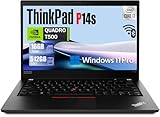
| Lenovo ThinkPad P14s Gen 2 (Renewed) | Best Entry GPU Performance | $699.00 |
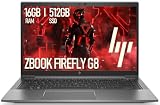
| HP ZBook Firefly 14 G8 (Renewed) | Best Value Connectivity | $329.99 |
| HP ZBook Ultra G1a (32GB / 512GB) | Best Compact Powerhouse | $1999.99 |
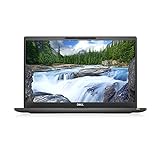
| Dell Latitude 7400 (Renewed) | Best Low-Cost Multitasker | $398.59 |
| HP ZBook Ultra G1a (32GB / 1TB) | Best Premium Storage Balance | $2099.99 |
| HP ZBook 8 G1ak (64GB / 2TB) | Best Extreme Rendering Workflows | $2299.99 |
How We Picked
Selecting a 14-inch laptop for intensive CAD and 3D visualization requires balancing footprint ergonomics with mechanical performance. From a design editor’s perspective, a workstation must physically integrate into home workspaces while maintaining acceptable noise and heat levels. We evaluated models based on four primary parameters:
First, system memory and processor power were scrutinized, prioritizing options with 16GB to 64GB of RAM to handle geometry-heavy scenes without stuttering. Second, we assessed thermal management within chassis footprints averaging 12.7 x 8.8 inches and under 0.8 inches thick, ensuring fans do not overwhelm quiet studio spaces. Third, display quality was evaluated, preferring FHD or FHD+ panels that deliver crisp line clarity for draft work. Finally, we analyzed total value, pairing cutting-edge AI-assisted chips with accessible renewed business class machines ranging from $319.90 to $2299.99.
The 8 Best Picks
1. HP ZBook 8 G1ak Laptop (32GB RAM, 1TB SSD)
Designed for mid-to-advanced 3D artists who require tactile control, this machine pairs an AMD Ryzen AI 7 PRO 350 processor with a responsive 14-inch touchscreen. Its 32GB memory footprint easily handles high-poly meshes and multi-layered CAD applications, while the 1TB NVMe drive provides room for asset libraries. At $1699.99, it offers ideal horsepower for an uncluttered desktop environment.
- Intuitive touchscreen control for panning, zooming, and rotating 3D viewports
- Generous 32GB RAM capacity prevents bottlenecking in complex scenes
- Premium price tag compared to refurbished alternatives
When to skip: Skip if your workflow involves light 2D drafting where interactive touchscreen navigation is unnecessary.
2. HP ZBook Firefly 14 G7 (Renewed)
Ideal for design students or home professionals on a strict budget, this renewed Firefly G7 delivers essential workstation features at $319.90. Powered by an Intel Core i7-10610U running at 1.8GHz, 16GB RAM, and a 256GB NVMe SSD, it easily handles conceptual modeling in SketchUp or Rhino. The 14-inch FHD display and integrated camera keep client consultations professional.
- Incredible value price point under $320 for a dedicated workstation chassis
- 16GB RAM provides a baseline foundation for standard 3D modeling tasks
- 256GB SSD storage requires external drives for large project archives
When to skip: Skip if you render photorealistic lighting setups requiring dedicated GPU acceleration.
3. Lenovo ThinkPad P14s Gen 2 (Renewed)
Engineered for technical draftspeople and entry-level 3D animators needing dedicated graphics, this renewed ThinkPad P14s Gen 2 comes equipped with an NVIDIA Quadro T500 GPU. Driven by an Intel Core i7-1185G7 processor, 16GB DDR4 RAM, and a 512GB SSD, it balances stable driver support with classic ThinkPad durability for $699.00.
- Dedicated NVIDIA Quadro T500 graphics deliver optimized OpenGL performance
- Comprehensive I/O including HDMI 2.0 and integrated fingerprint security
- 16GB RAM limit may require eventual upgrades for heavy multitasking
When to skip: Skip if you rely heavily on touchscreen interaction during digital sculpting sessions.
4. HP ZBook Firefly 14 G8 (Renewed)
Tailored for home office workers who prioritize modern port versatility, the ZBook Firefly G8 incorporates Thunderbolt 4 connectivity for rapid dual-monitor docking. Driven by an 11th Gen quad-core i5-1135G7 chip, 16GB DDR4 RAM, and a 512GB SSD, it delivers solid baseline drafting performance for $329.99 alongside a backlit keyboard for late-night modeling sessions.
- Thunderbolt 4 support simplifies desk cable management with single-cable docking
- Very competitive $329.99 price point for 11th Gen hardware
- Quad-core Core i5 CPU may slow down heavy CPU-based rendering tasks
When to skip: Skip if your primary task is offline ray-trace rendering requiring maximum core counts.
5. HP ZBook Ultra G1a Laptop (32GB RAM, 512GB SSD)
Built for professionals seeking next-generation mobile processing, this ZBook Ultra features the powerful AMD Ryzen AI Max PRO 385 chip. Combined with 32GB of system memory and a 14-inch touchscreen, it processes intricate scene geometry and AI-accelerated workflows effortlessly. At $1999.99, it provides premium compute density within a sleek studio aesthetic.
- Cutting-edge AMD Ryzen AI Max PRO 385 architecture handles heavy compute tasks
- 32GB of memory provides smooth multi-application switching
- 512GB SSD capacity is somewhat modest for a nearly $2000 investment
When to skip: Skip if you prefer maximum internal storage capacity over high-end processing speed.
6. Dell Latitude 7400 (Renewed)
A smart pick for budget-conscious modelers who prioritize raw memory over specialized graphics, this renewed Dell Latitude 7400 packs 32GB of RAM for just $398.59. Powered by an Intel Core i7-8665U four-core processor capable of up to 4.8 GHz, it handles massive spatial layouts, point clouds, and large textures without system memory slowdowns.
- 32GB RAM capacity at an exceptionally low price point under $400
- Compact 14-inch FHD screen footprint blends seamlessly into small desk spaces
- Integrated graphics rely on system memory and cap intensive 3D viewport frames
When to skip: Skip if you need hardware-accelerated ray tracing or dedicated GPU drivers.
7. HP ZBook Ultra G1a Laptop (32GB RAM, 1TB SSD)
Striking the ideal sweet spot for high-end digital design environments, this configuration pairs the AMD Ryzen AI Max PRO 385 APU with a roomier 1TB SSD. Priced at $2099.99, its 14-inch touchscreen interface, 32GB RAM, and rapid NVMe storage make it a long-term solution for demanding 3D rendering and parametric CAD work.
- Expansive 1TB NVMe storage accommodates large asset packs and local client backups
- Top-tier Ryzen AI Max PRO 385 chip speeds up heavy computational loads
- Significant upfront price tag for non-commercial users
When to skip: Skip if you operate on a strict budget and can utilize cloud storage solutions instead.
8. HP ZBook 8 G1ak Laptop (64GB RAM, 2TB SSD)
Representing the peak of 14-inch workstation performance, this top-tier ZBook 8 G1ak features an astounding 64GB of RAM and a 2TB SSD. Powered by the AMD Ryzen AI 7 PRO 350 processor and featuring a crisp 14-inch FHD+ panel, this $2299.99 powerstation runs memory-hogging rendering engines like V-Ray and Octane without compromise.
- Massive 64GB RAM prevents any memory paging during ultra-dense 3D scene rendering
- Spacious 2TB internal SSD eliminates external drive clutter on your desk
- Highest price point in the lineup at $2299.99
When to skip: Skip if you only perform light interior floor planning or basic conceptual sketching.
Buying Guide
1. Balancing CPU Clock Speeds and Graphics Compute
3D modeling workflows rely heavily on single-core CPU clock speeds for real-time viewport manipulation and parametric editing. When building a compact home workspace, look for processors—such as the AMD Ryzen AI series or Intel Core i7 models—that reach peak boost clock speeds between 4.5 GHz and 4.8 GHz. Dedicated GPUs like the NVIDIA Quadro T500 offer specialized ISV drivers that prevent viewport glitches in CAD software, whereas modern high-tier APUs utilize unified memory structures that perform exceptionally well in portable setups.
2. Memory (RAM) and Fast Storage Considerations
Complex 3D scenes with high polygon counts, uncompressed textures, and multiple background applications rapidly consume system memory. While 16GB of RAM represents the functional baseline for entry-level drafting, upgrading to 32GB or 64GB ensures your machine handles high-resolution texture maps without paging to disk. Pair your RAM with an NVMe SSD ranging from 512GB to 2TB to maintain rapid boot times, fast asset loading, and a clutter-free desk free from external hard drive docks.
3. Thermal Management and Ergonomics in Small Enclosures
A 14-inch workstation packs powerful components into a slim profile typically measuring under 0.8 inches thick and weighing around 3 to 3.5 pounds. High-load rendering generates significant heat that thermal cooling fans must dissipate. Look for laptops with well-designed bottom intake vents and rear exhaust channels. To maintain an ergonomic home setup, pair your 14-inch laptop with a vertical riser stand and an external monitor when working at your primary desk setup.
Our Verdict
For the ultimate balance of portable luxury, processing speed, and touch capability, the HP ZBook 8 G1ak (32GB / 1TB) at $1699.99 stands out as the best overall choice for home design studios. If you require maximum performance for heavy scene assembly, the HP ZBook 8 G1ak (64GB / 2TB) at $2299.99 offers unmatched headroom. Buyers seeking maximum value on a budget should consider the renewed Lenovo ThinkPad P14s Gen 2 at $699.00 for its dedicated Quadro GPU, or the ultra-affordable renewed HP ZBook Firefly 14 G7 at $319.90.
FAQ
1. Is a 14-inch display comfortable for daily 3D modeling work?
A 14-inch screen is highly capable for mobile modeling and presenting on-site concepts. However, for extended working sessions at a home desk, connecting your laptop via Thunderbolt or HDMI to a larger 27-inch 4K monitor creates an ideal ergonomic double-screen setup.
2. How much RAM do I need for serious 3D rendering?
While 16GB of RAM handles light modeling in programs like SketchUp, 32GB is recommended for complex assemblies, high-poly sculpts, and multi-app workflows. Professional studio visualization artists handling massive environment scenes should consider 64GB options.
3. Are renewed laptops safe to purchase for professional design work?
Yes, renewed business-class laptops—like the HP ZBooks, ThinkPads, and Dell Latitudes featured here—undergo rigorous testing and reconditioning. They offer exceptional value, allowing you to access premium magnesium-alloy build quality at a fraction of retail prices.
4. Do I need a touchscreen for 3D modeling software?
A touchscreen is not strictly required, as most 3D software relies on a precision three-button mouse. However, touchscreen support allows for intuitive panning, rotating, and client presentations, making it a valuable addition for creative professionals.
Related guides
- Alienware 16 Aurora RTX 5070 Review: Display, Portability and Configuration Gaps
- Lenovo Legion Pro 7i Gen 10 Review: 64GB RAM and Dual-SSD Configuration
- MSI Katana 15.6-inch RTX 5050 Review: Configuration Strengths and Upgrade Unknowns
- ASUS ROG Strix SCAR 16 G635LX-XS97 Review: Display Ambition, Upgrade Questions


