A college laptop under 800 dollars has to do an unusual amount of work. It carries lecture notes, research tabs, video calls, group-project documents, and a streaming session at midnight, and it has to last four years of backpacks and dorm desks. The budget cap is generous enough to buy a genuinely capable machine, yet it is also the zone where weak listings hide: tiny storage, thin memory, and processors that struggle once a few tabs are open. The real task is separating laptops that will still feel quick in the third year from those that already feel slow on day one.
This guide is written for incoming and current students who want a dependable all-rounder for coursework in 2026, not a gaming rig or a creative workstation. Based on the listed specs, the eight laptops below range from basic Chromebook-style machines to a modern Ryzen AI notebook, so the differences in memory, storage, and processor class are large. This guide focuses on what a student can verify from the spec sheet: RAM, storage type, screen quality, battery life claims, ports, and wireless standards. Where a title offers little detail, the review says so instead of guessing.
Our Top Picks
 Lenovo V15 Ultra Slim College Student Laptop16GB RAM | 256GB SSD14.14 x 9.28 x 0.78 inches0 PoundsCheck on Amazon

Top 3 picks at a glance
Quick Picks
As an Amazon Associate we earn from qualifying purchases at no extra cost to you.



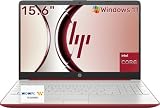

| Product | Best for | Key spec from the title |
|---|---|---|
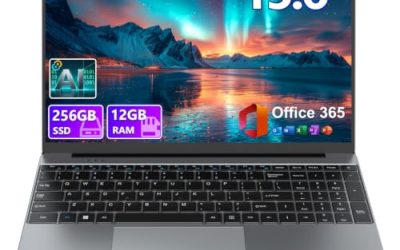
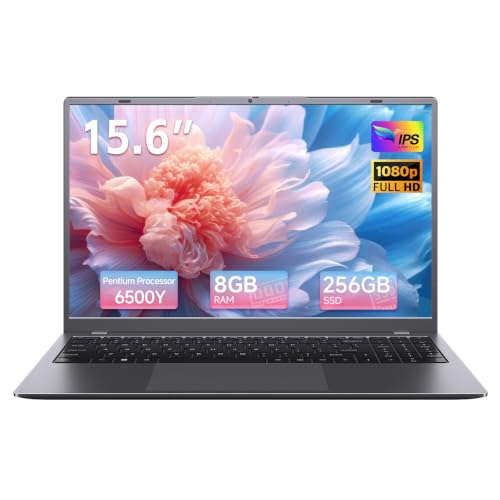
| Windows 11 Pro 15.6-inch laptop (8GB) | Basic coursework on a tight plan | 8GB RAM, 256GB SSD, Office 365, 6H battery |
| Windows 11 Pro 15.6-inch laptop (16GB) | Multitasking on a basic platform | 16GB RAM, 512GB SSD, Pentium |
| ARCBUC 15.6-inch | Port selection and a bright screen | FHD IPS, Type-C, HDMI, WiFi 5 |
| Lenovo V15 Ultra Slim | Student-focused 15.6-inch build | Quad-core, 16GB DDR5, Wi-Fi 6 |
| Acer Chromebook 315 | Browser-based study and battery life | Celeron N4020, 4GB, 12.5H battery |
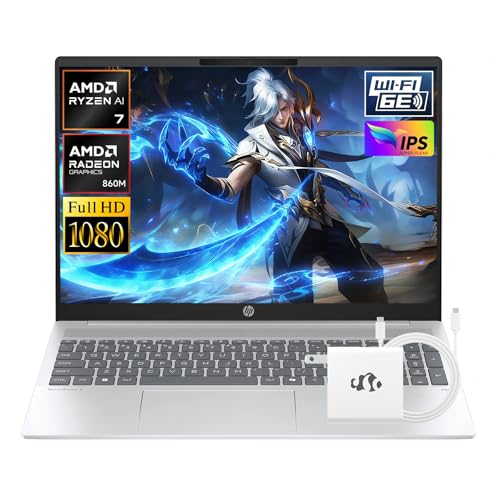
| HP OmniBook 5 16-inch | Longest useful life of the group | Ryzen AI 7 350, 16GB DDR5, 512GB SSD |
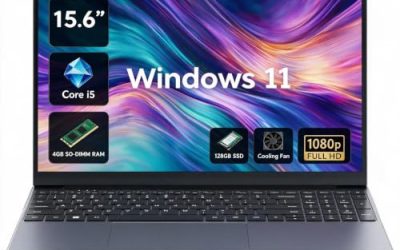
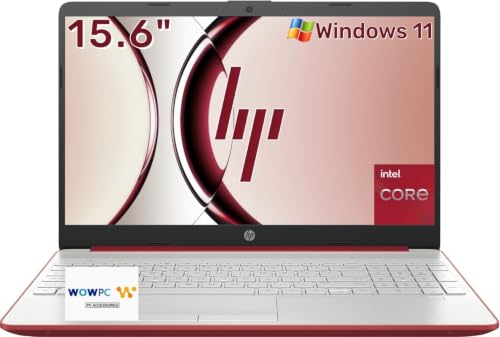
| HP 15.6-inch (4GB) | Simple typing and light use | Numeric keypad, 10 hours battery, 128GB |
| WISESWAN i3 15.6-inch | Backlit typing and mid memory | Core i3, 12GB RAM, backlit keyboard, WiFi 6 |
How to Choose
Memory is the first thing students outgrow
Four gigabytes of RAM is workable only on a lightweight Chromebook operating system. On Windows, 8GB is the practical minimum and 16GB is the comfortable level for dozens of browser tabs, a video call, and a word processor open together. Two listings here carry 16GB, one has 12GB, and two have 4GB. If you plan to keep the laptop through graduation, give memory more weight than a slightly faster processor, and check whether the title says the RAM is upgradeable.
Storage type and size set the daily speed
Look for an SSD rather than eMMC flash or a hard drive, because an SSD cuts boot and app launch times dramatically. For capacity, 256GB covers coursework, but 512GB is more comfortable once you add project files and software. The 64GB eMMC and 128GB configurations in this group are fine for cloud-first workflows, yet they fill quickly with downloads and offline files, and a nearly full drive slows everything down.
Screen, keyboard, and ports shape comfort
Prefer a Full HD IPS panel over a basic HD display for readability, and an anti-glare finish if you study in bright libraries. A full-size keyboard with a numeric keypad helps with accounting, statistics, and data entry, and a backlit keyboard helps in late-night dorm sessions. For connections, a Type-C port, an HDMI output for presentations, and Wi-Fi 6 support for crowded campus networks are the checks worth making. Treat battery claims in titles as marketing numbers, because real hours depend on screen brightness and workload.
Processor class matters more than brand labels
Entry processors such as Pentium and Celeron manage documents and video, but slow down when you stack tasks. A quad-core chip or a Core i3 is a step up, and a modern Ryzen AI processor is the best long-term bet in the group. Ignore phrases like beats Celeron or beat i3 in titles; they are comparisons chosen by the seller, not measurements. Budget models usually save money on screen quality, speakers, and build, so read what each listing actually specifies.
One last filter is how the laptop fits your campus routine rather than your spec sheet. If you walk between buildings with a backpack, weight and battery matter more than a slightly sharper display. If you mostly study at a desk or in a library with outlets, a larger 15.6-inch or 16-inch screen is easier on your eyes and leaves room for two windows side by side. Also think about the repair path: a laptop with upgradeable memory or storage can be improved later when a semester demands more, while a sealed design cannot. Keep a short list of what your program requires, such as specific software, a webcam for proctored exams, or a dedicated numeric keypad, and eliminate any listing that fails one of those basics before comparing the rest.
The 8 Best Options
Windows 11 Pro 15.6-inch laptop (8GB)
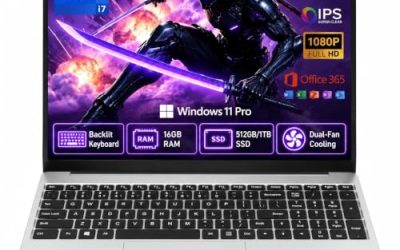
This listing is an entry-level Windows machine with an Office 365 inclusion. The title shows a 15.6-inch display, 8GB of RAM, a 256GB SSD, an Intel Pentium processor, a 6-hour battery claim, Mini HDMI, and a camera and microphone.
- Strength: Windows 11 Pro with Office included covers the software basics on day one.
- Strength: an SSD with 8GB of memory is a sound minimum for coursework.
- Trade-off: the Pentium processor and a 6-hour battery claim limit heavy multitasking and long days away from an outlet.
Skip it if you carry the laptop all day or plan to run many apps at once.
Windows 11 Pro 15.6-inch laptop (16GB)
This is the larger-memory version of the same platform. The title lists 16GB of RAM, a 512GB SSD, an Intel Pentium processor, Office 365, a 6-hour battery claim, and Mini HDMI.
- Strength: 16GB of RAM and a 512GB SSD give much more headroom than the 8GB sibling.
- Strength: it keeps the bundled Office software and Windows 11 Pro.
- Trade-off: the processor is still Pentium-class, so extra memory cannot fully make up for limited compute power.
Skip it if you edit video, run statistical software, or want a premium display.
ARCBUC 15.6-inch
The ARCBUC emphasizes connectivity and display. The title shows a 15.6-inch FHD IPS screen, 8GB of RAM, a 256GB SSD, a Pentium Gold processor, Type-C, HDMI, WiFi 5, and Bluetooth 5.0.
- Strength: a Full HD IPS display is easier on the eyes than a basic HD panel.
- Strength: Type-C and HDMI ports cover charging, displays, and projectors.
- Trade-off: WiFi 5 is a generation behind and may be slower on busy campus networks.
Skip it if reliable connectivity in a crowded lecture hall is a priority.
Lenovo V15 Ultra Slim
Lenovo markets this model directly at students. The title lists a 15.6-inch anti-glare FHD display, an Intel quad-core processor, 16GB of DDR5 RAM, a 256GB SSD, and Wi-Fi 6.
- Strength: 16GB of DDR5 memory and a quad-core chip is a strong pairing for multitasking.
- Strength: an anti-glare Full HD screen and Wi-Fi 6 suit libraries and busy networks.
- Trade-off: 256GB of storage is modest for four years of files.
Skip it if you keep large media libraries without cloud storage or an external drive.
Acer Chromebook 315
This one is the odd entry because it runs a browser-based operating system. The title shows a 15.6-inch HD display, a Celeron N4020 up to 2.8GHz, 4GB of RAM, 64GB of eMMC storage, Intel UHD graphics, and a 12.5-hour battery claim.
- Strength: the long battery claim suits all-day campus use.
- Strength: a lightweight operating system runs smoothly on modest hardware.
- Trade-off: it cannot install typical Windows desktop programs, and 64GB of eMMC is small.
Skip it if your degree requires Windows-only software.
HP OmniBook 5 16-inch
The OmniBook 5 is the most modern machine here. The title lists a 16-inch display, an AMD Ryzen AI 7 350 processor up to 5GHz, 16GB of DDR5, a 512GB SSD, Radeon 860M graphics, and a Copilot+ designation.
- Strength: a current-generation processor and 512GB SSD should stay responsive through graduation.
- Strength: the Radeon graphics help with light creative work and casual gaming.
- Trade-off: a 16-inch laptop is larger to carry than a 14-inch model.
Skip it if you want the lightest possible backpack companion.
HP 15.6-inch (4GB)
This HP is a basic typing machine. The title shows a 15.6-inch display, 4GB of RAM, 128GB of storage, an Intel processor, Windows 11, a numeric keypad, a 10-hour battery claim, and a thin, portable design.
- Strength: a full-size keyboard with a numeric keypad is helpful for spreadsheets and data entry.
- Strength: the 10-hour battery claim is among the better ones listed.
- Trade-off: 4GB of RAM on Windows is tight and will feel slow with many tabs.
Skip it if you multitask or want it to last the full four years.
WISESWAN i3 15.6-inch
This listing sits between the basic models and the Lenovo. The title shows a Windows 11 laptop with a Core i3 (2 cores, 4 threads, up to 3.4GHz), a 15.6-inch screen, a backlit keyboard, WiFi 6, and 12GB of RAM.
- Strength: 12GB of memory and a backlit keyboard help with late-night study sessions.
- Strength: WiFi 6 supports faster connections on busy networks.
- Trade-off: a two-core processor limits sustained heavy workloads.
Skip it if you run demanding software for engineering or data courses.
Which One Fits Your Situation
You want the longest-lasting machine
Choose the HP OmniBook 5. Its Ryzen AI 7 350 processor, 16GB of DDR5, and 512GB SSD are the best foundation for four years, and it is the one most likely to feel quick in your final semester.
You need solid value for coursework
The Lenovo V15 Ultra Slim pairs 16GB of DDR5 with a quad-core processor, an anti-glare display, and Wi-Fi 6. It is the balanced middle choice for most students.
You live in browsers and cloud documents
The Acer Chromebook 315 fits students who use web apps, shared documents, and streaming. Confirm your program does not require Windows-only programs before buying.
You need storage and bundled software
The 16GB Windows 11 Pro 15.6-inch laptop offers 512GB of SSD space and Office 365, useful for students who store many files locally. Pair it with a backup drive for safety.
Common Mistakes
- Buying a Windows laptop with 4GB of RAM and expecting it to stay fast for four years.
- Choosing based on the processor name alone while ignoring RAM and storage type.
- Trusting battery-hour claims in titles instead of planning for realistic charging.
- Ignoring whether your major requires Windows-only software before picking a Chromebook.
- Overlooking the weight and size of a 16-inch laptop for a long campus commute.
Related guides
- Gaming Laptop Battery Draining While Plugged In Fix
- How To Stop Laptop Thermal Throttling In Software
- Gaming Laptop For High School Students
Frequently Asked Questions
How much RAM does a college laptop need?
Eight gigabytes is the practical floor for Windows, and 16GB is the comfortable target if you keep many tabs and apps open. A Chromebook can work with 4GB because its operating system is lighter.
Is a Chromebook enough for college?
It can be, if your coursework uses web-based tools and standard documents. Check your department’s software requirements first, since some engineering, design, and statistics programs need Windows or macOS.
Should I care about Wi-Fi 6?
It helps on crowded campus networks and in dorms with many connected devices. Wi-Fi 5 still works, but newer standards handle congestion better.
Is 256GB of storage enough?
For documents and cloud-based work, yes. If you store large files, projects, or media locally, 512GB or an external drive gives a more comfortable buffer.