Shopping for deals on an 8 inch tablet is different from shopping for a full-size slate. The whole point of this size is that it fits one hand, slips into a jacket pocket, and stays comfortable when you read in bed or hold it on a train. A “deal” here should mean the right balance of memory, storage, and battery for a small screen, not simply the lowest tier on the shelf, because a cheap tablet that stutters in every app is no bargain at all.
This guide is for readers who want an e-reader replacement, a kitchen or travel screen, a kid-friendly streaming device, or a rugged field tablet. As of 2026 the 8-inch group spans budget Android Go models, mid-range units with large RAM numbers, and a premium rugged option with cellular. Everything below is based on the specifications in each product title, so confirm details on the listing before buying.
Our Top Picks
Top 3 picks at a glance
Quick Picks
As an Amazon Associate we earn from qualifying purchases at no extra cost to you.


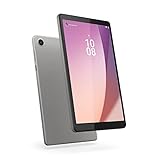
| Product | Best for | Key spec from the title |
|---|---|---|
| LincPlus M8 | Smooth streaming on a small screen | 8.4″, Helio G99, 12GB RAM, 90Hz |
| Samsung Galaxy Tab Active 5 | Field work and travel | 8.0″, 5G LTE, unlocked, 6GB, 128GB |
| Lenovo Tab One | Long video sessions | 8.7″, up to 12.5 hours of YouTube |
| Fire HD 8 (32GB) | Casual entertainment on a budget | 8″ HD, 32GB, faster processor |
| Azeyou 8.7 Inch | Light carry and GPS use | 11GB+64GB, GPS, 5000mAh, 361g |
| Lenovo Tab M8 (4th Gen) | Basic reading and browsing | 8″ HD, 2GB, 32GB, Android 12 Go |
How to Choose
Memory and storage
Two gigabytes of memory runs Android Go acceptably for reading and video, but multitasking will feel slow. Four gigabytes is a comfortable floor for modern apps, and 6GB or more helps with split screen. Be careful with “expanded” RAM figures: some titles add virtual memory to physical memory, so an 11GB or 12GB label may include borrowed storage. For storage, 32GB fills up fast once you download games and offline video, so 64GB or 128GB is more realistic.
Display and battery
On a small screen, resolution matters less than panel quality, but “HD” at 8 inches is still noticeably softer than FHD+. A 90Hz refresh rate, as on the LincPlus unit, makes scrolling smoother, though it uses more battery. Battery capacity in milliamp hours, such as the 5000mAh and 6000mAh figures in these titles, gives a rough guide, while manufacturer claims like 12.5 hours of streaming are best used to compare within the same brand.
Streaming and software support
If you stream movies, look for Widevine L1, which allows HD playback in streaming apps, and for Google Mobile Services so the Play Store works. Without Widevine L1, many apps cap video at standard definition. Fire tablets use their own app store, which suits media but limits some Google apps. Also check the Android version, since older versions stop receiving security updates sooner.
Connectivity and durability
Wi-Fi only models suffice at home, but cellular models add the freedom to work anywhere. A rugged tablet adds protection from drops and rain, which matters on a job site or with young children. Where budget models cut corners is in camera quality, speaker output, and build, so ignore camera megapixel counts unless video calls are a big part of your day.
A last point on value: the best deal is usually the model that matches your habits, not the one with the longest spec list. A reader who never installs games gains little from extra memory, while a frequent traveler gains a lot from a lighter body. Write down your top two uses before you compare listings, and weigh each tablet against those two uses only.
Weight is another small-tablet detail worth checking. The Azeyou title lists 361 grams, and anything near that figure feels easy to hold one-handed for an hour. Heavier rugged models trade that comfort for protection. If you read lying down, favor the lighter listings; if the tablet rides in a work bag or a truck cab, the extra heft of a rugged body is the better trade. Cases also add weight, so factor one in if you plan to buy it.
The 6 Best Options
LincPlus M8
This tablet suits buyers who want the smoothest screen in the group. The title lists an 8.4-inch FHD+ display at 90Hz, a Helio G99 processor, 12GB of RAM, 128GB of storage, Android 15, and a 6000mAh battery for about 8 hours of streaming.
- Strength: the 90Hz FHD+ screen makes scrolling and video look crisp.
- Strength: Widevine L1 and GMS are listed, so streaming and the Play Store should work properly.
- Trade-off: the 12GB figure likely includes virtual memory, so do not expect a flagship experience.
Think of it as a value-minded choice for a bedroom or couch screen, where sharpness and refresh rate matter more than a nameplate. Skip it if you want a name-brand warranty network, a rugged body, or a cellular radio, since the title lists none of those.
Samsung Galaxy Tab Active 5
Aimed at field workers, delivery drivers, and travelers who need a connected small tablet. The title lists an 8.0-inch screen, model SM-X306B, 128GB of storage, 6GB of memory, and factory-unlocked WiFi plus 5G LTE cellular.
- Strength: built-in cellular means connectivity without hunting for Wi-Fi.
- Strength: the Active line is built for rugged use, and the unlocked status gives carrier flexibility.
- Trade-off: this is an international version, so check regional band support and warranty terms.
It also makes sense for anyone who wants one device for inventory scans, route notes, and maps without depending on a phone hotspot. Skip it if you only read and stream at home, since you would pay for ruggedness and cellular features that you will rarely use.
Lenovo Tab One
A good fit for commuters and travelers who care about battery life and weight. The title describes a lightweight tablet with up to 12.5 hours of YouTube streaming, an 8.7-inch HD display, 4GB of memory, 64GB of storage, and a MediaTek Helio G85 chip.
- Strength: the stated streaming time is among the longest in this group.
- Strength: 4GB of memory gives it more headroom than the basic Lenovo model.
- Trade-off: the HD panel is softer than the FHD+ screen on the LincPlus.
Parents of older kids and frequent flyers will appreciate the light build and long runtime, which cut down on hunting for outlets. Skip it if display sharpness is your top priority, because the listed HD panel will not match an FHD+ screen for fine text.
Fire HD 8 (32GB)
This is the straightforward pick for casual entertainment. The title lists an 8-inch HD display, 32GB of storage, a 30 percent faster processor than its predecessor, and a black finish, aimed at portable entertainment.
- Strength: it is built around media streaming and simple everyday use.
- Strength: it is a familiar budget-tier option with an easy interface.
- Trade-off: it uses the Fire app store, so some Google apps are harder to install.
It works well as a shared kitchen or living-room screen where the whole household just wants to stream and read. Skip it if you depend on the Play Store, want a newer release, or need much more than 32GB of room for downloads.
Azeyou 8.7 Inch
Think of this as a lightweight mini tablet for people who travel or navigate. The title lists an 8.7-inch IPS display at 800×1340, 11GB+64GB memory, GPS, Widevine L1, a 5000mAh battery, and a weight of 361 grams.
- Strength: the 361g weight keeps one-handed reading comfortable.
- Strength: GPS and Widevine L1 widen what you can do with it.
- Trade-off: the 11GB figure probably combines physical and virtual memory.
The mix of low weight, GPS, and a battery of this size makes it a sensible travel companion for maps, e-books, and downloaded video on a trip. Skip it if you want a recognized brand with a long support history or guaranteed update schedule.
Lenovo Tab M8 (4th Gen)
The simplest option here, for reading, light browsing, and children’s apps. The title lists an 8-inch HD display, front 2MP and rear 5MP cameras, 2GB of memory, 32GB of storage, and Android 12 (Go Edition), with a focus on long battery life.
- Strength: Android Go keeps the interface light on modest hardware.
- Strength: a trusted brand name and a plain feature set make it easy to understand.
- Trade-off: 2GB of memory limits multitasking and heavy games.
It is a sensible hand-me-down tablet for a younger child or a grandparent who only needs email, video calls, and reading. Skip it if you plan to run several apps at once, play demanding games, or keep a large library of downloads.
Which One Fits Your Situation
You stream a lot and want a sharp screen
The LincPlus M8 pairs a 90Hz FHD+ panel with Widevine L1, which suits movies and series on a small display.
You work outdoors or travel often
The Samsung Galaxy Tab Active 5 brings rugged design and 5G LTE, so you are not tied to Wi-Fi at a job site or airport.
You want a long-lasting commuter tablet
The Lenovo Tab One lists up to 12.5 hours of YouTube streaming and a light body, which is ideal for long train rides and flights where outlets are scarce. Its 4GB of memory also leaves room for a music app running behind a video or a reading app.
You want something basic for a child or a spare screen
The Lenovo Tab M8 (4th Gen) is a plain, low-effort device for reading and simple apps, while the Fire HD 8 is a good alternative if you like a media-first interface.
If your budget is tight, the Fire HD 8 and the Lenovo Tab M8 cover the basics, while the LincPlus M8 and Azeyou add more memory and storage for a modest step up. The Samsung is the premium pick, justified only if you need its rugged shell and cellular radio.
Common Mistakes
- Trusting inflated RAM numbers without checking how much is physical memory.
- Buying 32GB of storage and then running out after a handful of downloaded shows.
- Skipping a Widevine check, then discovering streaming apps cap video at low resolution.
- Choosing a Fire tablet and expecting every Google app to install without effort.
- Paying for cellular when you only ever use the tablet on home Wi-Fi.
Related guides
- Gaming Laptop Battery Draining While Plugged In Fix
- Graphics Cards For Low Wattage Power Supplies
- How To Stop Laptop Thermal Throttling In Software
Frequently Asked Questions
Is 8 inches too small for reading?
Most readers find 8 inches ideal for books and comics, since the tablet is light enough to hold for long sessions. Text-heavy PDFs and large spreadsheets are more comfortable on a bigger screen, so consider the 10-inch class if documents are your main use.
How much memory do I need?
Four gigabytes is a comfortable minimum for mixed use, while 2GB suits very basic reading and video. Treat headline figures above 8GB with caution if they combine real and virtual memory.
Do I need Widevine L1?
If you stream movies and want HD playback, yes. The LincPlus and Azeyou titles both list it, which is a useful point in their favor. Without it, many services limit video to standard definition even on a sharp display.
Should I buy cellular?
Only if you often work or travel away from Wi-Fi. A phone hotspot covers occasional needs, so a cellular tablet makes sense for regular field use. Check the bands listed for your region before buying an international or unlocked version.