
Overwatch 2 is a well-optimized hero shooter that runs on modest hardware, which makes it a rare case where you can buy smart instead of expensive. The trick is matching a high-refresh panel to a GPU that holds triple-digit FPS in chaotic team fights, then leaving budget for RAM and cooling that keep those frames steady.
Top 3 picks at a glance
How demanding is Overwatch 2 on a laptop?
At 1080p on high settings, an RTX 5050-5060 laptop easily clears 200 FPS in open areas, dipping to 120-160 during full 5v5 ults. At 1440p, an RTX 5070 keeps you above 165 FPS. Because the engine is CPU-friendly, even a Core Ultra 5 or Ryzen 5 chip rarely bottlenecks a mid-range GPU here.
As an Amazon Associate we earn from qualifying purchases at no extra cost to you.


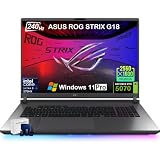


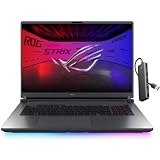
Match the panel to your rank
Casual and support players do great on 144Hz. DPS and tank mains chasing ladder should target 240Hz, which meaningfully tightens flick accuracy. A 360Hz panel only pays off with an RTX 5070 Ti or better feeding it.
Recommended configurations
Value seekers should look at a 1080p 144-165Hz machine with an RTX 5060 and 16GB of RAM for around $1,000-1,300. Competitive players benefit from a 1080p 240Hz screen, RTX 5060-5070, and 32GB. Anyone who also edits clips or streams should add the RTX 5070 and a second SSD slot.
| Goal | Panel | GPU | Sustained FPS (high) | Price |
|---|---|---|---|---|
| Casual | 1080p 144Hz | RTX 5050 | 140-200 | $900-1,150 |
| Ranked | 1080p 240Hz | RTX 5060 | 200-300 | $1,200-1,600 |
| Creator + play | 1440p 165Hz | RTX 5070 | 165-240 | $1,600-2,100 |
Keep the frames stable
Enable the MUX switch, cap FPS 5-10 below refresh, and use a cooling pad if your chassis is thin. Overwatch 2’s biggest laptop enemy is thermal throttling during long ranked sessions, so a machine with a vapor chamber or dual fans holds clock speeds better than an ultra-slim design.
FAQ
Can a budget laptop run Overwatch 2 well?
Yes. It is one of the easiest AAA-adjacent shooters to run, so a $900-1,100 RTX 5050/5060 laptop delivers a smooth 144Hz experience at 1080p.
Is 1440p worth it for Overwatch 2?
If you value image clarity and have an RTX 5070, yes. Competitive players usually prefer 1080p because it is easier to sustain very high refresh rates.
Settings that stretch a budget laptop further
Overwatch 2 exposes granular options that let a mid-range laptop punch above its price. Set render scale to 100%, drop shadow detail and dynamic reflections to low, and keep texture quality high since it barely affects frame rate. Cap your frame rate a few frames under your panel’s refresh to stabilize frame times, and turn on reduce buffering to trim input latency during fights.
Why 1% lows decide your aim
A laptop that averages 240 FPS but dips to 90 in team fights feels worse than one locked at 160. Prioritize a machine whose GPU and cooling hold high minimums, because Overwatch’s ultimates and particle effects cause the exact spikes that hurt tracking. Reviews that report 1% lows, not just averages, tell you which laptops stay smooth when it counts.
Longevity of the purchase
Because the game is light, an RTX 5060 laptop bought today will comfortably run Overwatch 2 at high refresh for years, making it a safe long-term esports investment even as other titles grow heavier.
Peripherals and the competitive setup
A great Overwatch 2 laptop is only half the setup; the mouse, headset, and connection complete it. Use a wired or 2.4GHz wireless mouse for low latency, a headset with clear positional audio to track flanks, and a wired connection when playing ranked to avoid packet loss. The laptop’s job is to feed stable frames; your peripherals turn those frames into wins.
If you travel to LANs or play at friends’ places, factor in portability and a reliable charger. A 16-inch machine around 2.2kg with a compact 240W adapter is easy to carry, and its cooling handles long tournament sessions better than an ultra-thin design that throttles when the room warms up.
Bottom line: Overwatch 2 lets you prioritize refresh rate and cooling over an expensive GPU. A 240Hz 1080p laptop with an RTX 5060 and 32GB of RAM is the ranked sweet spot, while casual players can save hundreds without sacrificing smoothness.


