
War Thunder mixes tanks, planes, and ships across enormous maps, which stresses draw distance, CPU threading, and VRAM more than most people expect from a free-to-play game. On a laptop the goal is a stable high frame rate with long render distances so you can spot enemies first. Here is how to build for it.
Top 3 picks at a glance
What War Thunder actually stresses
The game scales from potato mode to gorgeous ultra with movie-preset draw distances. High settings and long view distances lean on VRAM and CPU. An RTX 5060 handles 1080p ultra at 100+ FPS, while an RTX 5070 is ideal for 1440p high with extended render range.
As an Amazon Associate we earn from qualifying purchases at no extra cost to you.


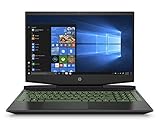


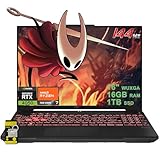

Refresh rate helps in air battles
Aerial dogfights reward a smooth, high-refresh panel. A 144-240Hz screen makes tracking planes noticeably easier, and War Thunder’s efficient engine can feed those frames on mid-range hardware.
Recommended configuration
An RTX 5060-5070, a strong 8-core CPU, 32GB of DDR5, and a 1440p 165Hz panel deliver excellent results. The CPU matters for large ground battles with many vehicles, so do not pair a budget chip with a strong GPU.
| Mode | GPU | Settings | FPS | Price |
|---|---|---|---|---|
| Competitive 1080p | RTX 5050-5060 | High | 120-200 | $950-1,300 |
| Balanced 1440p | RTX 5070 | High/Movie | 100-150 | $1,700-2,100 |
| Max view distance | RTX 5070 Ti | Movie | 110-165 | $2,200-2,800 |
Tuning for spotting advantage
Push draw distance and texture quality up while lowering post-processing that blurs distant targets. Cap FPS to your refresh rate, enable the MUX switch, and keep the laptop plugged in so the GPU runs at full power during ranked matches.
FAQ
Is War Thunder CPU or GPU heavy?
Both, but large ground battles are notably CPU-bound. A modern 8-core mobile chip prevents stutter when many vehicles are on the map.
Can a budget laptop max out War Thunder?
At 1080p, yes. An RTX 5060 reaches ultra with high frame rates. Movie preset at 1440p is where you want an RTX 5070 or better.
Balancing eye candy with competitive clarity
War Thunder’s movie preset is gorgeous but can hide distant targets behind heavy post-processing. Competitive players often run high textures and long draw distance while lowering blur, bloom, and depth of field to keep enemies visible at range. This hybrid approach gives you the spotting advantage without sacrificing the performance a laptop needs for smooth dogfights.
CPU load in ground battles
Large ground realistic battles with dozens of vehicles are CPU-bound, so a modern 8-core chip prevents the stutter that a strong GPU alone cannot fix. Pair it with 32GB of RAM and a fast SSD to keep the sprawling maps loading quickly and running consistently.
Panel and connection
A 144-240Hz panel makes tracking aircraft noticeably easier, and a wired connection reduces the lag spikes that cost you gunnery leads in ranked play. Keep the laptop plugged in so the GPU runs at full power during competitive matches.
Storage, updates, and long-term fit
War Thunder grows steadily with new vehicles and maps, and its updates are sizable, so a 1TB SSD keeps the install and a couple of other games comfortable. Gen4 speeds shorten the loads into large battles, and a machine with a spare M.2 slot lets you expand cheaply as the game and your collection expand over the years.
Because the game scales so well, a mid-range laptop stays competitive for a long time. An RTX 5060-5070 with 32GB of RAM will handle high settings and long draw distances for years, making it a sensible investment. Prioritize a high-refresh panel and reliable cooling, which serve both the air and ground battles the game is built around.
Bottom line: War Thunder rewards a balanced laptop with an RTX 5060-5070, a strong CPU, 32GB of RAM, and a high-refresh panel. That mix gives you long draw distances and the smooth frames needed to win air and ground battles.


