
A small business owner does not need a gaming rig, but you also cannot get away with a machine that chokes on three browser tabs and a spreadsheet. The real problem is finding a laptop that survives a day of client calls, invoicing software, cloud storage sync, and the occasional Zoom presentation without throttling, overheating, or dying at 2 PM when you are mid-pitch. Most buyers make the mistake of anchoring on price alone, then discovering too late that 8GB of RAM and a mechanical drive turn multitasking into a slideshow.
What separates a genuinely good business laptop from a mediocre one in this category is the combination of at least 16GB RAM, a responsive SSD, a display you can stare at for hours without squinting, and a keyboard with enough travel to write emails without fatigue. Battery life matters, but so does repairability and port selection if you plug into projectors or external drives regularly. The eight entries below range from under two hundred dollars for a renewed unit to over a thousand for a premium build, and each fills a different niche depending on how hard you actually push your machine day to day.
As an Amazon Associate we earn from qualifying purchases at no extra cost to you.





Top 3 picks at a glance
Quick Picks
| Product | Best For | Price |
|---|---|---|
| SAGAWHALE 16GB/256GB | Affordable 15.6-inch screen with solid RAM | $349.99 |
| Dell Latitude 7280 (Renewed) | Lowest possible entry cost for Windows 11 Pro | $191.46 |
| Dell Pro 16 PC16250 | Premium performance for demanding workflows | $1034.99 |
| Dell Latitude 5400 (Renewed) | Best value renewed business build | $267.69 |
| SAGAWHALE 16GB/512GB | Doubling storage without doubling price | $409.99 |
| HP Stream 14 | Light task work and bundled Office | $309 |
| Volher Laptop Backpack | Protecting whichever laptop you choose | $26.99 |
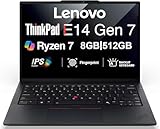
| Lenovo ThinkPad E14 Gen 7 | Best overall mid-range business machine | $899.99 |
How We Picked
We evaluated these machines on four criteria that matter most to solo operators and small teams: memory headroom (16GB minimum for genuine multitasking), storage type and capacity (SSD over anything slower, with enough room for your operating system plus business files), display usability for long work sessions, and total cost of ownership including warranty status. Renewed units earn a place only when their specs still match current software demands, which is the case with the Latitude entries here.
The 8 Best Laptops For Small Business Owners in 2026
SAGAWHALE 16GB/256GB Traditional Laptop
This SAGAWHALE works well for a new business owner who needs a big 15.6-inch FHD IPS screen for reviewing proposals or running spreadsheets without an external monitor. The 16GB of RAM handles browser-heavy accounting platforms without stuttering, and the 4-hour battery is enough for a focused morning block away from an outlet.
- Pro: Large FHD IPS display at a sub-$400 price point.
- Pro: 16GB RAM means no slowdown when juggling email, CRM, and video calls.
- Con: Only 256GB SSD fills up quickly if you store local files or install multiple business applications.
Skip it if your workflow requires more than a few hundred gigabytes of local storage or if you regularly travel and need a lighter machine than 3.5 pounds.
Dell Latitude 7280 (Renewed)
The cheapest viable path to Windows 11 Pro on this list, the 12.5-inch Latitude 7280 suits a shop owner or gig worker who mostly handles point-of-sale software and light email. Renewed Dells in this series carry a reputation for durable chassis and good keyboards, so build quality outlasts the price tag.
- Pro: Windows 11 Pro license included at a fraction of new hardware cost.
- Pro: Compact form factor fits in small counter spaces or a messenger bag.
- Con: 12.5-inch display feels cramped for any multitasking beyond two windows side by side.
Skip it if you need more than single-window work or if you handle detailed design files and data-heavy spreadsheets.
Dell Pro 16 PC16250
For an agency owner or consultant whose work demands sustained performance, the Intel Core 5 120U with DDR5 memory and a 512GB SSD gives you headroom for virtual machines, large local databases, and heavy browser sessions. The 16-inch panel suits split-screen workflows without an external monitor.
- Pro: DDR5 RAM provides a real generational speed advantage over older machines here.
- Pro: 512GB SSD balances capacity with fast file access for daily operations.
- Con: Over a thousand dollars puts it out of reach for businesses still validating their first revenue streams.
Skip it if your software stack is lightweight and a sub-$500 machine would do the same job.
Dell Latitude 5400 (Renewed)
The Latitude 5400 hits a sweet spot for anyone wanting a proven 14-inch FHD business notebook without paying new-unit prices. With 16GB DDR4 RAM and 512GB SSD, it handles multitasking and local storage comfortably, and the i5-8365U remains adequate for standard business applications.
- Pro: 512GB SSD plus 16GB RAM at under $270 is hard to beat for raw specs-per-dollar.
- Pro: Built-in camera and Bluetooth mean you can take video calls immediately without peripherals.
- Con: Ships with Windows 10 Pro, so you will need to verify upgrade path to Windows 11 for security updates.
Skip it if you require an out-of-the-box Windows 11 experience without additional configuration steps.
SAGAWHALE 16GB/512GB Traditional Laptop
Essentially the same machine as its 256GB sibling with doubled storage, this SAGAWHALE makes sense for anyone running a growing file library, multiple virtual desktops, or offline copies of client deliverables. The 60-dollar premium over the base model buys you meaningful headroom.
- Pro: 512GB SSD accommodates local project files without constant cloud dependency.
- Pro: Same 16GB RAM and 15.6-inch FHD IPS display formula as the cheaper variant.
- Con: Still capped at 4 hours of battery life, limiting it to desk or near-outlet use.
Skip it if you routinely work from cafes, co-working spaces, or client offices far from power outlets.
HP Stream 14
The HP Stream bundles a year of Office 365 and includes a docking station set, making it a pragmatic pick for new entrepreneurs who need productivity software without a separate subscription. The Intel Celeron processor is its limitation, but for document editing, email, and web-based apps, it functions adequately.
- Pro: One-year Office 365 license and docking station add tangible value beyond the laptop itself.
- Pro: Compact 14-inch HD panel keeps weight low for transport between meetings.
- Con: Celeron processor struggles with any demanding multitasking or browser tabs beyond a handful.
Skip it if your workflow involves accounting platforms with heavy scripts, video conferencing with screen sharing, or anything requiring sustained processing.
Volher Laptop Backpack
No laptop purchase is complete without something to carry it, and this anti-theft backpack earns its spot on the list because a damaged machine costs far more than a bag. Slim enough for commuting, padded enough for daily drops into a trunk, and priced low enough that skipping it is a false economy.
- Pro: Anti-theft design adds security for a business owner working from public spaces.
- Pro: Slim profile keeps it professional in client meetings rather than looking like a college haul.
- Con: Not a laptop itself; include only if you need a carrying solution and have not budgeted separately.
Skip it if you already own a padded case or work exclusively from a fixed desk.
Lenovo ThinkPad E14 Gen 7 AI Copilot
The ThinkPad E14 Gen 7 represents the best overall balance of build quality, display, and performance for a business owner who wants a machine that will not feel obsolete within two years. The 14-inch FHD+ panel is sharp for extended reading, and the ThinkPad keyboard remains the industry benchmark for typing comfort.
- Pro: AI Copilot integration positions this machine for emerging workflow tools without a future upgrade.
- Pro: ThinkPad durability and service network reduce long-term ownership risk for a small business.
- Con: At $899.99 you are paying a premium that a renewed Latitude cannot match on pure specs-per-dollar.
Skip it if your budget is tight or if you have not yet validated that your software stack requires current-generation silicon.
Buying Guide
Memory Is the Real Ceiling
Small business software increasingly runs in the browser, and modern web apps consume RAM aggressively. Anything below 16GB will force you to close tabs before they crash, which kills momentum during a workday. If you choose a renewed unit, confirm the RAM is not soldered in case you need to upgrade later.
Storage Type Matters More Than Capacity
A 256GB SSD is preferable to a 1TB mechanical drive for a business context because file access speed affects every operation from boot to loading a customer database. Pair a smaller internal SSD with cloud storage for archiving, and you keep the machine responsive without paying premium prices for large local drives.
Display Size Versus Portability
A 15.6-inch panel gives you more visible content for spreadsheets and proposals, but it pushes weight past three and a half pounds. A 12.5 or 14-inch machine is easier to carry daily, at the cost of screen real estate. Decide whether you will use a monitor at a fixed desk most of the time or genuinely work on the move.
Our Verdict
The Lenovo ThinkPad E14 Gen 7 is our top pick overall: it delivers the best combination of current hardware, proven build, and long-term software support at a price that reflects genuine value rather than brand tax. For tight budgets, the Dell Latitude 5400 renewed offers the strongest specs per dollar, with 16GB RAM and 512GB SSD under $270. If you work primarily at a fixed station and value a large screen, the SAGAWHALE 512GB wins because it gives you the most usable display and storage for under $450 without compromise.
FAQ
Do small business owners need a dedicated graphics card?
Almost never. Integrated graphics handle accounting software, web-based tools, video calls, and even light photo editing without issue. A discrete GPU adds cost and heat without benefit unless you run rendering or CAD workloads.
Is a renewed laptop safe for business use?
Yes, provided you buy from a reputable refurbisher and verify the warranty terms. Renewed Dell Latitudes in particular carry enterprise-grade build quality that outlasts many new consumer machines, and the internal components are identical.
How much storage do I actually need?
For most small business owners working in cloud environments, 256GB is sufficient for the operating system and active project files. Choose 512GB if you store deliverables, media assets, or offline copies locally and want to avoid managing space constantly.
Should I prioritize battery life or a larger display?
If you work from a desk most days, prioritize display and performance over battery. If you move between client sites, co-working spaces, or travel weekly, battery endurance and weight become more important than a few extra inches of screen.
Related guides
- Alienware 16 Aurora RTX 5070 Review: Display, Portability and Configuration Gaps
- Lenovo Legion Pro 7i Gen 10 Review: 64GB RAM and Dual-SSD Configuration
- MSI Katana 15.6-inch RTX 5050 Review: Configuration Strengths and Upgrade Unknowns
- ASUS ROG Strix SCAR 16 G635LX-XS97 Review: Display Ambition, Upgrade Questions


