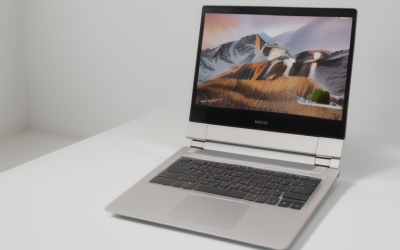
Valorant rewards a different kind of laptop than most modern games. The specs that matter are a high refresh rate display (240Hz or more for serious ranked play), a processor with strong single-core speed, and enough cooling to keep frame rates stable across a long session. Graphics power is the least demanding part, because the game is built to run on modest hardware and scales up to several hundred frames per second.
This guide is for ranked players chasing every millisecond, newer players who want a smooth first gaming laptop, and anyone who plays Valorant alongside schoolwork or a job. In 2026, the game still runs on integrated graphics at low settings, but the experience gap between a basic laptop and a well-chosen one shows up in aim consistency, input latency, and how well the machine holds up in long sessions. Below are the thresholds worth paying for and the extras worth skipping.
What Valorant Demands From Hardware
Valorant uses a stylized art style with simple textures, so it does not need a top graphics card. What it does need is fast frame delivery. The game is heavily processor-bound at high frame rates, meaning that once the graphics card is adequate, the CPU decides how many frames per second you reach. It also depends on a low-latency chain from mouse to screen, which includes the display, the USB polling rate, and the network.
There is one more requirement: the anti-cheat system. Valorant’s anti-cheat on Windows 11 expects TPM 2.0 and Secure Boot to be enabled, so confirm that any laptop you consider supports both. Almost all current machines do, but older or imported units occasionally do not.
Latency deserves as much attention as frame rate. Total system latency covers the time from clicking the mouse to seeing the result on screen. Panels with fast response, high polling rates on the mouse, and a graphics path that skips unnecessary processing all reduce it. Laptops that advertise a mux switch or a direct graphics mode, and displays with variable refresh technology, tend to shave off a few milliseconds that competitive players feel in close duels.
Specs That Decide Valorant Performance
Display refresh rate and response time
The display is the biggest differentiator. A 144Hz panel is a sensible minimum for players who care about performance, and 240Hz or 360Hz gives a measurable advantage in tracking and flick shots if your frame rates can match. Response time of 3 milliseconds or less reduces ghosting. A 1080p resolution is ideal, because it keeps frame rates high on modest hardware and is the standard competitive resolution.
Processor
Choose a current-generation processor with high boost clocks and at least 6 cores. For hitting 300 or more frames per second, look for chips known for strong single-thread performance. Check the processor power rating, since low-power variants in thin laptops may not sustain boost speeds during long matches.
Graphics card
An entry-level dedicated card with 4GB to 6GB of video memory is more than enough for 1080p at several hundred frames per second. Integrated graphics from recent processors can run the game, but frame rates often vary more. If you also play other games, a mid-range card gives extra headroom.
Memory and storage
Sixteen gigabytes of dual-channel memory is the target, since dual-channel improves minimum frame rates, especially with integrated graphics. Valorant is small compared to other games, so a 512GB NVMe drive is sufficient, though 1TB leaves room for additional titles.
Network and peripherals
Competitive play depends on stable ping. An Ethernet port or a Wi-Fi 6 or newer adapter keeps latency steady. Make sure the laptop has enough USB ports for a wired gaming mouse and a headset, and check that the USB-C port is easy to use with an external monitor if you want a larger screen.
Keyboard, audio, and ergonomics. Fast games punish a mushy keyboard. Look for a keyboard with consistent key response, n-key rollover, and a layout without cramped arrow keys, since movement and ability keys are pressed in quick combinations. Audio matters in a game where footsteps reveal positions, so check for a 3.5mm headphone jack or good wireless support, and plan on a headset with clear stereo imaging. A comfortable palm rest and a stable base also help during long sessions, so avoid models that flex when you rest your hand on the deck.
Spec Targets by Budget Tier
| Spec | Budget tier | Mid-range tier | Premium tier |
|---|---|---|---|
| Display | 1080p at 144Hz | 1080p at 240Hz | 1080p at 360Hz, fast response |
| Processor | 6 cores, good boost speed | 8 cores, high boost speed | 8 to 16 cores, top single-thread speed |
| Graphics | Integrated or entry card, 4GB | Entry-to-mid card, 6GB | Mid-range card, 8GB |
| Memory | 16GB, single or dual channel | 16GB dual-channel | 16GB to 32GB DDR5 |
| Storage | 512GB NVMe | 512GB to 1TB | 1TB |
| Cooling | Standard | Dual fan with heat pipes | Large vapor chamber, quiet modes |
| Network | Wi-Fi 6 | Wi-Fi 6E and Ethernet | Wi-Fi 7 and 2.5G Ethernet |
Look at where the money goes. In this tier structure, the display and processor rise first while the graphics card barely changes. That is the pattern to follow when shopping for Valorant: a 240Hz screen with a modest graphics card will outperform a 60Hz screen with a powerful one for this game.
Keep in mind that a high refresh rate only helps if your frame rate keeps up. A 360Hz screen paired with a processor that tops out near 200 frames per second leaves part of the panel unused. Match the display to the frame rate you can realistically reach in the game, which for most mid-range laptops falls between 240 and 400 frames per second at competitive settings. If you are unsure, a 240Hz panel is the safer balance for most buyers, and it leaves some room to grow as you upgrade other parts.
Who Should Buy What
The ranked grinder
Choose a 240Hz or 360Hz display, a processor with excellent single-thread speed, and good cooling to maintain frame rates over several matches. A mux switch and a low-latency panel are bonuses. Pair the laptop with a wired mouse and a mouse pad large enough for low-sensitivity play.
The new player on a budget
A 144Hz display with a 6-core processor and either an entry-level card or good integrated graphics is plenty. Spend on memory in dual-channel mode and a decent display before you consider upgrades to graphics.
The student who also games
Look for a laptop that balances portability and play. A 15 inch model with a 144Hz screen, 16GB of memory, and reasonable battery life covers both worlds. Check that the weight and charger suit a backpack.
The streamer who plays Valorant
Streaming adds encoding and capture overhead. Choose a processor with 8 or more cores, a graphics card with a modern hardware encoder, and 16GB to 32GB of memory. Strong cooling keeps frame rates smooth while the stream runs.
Finally, think about heat and battery behavior during a typical ranked evening. Three or four matches in a row can last two hours, and a laptop that starts at high frame rates but slides downward as the chassis heats up will feel inconsistent. Prefer designs with performance and quiet profiles you can switch between, and plan to play plugged in, since nearly every gaming laptop reduces performance on battery. A cooling pad or a simple stand that lifts the rear of the laptop improves airflow cheaply.
Common Mistakes
- Spending on a high-end graphics card for Valorant alone. The game barely uses it, so money is better spent on the display and processor.
- Accepting a 60Hz screen. It caps what you can see, regardless of how many frames the laptop produces.
- Ignoring cooling. Thin laptops can throttle during long sessions, causing frame drops in the middle of a match.
- Overlooking anti-cheat requirements. Without TPM 2.0 and Secure Boot, the game may not launch on Windows 11.
- Playing on Wi-Fi in a crowded area. An Ethernet connection is more stable and lowers the risk of ping spikes.
Before You Buy
- Choose a display of 144Hz or higher, ideally 240Hz for ranked play.
- Confirm a processor with strong single-core speed and at least 6 cores.
- Check for 16GB of dual-channel memory.
- Look for TPM 2.0 and Secure Boot support.
- Read the cooling design and sustained performance details.
- Verify an Ethernet port or Wi-Fi 6E or newer.
- Count USB ports for mouse, headset, and charger.
Related guides
- Gaming Laptop Battery Draining While Plugged In Fix
- Graphics Cards For Low Wattage Power Supplies
- How To Stop Laptop Thermal Throttling In Software
Frequently Asked Questions
Can integrated graphics run Valorant?
Yes, at low to medium settings, and many modern processors deliver playable frame rates. A dedicated card gives higher and more consistent frame rates, especially if you want to use a 240Hz display fully.
Is a 240Hz display worth it for Valorant?
For ranked and competitive players, yes, as long as your laptop can produce frame rates near 240 or higher. Casual players will see less benefit and may be satisfied with 144Hz.
How much RAM does Valorant need?
The game itself uses little, so 8GB can run it, but 16GB is recommended for smooth multitasking with voice chat, a browser, and other apps. Dual-channel memory also improves frame rate stability.
Does the processor matter more than the graphics card for Valorant?
Yes, at high frame rates the processor is the main limiter. A balanced setup with a capable CPU and an entry-level or mid-range graphics card is ideal.