
Travel gaming laptops have to solve a cramped, practical problem: deliver serious graphics performance without becoming an unreasonable carry-on companion. An RTX 5070 system can handle modern games, creative applications, engineering software, and demanding multitasking, but the right choice depends on more than the GPU. Screen format, memory, storage, connectivity, and price all affect how comfortable a laptop is on a tray table, in a hotel room, or at a temporary workspace.
This ranking focuses on the configurations listed below, with prices ranging from $1,499 to $2,584.56. Because manufacturer listings do not provide consistent chassis dimensions or weights for every model, we do not assign portability claims based on measurements that are unavailable. Instead, we compare the hardware, display details, included extras, and value to identify the strongest travel-friendly options for 2026.
As an Amazon Associate we earn from qualifying purchases at no extra cost to you.





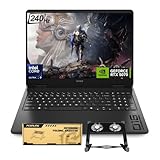

Top 3 picks at a glance
Quick Picks
| Product | Best for | Price |
|---|---|---|
| ASUS V16 RTX 5070 | Balanced memory and storage | $1,799 |
| GIGABYTE AERO X16 | Value-focused RTX 5070 performance | $1,729.65 |
| Lenovo Legion 5 15IRX10 | OLED display and high-end processing | $2,399 |
| HP OMEN 16 | High-refresh gaming | $2,199 |
| Custom ASUS TUF F16 | Gaming and creator workloads | $2,399.99 |
| ASUS V16 WUXGA | Lowest-cost ASUS option | $1,539.22 |
| HP OMEN Slim | Maximum memory and storage | $2,584.56 |
| MSI Cyborg 15.6 | Lowest price | $1,499 |
How We Picked
Every laptop here includes an NVIDIA GeForce RTX 5070, so the main differences are the surrounding hardware and the travel experience they suggest. We prioritized useful memory and storage, screen characteristics, processor class, wireless connectivity, and included accessories. A system with 32GB of RAM may be a better long-term companion for editing or engineering work than one with 16GB, while a 2TB SSD can reduce the need to carry an external drive.
We also considered value across the listed prices. The cheapest model is not automatically the best buy, and the most expensive configuration is not automatically the most portable. Since verified weights, dimensions, battery figures, and graphics power limits are not supplied consistently, we avoid presenting those specifications as facts. The rankings reflect the listed configurations rather than invented laboratory results.
The 8 Best Picks
1. ASUS V16 RTX 5070 Intel Core 7 240H
This ASUS V16 is a strong all-around choice for travelers who want a well-equipped machine without moving into the highest price tier. Its Intel Core 7 240H processor is paired with 32GB of DDR5 RAM and a 1TB SSD, giving it a particularly sensible configuration for gaming, office work, and content applications. The RTX 5070 provides the headline graphics hardware, while the generous memory allocation should help with heavier multitasking.
- Pros: 32GB DDR5 RAM; 1TB SSD.
- Con: The listing does not include a detailed display specification.
Choose it if you want a balanced setup at $1,799. Skip it if a specific refresh rate or panel resolution is essential to your buying decision.
2. GIGABYTE AERO X16
The GIGABYTE AERO X16 is an appealing value pick for shoppers who want an RTX 5070 laptop at a price below many premium configurations. It combines the GPU with an AMD Ryzen AI 7 350 processor and a 16-inch display, creating a straightforward platform for gaming and everyday productivity. The AERO branding also makes this model worth considering for buyers who divide their time between games and creative work, although the supplied listing does not specify its memory, storage, weight, or display refresh rate.
- Pros: AMD Ryzen AI 7 350 processor; 16-inch screen.
- Con: Important memory and storage details are not provided.
It is a good fit for value-minded travelers. Skip it if you need guaranteed RAM and SSD capacities before ordering.
3. Lenovo Legion 5 15IRX10
The Lenovo Legion 5 is the premium display-focused option in this group. Its 15.1-inch WQXGA OLED panel should appeal to buyers who care about a more refined viewing experience, while the Intel Core i9-14900HX and RTX 5070 create a high-performance pairing. It also includes 32GB of DDR5 RAM, a 1TB NVMe M.2 SSD, Gigabit LAN, and 2×2 WiFi 7. Those connectivity options are useful when moving between hotel networks, wired desks, and home setups.
- Pros: WQXGA OLED display; WiFi 7 and Gigabit LAN.
- Con: At $2,399, it commands a premium price.
Buy it for the OLED screen and connectivity. Skip it if your priority is the lowest possible travel cost.
4. HP OMEN 16 RTX 5070
HP’s OMEN 16 targets gamers who value a high-refresh display and a powerful processor. The AMD Ryzen 9 8940HX sits alongside the RTX 5070, while the 240Hz panel is designed for fast-paced gaming where smooth motion matters. This is a focused configuration rather than a fully detailed workstation package: the listing highlights the processor, graphics card, display refresh rate, and gaming identity but does not specify memory or storage capacity.
- Pros: 240Hz display; AMD Ryzen 9 8940HX processor.
- Con: RAM and storage capacities are not listed.
It suits competitive gamers who want a fast panel. Skip it if you need confirmed storage or memory for professional applications.
5. Custom ASUS TUF F16 Gaming Laptop
This custom ASUS TUF F16 is built for buyers who want a clearly defined hardware package for gaming and creator work. It includes an Intel Core i7-14650HX, RTX 5070, 32GB of RAM, and a 1TB SSD. The 16-inch 165Hz 16:10 display offers a useful productivity-oriented shape, while the RGB backlit keyboard adds a gaming touch. Windows 11 is included, and the listing specifically positions the system for video editing and engineering as well as gaming.
- Pros: 32GB RAM and 1TB SSD; 16:10 165Hz display.
- Con: Its $2,399.99 price is high for the listed processor class.
Choose it for mixed creative and technical work. Skip it if you want OLED or a 240Hz screen.
6. ASUS V16 WUXGA 144Hz
This second ASUS V16 configuration is the value alternative to the $1,799 model. It uses the same Intel Core 7 240H and RTX 5070 pairing but lists 16GB of DDR5 RAM, a 1TB SSD, and a 16-inch WUXGA 144Hz display. The matte-black finish may be helpful for buyers who prefer a less reflective-looking surface, and the lower $1,539.22 price makes it one of the more approachable RTX 5070 options.
- Pros: 144Hz display; 1TB SSD at a lower price.
- Con: It has 16GB of RAM rather than 32GB.
It is a smart entry point for gaming travelers. Skip it if your workload regularly needs more than 16GB of memory.
7. HP OMEN Slim RTX 5070
The HP OMEN Slim is the specification leader for buyers who want ample headroom. It pairs an Intel Core Ultra 9 285H with 64GB of DDR5 RAM and a 2TB SSD, plus a 16-inch WQXGA 240Hz display. The configuration also includes an RGB backlit keyboard, Windows 11 Pro, and a PCO laptop cooler. That combination suits demanding multitaskers, gamers with large libraries, and professionals who do not want to immediately upgrade storage.
- Pros: 64GB RAM and 2TB SSD; 240Hz WQXGA display.
- Con: It is the most expensive option at $2,584.56.
Buy it when maximum capacity matters. Skip it if you mainly play lighter games or travel on a tight budget.
8. MSI Cyborg 15.6
The MSI Cyborg is the lowest-priced route to an RTX 5070 in this roundup. It combines the GPU with an Intel 10-Core 7-240H Series processor, 16GB of DDR5 RAM, a 144Hz FHD IPS display, and a 1TB SSD. Wi-Fi 6E, a backlit keyboard, Windows 11 Home, and a Res Cooler are also listed. This makes it a practical value package for travelers who want gaming capability without paying for premium memory, storage, or panel specifications.
- Pros: Lowest listed price; 144Hz display and 1TB SSD.
- Con: It has 16GB of RAM.
Choose it for the best upfront value. Skip it if you need 32GB or more for demanding creative work.
Buying Guide
Match memory and storage to your workload
For general gaming and everyday travel, 16GB of RAM and a 1TB SSD can be a reasonable starting point. Buyers editing video, running engineering applications, or keeping many large programs open should favor 32GB or more. The HP OMEN Slim goes furthest with 64GB and a 2TB SSD, while several other models offer 32GB and 1TB.
Choose the right display priority
A 144Hz or 165Hz screen is a sensible middle ground for smooth gaming. The HP OMEN models offer 240Hz panels for buyers focused on fast competitive play. Lenovo’s WQXGA OLED configuration is the standout for display quality, while the ASUS V16 WUXGA model offers a more defined refresh-rate specification at a lower price.
Think beyond the graphics card
All eight laptops use an RTX 5070, so processor choice, wireless connectivity, keyboard features, and included extras can separate otherwise similar systems. WiFi 7 and Gigabit LAN make the Lenovo especially flexible, while the HP OMEN Slim includes Windows 11 Pro and a cooler. For travel, verify the final chassis dimensions, weight, charger size, and battery information with the seller before purchase.
Our Verdict
The ASUS V16 with 32GB of RAM and a 1TB SSD is the best balanced pick for most travelers who want a clearly specified configuration without paying the roundup’s highest prices. The ASUS V16 WUXGA 144Hz model is the better bargain, while the MSI Cyborg offers the lowest entry price. For premium screen quality, choose the Lenovo Legion 5. For maximum memory, storage, and refresh rate, the HP OMEN Slim is the most complete configuration—provided its higher price fits your budget.
FAQ
Which is the cheapest RTX 5070 laptop here?
The MSI Cyborg is the least expensive listed option at $1,499. The ASUS V16 WUXGA 144Hz follows at $1,539.22.
Which model has the most memory?
The HP OMEN Slim has 64GB of DDR5 RAM. Several other configurations list 32GB, while the ASUS V16 WUXGA and MSI Cyborg list 16GB.
Which laptop has the highest listed refresh rate?
The Lenovo Legion 5 and both HP OMEN configurations list 240Hz displays. The custom ASUS TUF F16 lists 165Hz, while the ASUS V16 WUXGA and MSI Cyborg list 144Hz.
Is an RTX 5070 laptop suitable for travel?
It can be, but suitability depends on the complete chassis and charger package, not just the graphics card. Before buying, confirm the laptop’s dimensions, weight, battery details, and power adapter specifications, since they are not consistently provided in the listings used for this roundup.
Related guides
- Alienware 16 Aurora RTX 5070 Review: Display, Portability and Configuration Gaps
- Lenovo Legion Pro 7i Gen 10 Review: 64GB RAM and Dual-SSD Configuration
- MSI Katana 15.6-inch RTX 5050 Review: Configuration Strengths and Upgrade Unknowns
- ASUS ROG Strix SCAR 16 G635LX-XS97 Review: Display Ambition, Upgrade Questions


