
Shopping for a 14 inch portable workstation laptop setup usually starts with a simple question: how do I get real work done away from a desk? But most buyers jump straight to product listings and end up with gear that doesn’t fit their laptop, wobbles on soft surfaces, or burns out after a few months of daily folding and unfolding. The three most common mistakes: buying a screen extender that your laptop’s ports can’t actually drive, buying a lap desk or stand sized for a 13-inch machine when you have a 15-inch power brick-laden workstation, and ignoring weight entirely — then discovering your “portable” setup adds four pounds to your bag.
This guide breaks down what actually matters when building a mobile workstation around a 14-inch laptop: the screen extender, the support surface (lap desk, folding table, or rolling cart), and how the pieces work together. Prices and specs below reflect what you’ll realistically find in 2026.
As an Amazon Associate we earn from qualifying purchases at no extra cost to you.


Top 3 picks at a glance
Decide These 3 Things First
1. Where will you actually work? A lap desk for couch use is a completely different purchase than a rolling stand for a home office, and a screen extender only makes sense if you’ll have a stable surface to clip it to. Bed and couch users need wide bases (16 inches or wider) and heat-shielding bottoms. Desk users can prioritize adjustability instead.
2. What can your laptop’s ports handle? Dual- and triple-screen extenders draw power and video over USB-C or HDMI. A single 14-inch FHD panel typically needs 5–10 watts; a triple setup can pull 20–30 watts total. If your laptop has only one USB-C port without DisplayPort Alt Mode or power delivery, verify compatibility before buying anything. Mac users should confirm macOS support explicitly — some extenders work plug-and-play on Windows but need a driver or don’t work at all on Macs.
3. What’s your total budget? A complete portable workstation runs $100–$350. Below $150 you’re choosing between a good extender or a good support surface, not both. Knowing this upfront prevents the classic mistake of spending $180 on a triple-screen unit and $20 on a lap desk that can’t hold it.
Size and Fit
Measure before you buy — all three measurements.
Screen extenders: A 14-inch extender panel is designed to sit flush against a laptop display in the 13–17 inch range, but the mounting arms have limits. Most clip onto lids between roughly 0.2 and 0.7 inches thick. A 14-inch laptop with a thick gaming chassis may not fit; a slim ultrabook at 0.55 inches usually will. Check the extender’s specified laptop width range — most list 13 to 17 inches diagonal, but the panel matches best visually when your laptop screen is within an inch or two of the extender’s 14 inches.
Lap desks and bed tables: Look for a surface at least 16 x 11 inches to hold a 14-inch laptop plus a mouse area. If you want a cup holder and phone slot, 20 x 12 inches is more realistic. Weight capacity matters more than people expect: a cheap folding bed table rated under 15 pounds will sag under a 4-pound workstation laptop plus extender. Aim for 25+ pounds capacity.
Rolling stands: Check the base footprint — anything under 20 inches wide will tip when you lean on the desk surface. Tiltable tops and a mouse pad zone add real usability; a swivel mechanism lets you angle the screen without moving the whole cart.
Material and Build Quality
Lap desks: The sweet spot is a bamboo or engineered-wood top (0.3–0.6 inches thick) with a cushion base. Bamboo resists warping better than MDF and handles the heat from a 28–45 watt laptop chassis. Cushion bases should be at least 1.5 inches thick of memory foam or bead fill — thinner cushions transmit heat and slide on fabric. Plastic-only lap desks under 2 pounds flex under load.
Folding bed tables: Aluminum alloy legs with a wood or bamboo top hit the best weight-to-strength ratio: typically 3–5 pounds total for a table rated 25–35 pounds. All-plastic folding legs crack at the hinge after 50–100 folding cycles. W leg braces or cross-supports are worth looking for in photos.
Screen extenders: IPS panels only. Cheap TN panels show up in this category at $60–80 and have terrible viewing angles — a dealbreaker when the whole point is an angled secondary screen. The shell should be aluminum or ABS plastic; full-aluminum units weigh 1.5–2.5 pounds, which matters because the mount transfers that weight to your laptop hinge.
Comfort and Real-World Performance
Display quality: For a 14-inch FHD (1920 x 1080) IPS panel, expect around 250–300 nits of brightness. That’s fine indoors, marginal near a window. Check the claimed color gamut — 100% sRGB is the target for any design or photo work; panels advertising only “FHD IPS” without gamut specs are often 60–70% sRGB. Built-in speakers on extenders are convenient but weak; treat them as a bonus, not a feature.
Ergonomics: If you work more than an hour at a time on a couch or bed, a lap desk alone will hurt your neck — a 14-inch laptop on your lap sits 8–10 inches below eye level. A rolling stand with height adjustment from roughly 22 to 33 inches lets you match a seated or standing position. Height-adjustable bed tables in the 24–35 inch range cover most couch and bed scenarios.
Setup friction: “Plug and play” should mean one cable. The best extenders connect via a single USB-C cable carrying both video and power; setups needing a separate HDMI plus USB-A plus power cable turn into a three-cable tangle every time you pack up. If your laptop lacks a full-function USB-C port, budget $15–25 for an adapter and verify it carries video, not just data.
Portability math: A 14-inch extender adds 1.5–2.5 pounds and about an inch to your laptop’s packed profile. A folding lap desk adds 3–5 pounds. If you commute daily, that’s the difference between carrying 5 pounds and 9. Occasional travelers can accept the weight; daily commuters should consider a slimmer single-panel extender or a sleeve-mounted lap desk.
Price Tiers: What Each Dollar Buys
Budget ($35–$95): This tier covers solid support surfaces and single-panel extenders. A well-reviewed lap desk with cup holder runs $35–45. A single 14-inch FHD IPS extender with USB-C and HDMI runs $75–95 — like the KEFEYA unit at $94.99. Expect plastic builds, 250-nit panels, and single-cable or two-cable setups. Perfectly adequate for documents, email, and streaming.
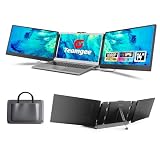
Mid-range ($95–$180): You get better panels (300 nits, closer to full sRGB), aluminum shells, and built-in kickstands and speakers. Triple-screen extenders like the Teamgee at $179.99 live at the top of this tier, adding two 14-inch panels, built-in speakers, and plug-and-play support across Mac, Windows, Android, and Samsung DeX. Also here: rolling laptop carts in the $45–70 range, like the TigerDad swivel cart at $49.99, which adds height adjustment and a tiltable surface.
Premium ($180–$350): Higher brightness (400+ nits), 1080p or better touch support, sturdier multi-point mounts, and included carry cases. Diminishing returns unless you work on color-sensitive tasks or run a triple-screen setup daily.
Warranty and Support
Most extenders in this category carry 12-month warranties; the better brands offer 18–24 months and actually answer support tickets. Look for: a warranty that covers dead pixels (many panel warranties exclude them or only apply above a threshold like 3–5 bright dots), a 30-day return window at minimum, and US-based support if you’re buying stateside. Rolling carts and lap desks should carry at least a 1-year warranty on hinges and casters — those are the failure points. Avoid listings with no named brand or warranty contact; replacements for a $40 lap desk matter less than for a $180 triple-screen unit, but both should be covered.
Delivery and Assembly
Screen extenders ship fully assembled — your only setup is attaching the mount and running cables, about 5 minutes. Lap desks need zero assembly. Folding bed tables usually arrive 80% assembled: unfold the legs and go, 2–3 minutes. Rolling carts are the exception, typically arriving flat-packed with 10–20 minutes of assembly; check reviews for complaints about missing hardware or unclear instructions. If assembly matters to you, filter listings that advertise “no assembly required.” Also check shipping dimensions on rolling carts — some ship in boxes over 30 inches long, which complicates returns if the casters arrive damaged.
Spec Checklist
| Spec | Budget | Mid-Range | Premium |
|---|---|---|---|
| Total setup price | $35–$95 | $95–$180 | $180–$350 |
| Extender panel | 14″ FHD IPS, 220–250 nits | 14″ FHD IPS, 300 nits, ~100% sRGB | 14″ FHD+ IPS, 400+ nits, optional touch |
| Extender weight | 2.0–2.5 lbs | 1.5–2.0 lbs | 1.4–1.8 lbs |
| Connection | USB-C + HDMI (2 cables) | Single USB-C or USB-A/HDMI/Type-C options | Single full-function USB-C |
| Support surface | Plastic lap desk, 15 lb capacity | Bamboo lap desk or rolling cart, 25 lb capacity | Aluminum adjustable stand, 30+ lb capacity |
| Surface size | 16 x 11 in | 20 x 12 in | 23 x 13 in with mouse zone |
| Height adjustment | None / fixed angles | 22–33 in (rolling carts) | 24–35 in, gas or screw lock |
| Warranty | 12 months | 12–18 months | 18–24 months |
Red Flags
- “Works with all laptops” with no port or OS specifics. Triple-screen extenders frequently require specific USB-C capabilities; Mac compatibility is often limited or driver-dependent.
- No panel type listed. If it doesn’t say IPS, assume TN — poor angles and washed-out color.
- No weight capacity on lap desks or tables. Anything under 15 pounds rated will flex with a laptop plus extender.
- Speaker claims as a headline feature. Built-in extender speakers are typically 1–2 watt afterthoughts.
- Listings with fewer than 50 reviews and no brand name — warranty claims go nowhere.
- Mount arms without thickness specs. If the listing doesn’t state compatible laptop lid thickness, thick laptops may not clip securely.
FAQ
Will a 14-inch screen extender work with my 16-inch laptop?
Functionally yes — most mount arms accept 13–17 inch laptops — but visually the 14-inch panel will be smaller than your main display, which some people find distracting. It works best when the extender is within about 2 inches of your laptop’s screen size.
Do I need a powered USB-C hub for a triple-screen setup?
Often, yes. A triple-extender drawing 20–30 watts may exceed what a single laptop port supplies, causing flickering or disconnects. If the unit doesn’t include a power passthrough, budget for a powered hub and check whether your laptop supports it.
Lap desk or rolling cart — which should I buy?
Couch-and-bed users who work under two hours per session are fine with a $40 lap desk. Anyone working full days, or wanting better neck posture, should spend the extra $10–30 on a height-adjustable rolling cart.
How much should I spend total?
For occasional use, $95–140 covers a good single-panel extender plus a lap desk. For a daily triple-screen mobile workstation, plan on $230–300 including a sturdy support surface and any needed adapters.
Related guides
- Alienware 16 Aurora RTX 5070 Review: Display, Portability and Configuration Gaps
- Lenovo Legion Pro 7i Gen 10 Review: 64GB RAM and Dual-SSD Configuration
- MSI Katana 15.6-inch RTX 5050 Review: Configuration Strengths and Upgrade Unknowns
- ASUS ROG Strix SCAR 16 G635LX-XS97 Review: Display Ambition, Upgrade Questions


