
As an Amazon Associate we earn from qualifying purchases at no extra cost to you.

The Short Answer
No, most gamers do not need a MUX switch — unless you play fast-paced competitive titles at high frame rates on your laptop’s built-in display. That’s the one condition that matters. If you’re a Counter-Strike 2, Valorant, or Apex Legends player chasing 240+ fps on the internal screen, a MUX switch (or its software equivalent, Advanced Optimus) delivers a real, measurable frame-rate bump and lower latency. If you mostly play single-player games, use an external monitor, or game casually, the feature is a nice-to-have, not a necessity.
What You Actually Get
Modern gaming laptops use hybrid graphics: the NVIDIA GPU (like an RTX 5070 or 5070 Ti) renders frames, then passes them through the integrated AMD or Intel GPU, which drives the display. That handoff costs performance — typically somewhere between 5% and 15% of your frame rate, with a few milliseconds of added latency, because the iGPU acts as a middleman on every frame.
A MUX (multiplexer) switch is a physical hardware component that lets you bypass the iGPU entirely and wire the display directly to the discrete GPU. Flip it in your laptop’s control software (Armoury Crate on ASUS machines, for example), reboot, and the dGPU owns the screen. On laptops without a full MUX switch, NVIDIA’s Advanced Optimus does the same job dynamically in software.
What that means in practice:
– Higher average fps — often 5–15% more on the internal display, sometimes more at very high frame rates where the iGPU bottleneck is worst
– Lower input latency — skipping the iGPU handoff shaves a few milliseconds, which competitive players notice
– No visual stutter from GPU handoff in esports titles
The trade-off: with the MUX switch engaged in dGPU-only mode, Optimus-style power saving disappears. Your battery life drops noticeably — expect roughly 30–50% less unplugged runtime — because the power-hungry RTX GPU stays active even for light tasks. That’s why many laptops let you toggle back.
Pros
- Free performance: a 5–15% fps gain on the internal display without spending a dime on upgrades
- Lower latency, which matters in esports titles where frames arrive faster than 240 per second
- Future-proofing: as 300Hz and faster laptop panels become standard, the iGPU bottleneck gets worse without a MUX
- Flexibility: switch to hybrid mode when you want battery life, dGPU-only mode when you’re plugged in and gaming
- Found on mid-range and premium machines alike — it’s no longer exclusive to $3,000 flagships
Cons
- Requires a reboot every time you toggle it — it’s not seamless like Advanced Optimus
- Engaging dGPU-only mode significantly cuts battery life, often to 2–3 hours instead of 5–6 for light use
- Zero benefit when gaming on an external monitor, since those usually connect directly to the RTX GPU anyway
- Minimal impact on visually rich, GPU-limited single-player games where you’re already fps-capped or running 60–120 fps
- Laptops without Advanced Optimus make you manage the switch manually
Who Should Buy It
You should prioritize a MUX switch if you check one or more of these boxes:
– You play competitive shooters or MOBAs (Valorant, CS2, Overwatch 2, League of Legends) on the laptop’s built-in panel
– Your laptop has a 165Hz, 240Hz, or faster display and you actually push frame rates that high
– You’re buying a machine like the ASUS ROG Strix G16, which pairs a 165Hz panel with an RTX 5070 Ti running at a full 140W TGP and includes a MUX switch — that combination exists specifically to feed high refresh rates, and a hybrid-only pipeline would waste some of it
– You’re a hardware enthusiast who wants maximum, unfiltered performance from the GPU you paid for
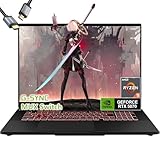
The ASUS TUF A16 with an RTX 5070 and G-SYNC display (around $2,429.99 as configured, with 32GB RAM and a Ryzen 9 270) is another example where the MUX switch complements a high-refresh panel — G-SYNC plus a direct dGPU connection is the cleanest path for esports-grade responsiveness.
Who Should Skip It
Don’t pay extra or stress over this feature if:
– You game primarily on an external monitor — the laptop’s internal display path doesn’t matter to you
– You play story-driven games (RPGs, racing sims, strategy titles) where 60–120 fps looks great and a 5% fps difference is invisible
– Battery life is your top priority and you game unplugged often
– You’re buying on a tight budget and the money is better spent on more RAM, a bigger SSD, or a higher GPU tier — an RTX 5070 Ti without a MUX still beats an RTX 5060 with one
Cheaper Alternatives
If your target laptop lacks a MUX switch, these routes recover most of the benefit or sidestep the problem entirely:
| Option | Cost | Trade-off |
|---|---|---|
| Use an external monitor (1080p or 1440p, 144Hz+) | $120–$300 for a decent 24–27″ panel | Most external displays connect straight to the dGPU, so you skip the iGPU bottleneck anyway — but you lose portability |
| Choose a laptop with NVIDIA Advanced Optimus instead | $0 premium — often found on the same machines | Automatic switching with no reboot, but you can’t force dGPU-only in every scenario and some laptops with Optimus lack a true MUX |
| Lower in-game settings to raise GPU-bound fps | $0 | Narrows the relative gap (the iGPU overhead matters less at lower fps), but doesn’t reduce latency |
| Buy a last-generation high-refresh model with MUX on clearance | $1,200–$1,800 for RTX 4070/4080-class machines | Older GPU generation, but the MUX benefit carries over — savings can fund a monitor too |
FAQ
Does a MUX switch improve fps on an external monitor?
Almost never. External displays usually connect directly to the discrete GPU through the HDMI or USB-C/DisplayPort output, bypassing the iGPU already. A MUX switch only changes the path to the laptop’s built-in screen. Check your specific port wiring if you want certainty, but in most designs the answer is no.
How much fps do you actually gain with a MUX switch?
Expect roughly 5–15% more average fps on the internal display, with the biggest gains in high-frame-rate esports scenarios — the faster your panel and the lighter the game, the more the iGPU bottleneck shows. Demanding AAA titles at max settings are GPU-limited, so the delta shrinks there. Never rely on exact manufacturer claims; the gain varies by game, resolution, and driver version.
Is Advanced Optimus as good as a MUX switch?
For performance, yes — Advanced Optimus routes the display directly to the dGPU just like a MUX switch, with the added convenience of switching automatically and no reboot. A hardware MUX is arguably more reliable and gives you a locked dGPU-only mode, which some competitive players prefer. If a laptop offers either, your internal-display performance is in good shape.
Should I leave the MUX switch in dGPU mode all the time?
Only if you’re plugged in and don’t care about battery life. Running dGPU-only mode full-time can drop unplugged runtime from 5–6 hours down to 2–3, since the RTX GPU never powers down. The sensible routine: hybrid mode for school, work, and travel; dGPU mode for plugged-in gaming sessions — and head into a new year of games knowing you’re squeezing every frame out of the hardware you bought.


