
Thin laptops are easy to carry, but their compact chassis leaves less room for airflow and heat dissipation. A cooling pad can help by lifting the computer, moving air beneath it, and improving the angle of the keyboard. It cannot, however, fix a blocked internal fan, dried thermal paste, or an application that is using the processor continuously.
The most common buying mistake is choosing the pad with the most fans. More fans do not automatically mean better cooling, especially when a thin laptop’s intake vents do not line up with them. Other shoppers overlook height, USB-port placement, fan noise, or the pad’s actual footprint. A model that looks inexpensive can become annoying if it is too large for a small desk, wobbles while typing, or needs a separate adapter.
As an Amazon Associate we earn from qualifying purchases at no extra cost to you.



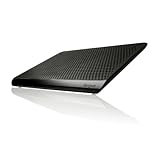
This guide explains how to choose a cooling pad for thin laptops by focusing on fit, airflow, ergonomics, construction, and useful specifications—not just fan count.
Top 3 picks at a glance
Decide These 3 Things First
- Where does your laptop take in air? Turn the laptop over and note the ventilation grilles. If they are concentrated near the center or rear, choose a pad with a broad open mesh or a fan layout that covers that area. If the laptop has few or no underside intakes, elevation may help more than high fan speed.
- How much height can you tolerate? A pad that raises the back by 1.5 to 2.5 inches can improve screen and keyboard positioning, but it may require an external keyboard and mouse for comfortable all-day use. For travel, look for a folded or fixed height closer to 0.75 to 1.25 inches.
- What size and connection do you need? Measure the laptop’s width and depth, not just its advertised screen size. Confirm that the pad supports the device’s dimensions and that its USB cable can reach a port without crossing the keyboard or trackpad.
Size and Fit
Screen-size labels are only a starting point. A “15.6-inch” laptop may be wider than another 15.6-inch model because of its bezels, while a 16-inch laptop can have a taller chassis. Measure the laptop at its widest and deepest points, then compare those figures with the pad’s usable platform.
For a 13- or 14-inch thin laptop, a platform about 10 to 12 inches wide and 8 to 10 inches deep is usually enough. A 15- or 16-inch laptop generally needs at least 13 inches of usable width and 9 to 10 inches of depth. Leave some room around the edges, but do not choose a pad so large that the computer sits only on a narrow strip or overhangs the front lip.
Check the weight limit when it is listed. A thin productivity laptop may weigh 2.5 to 4 pounds, whereas a performance laptop can weigh 5 pounds or more. A pad rated for at least 6 pounds gives a sensible margin and reduces flex when you type. If portability matters, aim for a pad weighing 1.5 to 2.5 pounds; larger multi-fan stands can exceed 3 pounds.
Material and Surface
The surface affects both airflow and stability. Metal mesh is common because it allows air to pass through and resists sagging. A fine mesh can feel smooth and rigid, while a coarse mesh may offer more open area but can catch dust or feel less comfortable when the laptop is moved.
Plastic platforms can be lighter and less expensive. They work well when they include large ventilation openings rather than a mostly solid top. Look for rubber strips or silicone pads where the laptop rests. These should run across the contact points and be thick enough—roughly 0.08 to 0.2 inch—to keep the chassis from sliding or rattling.
Consider heat transfer carefully. A metal surface may feel cool to the touch, but the pad’s main benefit comes from moving air under the laptop, not from the metal acting as a heat sink. Avoid soft fabric surfaces that cover the laptop’s intake vents, particularly when the computer is used on a bed or sofa.
Construction and Stability
A cooling pad should remain flat and steady while the laptop is open. Look for a front retaining lip, ideally about 0.25 to 0.5 inch high, with a rubberized edge. A very tall lip can interfere with a thin laptop’s front edge or make the trackpad uncomfortable; a shallow lip may not stop a device from sliding at a steep angle.
For adjustable stands, three to six height positions are generally sufficient. The hinge should hold its position without excessive force, and the frame should not twist when you press a keyboard key. If the stand is more than 2 inches higher at the rear, check whether its feet spread wide enough to prevent tipping.
Inspect the cable and USB hub arrangement. Most powered pads use USB and draw approximately 1 to 5 watts, depending on fan count and speed. A pass-through USB port is useful because the pad may occupy one of the laptop’s ports, but it is not a full substitute for a powered hub. Do not assume every USB port supports high-power charging or fast data transfer.
Comfort and Cooling Performance
For thin laptops, airflow alignment matters more than the number printed on the box. One large fan can be effective when it sits under the laptop’s intake grille; several smaller fans may be less useful if only one lines up. A broad, open platform is a safer choice when you cannot determine the vent layout.
Fan-speed controls are valuable because maximum speed is often louder than necessary for web browsing. A practical pad should offer at least two speed settings, and ideally a dial or buttons that let you make small adjustments. Manufacturer noise figures are not directly comparable because testing methods vary, so treat a quoted figure such as 20 to 30 decibels as a reference rather than a guarantee.
Cooling pads can help reduce surface heat and maintain performance during sustained work, gaming, or video exports, but results vary by laptop design, room temperature, software load, and dust buildup. They should not be purchased with an expectation of a specific temperature reduction. For office work, prioritize quiet operation and a comfortable angle. For heavier workloads, prioritize a rigid mesh, stronger airflow control, and stable support.
Price Tiers
Budget cooling pads typically cost about $20 to $30. They often have one to five fans, fixed or limited height adjustment, plastic construction, and one USB connection. The example havit HV-F2056 is listed at $27.99, while the TECKNET slim model is listed at $26.75. These are reasonable categories for a basic 12- to 17-inch laptop, provided the dimensions and vent placement match.
Midrange models generally cost $30 to $50. They may offer sturdier mesh, better angle adjustment, quieter controls, a larger retaining lip, or a more useful USB pass-through. The Kootek stand, listed at $29.99, illustrates how multi-fan models can remain near the upper-budget boundary rather than automatically qualifying as premium.
Premium laptop stands and cooling pads commonly cost $50 to $100 or more. The additional price should buy stronger construction, more precise adjustment, a better warranty, a quieter fan design, or a design suited to heavier laptops—not simply extra LEDs or additional fans. The Targus Chill Mat listed at $25.07 is an example of a simpler branded option that may appeal to shoppers who value a straightforward design over extensive controls.
Warranty and Support
Check the warranty before comparing a $25 pad with a $60 model. A one-year limited warranty is common and adequate for a basic accessory. Two or three years is more reassuring if the pad has a complex hinge, speed controller, or integrated USB hub.
Read what the warranty covers. Fan motors, switches, USB ports, and broken hinges may be treated differently from cosmetic wear. Keep the receipt and confirm whether the manufacturer provides a reachable support channel. A pad with replaceable or standard USB cabling can be easier to live with than one using a permanently attached cable.
Delivery and Assembly
Most cooling pads arrive assembled, but adjustable stands may require attaching feet, a retaining bar, or a USB cable. Assembly should take about 5 to 15 minutes and should not require specialty tools. Before ordering, check the packaged dimensions if you have a small desk or locker; a pad that measures 14 by 11 inches on the desk can be awkward to store even if it is advertised as portable.
For delivery, verify that the listed package includes the USB cable, any height-adjustment parts, and the correct regional plug if an adapter is required. A USB-powered model is usually the simplest choice for travel. If you need to use it with a tablet, phone charger, or wall adapter, confirm that the input accepts standard USB power and that the adapter is not sold separately.
Spec Checklist
| Spec | Budget | Mid | Premium |
|---|---|---|---|
| Typical price | $20–$30 | $30–$50 | $50–$100+ |
| Supported laptop size | 12–17 inches | 13–17 inches | 13–18 inches, with verified dimensions |
| Usable platform | 10–14 inches wide | 11–15 inches wide | 12–17 inches wide |
| Weight capacity | At least 5 pounds | At least 6 pounds | At least 8 pounds |
| Height adjustment | Fixed or 2–3 positions | 3–5 positions | 5–6 positions or precise adjustment |
| Power | USB, approximately 1–3 watts | USB, approximately 2–5 watts | USB or adapter, clearly specified |
| Warranty target | At least 90 days | At least 1 year | 2–3 years |
Red Flags
- Only screen size is provided. Without platform dimensions, you cannot confirm fit.
- Unclear power requirements. Avoid models that do not state whether they use USB power, an adapter, or more than one port.
- Unstable height hinges. Reviews mentioning wobble, collapsing angles, or sharp retaining lips indicate poor construction.
- Fan count used as the main selling point. Five fans are not automatically better than one well-positioned fan.
- No airflow openings under the laptop. A solid plastic top can block vents even when the fans are running.
- Unusually low prices with no support information. Missing warranty, seller, or return details make a defective fan harder to replace.
- Promises of dramatic temperature drops. Cooling performance depends on the laptop and workload, so precise universal claims deserve skepticism.
FAQ
Do thin laptops need a cooling pad?
Not always. A pad is most useful when the laptop becomes uncomfortable to touch, slows during sustained workloads, or sits on a surface that restricts its underside vents. For ordinary browsing, simply using the laptop on a hard, flat surface may be enough.
Is one large fan better than several small fans?
Neither design is universally better. Choose the layout that aligns with the laptop’s intake vents. If the vents are broad or their position is uncertain, an open mesh platform with adjustable speed is usually more flexible than a tightly spaced fan array.
Can a cooling pad damage a thin laptop?
A properly powered USB pad is unlikely to damage the laptop, but avoid forcing an oversized connector, blocking exhaust vents, or using a loose stand that lets the computer slide. Keep the pad and laptop clear of dust, and disconnect the pad if its cable or motor becomes unusually hot.
What is the best choice for a portable laptop setup in 2026?
Choose a pad weighing about 1.5 to 2.5 pounds, measuring no more than roughly 13 by 10 inches, with a rigid mesh surface, two or more fan-speed settings, and USB power. Confirm the closed laptop fits within the platform and that the raised angle is comfortable without requiring a separate keyboard.
Related guides
- Alienware 16 Aurora RTX 5070 Review: Display, Portability and Configuration Gaps
- Lenovo Legion Pro 7i Gen 10 Review: 64GB RAM and Dual-SSD Configuration
- MSI Katana 15.6-inch RTX 5050 Review: Configuration Strengths and Upgrade Unknowns
- ASUS ROG Strix SCAR 16 G635LX-XS97 Review: Display Ambition, Upgrade Questions


