
Choosing a portable workstation laptop setup is easy to get wrong because the category covers very different products. A foldable bed tray, a lap desk with a mouse pad, a magnetic truck-mounted workstation, and a heavy-duty wall-mounted platform may all be marketed as “portable,” yet they solve different problems.
The most common mistake is buying based on a single convenience feature: a cup holder, a low price, or a compact folded size. That can leave you with a surface too small for your laptop, a mount that cannot safely support your equipment, or a desk that creates an awkward typing angle. Another frequent error is confusing product weight capacity with real-world usability. A platform rated for 50 pounds may hold that much when stationary, but that does not mean it is appropriate for a 17-inch laptop, external monitor, tools, and a moving vehicle.
As an Amazon Associate we earn from qualifying purchases at no extra cost to you.


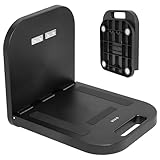

Start with how and where you will work. A portable workstation laptop setup for a couch or hotel room needs a different footprint, heat management, and comfort level than one for a service truck, warehouse, or shop. In 2026, the best choice is still the one that fits your gear, your posture, and the way you actually move between tasks.
Top 3 picks at a glance
Decide These 3 Things First
- Choose the working location. For bed, sofa, and travel use, look for a freestanding lap desk or folding tray. For trucks, metal cabinets, HVAC units, poles, or workshop walls, consider a magnetic workstation or a mechanically mounted platform. Do not use a lap desk as a vehicle mount.
- Measure your equipment. Measure your laptop’s width and depth, including any protruding charging cables. A typical 13-inch laptop is about 12 inches wide; many 15- to 16-inch models are 13.5 to 14.5 inches wide; a 17-inch model can exceed 15.5 inches. Add 2 to 3 inches of free surface on each side if you use a mouse.
- Set a realistic load and budget. A laptop alone usually weighs 2.5 to 7 pounds. Add 1 to 3 pounds for a charger, mouse, notebook, tablet, or compact tools. Basic lap desks often cost $25 to $45, while magnetic and jobsite-oriented workstations commonly run $80 to $180 or more.
Size and Work Surface
Surface dimensions determine whether a workstation feels useful or merely tolerable. For a compact 11- to 13-inch laptop, a platform at least 18 inches wide by 12 inches deep is generally workable. For a 14- to 16-inch laptop, aim for 21 to 24 inches wide and 14 to 16 inches deep. This gives the computer a stable landing area and leaves space for wrists, a phone, or a small notebook.
Buyify-style folding bed tables often offer a broad, simple top around 23 to 24 inches wide, making them practical for laptop-and-snack use or for working in bed. Their limitation is that the surface is usually shallow and may not leave room for a full-size mouse. AboveTEK-style lap desks can solve that problem with a retractable left- or right-side mouse tray, but verify the total extended width. A desk that is 22 inches wide when closed may require 28 to 32 inches of clearance when its mouse platform is open.
For magnetic workstations, the platform itself may be closer to 12 by 13 inches. That is sufficient for many 13-inch laptops and some compact 14-inch models, but it is restrictive for larger machines. Before ordering, compare the usable flat area—not just the product’s overall dimensions—with your laptop footprint. Raised lips, hinges, handle cutouts, and mounting hardware can reduce usable depth by 0.5 to 1.5 inches.
Also consider folded dimensions. A travel-friendly lap desk should ideally fold to under 24 by 16 by 3 inches. If it must fit behind a vehicle seat or inside a service van compartment, measure the storage opening first. A workstation that weighs 10 pounds and folds flat may be easier to transport than a 6-pound model with protruding legs or a fixed mouse shelf.
Material and Surface Finish
Most portable workstations use engineered wood, molded plastic, steel, aluminum, or a combination of these materials. Each has trade-offs.
Engineered wood or MDF tops provide a warm, furniture-like feel and a relatively rigid writing surface. They are common on foldable bed trays priced around $30 to $50. Look for a sealed or laminated finish, particularly if you expect to use drinks nearby. Unsealed edges can swell after repeated exposure to moisture.
Molded plastic keeps weight low and is easy to wipe clean. A 2- to 5-pound plastic lap desk is convenient for daily couch use, but thin plastic can flex under a heavier 16- or 17-inch laptop. Check for a reinforced underside, ribbed construction, or a stated load limit of at least 10 pounds.
Powder-coated steel is the better choice for magnetic, automotive, and shop-oriented workstation platforms. It resists chips and supports strong magnet assemblies. A steel platform may weigh 6 to 12 pounds before you place any gear on it, so portability means repositionable rather than lightweight.
Aluminum offers a useful middle ground: lower weight than steel with better heat dissipation than wood or plastic. It is particularly helpful beneath laptops that run warm. However, aluminum edges should be smoothly finished, and the top should include non-slip pads or a front lip to prevent the laptop from sliding.
Construction, Stability, and Load Capacity
Construction matters more than decorative features. On folding lap desks, inspect the leg design. Legs should lock fully open, sit flat, and have rubber or silicone feet. A leg height of 9 to 12 inches generally provides enough clearance over blankets and thighs without making the keyboard too high. Avoid narrow legs that angle inward sharply; they can feel unstable on soft bedding.
For a freestanding laptop tray, seek a stated capacity of at least 15 pounds. That provides a reasonable margin for a 5-pound laptop, charger, tablet, and light accessories. If you will write heavily, use an external keyboard, or rest your forearms on the top, a rigid surface and cross-braced legs are more important than an inflated weight rating.
Magnetic workstations require closer attention. A model advertised with a 50-pound capacity, such as the OmniShelf-style magnetic platform, is designed for robust ferrous-metal surfaces. That rating depends on clean, flat steel and correct magnet contact. Painted, curved, thin-gauge, rusty, oily, or nonmagnetic surfaces can significantly reduce holding strength. Never assume a magnetic platform is secure on aluminum vehicle panels, stainless steel of unknown grade, drywall, or plastic.
For truck or jobsite use, choose a platform with a retaining lip at least 0.5 inch high, non-slip contact points, and a means of preventing the laptop from shifting. A front edge helps, but it does not make a workstation safe for use while driving. Set up only when the vehicle is parked.
Comfort, Ergonomics, and Laptop Performance
A portable workstation should reduce strain, not create it. For seated couch or bed use, the keyboard should rest close to elbow height, with shoulders relaxed and wrists neutral. A 9- to 12-inch leg height works for many people, but your body size and seating position matter. If the surface is too low, you will round your shoulders; too high, and your wrists bend upward.
Screen height is a separate issue. A lap desk improves keyboard placement but rarely puts the screen at eye level. For work sessions longer than 60 to 90 minutes, consider pairing the workstation with a separate laptop stand, external keyboard, or portable monitor setup. Raise the top of the screen closer to eye level when practical, rather than craning your neck down for hours.
Heat management is also important. Laptop intake vents are often located on the bottom panel. A soft blanket, pillow, or upholstered cushion can block airflow and cause the system to run hotter. Choose a workstation with a solid, flat surface, ventilation cutouts, or at least a 0.25- to 0.5-inch air gap beneath the laptop. A non-slip heat shield can protect your legs from warmth, but it should not obstruct the computer’s vents.
Mouse placement matters for comfort. A pull-out mouse tray should be wide enough for your preferred mouse movement—at least 7 by 8 inches for basic use, and closer to 9 by 10 inches for more comfortable work. Right- and left-handed buyers should confirm which side the tray extends from and whether it can switch sides.
Price Tiers and What You Get
Budget: $25 to $50. This range includes straightforward lap desks and foldable bed tables. Expect engineered wood or plastic, fold-flat legs, basic non-slip features, and surfaces around 20 to 24 inches wide. These are good for occasional email, streaming, schoolwork, and light remote work. Do not expect premium hinges, height adjustment, or industrial-grade load capacity.
Mid-range: $50 to $100. Here, look for better finishes, retractable mouse pads, tablet slots, improved heat shielding, more secure leg locks, and larger usable surfaces. This is the practical sweet spot for someone who works from a sofa, bed, dorm, or hotel several times per week.
Premium and specialty: $100 to $180+. This tier includes magnetic portable workstations, heavy-duty steel platforms, and products designed for technicians, fleet workers, garages, and industrial environments. You are paying for mounting hardware, stronger materials, a higher stated capacity, and a more specialized use case—not necessarily a larger surface. A $160 magnetic workstation can be a better value than a $35 folding table if you need hands-free access in a service environment.
Warranty, Returns, and Replacement Parts
For a basic lap desk, a 30-day return window and a 1-year limited warranty are reasonable benchmarks. Test it immediately: open and close the legs 10 to 20 times, check that the top sits level, and make sure your largest laptop fits without covering critical ventilation.
For magnetic or mounted workstations, favor at least a 1-year warranty and clear instructions about intended surfaces and load limits. Ask whether replacement magnets, rubber feet, hardware, or retaining straps are available. These components receive the most wear, and replacing a $5 foot pad is preferable to replacing an entire $100-plus workstation.
Read exclusions carefully. Warranties may not cover cosmetic scratches, improper mounting, overloaded surfaces, or damage caused by vehicle movement. Keep receipts, installation instructions, and any included hardware until you know the product works in your space.
Delivery and Assembly
Most lap desks arrive fully assembled or require only unfolding the legs. Check the package dimensions if you live in an apartment or need to carry it upstairs; a 24-inch-wide tray is manageable, but bundled furniture deliveries can be awkward.
Magnetic workstation platforms may require attaching magnets, edge guards, handles, or brackets. Plan for 10 to 30 minutes of assembly, plus a socket set, screwdriver, or hex key if the manufacturer does not include tools. Before removing packaging, test the intended mounting location with a small household magnet. If it does not stick firmly, a magnetic workstation is not the right product for that surface.
When the product arrives, inspect welds, hinges, corners, rubber pads, and fasteners before loading it. Tighten accessible screws after the first week of use, especially on folding-leg designs.
Spec Checklist
| Spec | Budget | Mid | Premium |
|---|---|---|---|
| Typical price | $25–$50 | $50–$100 | $100–$180+ |
| Usable surface | 18–24 in. W × 12–16 in. D | 21–28 in. W × 14–18 in. D | 12–24 in. W × 13–18 in. D, use-specific |
| Typical materials | Plastic or MDF | Reinforced plastic, MDF, aluminum | Powder-coated steel, aluminum, strong magnets |
| Useful load capacity | 10–15 lb. | 15–25 lb. | 25–50 lb. stated capacity, surface-dependent |
| Best use | Occasional bed, sofa, travel | Frequent home or hotel work | Truck, workshop, field service, heavy-duty setups |
| Key feature to prioritize | Stable folding legs | Mouse tray and heat management | Secure mounting and durable hardware |
Red Flags
- No listed usable surface dimensions—especially if you own a 15-inch or larger laptop.
- A magnetic workstation with no explanation of compatible mounting surfaces.
- Weight-capacity claims without a stable base, reinforced hinges, or clear usage instructions.
- Sharp metal edges, loose rubber pads, wobbly legs, or a laptop stop that is less than 0.25 inch high.
- A cup holder positioned where a spill could reach the keyboard or charging cable.
- “Universal” mouse trays that only extend on the wrong side for your dominant hand.
- Claims that a platform is safe for active driving or vehicle operation. A workstation should be used only when parked.
FAQ
What size portable workstation laptop desk do I need for a 15-inch laptop?
Choose a usable top of at least 21 inches wide by 14 inches deep. If you use a mouse beside the laptop, look for a 24-inch-wide surface or a separate mouse extension. Measure your actual laptop, since “15-inch” refers to screen size rather than the computer’s exterior dimensions.
Are magnetic laptop workstations safe to use on a truck?
They can be useful on a parked truck when attached to a clean, flat, ferrous-metal surface and used within the stated capacity. Check the surface with a magnet first, keep the platform away from controls and airbags, and do not work from it while driving.
Is a lap desk bad for laptop cooling?
Not if it provides a firm, flat base that leaves the laptop’s air intakes clear. It is generally better than placing a laptop directly on bedding or upholstery. Avoid thick cushions that press against bottom vents, and do not cover the fan exhaust areas.
Should I buy a foldable bed table or a lap desk with a mouse pad?
Choose a foldable bed table if you want a larger, simple surface for a laptop, notebook, meals, or crafts. Choose a lap desk with a retractable mouse pad if you work with a mouse regularly and need a compact setup for a couch, recliner, or travel.
Related guides
- Alienware 16 Aurora RTX 5070 Review: Display, Portability and Configuration Gaps
- Lenovo Legion Pro 7i Gen 10 Review: 64GB RAM and Dual-SSD Configuration
- MSI Katana 15.6-inch RTX 5050 Review: Configuration Strengths and Upgrade Unknowns
- ASUS ROG Strix SCAR 16 G635LX-XS97 Review: Display Ambition, Upgrade Questions


