
Most people shop for a gaming laptop keyboard like they’re picking a mouse pad — they glance at RGB photos, check the price, and hit buy. Then six weeks in, their wrists ache, three keys register simultaneously when they press five, and the WASD cluster is worn shiny. A keyboard for long gaming sessions is a different purchase than a keyboard for answering email. The stakes are physical: your hands are on this device for two, four, even eight hours at a stretch, and small differences in key travel, actuation force, and layout add up to real fatigue.
The most common mistakes I see as an editor: buying a keyboard that’s too small (tenkeyless designs save desk space but force awkward key binds), ignoring actuation force until their fingers feel like lead, choosing membrane construction for a game that punishes missed inputs, or overspending on features — macro decks, hot-swap sockets — they’ll never touch. Another big one: assuming “mechanical feel” means mechanical. It doesn’t, and we’ll untangle that below.
As an Amazon Associate we earn from qualifying purchases at no extra cost to you.


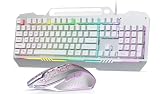

This guide walks through exactly what matters for marathon sessions, with concrete numbers so you can compare products like the ones in our examples — a $23.99 large-print backlit board, a $12.97 budget membrane option, a $30.39 mechanical-feel combo, and a $24.99 true clicky mechanical keyboard — against whatever else is on your shortlist in 2026.
Top 3 picks at a glance
Decide These 3 Things First
1. Laptop-only or external? If you’re gaming on the laptop’s built-in keyboard, most of what follows still applies — but you’re locked into its layout and travel (typically 1.3–1.8mm). An external keyboard, even a $13 wired model, almost always beats a built-in board for session comfort because you can position it independently of the screen.
2. Switch feel: clicky, tactile, or linear? Clicky switches (like the ones in the wegear board) give audible feedback around 50–60g of actuation force. Tactile bumps without the click suit shared spaces. Linear is smooth and quiet. For long sessions, most people settle on tactile or light clicky — heavy linears fatigue fingers over hours.
3. Real budget. Set it before browsing. In this category, the honest tiers are roughly $10–15 (entry membrane), $20–35 (feature-focused or true mechanical), and $40–80+ (premium boards with hot-swap sockets, PBT caps, and per-key RGB). Know your number so a shiny $80 board doesn’t pull you off a $25 plan you’d genuinely be happy with.
Size and Layout: Full-Size Beats Compact for Gaming
For gaming, a full-size 104-key layout is the safe default. Here’s why the number matters: you keep the numpad for macros, bindable keys, or in-game inventory slots, and you keep dedicated arrow and navigation keys for strategy games and shooters’ chat navigation. Tenkeyless (87-key) boards shave 3–4 inches of width — nice for a crowded desk, but you lose binding options.
Dimensions to expect: a full-size 104-key board typically runs 17–17.5 inches wide (about 435–445mm), 5–6 inches deep, and 1–1.5 inches thick, weighing between 1.5 and 2.5 pounds. The wegear mechanical board, for example, follows the standard 104-key footprint. If your keyboard tray is shallower than 11 inches deep, measure before buying — a board plus a wrist rest needs roughly 11–12 inches.
One layout note for laptop users: if you game on a 14-inch or smaller laptop, a full-size external board can throw off your desk geometry — your screen ends up off-center. Consider whether a 87-key TKL at around 14 inches wide fits your setup better. For everything 15.6 inches and up, full-size is fine.
Keycaps and Material: ABS vs. PBT, and Legends That Last
Keycap material is where budget boards quietly cut corners. ABS plastic caps develop shine within months of heavy WASD use — that greasy, polished look. PBT (polybutylene terephthalate) caps resist shine far longer and feel drier under the fingers. At the under-$35 price point, nearly everything is ABS; that’s acceptable if legends are laser-etched or double-shot molded rather than printed, because printed legends wear off in six to twelve months of daily gaming.
Cap height matters too. OEM-profile caps (row-staggered heights, roughly 8–11mm at the top row) are the ergonomic default. If you play mostly FPS titles, look at your WASD cluster specifically: some boards include textured or contoured caps on those four keys, which genuinely helps when your fingers are sweaty at hour three.
Large-print keycaps — like the oversized legends on the X9 board — are worth considering if you do a lot of late-night browsing alongside gaming, or if you have any vision strain. Bigger legends don’t affect gaming performance, but they reduce eye travel when you’re switching between game and desktop tasks.
Construction: Membrane, Mechanical Feel, and True Mechanical
This is the factor buyers misunderstand most, so let’s be precise:
Membrane: A rubber dome under each key completes the circuit. Travel is mushy (2–4mm to bottom out), actuation force is inconsistent, and there’s no distinct tactile point. Budget boards like the $12.97 GEODMAER live here — perfectly usable, and its anti-ghosting and spill resistance are real perks at that price — but for fast-paced games, registration can feel vague.
“Mechanical feel”: A marketing term for membrane switches tuned to click or feel crisper. It is not mechanical. There’s nothing wrong with it — the AULA T102 combo delivers that crisp sensation with RGB backlighting for $30.39 — just don’t pay mechanical prices for the label.
True mechanical: An individual switch per key, rated in tens of millions of keystrokes (commonly 50–80 million), with consistent actuation at a stated force — clicky switches typically actuate around 50–60g. The wegear clicky board is the example here: at $24.99, it’s one of the few genuine mechanical boards at this price. For long sessions, mechanical switches give you that “bottoming out is optional” feedback that reduces finger strain because you don’t slam every key to register input.
Construction extras worth checking: a rigid backplate (steel is common) reduces flex when you rest your palms on the board’s edge, and spill resistance — usually drainage channels under the caps — has saved more keyboards than any other feature on this list.
Comfort and Performance: The Numbers That Prevent Fatigue
These are the specs that matter at hour four, not hour one:
Actuation force: Aim for 45–55g. Lighter than 40g and you’ll register accidental keystrokes; heavier than 60g and your fingers tire in long sessions. Check the spec sheet — if a manufacturer doesn’t list force, that itself is data.
Anti-ghosting and N-key rollover (NKRO): Anti-ghosting ensures simultaneous presses all register. Look for at least 19-key anti-ghosting or full NKRO. If a budget board claims “26-key rollover” on a membrane design, treat it skeptically — membrane boards physically can’t do true NKRO, though decent partial anti-ghosting on WASD clusters is common and adequate.
Polling rate: 125Hz (8ms) is fine for most games; 1000Hz (1ms) is standard on gaming-branded boards. The real-world difference is small, but at 1000Hz there’s no argument.
Typing angle and height: A 5–7 degree typing angle with a board height under 1.5 inches keeps wrists neutral. Pair any keyboard with a wrist rest if your desk is higher than 28–29 inches — elbows at roughly 90 degrees is the target.
Backlight: For sessions after dark, adjustable brightness matters more than color count. A 7-color option like the X9’s is plenty; per-key RGB is a bonus, not a requirement. Look for brightness you can actually dim — overly bright boards are distracting at 2 a.m.
Price Tiers: What Each Dollar Buys
Under $15 (entry): Membrane construction, ABS caps, basic LED backlight, spill resistance if you’re lucky. The GEODMAER at $12.97 defines this tier. Expect 1–2 years of heavy use. Right choice if you game casually a few hours a week.
$20–35 (the value sweet spot): This is where you find either a true mechanical board (wegear at $24.99) or a well-featured membrane/combo setup with RGB and multimedia keys (AULA at $30.39, or the large-print X9 at $23.99 if visibility is your priority). For long sessions specifically, the true mechanical option in this tier is usually the better buy — switch quality matters more than lighting effects.
$40–80+ (premium): Hot-swappable switches, PBT keycaps, dedicated software for remapping and macros, gasket-mount designs that soften keystrokes, and per-key RGB. Worth it if you game daily for 3+ hours or also do serious typing work. Diminishing returns beyond $80 for pure gaming.
Warranty and Support
In this price bracket, warranties range from 90 days to 2 years. Look for at least 12 months — mechanical boards especially should carry one, since a single failed switch is a warranty claim. Check whether support means replacement or repair (replacement is faster and more common here), and whether the brand has an actual support channel or just a marketplace message queue. Brands that sell combos (keyboard plus mouse) sometimes split warranty coverage oddly; confirm both items are covered for the full period.
Delivery and Setup: What to Expect
The good news: unlike a sofa or a desk, keyboards arrive fully assembled. A 104-key full-size board ships in a box roughly 19 x 8 x 2 inches and weighs 2–3 pounds packed — no delivery scheduling concerns. What does matter: wired USB connectivity means no batteries and no latency concerns, but check cable length. You want at least 5 feet (60 inches) of cable to reach a tower under or beside a desk comfortably; many budget boards include 4.9–6 feet. Setup is genuinely plug-and-play on Windows — no drivers required for backlighting and standard keys. Brand-specific software, where offered, only unlocks macros and per-key lighting.
Spec Checklist
| Spec | Budget ($10–15) | Mid ($20–35) | Premium ($40–80+) |
|---|---|---|---|
| Construction | Membrane | Membrane “mechanical feel” or true mechanical | True mechanical, often hot-swap |
| Keycaps | ABS, printed legends | ABS, laser-etched legends | PBT, double-shot legends |
| Layout | 104-key full size | 104-key full size | 104-key or TKL |
| Actuation force | Unlisted (~55g dome) | 50–60g clicky typical | 45–55g, switch choice available |
| Anti-ghosting | Partial (WASD zone) | 19-key to full NKRO | Full NKRO |
| Polling rate | 125Hz | 125–1000Hz | 1000Hz |
| Backlight | Single or 7-color LED | RGB zones or per-key RGB | Per-key RGB with software control |
| Spill resistance | Sometimes | Often | Usually |
| Cable length | ~4.9 ft | 5–6 ft | 6 ft+, often detachable USB-C |
| Switch lifespan | ~5–10 million presses | Up to 50–80 million (mechanical) | 50–100 million |
| Warranty | 90 days–1 year | 1 year | 1–2 years |
Red Flags
“Mechanical feel” priced like mechanical. If a board costs $30+ and the spec sheet never uses the word “mechanical switches,” it’s membrane. Ask or move on.
No listed actuation force. Reputable makers publish it. Omission usually means it’s not flattering.
Vague rollover claims. “Full anti-ghosting” on a membrane board is marketing, not NKRO.
Printed legends on a gaming board. They will wear off under daily WASD use within a year.
Under 4-foot cables. Check before buying if your tower isn’t directly beside your keyboard.
No warranty information at all. At minimum you want 90 days; less than that suggests the seller doesn’t stand behind the board.
Fake switch branding. “Blue-style switches” or “mechanical-type switches” are hedges. Genuine listings name the switch type (clicky, tactile, linear) and force.
FAQ
Are mechanical keyboards really better for long gaming sessions?
For most people, yes — not because they’re faster, but because they’re more consistent and less fatiguing. A clicky or tactile switch registers at 50–60g with a clear actuation point, so you stop bottoming out every key. Over a four-hour session, that reduced slam adds up. That said, a well-made membrane board with decent anti-ghosting is fine if you game under 10 hours a week.
Is a 104-key keyboard too big for a laptop setup?
Usually not. A full-size board is about 17.5 inches wide; if your desk has room for a laptop plus a mouse, you have room. The main adjustment is that your laptop screen shifts to one side — many people solve this by putting the laptop on a riser and treating the external board as their primary input, which is also better for posture.
Do I need per-key RGB for gaming?
No. RGB is cosmetic; only custom lighting macros (like lighting your ability keys) have any functional value, and very few players use them. A 7-color or single-color backlight with adjustable brightness serves late-night sessions just as well. Spend the lighting budget on switch quality instead.
What’s more important: keyboard or mouse for gaming?
Both matter, but if you’re upgrading one at a time and you play shooters or fast action games, the mouse usually delivers more immediate performance benefit — precision aiming is harder to fake than key registration. The keyboard matters more for comfort and durability over long sessions, so a modest mechanical board plus a quality mouse is the classic balanced build.


