
Navigating the market for secondhand and budget portable rigs in 2026 requires a careful shift in perspective, especially when evaluating older yet surprisingly capable hardware. The NVIDIA GeForce GTX 1660 Ti remains a popular entry point for budget-conscious gamers, esports enthusiasts, and students who need moderate graphical horsepower without breaking the bank. Because these machines are now predominantly found on the used or refurbished market, shopping for them demands a keen eye for specifications that truly impact daily performance rather than just relying on marketing terms from years past. Understanding how this GPU fits into the modern computing landscape ensures you find a reliable machine that matches your everyday demands.
Choosing the right machine with this graphics card means looking past the GPU itself and evaluating the entire supporting ecosystem. Processor generation, cooling efficiency, RAM capacity, and display quality dictate whether a specific chassis will feel like a smart budget victory or an outdated headache. This comprehensive guide breaks down the critical factors you need to evaluate so you can purchase a reliable portable device tailored to your exact workflow, gaming habits, and long-term financial expectations.
As an Amazon Associate we earn from qualifying purchases at no extra cost to you.
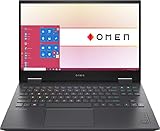
Understanding the GTX 1660 Ti Limits in Modern Gaming
Before committing to any purchase, you must align your expectations with what this GPU can actually deliver in current software environments. Released several generations ago, the 1660 Ti lacks dedicated hardware ray tracing cores, meaning modern titles utilizing mandatory ray tracing features will either fail to run or require heavy software workarounds. However, for traditional rasterized gaming—such as competitive shooters, popular esports titles, and older single-player blockbusters—it still punches well above its weight class. Focus on finding a model that matches your intended library rather than expecting ultra settings on current-gen flagship releases.
Processor Pairing and Avoiding Bottlenecks
A capable graphics card can easily be dragged down by an aging or underpowered central processor. When evaluating these machines, check for pairing with robust multi-core processors that can handle modern background tasks while feeding frames smoothly to the GPU. Older quad-core chips may struggle significantly in CPU-heavy multiplayer environments, whereas machines equipped with slightly newer silicon will maintain stable frame pacing and superior overall system responsiveness during intensive multitasking sessions. Always verify the exact CPU model rather than just looking at the brand family tier.
RAM and Storage Upgradability Potential
One of the greatest advantages of shopping in this performance tier is that many chassis from this hardware era still feature user-upgradeable components. Always check if the RAM is soldered directly to the motherboard or if you can swap out memory sticks to expand your capacity later on. Similarly, look for models that accommodate an additional NVMe solid-state drive or a secondary 2.5-inch storage bay. Securing a machine with hardware upgrade headroom lets you extend the usable lifespan of your device significantly with a very minor financial investment down the road.
Thermal Performance and Chassis Build Quality
Heat management dictates the sustained performance of any portable gaming rig, and older laptops are especially susceptible to dried-out thermal paste and internal dust buildup over time. Research the specific laptop model’s cooling design to ensure it features adequate copper heat pipes and dual exhaust vents to dissipate heat efficiently. A well-designed plastic or aluminum chassis that keeps thermal throttling to a minimum will provide drastically better frame rates during extended gaming sessions than a slim design that suffocates its internal components under load.
Display Panel Specifications Worth Paying For
The screen is your primary interface with the machine, so you should never compromise blindly on key panel metrics when evaluating older laptops. Look for configurations featuring a high refresh rate panel—ideally 120Hz or higher—to make motion look fluid and responsive during fast-paced gaming. Additionally, prioritize color accuracy and adequate brightness levels, especially if you plan to use the laptop for productivity tasks, content creation, or media consumption in brightly lit rooms where dim screens become frustratingly difficult to view.
Battery Life Reality Checks on Older Hardware
Portable gaming rigs from this hardware generation were never known for marathon battery life, and age only degrades lithium-ion capacity further. Expect most of these machines to offer modest unplugged endurance, primarily suited for basic web browsing, document editing, or media streaming rather than mobile gaming sessions. If you need a device that can survive an entire day away from a wall outlet, verify whether the battery has been replaced recently or plan to keep your power brick close by whenever you travel.
When to Skip a Used Model and Spend More
While scoring a great deal on a legacy machine is undeniably tempting, there are distinct scenarios where you should bypass this tier entirely. If you want to experience cutting-edge graphics technologies, demand future-proof support for upcoming AAA game releases, or require absolute peak performance for heavy video editing, stretching your budget for a newer generation makes more financial sense. Knowing your long-term performance goals prevents you from buying a cheap machine today only to find yourself wishing for an upgrade just a few months down the line.
Related Guides
If you are still exploring your options or need help narrowing down specific configurations, our comprehensive resources can guide your next steps. Check out our expert picks for the Best Gtx 1660 Ti Laptops if you want direct product recommendations. For users prioritizing everyday productivity and multitasking, our breakdown of the Best I5 Laptops highlights balanced processing power. Additionally, if your workload demands massive memory overhead for heavy multitasking, review our selections for the Best 64gb Laptops to find heavy-duty powerhouses.
FAQ
Are these legacy graphics cards still good for modern esports titles?
Yes, they easily handle popular competitive games like Valorant, CS2, and Apex Legends at high refresh rates. You will get smooth performance as long as the CPU and RAM do not bottleneck the system.
Can I upgrade the graphics card later on?
No, laptop GPUs are permanently soldered to the motherboard and cannot be upgraded independently. You must choose a machine with the graphics capability you need from the very beginning.
How much RAM do I actually need when buying a used budget laptop?
Aim for at least 16GB of RAM to ensure smooth multitasking and modern gaming performance. Systems with 8GB will require an immediate hardware upgrade to avoid stuttering in newer software.
Should I worry about buying a refurbished or used portable gaming machine?
Buying refurbished or used is a great way to save money, provided you purchase from reputable sellers with return policies. Always check the battery health and thermal status shortly after receiving the device.
Related guides
- Alienware 16 Aurora RTX 5070 Review: Display, Portability and Configuration Gaps
- Lenovo Legion Pro 7i Gen 10 Review: 64GB RAM and Dual-SSD Configuration
- MSI Katana 15.6-inch RTX 5050 Review: Configuration Strengths and Upgrade Unknowns
- ASUS ROG Strix SCAR 16 G635LX-XS97 Review: Display Ambition, Upgrade Questions


