The fastest fix for a keyboard that types double letters is to test it on another computer: if the problem follows the keyboard, the switch under that key is probably worn or dirty, and cleaning or replacing it is the answer; if it stays on one PC, the cause is more likely a Windows setting, a driver or software. This guide walks through both paths in order.
As an Amazon Associate we earn from qualifying purchases at no extra cost to you.

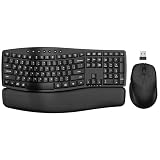

Top 3 picks at a glance
What Double Typing Looks Like
Double typing, often called key chatter or double-click on a key, happens when one press registers two or more times. You may see “hheello” instead of “hello”, repeated characters on only one or two keys, or repeated letters that appear only when you type quickly. In games it can show up as a skill or movement key triggering twice. Mechanical keyboards are discussed most often, but membrane and laptop keyboards can also do it.
Likely Causes, Ranked
- Software settings. Windows keyboard repeat delay and repeat rate, or a keyboard utility macro.
- Debris or liquid. Dust, crumbs or a spill under the keycap or in the switch.
- Switch wear or contact chatter. The metal contacts in a switch bounce or degrade over time, creating a double signal.
- Debounce or firmware settings. Many gaming keyboards let you adjust the debounce time, and a very short value can allow chatter.
- Driver or wireless interference. Faulty drivers, a weak battery, or interference on a wireless dongle.
- Hardware failure. A damaged circuit board or a failing controller.
Quick-Reference Table
| Symptom | Likely cause | Fix |
|---|---|---|
| Repeats on every key at a delay | Repeat delay or rate settings | Adjust keyboard settings in Windows |
| One key doubles, others fine | Dirty or worn switch | Clean the keycap area, replace the switch if hot-swap |
| Doubles only in one app or game | Software or macro conflict | Disable macros, update or close the app |
| Doubles on wireless but not on wired | Interference or low battery | Move the dongle, charge the battery, reduce clutter |
| Doubles after a spill | Liquid residue | Unplug, dry, clean, contact the maker if it persists |
| Problem follows keyboard to a second PC | Hardware fault | Use warranty or replace the switch or keyboard |
| Very fast typing causes repeats | Debounce setting too low | Raise debounce time in the keyboard software, if available |
Step-by-Step Fixes, Easiest to Hardest
- Test elsewhere. Plug the keyboard into a different USB port, then a different computer. If it still doubles, the keyboard itself is the likely cause.
- Test a different keyboard on your PC. If a spare keyboard types normally, you can rule out system-wide problems.
- Check Windows keyboard settings. In Windows Settings, open Accessibility, then Keyboard, and check Filter Keys. Filter Keys can ignore repeated keystrokes and, if you want, you can use it to reduce accidental repeats, although it also changes typing feel. Also check the Keyboard control panel for the repeat delay and repeat rate and move the repeat delay slightly longer.
- Close keyboard utilities and macros. Quit the maker’s software and any macro or remapping tools, then test in a plain text editor.
- Update or reinstall the driver. In Device Manager, uninstall the keyboard entry and restart so Windows reinstalls it. Install updated firmware from the keyboard maker’s site, following their instructions closely.
- Adjust debounce settings. Some gaming keyboard software lets you set a debounce delay. A slightly longer delay can suppress chatter, though too long a delay can make the keyboard feel slower. Menu names vary by maker, so check the keyboard’s manual.
- Clean the keyboard. Unplug it. Use compressed air in short bursts, remove the keycap with the maker-supplied or a suitable puller, and clear dust or debris from the switch area. Do not use water or pour cleaner into the switch. Isopropyl alcohol is sometimes mentioned by enthusiasts for cleaning, but check the maker’s guidance, as it can damage some finishes and the keyboard warranty may be affected by disassembly.
- Swap the switch. If your keyboard is hot-swappable, a puller tool lets you replace the failing switch. If it is soldered, this needs desoldering skills, so consider contacting the maker or a technician.
- Use the warranty. If the problem persists, contact the keyboard maker. Many makers cover switches for a period, and reviewers often report that support teams will replace keyboards that suffer from chatter within warranty.
Wireless and Battery Issues
On a wireless keyboard, double typing sometimes comes from low battery voltage or radio interference. Charge or replace the battery, move the USB receiver closer using an extension, and keep it away from other wireless devices and USB 3 ports that can add noise. Try the wired mode if the keyboard offers it. If a wired test eliminates the problem, the wireless link is the likely cause.
When to Stop and Get Help
Stop troubleshooting and contact the maker or a technician if a spill has reached the circuit board, if the keyboard smells of burning, if more keys fail over time, or if the keyboard is still under warranty and you would need to disassemble it. Do not open a power supply or other PC internals for a keyboard problem; the keyboard is a separate device. If you must work inside the PC for any reason, unplug it first.
How to Test a Single Key Safely
Open a plain text editor and press the suspect key slowly, about once per second, ten or twenty times. If it still doubles at a slow pace, the switch itself is probably the cause, because slow presses rule out typing speed and most software repeat settings. Then try the same key fast. If it only doubles at speed, debounce or repeat settings are more likely. Many websites offer keyboard testers that display each key event, which makes chatter easy to see. Write down which keys misbehave; if the same key doubles on a second computer, the keyboard needs cleaning, switch replacement or warranty service rather than more software changes.
Prevention Tips
- Clean the keyboard regularly with compressed air and a soft brush.
- Keep drinks away from the desk, or use a spill-resistant model.
- Avoid hammering keys; heavy typing wears switches faster.
- Update keyboard firmware from the maker when new versions are released.
- Keep a spare keyboard to isolate problems quickly.
- Choose a keyboard with a hot-swap socket if you want easy switch repair.
Frequently Asked Questions
Why does my keyboard type two letters at once?
The most common reasons are a worn or dirty switch, settings that repeat keystrokes, or software conflicts. Testing on another computer tells you whether the problem is the keyboard or the system.
Can a software update fix key chatter?
Sometimes. Firmware or driver updates may adjust debounce behavior, and the maker’s notes will say what changed. A worn switch will not be fixed by software alone.
Is double typing covered by warranty?
It often is within the warranty period for defects, but coverage depends on the maker and region. Read the warranty terms and contact support before disassembling the keyboard.
Can I fix a mechanical keyboard switch myself?
On a hot-swappable board you can replace a switch with a puller. On a soldered board it requires desoldering, which carries a risk of damage, so consider a technician.
Does Filter Keys help with double typing?
It can reduce repeated keystrokes by ignoring brief or repeated presses. It changes how typing feels and may not suit gaming, so treat it as a temporary workaround.


