
Top 3 picks at a glance
The Short Answer
For an 18-inch gaming laptop, choose a desk at least 48 inches wide and 24 inches deep (122 by 61 cm). That is the best all-purpose size for the laptop, a mouse, a full-size keyboard, a headset, and a little elbow room.
A 36-inch-wide desk (91 cm) can work for laptop-only gaming, but it will feel tight once you add a mouse and accessories. If you use an external monitor, speakers, a microphone, or a second screen, step up to at least 60 by 30 inches (152 by 76 cm). A 72-inch desk (183 cm wide) is more comfortable for a full gaming setup.
As an Amazon Associate we earn from qualifying purchases at no extra cost to you.


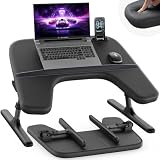
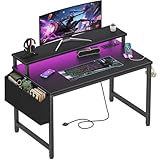
Depth matters as much as width. An 18-inch laptop is often roughly 16 inches wide and 11 inches deep, although exact chassis dimensions vary. A 20-inch-deep desk leaves very little space in front of the computer, while 24 to 30 inches gives you room for your wrists and mouse. For 2026, the most versatile choice remains a sturdy 48-by-24-inch desk with a weight rating of at least 100 pounds.
Standard Sizes
The right desk size depends on whether the laptop is the only device on the surface. An 18-inch gaming laptop is larger and heavier than a typical school or office notebook, so a compact writing desk can become crowded quickly. The table below compares practical desk sizes for different setups.
| Desk size | Desk size in centimeters | Best for | Watch-outs |
|---|---|---|---|
| 36 x 20 in | 91.4 x 50.8 cm | Laptop-only gaming, homework, or occasional use | Limited mouse and accessory space |
| 42 x 24 in | 106.7 x 61 cm | Laptop, mouse, keyboard, and headset | Tight for a monitor or speakers |
| 48 x 24 in | 121.9 x 61 cm | Most 18-inch laptop users | Check legroom and desk stability |
| 60 x 30 in | 152.4 x 76.2 cm | Laptop plus one monitor and accessories | Needs a larger room footprint |
| 72 x 30 in | 182.9 x 76.2 cm | Dual monitors, streaming, or elaborate gaming setups | May overpower a bedroom or small office |
Minimum width: Allow about 18 inches for the laptop and at least 24 inches for the mouse area. That makes 42 inches a functional minimum, although 48 inches is much more comfortable.
Minimum depth: Look for 24 inches whenever possible. A 20-inch surface can hold the laptop, but the front edge may sit too close to your wrists. A 30-inch depth is useful when you want the screen farther away or plan to add a monitor.
Height: Most fixed desks are 28 to 30 inches high (71 to 76 cm). This works with a standard office chair for many adults. Your elbows should remain close to a 90-degree angle while typing. A height-adjustable desk is helpful if more than one person will use it.
Weight capacity: A large gaming laptop commonly weighs about 5.5 to 8 pounds (2.5 to 3.6 kg), before its power brick and accessories. Add 10 to 20 pounds for a monitor, stand, keyboard, and speakers. Choose a desk rated for at least 100 pounds (45 kg), especially if it has a monitor arm or adjustable frame.
How to Measure Your Space
- Measure the available wall width. Use a tape measure from wall to wall, then subtract at least 2 inches on each side. This prevents the desktop from scraping the walls and leaves room to run cables.
- Measure usable depth. Account for baseboards, radiators, windowsills, and door swings. A 24-inch desk needs approximately 26 inches of clear front-to-back space if you want comfortable access around it.
- Mark the desk footprint on the floor. Use painter’s tape to outline the proposed width and depth. Sit in your chair and check whether your knees, chair arms, and feet have enough room.
- Plan chair clearance. Leave roughly 36 inches (91 cm) behind the desk for a chair and movement. In a narrow room, a desk that fits against the wall may still be uncomfortable if the chair blocks a walkway.
- Measure the laptop and accessories. Open the laptop fully and measure its width and depth. Include the power cable, charging brick, mouse, mousepad, and any cooling stand. Oversized gaming power supplies can take up more space than expected.
- Check outlet and cable locations. A desk with an integrated power strip can be convenient, but confirm that its outlets support your devices. A gaming laptop and monitor may each draw around 100 to 300 watts during demanding use, depending on the hardware. Avoid overloading a cheap power strip.
- Confirm clearance above the desk. If you use a shelf, hutch, or monitor riser, make sure the open laptop screen will not hit it. Leave several inches of ventilation space around the laptop’s side and rear exhausts.
By Room or Use Case
Bedroom or Small Home Office
A 42-by-24-inch desk is a good compromise when floor space is limited. It accommodates an 18-inch laptop and mouse without consuming an entire wall. A 36-by-20-inch model, such as a compact 32-inch writing or gaming desk, can work for occasional use, but expect a tighter setup. Some small desks include power outlets, LED lighting, or a monitor shelf; treat those built-in features as space-saving conveniences rather than substitutes for extra desktop area.
Choose a desk with a solid rear frame or crossbar if the laptop is heavy. Lightweight flat-pack desks may support the computer, but their smaller work surfaces and limited legroom can make long gaming sessions less comfortable.
Dedicated Gaming Room
Choose at least 48 by 24 inches for laptop-only gaming and 60 by 30 inches for a laptop-plus-monitor setup. The larger depth helps position the display about 20 to 30 inches from your eyes while leaving space for a keyboard and mouse. A 60-inch desk also gives you room for a monitor stand, speakers, controller dock, and charging station without pushing the laptop against the edge.
If you want two monitors, a microphone boom, or a desktop tower, consider 72 inches wide. Verify the desk’s load rating before clamping on a monitor arm, since the clamp concentrates weight on a small section of the desktop.
Couch, Bed, or Flexible Use
A lap desk is convenient when you do not have room for a permanent workstation, but it is not equivalent to a full desk. Extra-wide lap desks designed for laptops up to 18 inches can provide a cushioned base and space for a mouse. Examples in this category include products priced around $140 to $195.
For occasional gaming, choose a lap surface at least 24 inches wide and 16 inches deep, with a stable cushion and ventilation clearance. Keep the laptop’s exhaust vents uncovered, and avoid placing a high-performance machine directly on bedding. For daily gaming or typing, a proper desk and adjustable chair are safer ergonomic choices.
Shared Family or Student Workspace
A 48-by-24-inch desk is the most flexible shared option. It fits an 18-inch laptop while leaving room for notebooks, a lamp, or a second user’s accessories. If the desk must serve as a writing station too, 60 inches wide is preferable. Cable management, a raised monitor shelf, and a keyboard tray can preserve usable surface area, but they should not reduce legroom.
Common Sizing Mistakes
- Buying by width alone: A 60-inch desk that is only 18 inches deep may be less useful than a 48-by-24-inch desk.
- Ignoring the open-screen footprint: Measure the laptop when it is open, not just when it is closed.
- Forgetting the power brick: Gaming chargers are often large and need airflow. Leave space beside or behind the laptop.
- Using the absolute minimum size: A 36-inch desk may technically fit the computer but leave no comfortable mouse area.
- Overlooking chair and leg clearance: Drawers, shelves, and support bars can make a correctly sized desktop uncomfortable.
- Choosing a desk with a low weight rating: Add the laptop, charger, monitor, accessories, and the pressure created by leaning on the surface.
- Blocking ventilation: Do not push the laptop flush against a wall or place it on a soft surface that covers its intake vents.
FAQ
Is a 40-inch desk big enough for an 18-inch gaming laptop?
Yes, if the desk is at least 20 to 24 inches deep and you use the laptop by itself. It will be cramped with a full-size keyboard, large mousepad, speakers, or a monitor. For regular gaming, 48 inches wide is the better minimum.
What is the best desk depth for an 18-inch laptop?
Choose 24 inches for laptop-only use and 30 inches if you plan to add a monitor. Twenty inches is workable in a small room, but it leaves less space for your wrists and mouse. Keep the rear vents clear and avoid positioning the laptop directly against a wall.
Can a small 32-inch desk hold an 18-inch gaming laptop?
It can hold the laptop if the desktop is deep enough, but the available mouse area will be limited. A 32-inch desk is best for occasional use, compact bedrooms, or a laptop-only setup. Measure the actual desktop because a monitor shelf or built-in charging station may reduce the main work area.
Do I need a gaming desk for an 18-inch laptop?
No. A sturdy office or writing desk works just as well if it has a flat 48-by-24-inch or larger surface, stable legs, adequate weight capacity, and enough ventilation clearance. Gaming-specific features such as LED lights, cable cutouts, and a headphone hook are convenient but do not replace proper width, depth, and ergonomic height.


