
As an Amazon Associate we earn from qualifying purchases at no extra cost to you.



Top 3 picks at a glance
The Short Answer
A 16-inch gaming laptop backpack needs a padded laptop compartment that fits a device measuring roughly 14.1–14.5 inches wide, 10–10.6 inches deep, and 0.7–1.1 inches thick — which corresponds to the actual footprint of most 16-inch gaming laptops. The “16 inch” refers to the diagonal screen measurement, not the compartment size, so a compartment labeled simply “16 inches” is usually too shallow in one direction.
In practice, look for a backpack with a laptop sleeve of at least 15.5 inches wide by 11.5 inches deep. This gives a half-inch to full inch of clearance on each side, which matters more than most buyers expect because gaming laptops run thick. A machine like a 16-inch ROG Strix or Legion Pro measures around 1.05 inches thick and 5.4–6 pounds before you add its heavy 330W power brick.
The backpack itself should offer 20–30 liters of total capacity. Anything under 20L will struggle to fit the charger, a mouse, and a headset alongside the laptop. Anything over 35L starts feeling like a duffel bag on your shoulders during a daily commute.
Standard Sizes
The table below compares the laptop compartment dimensions and overall specs of popular backpacks that fit 16-inch gaming laptops. Always check compartment measurements rather than trusting the “16 inch” label alone, because manufacturers measure differently.
| Backpack | Laptop Compartment (W x D x H) | Total Capacity | Backpack Dimensions | Price |
|---|---|---|---|---|
| Razer Rogue V4 16″ Gaming Laptop Backpack | 15.4 x 10.8 x 1.6 in (39 x 27.5 x 4 cm) | ~21.5L | 12.6 x 7.5 x 18.5 in | $109.99 |
| Alienware AW5625P 16in Laptop Backpack | 15.6 x 11 x 1.8 in (39.6 x 28 x 4.5 cm) | ~24L | 12.8 x 8.3 x 18.9 in | $69.99 |
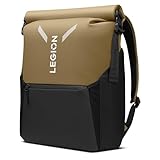
| Lenovo Legion GB500 Gaming Laptop Backpack | Fits up to 16-in laptops; expandable body | ~22L, expands toward 25L | ~12.6 x 8.7 x 18.5 in | $59.99 |
| MATEIN 18 inch Gaming Laptop Backpack | 17.3 x 11.5 x 2 in (44 x 29 x 5 cm) — padded sleeve | ~30L+ (large-frame design) | ~13.5 x 9 x 19 in | $47.49 |
A few notes on reading this table. The Razer Rogue V4 is sized tightly for 16-inch machines — it fits them, but there is minimal extra room, and larger 18-inch laptops will not fit. The Alienware and Legion bags add roughly half an inch of clearance, which makes sliding a thick chassis in and out easier. The MATEIN is oversized on purpose: its sleeve accepts laptops up to 17–18 inches, so a 16-inch machine sits with generous padding around it, at the cost of a bulkier overall profile.
How to Measure Your Space
Whether you’re checking a laptop against a bag spec, or checking a bag against a locker, airplane seat, or desk cubby, follow these steps.
1. Measure the laptop closed. Use a tape measure across the width (left edge to right edge), then the depth (front to back), then the thickness at the thickest point — usually the rear feet or hinge. Do not use the diagonal; the “16 inch” number refers to the screen only.
2. Add clearance. Add at least 0.5 inches to width and depth, and 0.25–0.5 inches to thickness. This is your minimum compartment size.
3. Measure the compartment, not the bag. Product photos rarely show the sleeve opening. Look for a spec line reading “laptop compartment” or “fits laptops up to X x Y inches.” If a listing only states “fits up to 16 inches,” email the seller for actual compartment dimensions.
4. Check the opening. A compartment can be deep enough but have a narrow zipper opening. Gusseted or wraparound zippers make it easier to load a 5–6 pound laptop.
5. Check the charger pocket. A 16-inch gaming laptop’s power brick measures roughly 6.5 x 3.5 x 1.5 inches and weighs 2+ pounds. Confirm there’s a dedicated pocket that size or larger.
6. Measure your carry space. For airline use, a carry-on personal item is typically limited to about 18 x 14 x 8 inches; check your specific carrier. For school or gym lockers, measure the interior height — most lockers run 12 x 12 x 36 or 15 x 15 x 48 inches, and most full-size gaming backpacks fit standing at 18–19 inches tall.
7. Weigh it loaded. An empty gaming backpack runs 2–2.5 pounds. Add a 5.5-pound laptop, a 2-pound brick, and accessories and you’re carrying 10–12 pounds. If you commute daily, padded shoulder straps and a sternum strap are not optional extras.
By Room or Use Case
Daily Commute and Campus
For everyday carry, prioritize a slim profile over maximum capacity. The Alienware AW5625P at roughly 24L hits the sweet spot: big enough for the laptop, charger, and a notebook, but narrow enough (about 8 inches deep) to navigate crowded trains. Water-resistant fabric is worth having here — gaming laptops don’t love surprise rain, and a $69.99 bag with a water-resistant shell protects a $1,500 machine.
Air Travel
Flyers should target a bag no larger than about 13 x 9 x 18 inches so it slides under the seat in front. The Razer Rogue V4, at 18.5 inches tall with a tear- and water-resistant exterior, is a common pick for this because it stays structured when partially loaded. Keep the laptop in the rear compartment nearest your back — it makes TSA screening faster and balances the load. Remember a gaming power brick pushes your bag over 10 pounds loaded; use the top handle for overhead-bin lifts.
Dorm and Small Apartment Storage
If the bag lives on a hook or in a closet between uses, expandable designs like the Lenovo Legion GB500 (expanding up to 25L) let you run compact on light days and expand for weekend hauls. A hanging loop on the top of the bag keeps a 3-pound empty backpack off the floor in tight quarters.
Esports Events and LAN Nights
Hauling a laptop, a 330W brick, a mouse, a headset, a mousepad, and a controller needs closer to 30 liters. The MATEIN 18-inch at $47.49 is the budget answer — its thick padded compartment and larger frame swallow everything at once. Budget buyers heading to tournaments several times a year often pick this size even though it’s more bag than a commute requires.
Office and Hybrid Work
If the bag appears in meetings, look for understated styling and a false bottom so the laptop doesn’t drop when you set the bag down. All four bags here are black and low-key enough, but the Razer and Alienware lean gaming-aesthetic; the Lenovo and MATEIN read more neutral in an office setting.
Common Sizing Mistakes
- Trusting the “16 inch” label blindly. Labels refer to diagonal screen size. Two different 16-inch laptops can differ by over an inch in width and depth. Always compare actual chassis dimensions to compartment dimensions.
- Ignoring laptop thickness. Gaming laptops run 0.9–1.1 inches thick versus 0.6 inches for an ultrabook. A sleeve built for thin-and-light machines may zip shut on a thick gaming chassis — or not at all.
- Forgetting the power brick. A 230W–330W adapter adds 2+ pounds and needs a pocket roughly 7 x 4 x 2 inches. Squeezing it into the laptop sleeve risks pressure on the lid.
- Buying too big “just in case.” A 35L+ bag with a 16-inch laptop inside lets the machine shift around during transit, which is hard on hinges. Extra space should be moderated by compression straps.
- Skipping the weight check. Empty weights of 2–2.5 pounds sound trivial until you add 7–8 pounds of gear. Over 12 pounds total, strap quality and back padding become the deciding factors.
- Measuring only the exterior. Interior walls, padding, and zipper tracks eat 1–2 inches compared to outside dimensions. Always use interior compartment specs.
FAQ
Will a 16-inch gaming laptop fit in a backpack labeled for 15.6 inches?
Usually not. A 16-inch gaming laptop typically measures 14–14.5 inches wide, while most 15.6-inch compartments top out around 14.2 inches wide with minimal thickness allowance. If the compartment spec lists at least 15 x 10.5 x 1.2 inches, it may work — measure both the laptop and the compartment before buying.
What backpack size do I need for a 16-inch laptop plus accessories?
Plan on 22–28 liters total. That covers the laptop (about 5.5 pounds), a 230W–330W charger (2+ pounds), a mouse, headset, and a notebook or jacket. Bags like the Alienware AW5625P (~24L) and Legion GB500 (expandable to 25L) are built around this load.
Is a 17-inch or 18-inch backpack too big for a 16-inch laptop?
Not too big, just bulkier. A 17–18 inch bag such as the MATEIN gives your 16-inch machine extra padding on all sides, which is genuinely protective. The tradeoff is a larger exterior footprint (around 13.5 x 9 x 19 inches) and a few more ounces of empty weight.
How do I know if a backpack will fit under an airplane seat?
Compare the bag’s exterior dimensions to your airline’s personal-item limit — commonly around 18 x 14 x 8 inches, though it varies by carrier. Bags 18–19 inches tall and under 9 inches deep generally fit under most seats; anything taller risks a gate check. Soft-sided, water-resistant packs like the Rogue V4 compress slightly when not fully loaded, which helps.


