
As an Amazon Associate we earn from qualifying purchases at no extra cost to you.


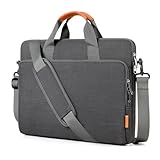

Top 3 picks at a glance
The Short Answer
For a thin, light 15-inch laptop, look for a bag with a padded compartment roughly **15 to 16 inches wide (38–40.5 cm), 10.5 to 11.5 inches deep (27–29 cm), and 0.8 to 1.5 inches thick (2–4 cm)**. The bag’s overall thickness — what most people mean by “thickness” — should land between **1.5 and 3 inches (4–7.5 cm)** for a slim profile. Anything under 1.5 inches total rarely fits a 15-inch machine plus a charger; anything over 3.5 inches starts feeling like a full briefcase rather than a slim sleeve.
Modern thin laptops — think MacBook Air-class or thin Windows ultrabooks — measure only 0.5 to 0.7 inches (1.3–1.8 cm) thick themselves. That means you have roughly 0.8 to 2.3 inches of usable cushion and accessory space inside a slim bag. Budget that space deliberately: about 0.4 inches for padding on each side, and the rest for a charger, cables, or a slim notebook.
Standard Sizes
Most bags marketed for 15–16 inch laptops follow these dimensions closely. Always check the internal laptop compartment, not just the exterior.
| Bag Type | External Width | External Depth (Height) | External Thickness | Laptop Compartment Fits |
|---|---|---|---|---|
| Thin sleeve (e.g., basic 15.6″ sleeve, ~$9.99–$14.99) | 15.5–16 in / 39–41 cm | 11–11.5 in / 28–29 cm | 0.8–1.2 in / 2–3 cm | Laptop only, or laptop + a slim folio |
| Puffy quilted sleeve (e.g., BAGSMART-style, ~$19.99) | 16–16.5 in / 40.5–42 cm | 11.5–12 in / 29–30.5 cm | 1.5–2 in / 4–5 cm | Laptop + charger in front pocket |
| Zippered carrying case (e.g., bagasin-style, ~$19.99) | 16–16.5 in / 40.5–42 cm | 12 in / 30.5 cm | 2–2.5 in / 5–6.5 cm | Laptop + accessories in front compartment |
| Slim briefcase/messenger (e.g., Targus TCT027US-style, ~$21.95) | 16–17 in / 40.5–43 cm | 12.5–13 in / 32–33 cm | 2.5–3.5 in / 6.5–9 cm | Up to 16″ laptop + documents, charger, peripherals |
Typical empty weights: sleeves run 8–12 oz (225–340 g), puffy sleeves 10–14 oz (280–400 g), carrying cases 14–20 oz (400–570 g), and slim briefcases 1–1.5 lb (450–680 g).
How to Measure Your Space
Whether you’re checking a laptop against a bag or a bag against a backpack or desk drawer, follow these steps:
1. **Measure your laptop’s width.** Close the lid and measure diagonally corner to corner — this confirms the nominal size (a “15-inch” laptop is usually 13.9–14.3 inches / 35–36.5 cm wide, not 15).
2. **Measure the actual width, depth, and thickness.** Most thin 15-inch laptops are 13.5–14.2 in wide (34–36 cm), 9.2–9.8 in deep (23–25 cm), and 0.5–0.7 in thick (1.3–1.8 cm).
3. **Add 0.5–1 inch (1.3–2.5 cm) to width and depth** for a comfortable fit with padding. A bag that matches your laptop’s exact dimensions will be a frustrating squeeze.
4. **Compare against the bag’s internal compartment specs,** not the external measurements. External thickness includes front pockets, which add 0.3–0.8 in.
5. **Plan for accessories.** A 65W USB-C charger brick adds roughly 1 inch of thickness when stored flat beside the laptop. If you carry one, choose a bag at least 2 inches thick overall or one with a dedicated front pocket.
6. **Check clearance where you’ll store it.** If the bag must slide into a backpack pocket or under an airline seat, verify that space is at least 1 inch larger than the bag’s external dimensions in every direction.
By Room or Use Case
Commuting by Transit or on Foot
A slim briefcase or messenger in the 2.5–3 inch thickness range works best. You want a shoulder strap with a pad (straps narrower than 1.5 inches dig in on longer walks) and a trolley strap if you also roll luggage. At $19.99–$29.99, briefcases in this class weigh 1–1.5 lb empty and carry a 16-inch laptop, a charger, and a few documents without bulging.
Backpack Insert / Sleeve-Only Carry
If the bag lives inside a backpack, prioritize a sleeve under 1.5 inches thick (2–4 cm) so it doesn’t eat your main compartment. A puffy quilted sleeve around 1.5–2 inches thick offers the best protection-per-millimeter — the foam quilting absorbs bumps without rigid walls. Expect to pay $15–$25 for a quality version with a water-repellent exterior.
Student Carry
Students stuffing bags under desks and into crowded lockers should pick a zippered carrying case around 2–2.5 inches thick. The extra half inch buys a front organizer pocket for pens, a mouse, and a phone, which keeps you from digging through the whole bag between classes. Weights stay manageable at under 1.25 lb empty.
Air Travel
Under-seat clearance on most airlines is roughly 17 x 13 x 9 inches, so any bag in this category fits easily — the real question is quick access at security. A briefcase with a trolley strap and a separate laptop compartment that unzips flat (2.5–3.5 inches thick) speeds up screening. Keep total packed weight under 4 lb so it stays comfortable when gates are far apart.
Home Office Storage
If the bag mostly protects a laptop on a shelf or in a drawer, a basic sleeve at 0.8–1.2 inches thick is enough. Focus on interior lining — a soft, scratch-resistant fabric matters more than structure when the bag isn’t being carried daily. Prices start around $9.99.
Common Sizing Mistakes
– **Buying by screen size alone.** A 15.6-inch laptop is physically 14+ inches wide; a bag sized to exactly 15 inches of compartment width may not close. Match the bag’s listed fit range (15–16 in) to your laptop’s *measured* width.
– **Ignoring external thickness.** A sleeve listed as “slim” at 2 inches externally may leave only 1 inch of interior space once front pockets are accounted for.
– **Forgetting the charger.** Thin laptop + thin bag + chunky brick = bulged seams and a broken zipper within months. If you carry a charger, budget at least 0.75 inches of extra thickness or a dedicated pocket.
– **Over-padding.** A 4-inch-thick bag for a 0.6-inch laptop wastes capacity and adds a pound. Protection comes from a snug fit and quality foam, not sheer bulk.
– **Skipping the depth measurement.** Width gets all the attention, but laptops vary from 9.2 to 10 inches deep at the same screen size. A bag 10.5 inches deep or less may leave a corner exposed.
FAQ
What thickness should a slim 15-inch laptop bag be?
Between 1.5 and 3 inches (4–7.5 cm) externally for most people. A bare sleeve can be as thin as 0.8 inches if you carry nothing else; a briefcase with room for a charger and documents runs 2.5–3.5 inches.
Will a 15.6-inch laptop fit in a 15-inch bag?
Usually not comfortably. Screen size and physical dimensions differ — a 15.6-inch laptop is typically 14 inches wide and 9.5–10 inches deep. Choose a bag rated for 15.6 or 15–16 inches with an internal compartment at least 14.5 x 10.2 inches.
How much padding do I actually need?
Aim for 0.25–0.5 inches (6–12 mm) of foam on each side of the laptop. More than that adds bulk without meaningful benefit for everyday drops; less than 0.25 inches is fine only for shelf storage or use inside a padded backpack.
Are slim laptop bags still good value in 2026?
Yes — the budget tier is strong. Solid basic sleeves start around $9.99, feature-rich carrying cases and puffy sleeves sit near $19.99, and padded briefcases with trolley straps run $21.95–$35. For under $25 you can get a well-padded, water-resistant bag that fits up to a 16-inch laptop.
Related guides
- Alienware 16 Aurora RTX 5070 Review: Display, Portability and Configuration Gaps
- Lenovo Legion Pro 7i Gen 10 Review: 64GB RAM and Dual-SSD Configuration
- MSI Katana 15.6-inch RTX 5050 Review: Configuration Strengths and Upgrade Unknowns
- ASUS ROG Strix SCAR 16 G635LX-XS97 Review: Display Ambition, Upgrade Questions


