Wasteland 3 is the post-apocalyptic CRPG sequel to Wasteland 2, released on August 27, 2020, and it blends turn-based squad tactics with a deep RPG system. The good news for anyone planning to play it on PC is that this is not a demanding game: the official minimum is a GeForce GTX 760 with 8 GB of RAM, and the official recommended spec only asks for a GTX 1060 6GB or RX 480 8GB. This guide covers the official PC system requirements, the best GPU for each resolution, what to look for in a CPU, RAM and storage, complete build recommendations, and how to get the game running smoothly on a laptop or handheld.
As an Amazon Associate we earn from qualifying purchases at no extra cost to you.


Our Top Picks
- MSI Gaming RTX 4070 Super 12G Ventus 3X1.7" x 4.7" x 12.1"12.1 x 4.7 x 0.1 inches2.6 poundsCheck on Amazon


Top 3 picks at a glance
How Demanding Is Wasteland 3?
Wasteland 3 is a light game by modern standards, and the official specs make that plain. Its minimum GPU is a GeForce GTX 760 — a card from 2013 — paired with a 3.3 GHz Intel Core i5 or AMD equivalent and 8 GB of RAM, while the recommended tier asks only for a GTX 1060 6GB or RX 480 8GB with the same 8 GB of memory. There is no ray tracing, no heavy physics simulation and no large-scale multiplayer to stress the processor: combat is turn-based and the isometric camera only ever shows a limited slice of the world at once. That means a modest desktop from the last several years, or a modern laptop with decent integrated graphics, can run it at 1080p with sensible settings, and mid-range cards from recent generations have plenty of headroom for 1440p or even 4K.
Wasteland 3 Official PC System Requirements
| Component | Minimum (official) | Recommended (official) |
|---|---|---|
| OS | Windows 10 | Windows 10 |
| Processor | Intel Core i5-3.3 GHz or better, or AMD Equivalent | Intel Core i7-3770 GHz or better, or AMD Equivalent |
| Memory | 8 GB RAM | 8 GB RAM |
| Graphics | Nvidia GTX 760 or AMD Equivalent | NVIDIA GeForce GTX 1060 (6GB), or AMD RX 480 (8GB) |
| DirectX | Version 11 | Version 11 |
| Storage | 45 GB available space | 45 GB available space |
Source: the official Wasteland 3 Steam store listing (app 719040), checked October 2026. Publishers can update these specs after patches.
Both tiers list 8 GB of RAM, 45 GB of storage and DirectX 11, so there is no DirectX 12 or Vulkan requirement to worry about and no premium on memory. The specification above is the publisher’s own, which makes it the number to compare your PC against — anything beyond it is headroom for other games rather than a requirement of Wasteland 3 itself.
Best GPU for Wasteland 3 by Resolution
1080p
At 1080p the official minimum of a GTX 760 is enough to play, and the official recommended card — a GTX 1060 6GB or RX 480 8GB — runs the game comfortably at high settings. If you are buying new hardware anyway, the AMD Radeon RX 7600 is far more than Wasteland 3 needs and will hold high frame rates at maximum settings, and a current-generation RTX 5060 or Radeon RX 9060 XT sits in the same comfortable territory. This is a resolution where you do not need to spend much at all.
1440p
1440p is still easy for this game. The recommended spec of a GTX 1060 6GB or RX 480 8GB will handle it at high settings, and anything newer will not break a sweat. The NVIDIA GeForce RTX 4070 SUPER is well beyond what Wasteland 3 requires; buy a card in that class because you also play demanding modern titles, not because this one needs it. A current RTX 5060 Ti or RX 9060 XT is already more than sufficient for 1440p here.
4K
Even at 4K, Wasteland 3 is not a heavy renderer: its turn-based isometric view and stylised art mean a card around the recommended tier can push 4K at reduced settings, and a modern mid-range GPU such as an RTX 5070 or Radeon RX 9070 handles 4K comfortably. The NVIDIA GeForce RTX 4070 Ti SUPER is far above this game’s needs, though it is a sensible 4K card if the rest of your library is heavier than Wasteland 3.
CPU, RAM and Storage for Wasteland 3
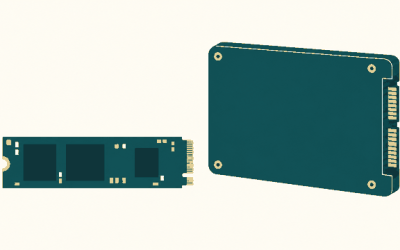
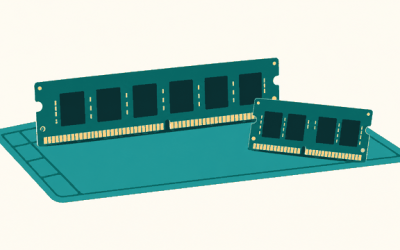
The official CPU requirements are old and modest: a 3.3 GHz Intel Core i5 or AMD equivalent at minimum, and an Intel Core i7-3770 or AMD equivalent at recommended. Practically any modern six-core processor clears both bars, so the AMD Ryzen 5 7600 is excellent value if you are building now, while the AMD Ryzen 7 7800X3D is far more CPU than this turn-based RPG will ever use — it only makes sense if you want maximum frame rates elsewhere. Intel fans can opt for the Intel Core i5-14600K. On memory, the official figure is 8 GB for both tiers, so 16 GB is comfortable and a 32 GB kit such as the Corsair Vengeance DDR5 32GB is more than enough with room for background apps. Storage is listed at 45 GB; an SSD is worth having for shorter load times, and an NVMe drive like the Samsung 990 Pro 2TB NVMe SSD is far faster than the game can use but is a good long-term choice.
Recommended PC Builds for Wasteland 3
1080p budget build: AMD Radeon RX 7600 + AMD Ryzen 5 7600 + 16 GB DDR5 — comfortably above the official recommended spec and more than enough for high settings at 1080p.
1440p sweet-spot build: NVIDIA GeForce RTX 4070 SUPER + AMD Ryzen 7 7800X3D + 32 GB DDR5 + 2TB NVMe SSD — far more than Wasteland 3 asks for, and the right target if you split your time between this and heavier games.
4K high-end build: NVIDIA GeForce RTX 4070 Ti SUPER + AMD Ryzen 7 7800X3D + 32 GB DDR5 + fast NVMe SSD — more than this game needs even at 4K, but a solid all-round 4K machine.
Is It Worth Upgrading Your PC for Wasteland 3?
Probably not on Wasteland 3’s account alone. The official minimum is a GTX 760-class GPU and a 3.3 GHz i5-class CPU with 8 GB of RAM, so a desktop or laptop from the last several years very likely already meets it, and the recommended tier is only a GTX 1060 6GB or RX 480 8GB. If your machine does fall short, the graphics card usually delivers the biggest jump in gaming performance, so upgrade the GPU first if you have to choose. A modern six-core CPU will not be a bottleneck in this turn-based RPG. An SSD is a cheap, worthwhile upgrade for load times, and 16 GB of RAM is a sensible modern baseline even though the game itself asks for 8 GB. If you are happy with how your other games run, Wasteland 3 is unlikely to be the title that forces an upgrade.
Can You Play Wasteland 3 on a Laptop or Handheld?
Wasteland 3 runs well on modest mobile hardware. A gaming laptop with a GTX 1060-class GPU or better will handle 1080p at high settings, and newer integrated graphics can manage it at reduced settings, though expect shorter battery life and more fan noise than on a desktop. On handhelds such as the Steam Deck and the ROG Ally, this light turn-based RPG runs comfortably at sensible settings, which makes it a good portable pick. If portability matters, prioritise a device with a reasonably capable GPU and pair it with a fast microSD card or SSD for the 45 GB install.
How to Boost FPS in Wasteland 3
Because Wasteland 3 is light, low frame rates usually come down to settings or system housekeeping rather than raw GPU power. Start by lowering the overall quality preset a step, then reduce the individual options that cost the most — shadows, effects and post-processing — before dropping resolution. Unlike many newer releases, Wasteland 3 does not lean on DLSS or FSR upscaling, so there is no in-game upscaler to switch on; if you need more headroom, render at a lower resolution and let your GPU driver or monitor handle the scaling. Keep your graphics drivers up to date, close background applications, make sure the game is installed on an SSD, and check that a laptop is plugged in and running its performance power profile rather than a battery-saving one.
Graphics Settings That Matter Most in Wasteland 3
Wasteland 3’s graphics options are relatively simple compared with a modern AAA shooter, so the best approach is to choose a quality preset that feels smooth and adjust from there. Shadow quality and effects or particle quality are generally the heaviest options and the first to lower if you need frames, with ambient occlusion and view distance the next candidates where the game exposes them.
Texture quality can usually stay high — the game’s textures are not enormous and any card with 4 GB or more of VRAM will cope — and there is no ray tracing to configure. If you are still short of your target, lowering the render resolution is the single most effective change you can make.
Frequently Asked Questions
Can my PC run Wasteland 3?
The official minimum is an Intel Core i5 at 3.3 GHz or AMD equivalent, 8 GB of RAM and a GeForce GTX 760 or AMD equivalent, with a DirectX 11 GPU and 45 GB of free space. If your PC meets that, it can run Wasteland 3 at 1080p with adjusted settings. The official recommended spec — a Core i7-3770 or equivalent with a GTX 1060 6GB or RX 480 8GB — is the target if you want high settings without compromise.
Is Wasteland 3 demanding on PC?
No. Wasteland 3 is a light game by today’s standards: it is a turn-based isometric RPG from 2020 with modest official requirements, and even older budget hardware runs it well at 1080p.
What GPU do I need for Wasteland 3 at 1440p 60fps?
A GTX 1060 6GB or RX 480 8GB — the official recommended tier — is enough for 1440p at high settings. The NVIDIA GeForce RTX 4070 SUPER is far beyond what Wasteland 3 needs at that resolution; it makes sense if you also play demanding modern titles. A current RTX 5060 Ti or RX 9060 XT would likewise be more than sufficient.
How much RAM does Wasteland 3 need?
The official requirement is 8 GB of RAM for both the minimum and the recommended spec. 16 GB is a comfortable modern baseline that gives Windows and background apps room to breathe, but the game itself does not need it, and 8 GB is still enough for Wasteland 3 alone.
Do I need an SSD for Wasteland 3?
No, but it helps. The game lists 45 GB of storage and does not require an SSD, though an SSD noticeably shortens load times. An NVMe drive like the Samsung 990 Pro is far faster than the game can use, but it is a good general-purpose choice for a modern build.
Related guides
More from Amazon
Programs that pair well with the guide above. Offers and eligibility are set by Amazon and may change.
Free shipping on eligible items, Prime Video and more. Eligible new members can start with a free trial.
Start a Prime free trialAd-free music streaming. Eligible new subscribers can start with a free trial.
Try Music Unlimited freeA Prime membership for ages 18-24 with a trial period. Eligibility is set by Amazon.
See Prime for Young AdultsAudiobooks and podcasts to listen to on the go. Eligible new members can start with a free trial.
Try Audible freeAs an Amazon Associate we earn from qualifying purchases.