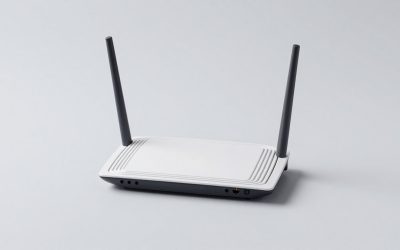
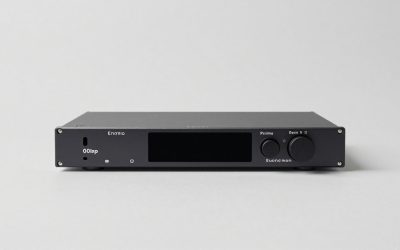
The best enterprise grade home routers with 10gbe ports are the Firewalla Gold Pro for security and simple multi-gig routing, Ubiquiti UniFi Dream Machine Pro Max for managed networking and VLAN-heavy homes, QNAP QHora-322W for multiple native 10GbE connections, and the ASUS ROG Rapture GT-BE98 for high-capacity Wi-Fi 7.
These products are not interchangeable. Some are wired security gateways that need separate access points, while others combine routing, switching, and wireless. The important distinction is whether your 10GbE ports are RJ45 copper, SFP+, or a mixture of both.
As an Amazon Associate we earn from qualifying purchases at no extra cost to you.


Top 3 picks at a glance
Quick comparison
| Model | 10GbE layout | Wi-Fi | Best use | Typical market range |
|---|---|---|---|---|
| Firewalla Gold Pro | Multiple 10GbE interfaces, including SFP+; configuration depends on port assignment | None built in | Security-first wired gateway with separate access points | Usually $700–$900 |
| Ubiquiti UniFi Dream Machine Pro Max | 10G SFP+ WAN and LAN; additional lower-speed Ethernet ports | None built in | UniFi VLANs, cameras, switches, and ceiling access points | Usually $600–$800 |
| QNAP QHora-322W | Three 10GbE ports: two RJ45 and one SFP+ | Wi-Fi 6-class integrated wireless | Several 10GbE wired devices without an immediate switch upgrade | Usually $450–$650 |
| ASUS ROG Rapture GT-BE98 | Two 10Gbps ports, plus four 2.5GbE ports | Wi-Fi 7, quad-band | Gaming, wireless clients, and fast NAS access | Usually $600–$800 |
| TP-Link Archer BE800 | Two 10Gbps WAN/LAN connections, plus 2.5GbE ports | Wi-Fi 7 | Consumer-friendly Wi-Fi 7 with a flexible wired layout | Usually $500–$700 |
Port counts and firmware features can change by regional version, so verify the exact hardware revision before buying. SFP+ is also not automatically better than RJ45: it can reduce heat and power use with a DAC cable, but it may require a transceiver for copper equipment.
Best choices by home-network design
Choose Firewalla Gold Pro for security controls
The Firewalla Gold Pro is the strongest choice when the router’s main job is inspection, segmentation, and policy enforcement rather than built-in Wi-Fi. Its software is designed around application controls, device groups, threat monitoring, VPN access, and per-device rules. You can connect a dedicated Wi-Fi 6E or Wi-Fi 7 access point, then keep routing and security in one appliance.
This layout is especially useful for a home office, homelab, or household with cameras and smart-home equipment. Put work devices, personal devices, IoT devices, and visitors into separate VLANs or network segments. The trade-off is cost and complexity: you must buy and position access points separately, and maximum 10GbE throughput depends on which security inspection features are enabled.
Choose the UniFi Dream Machine Pro Max for a complete managed ecosystem
The UniFi Dream Machine Pro Max is a rack-oriented gateway with 10G SFP+ connectivity, UniFi Network management, and support for a broader UniFi system of switches, access points, and cameras. It is a good fit when you want one dashboard for VLANs, guest networks, wireless roaming, firewall rules, and optional surveillance.
Its main limitation is the port layout. The 10GbE connections are SFP+, while many ordinary computers and NAS appliances use RJ45. You may need a 10G SFP+ to RJ45 module, a DAC cable, or a separate 10GbE switch. It also has no integrated Wi-Fi, so budget for at least one access point.
Choose QNAP QHora-322W for several direct 10GbE devices
The QHora-322W stands out when you want more than one 10GbE copper connection without immediately installing a large switch. Its combination of RJ45 and SFP+ ports is practical for a desktop, server, and NAS, while integrated wireless reduces the number of boxes.
It is less compelling if your priority is a large third-party access-point ecosystem or highly mature enterprise management. Before choosing it, check whether the firmware supports the VLAN topology and VPN mode you need. A router can have three 10GbE sockets yet still be unsuitable if its firewall, inter-VLAN, or site-to-site VPN workflow is too limited.
Choose ASUS GT-BE98 or TP-Link Archer BE800 for Wi-Fi-first homes
The ASUS GT-BE98 is the more ambitious wireless option, with quad-band Wi-Fi 7 and multiple 10Gbps and 2.5GbE connections. It suits a home where several wireless clients, a gaming PC, and a NAS compete for capacity. The TP-Link Archer BE800 is a simpler alternative with dual 10Gbps connectivity and Wi-Fi 7 features in a less specialized design.
These are easier to deploy than a gateway-plus-access-point system, but their enterprise features are not identical to a dedicated firewall. VLAN support may be aimed at guest or IoT separation rather than arbitrary business-style topologies. Select them when wireless capacity is more important than detailed policy control.
10GbE port layouts: what matters in practice
- 10G RJ45: works with ordinary Cat6a cabling and copper network cards, but transceivers run warmer and can consume more power.
- 10G SFP+: efficient with a short DAC cable and ideal for a rack, but requires compatible modules or adapters for copper devices.
- Shared WAN/LAN ports: a 10GbE socket may be assigned either to the internet connection or the internal network, not both at once.
- Two 10GbE ports are not a 20Gbps switch: a single client still normally gets one 10Gbps link. Multiple clients share the router’s switching and routing capacity.
For a typical home, the most useful layout is one 10GbE WAN/LAN port connected to a 10GbE switch, followed by 2.5GbE connections for desktops and access points. If you have only one 10GbE client, a router with one 10GbE port may be sufficient.
VLAN and VPN features to compare
At minimum, look for VLAN tagging, DHCP scopes per network, firewall rules between VLANs, guest isolation, and a way to assign a device to the correct network. A useful four-network design is:
- VLAN 10, trusted: computers, phones, and management devices.
- VLAN 20, work: workstations and company equipment, blocked from IoT devices.
- VLAN 30, IoT: cameras, speakers, plugs, and appliances, with internet access but limited LAN access.
- VLAN 40, guest: internet-only access with client isolation.
For VPNs, distinguish remote-access VPN from site-to-site VPN and commercial VPN client support. WireGuard is generally preferable for efficient remote access, while IPsec remains common for connecting two locations. If you intend to route only a media server or work laptop through a VPN provider, verify policy-based routing; many consumer routers support VPN client mode but cannot choose routes per VLAN.
Wi-Fi capacity, noise, and power
Wi-Fi 7 can improve peak performance through 320 MHz channels and Multi-Link Operation, but the benefits depend on client support, channel availability, and distance. A Wi-Fi 7 router does not turn a 1Gbps internet plan into a 10Gbps wireless connection. In a busy house, more useful gains often come from two wired access points using 2.5GbE uplinks rather than one oversized router.
Fan noise is a major difference between designs. Rack gateways and security appliances may use active cooling, while consumer wireless routers are usually fanless. A quiet office should favor a fanless all-in-one router or place a rack appliance in a ventilated closet. Do not seal a high-power router in a cabinet: heat can cause throttling, shortened component life, or wireless instability.
Power adds up. For example, a 35-watt gateway, 18-watt 10GbE switch, and two 12-watt access points consume:
(35 + 18 + 12 + 12) × 24 × 365 ÷ 1000 = about 674 kWh per year.
At around $0 per kWh, that is approximately $135 per year. A fanless router may use less, but an SFP+ module, switch, and access points can erase the difference. Check the whole network’s idle draw rather than the router’s advertised adapter rating.
Recommended setup sequence
- Draw the physical topology: internet modem or ONT to router, router to 10GbE switch, switch to access points and wired clients.
- Decide where routing occurs: place the ISP device in bridge mode if your router will handle NAT and firewall duties. Otherwise, use the ISP device as the router and accept double NAT only when it does not interfere with VPNs or inbound services.
- Create VLANs before moving devices: define subnets, DHCP ranges, and firewall rules first. This prevents IoT equipment from being stranded when its network changes.
- Set access-point uplinks: use tagged VLANs on the switch and map each wireless SSID to the appropriate VLAN.
- Test one segment at a time: verify internet access, DNS, printing, NAS access, and blocked traffic from each VLAN.
- Enable VPN and management protection: use WireGuard or IPsec where supported, disable remote administration from the internet, and require multi-factor authentication for cloud dashboards.
Final buying decision
| Your priority | Best direction | Reason |
|---|---|---|
| Detailed security and remote access | Firewalla Gold Pro | Strong security workflow with separate access points |
| VLANs, cameras, and managed access points | UniFi Dream Machine Pro Max | Consistent ecosystem and SFP+ backbone |
| Multiple direct 10GbE copper devices | QNAP QHora-322W | Three 10GbE interfaces in a compact integrated design |
| Maximum integrated wireless capacity | ASUS GT-BE98 | Quad-band Wi-Fi 7 and several multi-gig ports |
| Wi-Fi 7 with simpler deployment | TP-Link Archer BE800 | Flexible 10Gbps ports without a separate access point |
For most serious home networks, the best long-term architecture is not simply “the router with the fastest specification.” Choose the device whose 10GbE format matches your cabling, whose VLAN and VPN controls match your security plan, and whose cooling and power requirements suit its location.
Frequently asked questions
Do I need a separate switch with a router that has 10GbE?
Not always, but a switch is useful when several wired devices need 10GbE or when the router has only one suitable connection. A router with three 10GbE sockets may connect several devices directly, while a typical layout uses one 10GbE WAN/LAN connection to a 10GbE switch, followed by 2.5GbE connections for desktops and access points.
Can I use 10GbE SFP+ with ordinary copper network devices?
Yes, but you may need a 10G SFP+ to RJ45 module or another compatible adapter. SFP+ works efficiently with a short DAC cable and suits a rack, while RJ45 works with ordinary Cat6a cabling and copper network cards. Confirm compatibility before buying, because an SFP+ port is not automatically usable with every copper device.
Will a Wi-Fi 7 router provide 10Gbps wirelessly?
No, a Wi-Fi 7 router does not turn a 1Gbps internet plan into a 10Gbps wireless connection. Wi-Fi 7 can improve peak performance through 320 MHz channels and Multi-Link Operation, but results depend on client support, channel availability, and distance. In a busy house, two wired access points with 2.5GbE uplinks may be more useful.
How should I separate trusted devices and smart-home equipment?
Use separate VLANs or network segments, then apply firewall rules between them. One example assigns VLAN 10 to trusted computers, phones, and management devices; VLAN 30 to IoT equipment such as cameras, speakers, plugs, and appliances; and VLAN 40 to guests. IoT devices can receive internet access while having limited LAN access.
What should I check before placing a router in a cabinet?
Check whether the device uses active cooling and whether the cabinet provides adequate ventilation. High-power routers should not be sealed in a cabinet, because heat can cause throttling, shortened component life, or wireless instability. Rack gateways and security appliances may produce fan noise, while consumer wireless routers are usually fanless and may suit a quiet office better.