The best mobile games for iOS and Android in 2026 are Genshin Impact for open-world RPGs, Call of Duty: Mobile for shooters, League of Legends: Wild Rift for MOBAs, Minecraft for sandbox, and Stardew Valley for premium offline play, with the right choice depending on whether you need controller support, offline access, or low device requirements.
As an Amazon Associate we earn from qualifying purchases at no extra cost to you.




Our Top Picks
 AceGamer Wireless Pocket Controller for Nintendo Switch/Switch 2/Android/iOS/PC/SteamSmallCheck on Amazon


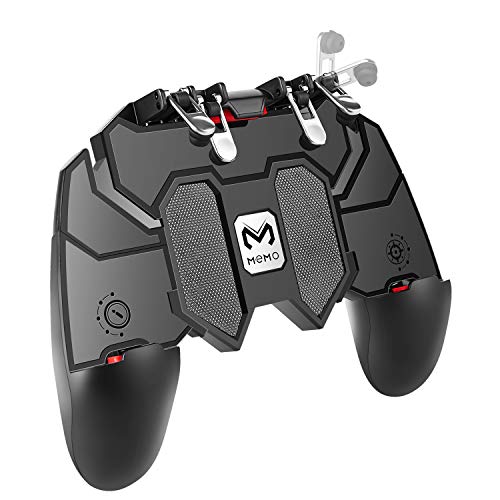
Top 3 picks at a glance
The Best Mobile Games for iOS and Android at a Glance
If you want a quick shortlist before the deep comparison, these titles consistently lead their genres on both platforms and remain actively updated in 2026:
- Genshin Impact / Honkai: Star Rail – Best for high-production RPGs with cross-platform save sync to PC and PlayStation.
- Call of Duty: Mobile and PUBG Mobile – Best for competitive shooters with full controller and cross-platform matchmaking.
- League of Legends: Wild Rift – Best MOBA built specifically for touch and controller, lighter than the PC original.
- Minecraft – Best sandbox with full offline play, controller support, and Realms cross-play between iOS, Android, console and PC.
- Roblox – Best platform for user-created games and social cross-play, free-to-play with heavy monetization.
- Stardew Valley and Terraria – Best one-time purchase games with zero ads, full offline play, and low hardware demands.
- EA Sports FC Mobile and Brawl Stars – Best for quick-session competitive play with low storage requirements.
All of the games above are available on both the App Store and Google Play in 2026. Fortnite is also available on both platforms again via the App Store and direct download on Android, but requires sideloading or alternative billing in some regions.
Genre-by-Genre Comparison: What Actually Plays Best on Mobile
Open-World and Gacha RPGs: Genshin Impact vs. Honkai: Star Rail
Genshin Impact remains the benchmark for visuals on mobile, with a large open world, elemental combat, and full controller support. Honkai: Star Rail uses turn-based combat, which is far more touch-friendly and less demanding on battery and thermals. Both support cross-save with PC, and both use gacha monetization where characters and weapons are obtained via premium currency. Expect 20-30GB of storage for Genshin Impact after all updates, versus 12-15GB for Honkai: Star Rail.
Shooters: Call of Duty: Mobile vs. PUBG Mobile
Both offer 60-120 fps modes on flagship phones, Bluetooth controller support, and gyroscope aiming. Call of Duty: Mobile is faster-paced with shorter matches, controller-friendly HUD layouts, and cross-progression tied to Activision accounts. PUBG Mobile focuses on battle royale with larger maps and more settings for graphics tuning. Neither works fully offline; a stable connection is required for matchmaking and anti-cheat.
MOBA and Strategy: League of Legends: Wild Rift vs. Clash Royale
Wild Rift delivers 15-20 minute MOBA matches with full controller support and cross-platform friends lists, though not cross-play with PC League of Legends. Clash Royale needs no controller, works better on low-end devices, and uses a chest-unlock and pass monetization model. For competitive integrity, both are balanced for touch, but Wild Rift benefits far more from a controller or phone clip.
Sandbox and Survival: Minecraft vs. Terraria vs. Roblox
Minecraft offers the most complete offline experience and native support for Xbox, PlayStation, and Bluetooth controllers. Terraria is a 2D alternative that runs at 60 fps on almost any device made after 2019 and costs a one-time fee usually $5-$10. Roblox is not one game but a platform; it requires an online connection, has no true offline mode, but leads in cross-platform multiplayer with PC, console, and VR.
Premium Offline Picks: Stardew Valley, GRID Autosport, Monument Valley 2
If you fly often or have limited data, premium offline games are the safer bet. Stardew Valley, GRID Autosport, and Monument Valley 2 have no energy timers, no ads, controller support, and run without internet after initial download. They also have the lowest battery drain of any category here.
Controller Support, Offline Play, and Cross-Platform Multiplayer Compared
Not every top game treats controllers or offline play equally. Use this table to filter by how you actually play:
| Game | Controller Support | Offline Mode | Cross-Platform Multiplayer | Install Size (approx.) | Min. OS in 2026 |
|---|---|---|---|---|---|
| Genshin Impact | Yes – MFi, PS5, Xbox BT | No | Yes – iOS/Android/PC/PS | 23-31 GB | iOS 14 / Android 9 |
| Call of Duty: Mobile | Yes – full mapping | No – training only | Yes – iOS/Android pooled | 8-12 GB | iOS 12 / Android 8 |
| League of Legends: Wild Rift | Yes – partial, custom mapping | No | Yes – iOS/Android pooled | 4-6 GB | iOS 12 / Android 8 |
| Minecraft | Yes – full BT/USB | Yes – full offline | Yes – Bedrock cross-play | 1-2 GB | iOS 13 / Android 8 |
| Stardew Valley | Yes – full support | Yes – 100% offline | No – co-op is platform-locked on mobile | 0.4-0.6 GB | iOS 13 / Android 8 |
| Roblox | Yes – in supported experiences | No | Yes – mobile/PC/console/VR | 1-3 GB | iOS 12 / Android 8 |
| EA Sports FC Mobile | Yes – limited | No | Yes – iOS/Android pooled | 2-4 GB | iOS 13 / Android 8 |
| GRID Autosport | Yes – full racing support | Yes | No | 4-6 GB | iOS 14 / Android 10 |
Key takeaway: If offline play is non-negotiable, filter to Minecraft, Stardew Valley, Terraria, GRID Autosport, and Monument Valley 2. If you want to use a Backbone One, Razer Kishi, DualSense, or Xbox Wireless Controller, Call of Duty: Mobile, Minecraft, and Genshin Impact have the most reliable native mapping without needing third-party mappers.
Device Requirements and Settings That Save Battery and Heat
High-end mobile games will throttle after 10-15 minutes if you run them at max settings. Instead of maxing everything, lock frame rate first, then tune resolution.
Recommended baseline settings by device class:
- Flagship (iPhone 14 Pro and newer, Snapdragon 8 Gen 2 / 8 Gen 3, Dimensity 9200+): 60 fps cap, medium shadows, medium effects, anti-aliasing on. Enable 120 fps only for shooters if your display supports it.
- Mid-range (iPhone 11-13, Snapdragon 778G / 7+ Gen 2, Dimensity 8100-8300): 60 fps cap, low shadows, low water/reflections, anti-aliasing off. Use performance mode in Genshin Impact and PUBG Mobile.
- Budget / Older (4-6GB RAM): 30 fps cap, all low, render distance at 50-70%. Choose Wild Rift, Clash Royale, Brawl Stars, Minecraft, or Stardew Valley over Genshin Impact.
Worked calculation: How long will your battery last gaming?
Battery runtime is determined by power budget, not just mAh. Use this formula: Runtime (hours) = Battery Energy (Wh) / Average Gaming Power Draw (W). Battery Energy (Wh) = Capacity (mAh) x Nominal Voltage (V) / 1000. Most phones use 3.85-3.87V.
Example: A phone with a 5,000 mAh battery at 3.87V holds 19.35 Wh (5000 x 3.87 / 1000). Gaming power draw varies by game and settings:
- Genshin Impact at 60 fps, medium-high settings: usually 6.5-8.5W
- Call of Duty: Mobile at 60 fps, medium: usually 4.5-6W
- Stardew Valley / Clash Royale: usually 1.5-2.5W
On that 19.35 Wh battery: Genshin Impact at 7.5W = 19.35 / 7.5 = 2.58 hours (about 2 hours 35 minutes). Call of Duty: Mobile at 5W = 3.87 hours. Stardew Valley at 2W = 9.6 hours. Lowering from 60 fps to 30 fps typically cuts power draw by 30-40%, which is why capping frame rate is the single most effective setting for longer sessions and less heat.
For bandwidth: Online shooters and MOBAs need only 0.5-1.5 Mbps per player but require low latency (under 60ms). Open-world gacha games need 1-3 Mbps for co-op. If you are on mobile data, expect 30-80 MB per hour for shooters/MOBAs and 80-150 MB per hour for Genshin Impact co-op.
Monetization: Which Games Are Fair vs. Pay-to-Progress Faster
Monetization affects long-term cost more than any hardware spec:
- One-time purchase, no ads/IAP pressure: Minecraft (usually $7-$10), Stardew Valley, Terraria, GRID Autosport, Monument Valley 2 (usually $3-$10). Best value if you dislike timers and loot boxes.
- Cosmetic-only battle pass: Fortnite, Call of Duty: Mobile (cosmetic passes), Brawl Stars (cosmetic + progression accelerators). You can compete without paying, but passes unlock skins faster.
- Gacha / Energy systems: Genshin Impact, Honkai: Star Rail, Diablo Immortal. Free-to-play is viable for story and exploration, but character collection is built around random pulls and limited-time banners. Set a monthly limit if you engage, as costs scale quickly with duplicate chasing.
- Hybrid free-to-play with ads optional: Many casual puzzle games like Candy Crush Saga. Ads can be removed with a one-time purchase in some titles, but progression is often throttled by lives or timers.
If you want to avoid ongoing spending entirely, prioritize the premium offline category. If you enjoy live-service events and cross-progression, accept a battle pass budget of usually $5-$15 per month/season and ignore gacha banners.
Decision Matrix: Which Game Should You Install First?
| Your Situation | Best Fit | Why |
|---|---|---|
| Flagship phone + controller + Wi-Fi | Genshin Impact, Call of Duty: Mobile, GRID Autosport | Full controller mapping, 60-120 fps support, benefits most from power headroom |
| Mid-range phone, limited storage (64-128GB) | Wild Rift, Brawl Stars, Clash Royale, Minecraft | Under 6GB install, 60 fps achievable on medium/low without thermal throttling |
| Need offline for flights/commute | Stardew Valley, Terraria, Minecraft, Monument Valley 2 | True offline, low battery drain, no login check required |
| Play with friends on PC/console | Minecraft, Roblox, Genshin Impact | Native Bedrock / cross-save / cross-play across iOS, Android, and other platforms |
| Want no microtransaction pressure | Stardew Valley, Terraria, GRID Autosport | One-time purchase, all content unlockable by gameplay |
| Short sessions, 5-10 minutes | Clash Royale, Brawl Stars, Pokémon GO, Candy Crush Saga | Match length under 5 minutes, instant resume, minimal loading |
Tips to Get Better Performance on Any iOS or Android Device
- Turn on Do Not Disturb and disable background app refresh before long sessions to prevent frame drops from notifications.
- Cap frame rate to 60 fps before lowering resolution. Resolution scales battery linearly; frame rate scales CPU/GPU and heat.
- Use 5 GHz Wi-Fi or a stable 4G/5G signal with under 60ms ping for shooters and MOBAs. Packet loss matters more than raw download speed.
- On Android, enable Game Mode or Performance Mode; on iPhone, enable Low Power Mode off and reduce screen brightness to 40-60% to sustain peak performance longer.
- For controllers, use wired or USB-C direct connection when possible (Razer Kishi, Backbone One USB-C) to reduce input latency by 20-40ms compared to Bluetooth.
Frequently Asked Questions
Do iOS and Android versions of the same game play together? Yes for almost all major multiplayer titles in 2026, including Call of Duty: Mobile, PUBG Mobile, Wild Rift, Minecraft Bedrock, Roblox, and EA Sports FC Mobile. You do not need the same phone brand to squad up.
Which games work without internet? Minecraft (worlds and Realms require internet, but local worlds do not), Stardew Valley, Terraria, GRID Autosport, and Monument Valley 2 work fully offline. Most shooters, MOBAs, and gacha RPGs require a connection even for solo modes.
How much RAM do I need for the best mobile games? 6GB RAM is the practical minimum for Genshin Impact and other heavy 3D games in 2026. 4GB RAM devices can still run Wild Rift, Clash Royale, Brawl Stars, and Minecraft smoothly at 30-60 fps with reduced settings. 8GB+ is recommended for sustained 60 fps without reloads.









