The best DDR5 RAM for most gaming PCs in 2026 is a 32 GB (2×16 GB) kit rated DDR5-6000 with a CL30 to CL36 latency and the right profile for your platform: EXPO for AMD Ryzen 9000 systems including the 9800X3D, XMP for Intel Core Ultra 200S systems. Kits like the G.Skill Trident Z5 Neo RGB, Corsair Vengeance, Kingston Fury Beast and Crucial Pro cover most budgets, while premium lines such as Corsair Dominator Titanium suit overclockers. This guide explains which specification matters, what fits which CPU, and where the trade-offs lie.
As an Amazon Associate we earn from qualifying purchases at no extra cost to you.


Our Top Picks
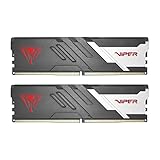
 CORSAIR Vengeance RGB DDR5 RAM 32GB32GB (2 x 16GB)5.43 x 0.27 x 1.77 inches0.11 poundsCheck on Amazon


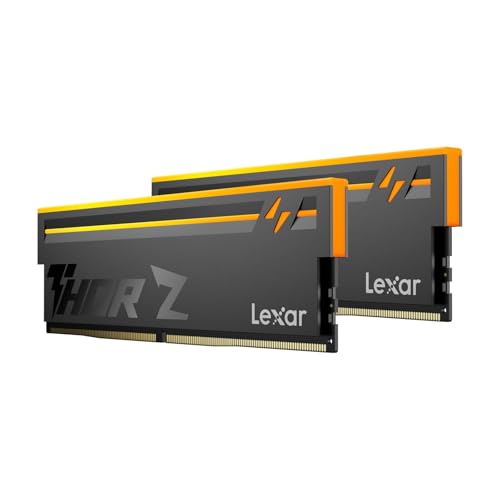
Top 3 picks at a glance
DDR5 Kits at a Glance
| Kit family | Typical gaming spec (maker lists) | Best for | Limits |
|---|---|---|---|
| G.Skill Trident Z5 Neo RGB | DDR5-6000, low CL, EXPO | AMD Ryzen builds wanting tight timings | Tall heatspreader with RGB; check cooler clearance |
| G.Skill Trident Z5 RGB | DDR5 XMP kits at various speeds | Intel builds with RGB | Premium tier |
| Corsair Vengeance DDR5 | DDR5-6000, XMP or EXPO versions | Mainstream builds, wide availability | Be sure to select the right profile version |
| Corsair Dominator Titanium | High-speed kits, XMP and EXPO versions | Enthusiast builds with high-end boards | Premium tier; speeds beyond what most games need |
| Kingston Fury Beast DDR5 | DDR5-5600 to 6000 range, XMP and EXPO | Budget to mid-range builds | Looser timings on some versions |
| Crucial Pro DDR5 | DDR5-5600 to 6000, no RGB | Clean, low-profile builds | Less overclocking headroom |
| TeamGroup T-Create and Delta | DDR5-6000 kits with RGB options | Value-focused builds | Compatibility lists vary by board |
Model lines come in many speed and timing variants. Always read the exact part number on the maker’s page and your motherboard’s qualified vendor list.
What Actually Matters for Gaming
RAM marketing focuses on peak speed, but gaming performance relies on a few simple choices:
- Capacity: 32 GB is the sensible target for modern gaming and multitasking. 16 GB can still run many games but leaves little headroom. 64 GB suits streamers, editors or heavy multitaskers.
- Speed and latency: DDR5-6000 with CL30 is widely discussed by reviewers as the sweet spot for Ryzen systems. Faster kits cost more and often show small gaming gains.
- Profile: EXPO is AMD’s memory profile standard and XMP is Intel’s. Many XMP kits run on AMD boards and vice versa, but a kit built for your platform is easier to get stable.
- Modules: Two sticks are generally more stable at high speeds than four. A 2×16 GB or 2×32 GB kit usually runs faster than four sticks of the same total capacity.
AMD Ryzen 9000 and the 9800X3D
Ryzen 9000 processors use the AM5 platform and DDR5 only. AMD lists official memory support at a lower speed than what enthusiasts run, but reviewers regularly point to DDR5-6000 as the practical target because it fits the memory controller’s usual comfortable frequency. For a Ryzen 7 9800X3D, the large L3 cache reduces the dependence on memory speed, so spending extra on very fast RAM often brings small returns. A 6000 CL30 EXPO kit is the typical recommendation.
Look for EXPO-labeled kits or ones that list AMD compatibility. Enable the EXPO profile in BIOS after installing the RAM, and update the BIOS first, because early AM5 firmware had memory training times that newer versions improved.
Intel Core Ultra 200S
Intel’s Core Ultra 200S desktop chips use DDR5 and support faster official memory speeds than previous generations. Intel also supports CUDIMM modules with clock drivers on some boards, which can reach higher speeds than standard modules. Standard UDIMM kits remain compatible with most boards and are the safer buy unless your motherboard maker specifically lists CUDIMM support. Choose an XMP kit, enable it in BIOS, and consult the board maker’s memory compatibility list.
Popular Kit Families Explained
G.Skill Trident Z5 Neo RGB
This line is tuned for AMD AM5 and is often chosen for tight timings at DDR5-6000. G.Skill states EXPO support. The RGB heatspreader is tall, so check clearance with large air coolers. If you want a similar sound performance without lighting, the non-RGB variants can be easier to fit.
Corsair Vengeance and Dominator Titanium
Vengeance is the mainstream line, with versions for each platform’s profile, and Corsair also offers lower-profile variants in some listings. Dominator Titanium is the premium tier with a more elaborate look and high-speed bins. For most gamers it is more than needed, and the money is better spent on the GPU.
Kingston Fury Beast and Crucial Pro
These suit builders who want reliable kits without the premium. Fury Beast comes in XMP and EXPO versions, and Crucial Pro offers a low-profile, no-RGB design that fits under most coolers. Both generally have fewer overclocking tricks but run well at their rated settings.
TeamGroup T-Create and Delta
TeamGroup targets value buyers with DDR5-6000 kits and RGB options. Reviewers note that compatibility across boards can vary, so match the kit with your motherboard’s qualified list when possible.
Compatibility and Fit Checklist
- DDR5 only: DDR5 modules do not fit DDR4 slots. AM5 and recent Intel boards listed for DDR5 are required.
- Cooler clearance: Tall RGB modules can collide with large air coolers on the first slots. Check the cooler maker’s RAM height limit.
- Slot population: For two modules, use the slots your manual recommends, usually the second and fourth from the CPU.
- BIOS version: Update before installing high-speed kits.
- Matched kits: Buy a single kit rather than mixing two separate kits, even from the same line.
Budget Tiers
| Tier | What to expect | Examples |
|---|---|---|
| Budget | DDR5-5600 to 6000, looser timings, simple heatspreader | Crucial Pro, Kingston Fury Beast, TeamGroup Delta |
| Mid-range | DDR5-6000 CL30 to CL36, platform profile, optional RGB | Corsair Vengeance, G.Skill Trident Z5 Neo |
| Premium | High bins, premium cooling, strong overclocking potential | Corsair Dominator Titanium, G.Skill Trident Z5 Royal |
Pick X If You Have…
| Your build | Pick |
|---|---|
| Ryzen 7 9800X3D gaming PC | 32 GB 6000 CL30 EXPO kit, such as G.Skill Trident Z5 Neo or Corsair Vengeance |
| Intel Core Ultra 200S build | XMP kit on the board’s qualified list |
| Tight air cooler clearance | Low-profile kit such as Crucial Pro |
| Creator or streamer | 64 GB (2×32 GB) 6000 kit |
| Strict budget | 32 GB 5600 or 6000 kit from Kingston or TeamGroup |
| Overclocking enthusiast | Premium bin like Dominator Titanium |
Alternatives
- Previous-generation DDR4: Only for existing DDR4 platforms. It does not fit modern AM5 or Core Ultra boards.
- Single 32 GB module: Cheaper per kit, but runs in single-channel and loses bandwidth. Two modules are generally better for gaming.
- Waiting for more capacity: If you are on a tight budget, buy a 2×16 GB kit now and avoid adding mismatched sticks later.
Setting Up Your Memory
After installing the kit, enter the BIOS and enable the EXPO or XMP profile, because DDR5 runs at a low default speed until you do. Keep the first boot patient, since DDR5 memory training can take a minute on new builds. If the system fails to post, reset the CMOS and try the profile again after a BIOS update. Run a memory stability test before you rely on the system for serious work.
Common Mistakes to Avoid
The most frequent mistake is buying a high-speed kit and forgetting to enable its profile, which leaves the memory at a slow default speed. Another is mixing two different kits to reach a larger capacity, which often prevents the memory from reaching its rated speed. Buying kits with a very tall heatspreader without checking cooler clearance is another avoidable issue. Finally, chasing the highest advertised speed rarely pays off: tight timings at a moderate speed often match or beat a faster, looser kit in games.
When to Upgrade Memory
If your system already has 16 GB and you notice stutter when running a game alongside a browser, chat apps and a stream, moving to 32 GB is the logical step. If you are building new, buy the larger capacity at the start, since matching a kit later is harder with DDR5 than with older generations. Also keep the motherboard’s maximum supported capacity and module density in mind before choosing 2×32 GB.
Frequently Asked Questions
How much DDR5 do I need for gaming?
32 GB is the best-balanced choice for most gamers today. It gives room for modern titles, background apps and streaming software. 16 GB works for lighter use but may limit you in newer games.
Is DDR5-6000 CL30 the best choice?
For AMD Ryzen 9000 systems, reviewers often describe it as the sweet spot. It balances cost, stability and performance. Faster kits can help in some tasks but frequently give small gaming gains.
Can I use an XMP kit on an AMD board?
Often yes, but the kit may run less reliably or at lower speeds than an EXPO-labeled kit. For a smoother experience, buy the profile built for your platform.
Should I use two sticks or four?
Two sticks are usually the better choice for gaming. Four-stick configurations put more load on the memory controller and often reduce achievable speed.
Does RGB RAM perform differently?
No. The lighting does not change performance. The main practical differences are height and price, so check clearance with your CPU cooler.
What is a CUDIMM, and do I need one?
CUDIMM is a newer module type with a clock driver, supported by some Intel Core Ultra 200S boards for higher speeds. Most builders do not need it, and regular DDR5 modules remain the safe option unless your board maker recommends CUDIMM.