Picking a home ink printer is mostly about predicting your own habits. A household that prints a worksheet on Sunday night and a boarding pass now and then needs something very different from a family that runs a small online shop from the dining table. Ink printers sit in the middle of that spectrum because they handle color well, take up little room, and cost less than most lasers, but they punish the wrong match with dried-out cartridges or an ink bill that keeps growing.
That is why the listings here fall into two lanes. One lane is the traditional cartridge printer, including the HP DeskJet pair, the Envy, and the Canon PIXMA. The other is the refillable tank lane, where the HP Smart Tank and the Epson EcoTank advertise years of ink in the box. A third group, the OfficeJet Pro models, adds a document feeder and duplex for people who work from home. As of 2026, all eight printers below are wireless all-in-ones, so the choice comes down to running cost, paper handling, and how much office function you want at home.
Our Top Picks
Top 3 picks at a glance
Quick Picks
As an Amazon Associate we earn from qualifying purchases at no extra cost to you.




| Product | Best for | Key spec from the title |
|---|---|---|
| HP DeskJet 2923 | Occasional family printing | Wireless all-in-one, mobile compatibility |
| HP DeskJet 2955 | Same light use, alternate model | Wireless color inkjet, print, scan, copy |
| Canon PIXMA TS4320 | School projects and snapshots | Print, copy, scan; cost-efficient home use |
| HP Envy 6155 | Two-sided home documents | Duplex printing, 3-month Instant Ink trial |
| HP Smart Tank 5003 | Frequent printing at low cost | 3 years of ink included, refillable |
| Epson EcoTank ET-2900 | Compact tank printing | Up to 3 years of ink, 11 PPM, 1.44-inch screen |
| HP OfficeJet Pro 8125 | Work-from-home scanning | ADF and duplex printing |
| HP OfficeJet Pro 8135 | Home offices that still fax | Print, scan, copy, fax, ADF, duplex |
How to Choose
Count your pages first
Under about 20 pages a month, a basic cartridge printer is hard to beat on total cost, because the machine is inexpensive and the ink will mostly sit unused. Between that and a few hundred pages, the tank printers begin to pay back through bigger ink volume. Above that, a duplex model with a feeder starts to earn its keep. Write your monthly figure on a sticky note before comparing anything.
Paper handling features
Duplex printing is the most valuable upgrade because it cuts paper use and makes homework packets and statements look tidy. An automatic document feeder only matters if you copy or scan multi-page documents; a flatbed alone is fine for single receipts and photos. Fax is a niche feature that only the 8135 lists, so skip it unless an employer or agency still requires it.
Ink systems and subscriptions
Tank models ship with enough ink for years of light-to-moderate use according to their titles, and they refill from bottles. Cartridge models may offer a trial of an ink plan, such as the three-month Instant Ink trial on the Envy and OfficeJet Pro titles. Read the plan terms before enrolling, because a subscription helps heavy users and can waste money on low-volume ones.
What to ignore
Ignore claims about “photo quality” on a printer that uses everyday dye ink for documents, and ignore tiny differences in pages-per-minute for home use. The EcoTank lists 11 pages per minute, which is perfectly adequate for a household. Also ignore the screen size unless you plan to run copies without a phone; a 1.44-inch display is for basic menus only.
One practical note before the reviews: several models share a family name and look nearly identical on the listing page, so compare the model number carefully before you order. A small difference in a title, such as a feeder or a fax line, usually explains why one version costs more than another, and it is the clearest guide to which tier you are looking at.
The 8 Best Options
HP DeskJet 2923
The DeskJet 2923 is the simplest way into home color printing. It is a wireless all-in-one that prints, scans, and copies, with mobile compatibility called out for phone printing. A parent managing school forms or a renter who prints twice a month has little need for more, and the entry-level design keeps the footprint small. Think of it as the printer you keep in a hall closet and pull out when a form needs signing, rather than a machine you build a routine around.
- Strength: print, scan, and copy in a wireless package.
- Strength: easy setup is part of the listing pitch.
- Trade-off: cartridge ink costs add up if usage grows.
Skip it if you print weekly or need two-sided pages.
HP DeskJet 2955
The 2955 reads almost exactly like the 2923 in its title: color inkjet, wireless, all-in-one, mobile compatibility. Treat the two as near twins. It fits the same home profile of low page counts and basic scanning, and the choice between them often comes down to whichever listing is in stock. If you find both at a similar level, there is nothing in the title that would justify a strong preference for one over the other, so read the bundle contents instead.
- Strength: wireless all-in-one for everyday tasks.
- Strength: mobile printing from phones and tablets.
- Trade-off: no duplex, feeder, or tank in the title.
Skip it if you want to lower per-page ink cost.
Canon PIXMA TS4320
Canon pitches the PIXMA TS4320 as a cost-efficient wireless color inkjet with print, copy, and scan, and it explicitly references photo use at home. That makes it a gentle pick for families that print school posters or a handful of snapshots alongside everyday documents. Because Canon built the line for home use, it makes sense in a living room or kids’ study corner where photos and homework share the same tray.
- Strength: print, copy, and scan from one wireless unit.
- Strength: aimed at mixed photo and document duty.
- Trade-off: standard cartridges and no duplex named in the title.
Skip it if your priority is the lowest running cost.
HP Envy 6155
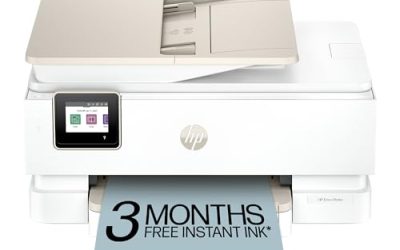
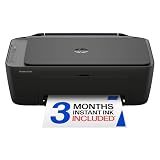
The Envy 6155 targets a home that prints longer documents. Duplex printing is part of the title, together with wireless all-in-one operation and a three-month Instant Ink trial. It suits a student household or anyone who prints readings and reports and wants to halve their paper use. The Instant Ink trial included in the title gives a few months to see whether a pay-by-page plan fits your habits before deciding to keep it.
- Strength: duplex printing built in.
- Strength: wireless print, scan, and copy.
- Trade-off: the subscription trial is temporary.
Skip it if you want years of ink in the box.
HP Smart Tank 5003
The Smart Tank 5003 changes the cost conversation. It lists three years of ink, a cartridge-free refillable system, low cost printing, and wireless all-in-one operation. For a busy household where printing happens every week, that front-loaded ink is the main reason to pay more at the start. Cartridge-free also means no hunting for the right numbered replacements and no surprise when a cartridge runs dry on the night a project is due.
- Strength: 3 years of ink included.
- Strength: refillable tanks instead of cartridges.
- Trade-off: a higher purchase price than the DeskJets.
Skip it if you rarely print and want the lowest entry cost.
Epson EcoTank ET-2900
Epson’s EcoTank ET-2900 is the other major tank option. The title lists wireless all-in-one color supertank printing, up to three years of ink, refillable tanks, home use, 11 PPM, and a 1.44-inch color screen. It stands out for being the one non-HP, non-Canon model with a stated speed and display. In practice that suggests a printer for a quiet home desk, with menus you can read without opening a phone app, and ink bottles you refill when the tanks run low.
- Strength: up to 3 years of ink and refillable tanks.
- Strength: a small color screen for menus.
- Trade-off: 11 PPM is relaxed, and no duplex is listed.
Skip it if you want duplex or a document feeder.
HP OfficeJet Pro 8125
The OfficeJet Pro 8125 is for the hybrid worker. An automatic document feeder, duplex printing, and wireless all-in-one operation are in the title, along with a three-month Instant Ink trial. It speeds up copying a stack of papers and handles double-sided reports with less effort. If you spend part of the week on video calls and the rest assembling paperwork, the feeder is the feature that returns the most time.
- Strength: ADF plus duplex.
- Strength: wireless print, scan, and copy.
- Trade-off: cartridge costs and more feature than a casual user needs.
Skip it if your printing is light.
HP OfficeJet Pro 8135
The 8135 builds on the 8125 idea with fax added: print, scan, copy, fax, ADF, duplex, and the same three-month ink trial. It fits a home office where a fax is still required, such as for medical or legal paperwork. It is a specialized choice, so confirm that you actually need to send faxes before paying for the capability.
- Strength: fax with ADF and duplex.
- Strength: wireless all-in-one operation.
- Trade-off: fax is wasted on most households.
Skip it if you never send faxes; the 8125 is enough.
Which One Fits Your Situation
You print a little and want to spend little
Choose the HP DeskJet 2923. It handles the basics, and low volume keeps cartridge costs small. It is also the easiest to replace if it ever fails, which matters when the purchase was modest.
You print every week for several people
The HP Smart Tank 5003 or Epson EcoTank ET-2900 gives you years of ink and low running cost. Choose on brand preference and the little extras such as the EcoTank’s screen. Either way, you will spend far less time thinking about ink than with a cartridge model.
You work from home and scan paper
The HP OfficeJet Pro 8125 supplies the feeder and duplex; add the 8135 only if fax is on your list.
You print school projects and photos
The Canon PIXMA TS4320 is aimed at that mix, and the Envy 6155 helps when documents run long.
Common Mistakes
- Judging a printer on price alone without estimating ink use.
- Buying a feeder and fax you will never use.
- Letting a free ink plan trial roll over without reading the terms.
- Leaving a cartridge printer idle for months, which can dry out the ink.
- Expecting a basic all-in-one to produce lab-quality photos.
Related guides
- Gaming Laptop Battery Draining While Plugged In Fix
- Graphics Cards For Low Wattage Power Supplies
- How To Stop Laptop Thermal Throttling In Software
Frequently Asked Questions
Are tank printers worth it for light use?
Not usually. If you print very little, a cartridge printer is cheaper overall. Tanks pay back when you print regularly.
What does Instant Ink do?
It is a subscription program that ships cartridges based on pages printed. The titles mention a trial, so read the terms before continuing after it ends.
Is duplex important?
It saves paper and helps with long documents. If you mostly print single pages, you can skip it.
Can these print from a phone?
Yes, all eight are wireless, and several mention mobile compatibility. Install the manufacturer app to get started, and keep the printer on the same Wi-Fi network as your phone during setup so the app can find it without trouble.