The HP Omen 17 listing in this set pairs a 17.3-inch full-HD 144Hz screen with an AMD Ryzen AI 9 365 processor, an NVIDIA GeForce RTX 5060 and 32GB of RAM, and it is best described as a big-screen, mid-range gaming laptop whose headline “2TB” storage figure needs a closer look. The title says 1TB is an SSD and the other 1TB is a docking station, which is not the same thing as two internal drives.
A few ground rules before the detail. Nobody on the editorial team has handled this laptop, so there are no keyboard, fan or speaker impressions below. The article is built from the listing titles, published specifications, manufacturer documentation and buyer reviews, and every number is a seller claim until you confirm it on the product page. Where we calculate something, such as pixel density or frame time, it is labeled as an estimate from the stated specs.
One more honest note. The set contains six HP listings, but only two of them are 17-inch machines, and one of those two does not even carry “17” in its model name. The rest are Omen 16 and Omen 15 models. We cover all of them, because they are the realistic alternatives, but if you specifically want a 17-inch Omen, your choice is narrower than the keyword suggests.
Our Top Picks
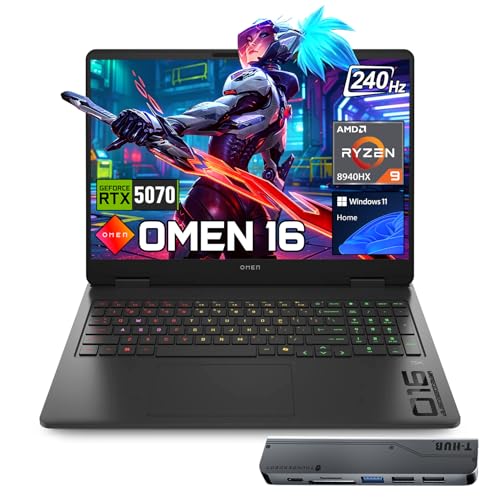 HP OMEN 16 RTX 5070 AMD Ryzen 932GB RAM | 1TB SSD14.07 x 10.59 x 0.94 inches5.4 PoundsCheck on Amazon
At a glance: the Omen 17 listing
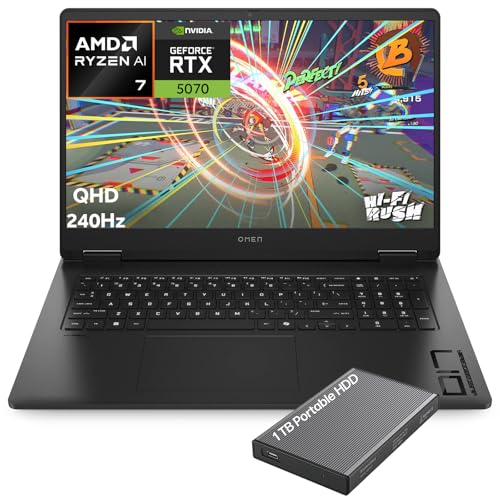
HP OMEN Gaming Laptop, 17.3" 2K QHD Display 240Hz, AMD Ryzen AI 7 350, NVIDIA GeForce RTX 5070 8GB GDDR7, 32GB DDR5 RAM, 1TB SSD, Wi-Fi 6E, RGB Backlit, HyperX Speakers, Win 11, w/1TB Portable HDD


As an Amazon Associate we earn from qualifying purchases. Product prices and availability are accurate as of the date/time indicated.

HP Omen 17 Gaming Laptop, NVIDIA GeForce RTX 5060, AMD Ryzen AI 9 365, 32GB RAM, 2TB Storage(1TB SSD+1TB Docking Station), Backlit Keyboard, 17.3" FHD 144Hz Display, Win 11 Pro, Black


As an Amazon Associate we earn from qualifying purchases. Product prices and availability are accurate as of the date/time indicated.

HP Omen 16 16" AMD Ryzen AI 7 350 RTX 5060 Gaming Laptop, 32GB DDR5 1TB SSD | Up to 5.0 GHz & 50 TOPS, FHD+ 165Hz, Wi-Fi 6, Backlit Keyboard, Numeric Keypad, Ethernet, Windows 11 Home, Black




As an Amazon Associate we earn from qualifying purchases. Product prices and availability are accurate as of the date/time indicated.

HP HyperX OMEN 15 inch Gaming Laptop, 2K 165Hz Display, AMD Ryzen 5 240, 16 GB RAM, 512 GB SSD, NVIDIA GeForce RTX 5050 GPU (8 GB Dedicated), Windows 11 Home, Shadow Black, 15-gb0099nr


As an Amazon Associate we earn from qualifying purchases. Product prices and availability are accurate as of the date/time indicated.
HP OMEN 16 RTX 5070 AMD Ryzen 9 8940HX 240Hz Gaming Laptop | 16" WQXGA IPS, 32GB DDR5 RAM, 1TB SSD, RGB Backlit KB, Low Blue Light, Windows 11 Home, w/bundle


As an Amazon Associate we earn from qualifying purchases. Product prices and availability are accurate as of the date/time indicated.

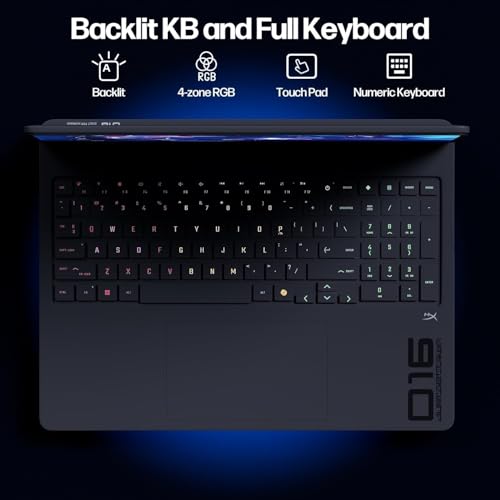
HP Omen 16 2K Gaming Laptop, AMD Ryzen AI 7 350, RTX 5060, 32GB DDR5 + 1TB | 16" FHD 165Hz Display, 4-zone RGB Backlit Keyboard, Wi-Fi 6E, 50 NPU TOPS, Win 11 Home, Black


As an Amazon Associate we earn from qualifying purchases. Product prices and availability are accurate as of the date/time indicated.
| Item | What the title states | Caveat |
|---|---|---|
| Model | HP Omen 17 gaming laptop, black | No part number in the title |
| Display | 17.3″ FHD, 144Hz | Panel type, brightness and color coverage not stated |
| Processor | AMD Ryzen AI 9 365 | Power limits not stated |
| Graphics | NVIDIA GeForce RTX 5060 | Video memory and power setting not stated |
| Memory | 32GB RAM | Type and speed not stated |
| Storage | “2TB” = 1TB SSD plus 1TB docking station | Only 1TB is internal, according to the title |
| Operating system | Windows 11 Pro | Pro edition is a plus for some work uses |
| Price tier | Mid-range within this set | Relative to the other HP listings here |
Who the Omen 17 suits, and who should skip it
HP Omen 17 (Ryzen AI 9 365, RTX 5060, 32GB, 17.3″ FHD 144Hz)
This configuration suits someone who wants a large, desk-replacement style screen, plays at high settings in a broad range of current games, and values the extra memory for streaming or content work on the side. A 17.3-inch panel also gives more room for split-screen work, which helps if the laptop doubles as a work machine, and the Windows 11 Pro edition may be useful for those who need features such as disk encryption or remote desktop hosting.
It suits less well anyone who travels often, because 17-inch gaming laptops are generally heavier and bulkier than 15- or 16-inch ones, and the title gives no weight, thickness or battery information. It also suits less well buyers who want a faster panel: the 144Hz refresh rate is the lowest refresh rate in this set, and the QHD 240Hz Omen listing below offers a visibly higher spec on paper. Finally, those who need local storage beyond 1TB should note that the docking-station terabyte is only reachable when docked.
Pros
- 32GB of RAM and a Pro operating system stated in the title
- Large 17.3-inch screen for gaming and productivity
- Mid-range tier relative to this set, below the RTX 5070 listings
Cons
- Full-HD resolution on a big panel gives a lower pixel density, roughly 127 pixels per inch by our estimate
- The second 1TB of “2TB” is a docking station, not an internal drive
- No weight, battery or port details in the title
What the title does and does not tell you
Titles for laptops on large marketplaces often combine the manufacturer’s model name with seller additions, such as accessories and bundled storage. In this title, the numbers that matter for gaming (the graphics chip, memory and refresh rate) are present, while the details that shape daily use are not. Check the listing or the manufacturer’s documentation for the following:
- Graphics power and video memory. The same RTX 5060 name can behave differently depending on the power limit a laptop maker allows.
- What the docking station is. The title says “1TB Docking Station” without describing it. Is it a dock with a drive inside, or a bundle accessory? How does it connect, and is it required to access the files?
- Battery size and charger wattage. Gaming laptops usually reach full performance only on the supplied charger.
- Ports. HDMI, USB and Ethernet counts affect whether you need extra adapters.
- Cooling and noise. Large chassis often cool better, but the title says nothing about it.
- Warranty and seller. Third-party sellers may handle returns differently from the manufacturer.
Screen math: why 17.3 inches at full HD feels different from 16 inches at higher resolution
The set is useful partly because it lets you compare panels side by side. Here are estimated pixel densities worked out from the stated sizes and common resolution names, not measurements of any unit. A 17.3-inch full-HD (1920×1080) screen comes to about 127 pixels per inch. A 17.3-inch QHD (2560×1440) screen is near 170. A 16-inch WQXGA (2560×1600) panel is around 189, and a 16-inch FHD+ (1920×1200) panel is near 141. Higher density generally means crisper text and fine detail, but it also asks more of the graphics chip, because QHD has about 78 percent more pixels per frame than full HD.
Refresh rate tells another part of the story. At 144Hz, each refresh interval is about 6.9 milliseconds, at 165Hz about 6.1, and at 240Hz about 4.2. Competitive players on low settings may benefit from the higher figures, but only if the game can produce that many frames per second. The extra smoothness of 240Hz is a bigger deal on a graphics chip that can drive it, so the QHD 240Hz listing below makes the most sense with its RTX 5070.
The practical conclusion is simple. If you value a large, comfortable screen above sharpness and don’t mind a 144Hz ceiling, the Omen 17 listing is consistent with your needs. If you want a denser panel, look at the 16-inch options.
Questions to ask before buying
- What exactly is the “1TB Docking Station,” and do I need it connected to use the stored files?
- Is the internal SSD upgradeable, and are there spare M.2 slots?
- Does the Ryzen AI 9 365 listing specify a power mode or cooling profile that suits long gaming sessions?
- What is the return window, and does it cover display issues and dead pixels?
- Is the Windows 11 Pro license genuine and registered to the seller or to me?
- How much does the laptop and charger weigh together, if I plan to carry it?
Alternatives from the same set
Five other HP listings are in the set. Their specifications below come from the titles and are seller claims.
HP Omen 17.3-inch QHD 240Hz (Ryzen AI 7 350, RTX 5070 8GB, 32GB DDR5)
This is the closest 17-inch alternative and the more powerful of the two. The title does not repeat “Omen 17” in the model name, but it does state a 17.3-inch 2K QHD 240Hz display, an AMD Ryzen AI 7 350, an RTX 5070 with 8GB of GDDR7, 32GB of DDR5, a 1TB SSD, Wi-Fi 6E, RGB keyboard backlighting and HyperX speakers. A 1TB portable hard drive is bundled in the box.
Pros
- Higher graphics tier and a faster, denser display than the Omen 17 listing
- Same 32GB memory and internal 1TB SSD
- Portable drive adds backup space
Cons
- Premium tier, the most expensive listing in the set
- The bundled drive is a hard disk, so it is slow for running games
- Model name is not stated, so confirm which exact HP model it is
HP Omen 16 RTX 5070 (Ryzen 9 8940HX, 16-inch WQXGA 240Hz)
This listing trades screen size for pixel density and higher processor tier. The title states a 16-inch WQXGA IPS display at 240Hz, a Ryzen 9 8940HX, RTX 5070, 32GB of DDR5, a 1TB SSD, RGB keyboard, low blue light and Windows 11 Home, plus an unspecified “bundle.” Video memory is not stated in this title, unlike the 17.3-inch RTX 5070 listing.
Pros
- Dense 16-inch panel with a 240Hz refresh rate
- RTX 5070 tier with 32GB DDR5
- More compact than a 17-inch machine
Cons
- Premium tier, only a little below the 17.3-inch RTX 5070 listing
- “w/bundle” is vague, so check what is included
- Windows 11 Home rather than Pro
HP Omen 16 RTX 5060 (Ryzen AI 7 350, FHD+ 165Hz, Wi-Fi 6)
This Omen 16 listing matches the subject’s graphics chip and memory at a lower price tier. It states a Ryzen AI 7 350 with “up to 5.0 GHz,” 50 TOPS of neural processing, 32GB DDR5, a 1TB SSD, a 16-inch FHD+ 165Hz display, Wi-Fi 6, a numeric keypad and Ethernet. Wi-Fi 6 is a step behind the Wi-Fi 6E of the other 16-inch listing, which may matter in a busy network environment.
Pros
- Same RTX 5060 and 32GB class as the Omen 17 listing at a lower price tier
- Ethernet and numeric keypad stated in the title
- Smaller 16-inch chassis, likely easier to carry
Cons
- Wi-Fi 6 rather than 6E
- FHD+ resolution, not higher
- Windows 11 Home only
HP Omen 16 2K RTX 5060 (Ryzen AI 7 350, “FHD 165Hz”)
Look closely at this listing: it is nearly a duplicate of the previous one. The processor, graphics, memory, storage, refresh rate and price tier match, and the differences are Wi-Fi 6E and the four-zone RGB keyboard. The title also contradicts itself, calling the laptop “2K” while describing a “16-inch FHD 165Hz display.” Only one of those can be right, so ask the seller or check the manufacturer’s data before ordering.
Pros
- Wi-Fi 6E and 4-zone RGB keyboard stated
- Same RTX 5060 and 32GB DDR5 configuration at a lower price tier than the Omen 17 listing
- 50 NPU TOPS mentioned for on-device AI features
Cons
- Screen description contradicts itself
- Almost identical to the other Omen 16 5060 listing, so price-compare carefully
- No numeric keypad or Ethernet mention in the title
HP HyperX Omen 15 (Ryzen 5 240, RTX 5050, 16GB, 512GB)
This is the entry listing in the set and the one most in the spirit of a budget laptop. The title states a 15-inch 2K 165Hz display, a Ryzen 5 240, an RTX 5050 with 8GB dedicated, 16GB of RAM, a 512GB SSD, Windows 11 Home and the model number 15-gb0099nr.
Pros
- Lowest price tier in the set, with a specific model number to research
- 2K 165Hz display stated
- Compact 15-inch size
Cons
- 512GB fills up quickly with modern games
- 16GB of RAM leaves less headroom than the 32GB listings
- A lower graphics tier driving a 2K panel may need settings compromises
Which listing fits which player
Pulling the set together by use makes the choice easier. A player who mostly sits at a desk, wants the biggest screen and does some work on the same machine will lean toward the Omen 17 listing or the 17.3-inch QHD model. A competitive player who values refresh rate and sharpness, and does not mind a smaller panel, will look at the 16-inch RTX 5070 listing. Someone who moves between rooms or campus buildings may prefer one of the two Omen 16 RTX 5060 listings, since they deliver the same graphics class as the subject in a smaller chassis. A first-time buyer on a tight budget has only the Omen 15 to consider, with the trade-offs on memory and storage already noted. In every case, the missing details (weight, battery, cooling, ports and warranty) deserve a read of the full listing before you commit.
Buying checklist, with a worked example
| Spec concept | What to look for | Why it matters |
|---|---|---|
| Internal storage | State clearly how much is inside the laptop | Docked or external drives are not available on the move |
| Graphics tier versus screen | RTX 5060 suits 1080p to 1200p best; RTX 5070 handles QHD better | Resolution multiplies the graphics workload |
| Refresh rate | 144Hz to 240Hz depending on how you play | Only helps if frame rates reach the figure |
| RAM | 32GB for streaming or multitasking, 16GB for pure gaming | Background apps compete with games |
| Weight and size | Stated weight, especially for 17-inch models | Carry comfort and bag fit |
| Warranty and seller | Manufacturer or authorized reseller | Support is easier to obtain |
A worked example, with stated assumptions: you install six large games at about 80GB each, which is 480GB, and add 200GB for the operating system, drivers and apps. The total is about 680GB. A 1TB internal SSD shows around 930GB usable, so the Omen 17 fits that library with 250GB to spare. If you instead counted on the “2TB” and stored half your library on the docking station, those games would not launch while you are away from the dock. The 512GB Omen 15 would run out of room almost at once under the same assumptions. These numbers are estimates for illustration only.
Safety and care notes
Gaming laptops generate considerable heat. Keep the vents clear, avoid using the laptop on soft surfaces such as beds and sofas, and use only the charger supplied or approved by the manufacturer. Follow the manufacturer’s instructions for battery care, and do not use a swollen or damaged battery. If you plan to open the case for upgrades, check the warranty terms first.
Verdict
For someone who wants a 17-inch gaming screen and ample memory at a mid-range tier, the Omen 17 listing is a reasonable candidate, provided you accept 144Hz full HD and the docking-station storage arrangement. If the screen is the priority, the 17.3-inch QHD 240Hz listing is a clear on-paper upgrade at a premium price. If portability matters more, the Omen 16 RTX 5060 listings give you the same graphics and memory class in a smaller chassis for less money, as long as you clarify the screen description first. Budget buyers will find the Omen 15 tempting but should be prepared to upgrade storage soon.
If you want to compare HP’s portable approach, our write-up of the HP Omen Transcend 14 covers a thinner design, while the Alienware 16 Aurora review and the Lenovo Legion Pro 7i Gen 10 review show what other brands offer in a similar tier.
Frequently asked questions
Is the HP Omen 17 good for gaming?
On paper it is a capable mid-range option. The listing names an RTX 5060, a Ryzen AI 9 365 and 32GB of RAM, which is a solid base for high-settings play at 1080p in many games. The 17.3-inch screen is full HD at 144Hz, so the graphics chip has room to spare at native resolution. Confirm the power limit, cooling and warranty before buying, since the title leaves them out.
Does the HP Omen 17 really come with 2TB of storage?
Not as internal storage, according to the title. It lists 2TB as 1TB SSD plus a 1TB docking station. The SSD is inside the laptop; the docking station is a separate piece that you connect. Games stored there are only available when it is attached. Check the listing for what the dock is and how it connects. Always confirm the details on the product page and in the manufacturer’s documentation before you order, because listing titles are seller claims.
Is a 144Hz screen enough for gaming?
For most players, yes. At 144Hz each refresh lasts about 6.9 milliseconds, which feels smooth in action and shooter games when frame rates are high enough. Faster 165Hz and 240Hz screens help competitive players who can reach those frame rates, but they matter less in slower single-player games. Your graphics chip determines whether the extra refresh is ever used. Always confirm the details on the product page and in the manufacturer’s documentation before you order, because listing titles are seller claims.
Which Omen in this set has the best screen on paper?
The 17.3-inch QHD 240Hz listing has the highest refresh rate and a dense 2560×1440 resolution, while the 16-inch WQXGA 240Hz listing is denser still at roughly 189 pixels per inch by our estimate. The 17-inch subject listing has the lowest density of the larger screens. All values are seller claims, so confirm panel details in the manufacturer’s specifications. Always confirm the details on the product page and in the manufacturer’s documentation before you order, because listing titles are seller claims.
Are the two Omen 16 RTX 5060 listings the same laptop?
They look very similar. Both name a Ryzen AI 7 350, an RTX 5060, 32GB of DDR5 and a 1TB SSD at 165Hz. One says Wi-Fi 6 with a numeric keypad and Ethernet, the other says Wi-Fi 6E and a four-zone RGB keyboard, and its title contradicts itself on resolution. Compare the product pages closely before deciding. Always confirm the details on the product page and in the manufacturer’s documentation before you order, because listing titles are seller claims.
Is this a good laptop if I have a small budget?
The Omen 17 listing sits at a mid-range price within this set, and every HP listing here is well above a typical entry-level price. The Omen 15 with an RTX 5050 is the lowest tier, with only 16GB of RAM and 512GB of storage. If your budget is firm, check older or lower-tier models and watch for configurations that save money by trimming memory or storage.