Thinking about playing Skullgirls 2nd Encore on PC and wondering what hardware you actually need? The honest answer is: not much. Skullgirls 2nd Encore is a hand-drawn 2D fighting game that dates back to 2013, and its published PC requirements start at Windows 7, a dual-core processor, 2 GB of RAM and integrated Intel HD 3000 graphics — hardware that was already modest when the game launched. Almost any PC built in the last decade clears that bar. What still matters is a stable, consistent frame rate for online matches, a display running at its proper refresh rate, and enough free disk space. This guide walks through the official PC system requirements for Skullgirls 2nd Encore, which GPUs make sense at each resolution, and complete build recommendations for the frame rate you’re targeting.
As an Amazon Associate we earn from qualifying purchases at no extra cost to you.


Our Top Picks
 ASUS Dual GeForce RTX 4060 Ti EVO OCRTX4060Ti|OC|8GB|EVO8.9 x 4.9 x 2 inches1.4 poundsCheck on Amazon


Top 3 picks at a glance
How Demanding Is Skullgirls 2nd Encore?
Skullgirls 2nd Encore is one of the lightest games you can install on a modern PC. It’s a 2D fighter built on a DirectX 9-era engine and rendered with hand-drawn sprites: a pair of characters on a single stage backdrop, with none of the lighting, shadow and post-processing work that makes modern 3D games expensive to run. There is no ray tracing, no heavy shader pipeline, and nothing in the game that scales with the power of a high-end graphics card.
The official minimum — a dual-core CPU, 2 GB of RAM and Intel HD 3000 integrated graphics — was already modest hardware in 2013, and integrated graphics from that era comfortably clear it. In practice that means 1080p isn’t a challenge at all, 1440p is a question about your monitor rather than your GPU, and even 4K is limited mainly by whether your graphics card and cable support a 4K output signal. Competitive players should care far more about a locked, consistent frame rate and a low-latency display than about raw GPU horsepower. The requirements genuinely worth paying attention to are storage (14 GB of free space) and, for online play, a broadband internet connection.
Skullgirls 2nd Encore Official PC System Requirements
| Component | Minimum (official) | Recommended (official) |
|---|---|---|
| OS | Windows 7 | Not published |
| Processor | Dual-core CPU | Not published |
| Memory | 2 GB RAM | Not published |
| Graphics | Intel HD3000 | Not published |
| DirectX | Version 9.0c | Not published |
| Storage | 14 GB available space | Not published |
Source: the official Skullgirls 2nd Encore Steam store listing (app 245170), checked October 2026. Publishers can update these specs after patches.
The developer has not published an official recommended specification for Skullgirls 2nd Encore, so the minimums listed above are the only figures that should be treated as authoritative. Anything beyond them is about comfort, headroom and the other games you play, not about this game’s own demands.
Best GPU for Skullgirls 2nd Encore by Resolution
1080p
At 1080p, Skullgirls 2nd Encore runs on the integrated graphics named in the official minimum, and on any modern integrated GPU — the Radeon graphics built into AMD’s Ryzen desktop chips, Intel’s Arc integrated graphics, or an older Intel HD 4000-series part. A dedicated card simply isn’t necessary. If you already own one, you’re far past what this game can use: an entry-level card such as a GTX 1050 or RX 6400 is already overkill, and something like the AMD Radeon RX 7600 has many times the power Skullgirls 2nd Encore can call on at this resolution. Buy that class of card for the other games you play, not for this one.
1440p
1440p raises the pixel count but doesn’t change the underlying workload — the game is still drawing a handful of 2D sprites. Modern integrated graphics handle a 1440p output without difficulty, and a modest dedicated card such as a GTX 1650 or RX 6400 has enormous headroom here. Stepping up to the AMD Radeon RX 7600, or a current-generation card like the Radeon RX 9060 XT, only makes sense if you want one GPU that also covers modern 3D titles at this resolution. For Skullgirls 2nd Encore by itself, it is far more than you need.
4K
4K is the one case where the hardware conversation shifts, but not because the game becomes heavy — rendering a 2D fighter at 3840×2160 is still trivial for any modern GPU. The practical questions are whether your graphics card and cable support a 4K output at your monitor’s refresh rate, and whether you want a card that also handles modern games at 4K. The NVIDIA GeForce RTX 4060 is a sensible entry point for that broader goal, and current-generation options such as the RTX 5060 or RTX 5070, or a Radeon RX 9070, do the same job with more headroom. None of them are required by Skullgirls 2nd Encore itself, which is not a demanding game at any resolution.
CPU, RAM and Storage for Skullgirls 2nd Encore
Skullgirls 2nd Encore asks for a dual-core processor, and that really is all it needs. The game logic is a 2D fighter running at a fixed simulation rate: it doesn’t scale across many cores, and it isn’t a simulation, strategy or large-scale multiplayer title that leans heavily on the CPU. Any dual-core or quad-core chip from the past decade, including the low-power mobile parts in older laptops, will keep it running smoothly. The AMD Ryzen 5 7600 is an excellent general-purpose gaming CPU, the AMD Ryzen 7 7800X3D is one of the fastest chips available for CPU-bound titles, and Intel buyers can look at the Intel Core i5-14600K — but all three are far beyond what this particular game can use, and are only worth buying if you also play demanding modern releases.
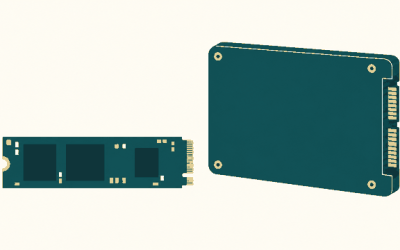
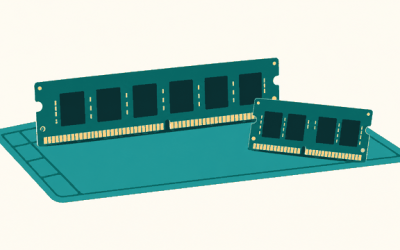
On memory, the official figure is 2 GB of RAM. That is the game’s own requirement and it is accurate for the game itself; a modern Windows installation, however, will use several gigabytes on its own before the game even launches, so 8 GB is a sensible baseline for a current PC and 16 GB is a comfortable general-purpose amount. A large DDR5 kit like the Corsair Vengeance DDR5 32GB is far more than Skullgirls 2nd Encore will ever touch. Storage is the one place the game asks for something specific: 14 GB of available space. An SSD is not a requirement — the official spec lists only free space — but installing the game on an SSD shortens load times and cuts the wait before a match starts. A drive like the Samsung 990 Pro 2TB NVMe SSD is fast and roomy, though any SSD will do the job just as well here.
Recommended PC Builds for Skullgirls 2nd Encore
Entry-level / older PC build: the official minimum — a dual-core CPU, 2 GB of RAM, Intel HD 3000-class graphics and DirectX 9.0c — is genuinely enough to run Skullgirls 2nd Encore. A budget machine with modern integrated graphics and 8 GB of RAM plays it comfortably at 1080p and beyond.
1080p / 1440p all-round build: AMD Radeon RX 7600 + AMD Ryzen 5 7600 + 16 GB DDR5 — a solid general-purpose machine that runs Skullgirls 2nd Encore without breaking a sweat and handles modern titles at 1080p and 1440p.
High-refresh build for competitive play: AMD Radeon RX 7600 + AMD Ryzen 7 7800X3D + 32 GB DDR5 + 2TB NVMe SSD — aimed at high-refresh monitors and plenty of headroom for newer games, not at anything Skullgirls 2nd Encore requires.
4K-capable build: NVIDIA GeForce RTX 4060 + AMD Ryzen 7 7800X3D + 32 GB DDR5 + fast NVMe SSD — comfortably drives a 4K display, though for Skullgirls 2nd Encore alone none of it is necessary.
Is It Worth Upgrading Your PC for Skullgirls 2nd Encore?
For this game specifically, the answer is almost certainly no. Skullgirls 2nd Encore runs on hardware from well over a decade ago, and if your PC boots a modern version of Windows it very likely already meets the published minimums of a dual-core CPU, 2 GB of RAM, Intel HD 3000-class graphics and DirectX 9.0c. The realistic reasons to upgrade sit elsewhere: you want to play modern games, your machine struggles with other titles, or you’re still on an old mechanical hard drive and want faster load times. If you do upgrade, the graphics card delivers the biggest jump in performance for modern games, but it is the last component Skullgirls 2nd Encore needs. A modest CPU from the past several years is more than enough, 8 GB of RAM is a comfortable modern baseline, and an SSD is a quality-of-life improvement rather than a requirement. Spend where your other games will benefit, not where this one won’t.
Can You Play Skullgirls 2nd Encore on a Laptop or Handheld?
Because the requirements are so low, laptops have an easy time with Skullgirls 2nd Encore. Almost any laptop with integrated graphics from the last several years — Intel Iris Xe, Intel Arc integrated graphics, or a Ryzen chip with Radeon graphics — meets or beats the official minimum, and even older Intel HD 3000-class laptops from around the game’s launch era can run it. A gaming laptop with a discrete GPU is complete overkill for this title on its own, though it makes sense if you also play modern games; expect the usual trade-offs of fan noise, heat and shorter battery life under load. Handhelds like the Steam Deck and ROG Ally carry far more GPU power than this 2D fighter needs and run it comfortably, which makes Skullgirls 2nd Encore a good portable pick. If portability matters, storage is a more relevant consideration than graphics: the game needs 14 GB of free space, and a fast microSD card or SSD keeps loading times short. For online matches, a reliable broadband connection — ideally wired, or on stable Wi-Fi — matters more than any hardware choice.
How to Boost FPS in Skullgirls 2nd Encore
Skullgirls 2nd Encore is light enough that low frame rates usually point to something outside the game rather than to graphics settings. Start with the basics: make sure your GPU drivers are current, close background applications and browser tabs, and disable heavy overlays or recording software, which are common causes of stutter in a 2D fighter. On a laptop, plug in and switch to a performance power profile — battery-saver modes can throttle the CPU and GPU hard enough to affect a game this light. Confirm that your monitor is actually running at its rated refresh rate in Windows display settings, and run the game in fullscreen mode rather than in a window, since that usually gives the smoothest presentation and the lowest input latency. The game’s own graphics options are limited, and turning them down rarely changes much on a machine that already meets the official minimum, so it’s more productive to work through the system-level items above. Finally, make sure the drive you installed it on has the 14 GB it asks for and isn’t nearly full. For competitive play, a stable and consistent frame rate matters far more than any visual setting.
Frequently Asked Questions
Can my PC run Skullgirls 2nd Encore?
Very likely yes. The official minimum is Windows 7, a dual-core processor, 2 GB of RAM, Intel HD 3000-class graphics, DirectX 9.0c, 14 GB of available storage and a broadband connection for online play. Almost any PC built in the last decade meets or exceeds all of that, including laptops relying on integrated graphics. If your machine is from around 2013 or later and runs a supported version of Windows, it should handle Skullgirls 2nd Encore without difficulty.
Is Skullgirls 2nd Encore demanding on PC?
No. It’s a 2D fighting game built on a DirectX 9-era engine with hand-drawn sprites, and its published minimum is integrated graphics from 2011. It is one of the least demanding games you can install on a modern PC; even 1440p and 4K output are limited more by your display and cable than by GPU power.
What GPU do I need for Skullgirls 2nd Encore at 1440p 60fps?
Any GPU that can output 1440p will do, modern integrated graphics included. A card in the AMD Radeon RX 7600 class has vastly more power than this game can use at 1440p, so treat it as a purchase for the other games you play rather than a requirement for Skullgirls 2nd Encore.
How much RAM does Skullgirls 2nd Encore need?
The official requirement is 2 GB of RAM, and that is genuinely enough for the game. Modern Windows itself uses several gigabytes, though, so 8 GB is a sensible baseline for a current PC and 16 GB is comfortable for general use. You don’t need 32 GB, and memory speed has no meaningful effect on a 2D fighter like this one.
Do I need an SSD for Skullgirls 2nd Encore?
No. The official storage requirement is 14 GB of available space, not a particular drive type. An SSD will shorten load times and make the run-up to a match snappier, and a drive like the Samsung 990 Pro is an excellent choice for a modern build, but a mechanical hard drive still works fine.
Related guides
More from Amazon
Programs that pair well with the guide above. Offers and eligibility are set by Amazon and may change.
Free shipping on eligible items, Prime Video and more. Eligible new members can start with a free trial.
Start a Prime free trialAd-free music streaming. Eligible new subscribers can start with a free trial.
Try Music Unlimited freeA Prime membership for ages 18-24 with a trial period. Eligibility is set by Amazon.
See Prime for Young AdultsAudiobooks and podcasts to listen to on the go. Eligible new members can start with a free trial.
Try Audible freeAs an Amazon Associate we earn from qualifying purchases.