The best CPU for an AM3 socket motherboard is usually the AMD Phenom II X6 1090T, while the Phenom II X4 965 is the safer value choice for older boards with weaker power delivery or limited BIOS support.
As an Amazon Associate we earn from qualifying purchases at no extra cost to you.
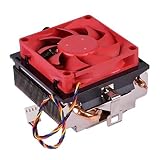

Our Top Picks
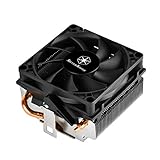
 SilverStone Technology Low Profile 95W or More AMDLow Profile Cooler4.21 x 3.23 x 2.13 inches0.4 PoundsCheck on Amazon
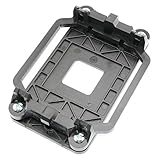
 uxcell Black Plastic AMD CPU Cooling Fan Bracket4.3 x 3.2 x 0.7 inches4.3 x 0.7 x 3.2 inches0.07 PoundsCheck on Amazon


Top 3 picks at a glance
Best AM3 CPUs at a glance
| Processor | Cores / threads | Clock speed | TDP | Best use | Typical used-market range in 2026 |
|---|---|---|---|---|---|
| AMD Phenom II X6 1090T Black Edition | 6 / 6 | 3.2 GHz, up to 3.6 GHz Turbo | 125 W | Best overall AM3 upgrade | Usually $35–$70 |
| AMD Phenom II X6 1100T Black Edition | 6 / 6 | 3.3 GHz, up to 3.7 GHz Turbo | 125 W | Fastest mainstream stock AM3 option | Usually $50–$90 |
| AMD Phenom II X6 1055T | 6 / 6 | 2.8 GHz, up to 3.3 GHz Turbo | 125 W or 95 W, depending on version | Lower-cost six-core upgrade | Usually $25–$50 |
| AMD Phenom II X4 965 Black Edition | 4 / 4 | 3.4 GHz | 125 W or 140 W, depending on revision | Best simple gaming/value upgrade | Usually $20–$45 |
| AMD Phenom II X4 955 Black Edition | 4 / 4 | 3.2 GHz | 125 W | Good alternative when the 965 is overpriced | Usually $15–$35 |
| AMD Athlon II X4 645 | 4 / 4 | 3.1 GHz | 95 W | Safest budget option for modest VRMs | Usually $10–$25 |
These processors use the original AM3 platform and DDR3 memory. Their age means condition, included cooler quality, and verified motherboard support matter more than small differences in benchmark scores.
Which AM3 processor should you choose?
Choose the Phenom II X6 1090T for the best balance
The Phenom II X6 1090T is the strongest all-round recommendation for a compatible AM3 board. Its six physical cores help with video encoding, file compression, background applications, and older games that can use more than four threads. The unlocked multiplier also makes mild overclocking possible, although the motherboard’s VRM and cooling system are more important than the CPU’s Black Edition label.
The 1100T is technically faster at stock settings, but it often commands a larger used-market premium for only a small clock-speed increase. If the two processors are close in price, buy the 1100T. Otherwise, the 1090T is usually the more sensible purchase.
Choose the Phenom II X4 965 for older gaming systems
The Phenom II X4 965 remains a practical choice when the system is mainly used for older games, esports titles, web browsing, and general desktop work. Its 3.4 GHz frequency gives it strong per-core performance for the AM3 generation, and four cores are enough for many older game engines.
Check the exact CPU revision before buying. Some Phenom II X4 965 versions are rated at 140 W, while later versions are rated at 125 W. A board that supports a 125 W processor may not safely support the 140 W model, even if the socket is physically identical.
Choose the Phenom II X6 1055T when price matters
The 1055T provides six cores at a lower cost, but its lower base clock can make it slower than the X4 965 in lightly threaded games. It is a better choice for multitasking and productivity than for maximizing frame rates in older games. Prefer the 95 W version when your motherboard has a limited CPU-support list or a basic heatsink and VRM design.
Choose an Athlon II X4 for a low-risk budget repair
An Athlon II X4 645 or a similar 95 W Athlon II X4 is not the fastest AM3 processor, but it is often the safest upgrade for an inexpensive office or secondary PC. It lacks the Phenom II’s L3 cache, so gaming performance is lower, yet its four cores and modest power demand can be a better match for an entry-level AM3 board.
AM3 compatibility checks before you buy
1. Confirm the motherboard socket, not just the chipset
Identify the exact motherboard model printed on the board or shown in the BIOS. AM3 motherboards commonly use chipsets such as AMD 760G, 770, 785G, 790X, 790GX, and 890GX, but the chipset alone does not prove CPU support. Manufacturers can restrict support according to BIOS version and VRM capacity.
Do not assume that an AM3+ processor will work in an AM3 motherboard. AMD FX processors such as the FX-6300, FX-8320, and FX-8350 are AM3+ CPUs and should not be purchased for an AM3 board. An AM3 CPU can often operate in an AM3+ motherboard with the appropriate BIOS, but the reverse is not a safe assumption.
2. Read the CPU support list and BIOS notes
Find the motherboard manufacturer’s CPU support list and match all three details: processor model, stepping or wattage where listed, and minimum BIOS version. If the board currently runs an older CPU, update the BIOS before removing it. Some boards cannot boot with a newly installed processor until the required BIOS is already installed.
Be especially careful with six-core processors. A board may support a Phenom II X4 965 but omit every Phenom II X6 model from its official list. In that situation, the X4 is the correct purchase even if the socket and chipset appear capable.
3. Check VRM and power connectors
Look for a motherboard with a heatsinked CPU power section and the correct four-pin or eight-pin CPU power connector. A 125 W processor draws considerably more current than a 65 W or 95 W chip, particularly during sustained all-core loads.
A simple planning calculation illustrates the difference. Suppose a graphics card uses 120 W, the rest of the system uses 55 W, and you choose a 125 W Phenom II. The estimated peak is:
120 W + 55 W + 125 W = 300 W
Allowing roughly 30 percent headroom gives a target of at least 390 W of quality PSU capacity. A 450 W unit from a reputable manufacturer is therefore a sensible minimum for that example. This calculation does not make a weak motherboard VRM safe; PSU capacity and motherboard CPU support are separate checks.
Decision matrix for common AM3 builds
| Your situation | Recommended processor | Why | Important limitation |
|---|---|---|---|
| Board officially supports six-core CPUs and has a solid VRM | Phenom II X6 1090T | Best balance of six-core performance, price, and availability | Needs adequate cooling and BIOS support |
| You want the fastest stock AM3 chip | Phenom II X6 1100T | Highest mainstream stock frequency in the AM3 family | Often overpriced compared with the 1090T |
| Gaming is the priority and six-core support is uncertain | Phenom II X4 965, 125 W version | High clock speed and broad AM3-era compatibility | Verify that the board supports 125 W |
| Basic board or unknown VRM quality | Athlon II X4 645 or another 95 W AM3 CPU | Lower electrical and thermal load | Lower performance and no L3 cache |
| Current CPU is already a Phenom II X4 | Only buy an X6 if the workload uses six cores | Gaming gains may be small; multitasking gains are more useful | Do not overpay for a limited upgrade |
Cooling, memory, and graphics-card limits
A stock-style tower cooler is preferable to a small low-profile heatsink with a 125 W Phenom II. Clean the old thermal compound, apply a small new layer, and confirm that the CPU fan reaches a stable speed under load. If temperatures rise rapidly or the system throttles, improve cooling before attempting any overclock.
Two DDR3 memory channels are supported, and a practical target is 8 GB or 16 GB depending on the operating system and workload. Faster memory rarely transforms AM3 performance, so prioritize capacity and stability over expensive high-frequency kits. Use the motherboard’s supported voltage and speed settings rather than assuming every DDR3 module will run at its advertised profile.
Modern graphics cards can work in an AM3 system, but the old CPU platform can bottleneck them. For a balanced budget build, a modest used graphics card is usually more appropriate than pairing a Phenom II with a high-end current GPU. The PCI Express generation may also limit peak bandwidth, although compatibility is usually better than performance.
Used-market buying checklist
- Match the exact processor model, including the 95 W, 125 W, or 140 W variant where applicable.
- Confirm the motherboard BIOS version and official CPU support list before ordering.
- Prefer a CPU with clear photos of the pins and heat spreader; bent or damaged pins can prevent installation.
- Budget for fresh thermal compound and, if necessary, a compatible CPU cooler.
- Compare the complete cost with a used AM3+ or newer platform. A high price for an X6 may be poor value when a newer motherboard, CPU, and memory combination is available.
- Avoid paying a large premium for the Phenom II X6 1100T when the 1090T offers nearly the same stock and overclocking potential.
Frequently asked questions
Can an AM3 processor work in an AM3+ motherboard?
Yes, an AM3 processor can often operate in an AM3+ motherboard with the appropriate BIOS. Support still depends on the specific motherboard and its BIOS version, so check the manufacturer’s CPU support list before buying. Do not assume the reverse is safe: AM3+ processors such as the FX-6300, FX-8320, and FX-8350 should not be purchased for an AM3 board.
Which Phenom II X4 965 version should I buy?
Choose the 125 W Phenom II X4 965 unless the motherboard specifically supports the 140 W version. Some X4 965 processors are rated at 140 W, while later versions are rated at 125 W. The socket is physically identical, but a board that supports a 125 W processor may not safely support the higher-wattage model.
How much memory is suitable for an AM3 system?
A practical target is 8 GB or 16 GB of DDR3 memory, depending on the operating system and workload. Faster memory rarely transforms AM3 performance, so capacity and stability matter more than expensive high-frequency kits. Use the motherboard’s supported voltage and speed settings rather than assuming every DDR3 module will run at its advertised profile.
Can a modern graphics card be used with an AM3 processor?
Yes, modern graphics cards can work in an AM3 system, but the older CPU platform can bottleneck them. A modest used graphics card is usually more appropriate for a balanced budget build than a high-end current GPU. The motherboard’s PCI Express generation may limit peak bandwidth, although graphics-card compatibility is usually better than performance.
What should I do if the motherboard needs a newer BIOS?
Update the BIOS before removing the currently installed CPU if the motherboard requires a newer version. Some boards cannot boot with a newly installed processor until the required BIOS is already installed. Before ordering, match the exact processor model, stepping or wattage where listed, and minimum BIOS version against the manufacturer’s CPU support list.
Final recommendation
For most supported AM3 motherboards, buy the Phenom II X6 1090T if its used price is reasonable and the board has a capable VRM, BIOS support, and adequate cooling. Choose the Phenom II X4 965 when gaming and broad compatibility matter more than multithreaded performance, and choose a 95 W Athlon II X4 when the motherboard’s power capability is uncertain. Above all, verify the board’s CPU list and avoid AM3+ FX processors: physical socket similarity does not guarantee platform compatibility.