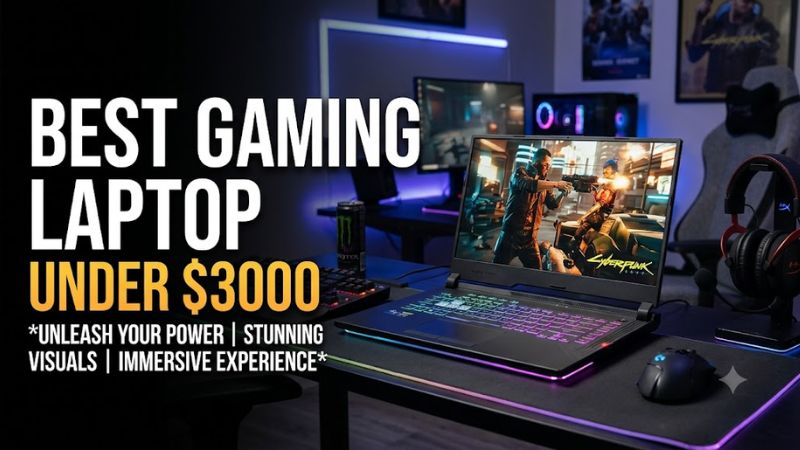
The best gaming laptop under $3,000 is usually a well-equipped RTX 5080 model with effective cooling, a high-refresh-rate display, and enough memory for modern games. However, spending the full budget is not always necessary. An RTX 5070 Ti laptop can offer excellent value if its price is substantially lower and its graphics power limit is competitive.
At this price, you should compare complete configurations rather than relying on product names. Two laptops with the same GPU can deliver different performance because of power limits, cooling systems, CPU selection, and manufacturer settings. Display quality, portability, storage, and upgrade options also affect long-term value.
This roundup covers six gaming laptop families worth comparing in the US market. Because prices and availability change, not every configuration automatically qualifies under $3,000. Verify the exact SKU and final price before purchasing.
Best Gaming Laptops Under $3,000 at a Glance
| Laptop | Best for | GPU to prioritize | Main drawback |
| Lenovo Legion Pro 7i Gen 10 | Premium all-around gaming | RTX 5080 | Can exceed budget |
| MSI Vector 16 HX AI | High-power gaming | RTX 5080 | Bulky chassis |
| Gigabyte Gaming A16 Pro | Value-focused gaming | RTX 5070 Ti | Lower GPU power limit |
| ASUS ROG Strix G16 | Competitive gaming | RTX 5070 Ti or 5080 | Configuration-dependent pricing |
| Lenovo Legion Pro 5i Gen 10 | Gaming and productivity | RTX 5070 Ti or better | Less premium than Pro 7i |
| Razer Blade 16 (2025) | Premium portability | RTX 5070 Ti or better | Expensive for its performance |
These are models to compare, not six confirmed live deals. The Lenovo Legion Pro 7i Gen 10 has appeared on Lenovo’s US store at a featured price above $3,000 for a configurable model. Check the actual configuration and checkout price before treating it as a qualifying purchase.
1. Lenovo Legion Pro 7i Gen 10: Best Premium All-Around Option
The Lenovo Legion Pro 7i Gen 10 is a strong choice for buyers who want high-end gaming performance alongside a premium display and productivity capabilities. Its RTX 5080 configuration is particularly attractive for demanding AAA games, ray tracing, and graphics-intensive applications.
Lenovo lists configurations featuring an Intel Core Ultra 9 275HX, an RTX 5080 Laptop GPU with 16GB of GDDR7 memory, 32GB of DDR5-6400 RAM, and a 1TB PCIe Gen 5 SSD. The specified 16-inch OLED display offers 2560 × 1600 resolution and a 240Hz refresh rate. These specifications apply to the relevant configuration, not every Legion Pro 7i model.
Strengths: The combination of a powerful GPU, fast OLED panel, and 32GB of memory suits high-end gaming and multitasking. The 16GB of graphics memory also provides useful capacity for demanding textures and graphics workloads.
Weaknesses: The RTX 5080 configuration can exceed $3,000. Configurable listings may change the GPU, display, memory, and storage, so buyers must check the exact SKU.
Buy if: You find the RTX 5080 configuration under budget and want a balanced premium gaming laptop.
Skip if: The price remains above $3,000 or a cheaper RTX 5070 Ti laptop already meets your performance needs.
2. MSI Vector 16 HX AI: Best Performance-Focused Laptop
The MSI Vector 16 HX AI is worth considering when gaming performance and cooling matter more than portability. MSI lists configurations with an Intel Core Ultra 9 275HX and an RTX 5080 Laptop GPU with 16GB of GDDR7 memory.
The manufacturer’s specifications list up to 175W of maximum graphics power with Dynamic Boost for the relevant RTX 5080 configuration. Its 16-inch QHD+ display offers 2560 × 1600 resolution, a 240Hz refresh rate, and advertised 100% DCI-P3 color coverage.
Memory support extends to 96GB across two DDR5 slots, while storage options include Gen 4 and Gen 5-compatible M.2 positions. Actual configurations and available upgrade options depend on the SKU.
Strengths: The high-power GPU configuration, fast screen, and memory upgrade capacity make the Vector attractive for extended gaming sessions and demanding applications.
Weaknesses: It is a performance-oriented machine rather than a lightweight travel laptop. Maximum graphics power is not constant power draw, and it does not guarantee a particular frame rate.
Buy if: You find an RTX 5080 configuration below $3,000 and prioritize sustained gaming performance.
Skip if: Portability is essential or the configuration available within budget has a substantially weaker GPU.
3. Gigabyte Gaming A16 Pro: Best Value-Oriented Choice
The Gigabyte Gaming A16 Pro is worth considering if you want strong gaming performance without spending the entire $3,000 budget. An RTX 5070 Ti configuration can be a sensible alternative to more expensive premium laptops, particularly when the savings are substantial.
A retail deal reported in October 2026 listed a configuration with an Intel Core Ultra 7 processor, RTX 5070 Ti, 32GB of RAM, a 1TB SSD, and a 1600p IPS display for $1,449. This is a historical deal report, not confirmation of today’s price or stock.
The reported configuration has a 115W GPU power limit. That is important because some competing RTX 5070 Ti laptops advertise higher maximum graphics power. The GPU name alone cannot establish which laptop will perform better.
Strengths: A competitive purchase price, 32GB of RAM, and a 1TB SSD can leave room in your budget for a monitor, headset, or other accessories.
Weaknesses: The reported GPU power limit may restrict performance compared with higher-power RTX 5070 Ti implementations. Display quality and sustained gaming performance should be checked in independent reviews of the exact configuration.
Buy if: You want capable 1600p gaming at a lower price and find a configuration with suitable specifications.
Skip if: Maximum GPU performance, premium display quality, or the best available cooling is more important than saving money.
4. ASUS ROG Strix G16: Best for Competitive Gaming
The ASUS ROG Strix G16 is a strong candidate for players who alternate between competitive shooters and demanding single-player games. The 2025 lineup includes configurations with RTX 5070 Ti and RTX 5080 Laptop GPUs, allowing buyers to choose between value and higher graphics performance.
ASUS lists a 16-inch, 2560 × 1600 display with a 240Hz refresh rate and configurations featuring up to an Intel Core Ultra 9 275HX. For relevant 2025 configurations, the manufacturer lists maximum graphics power of up to 140W for the RTX 5070 Ti and 175W for the RTX 5080.
Strengths: The high-refresh-rate display suits competitive gaming, while the higher-end GPU configurations offer greater graphics capability for modern AAA titles. The 1600p resolution also provides a useful balance between image detail and performance.
Weaknesses: A 240Hz panel does not mean every game will reach 240 FPS. The fastest configurations can exceed the budget, and the larger chassis is less convenient for frequent travel.
Buy if: You prioritize fast gameplay and want a choice of GPU tiers within the same product family.
Skip if: You need a lightweight laptop or a similarly equipped competitor offers better performance for the price.
5. Lenovo Legion Pro 5i Gen 10: Best for Gaming and Productivity
The Lenovo Legion Pro 5i Gen 10 is worth comparing with the Pro 7i if you want a gaming-focused laptop without paying for every premium feature in Lenovo’s higher-end range.
For gaming, prioritize an RTX 5070 Ti configuration or better if the price fits your budget. Compare the complete specification with competing RTX 5080 laptops before deciding whether the savings justify a lower GPU tier.
Strengths: A suitable configuration can balance gaming, schoolwork, programming, and content creation. Spending less on the laptop may also leave room for accessories or additional storage.
Weaknesses: Do not assume that the Pro 5i matches the Pro 7i in GPU power, cooling, or display quality. These differences depend on the generation and configuration.
Buy if: You find a meaningful price advantage over a comparable Pro 7i while retaining the performance and display features you need.
Skip if: Its price approaches a better-equipped RTX 5080 alternative without offering another practical advantage.
6. Razer Blade 16 (2025): Best Premium Portable Design
The Razer Blade 16 (2025) suits buyers who want a relatively slim gaming laptop with premium construction. It is particularly appealing if you carry your computer between home, work, and other locations.
Razer announced configurations up to an RTX 5090 Laptop GPU, with a maximum graphics power of 155W for that GPU. The company also describes a redesigned vapor-chamber cooling system and dual-fan layout. These are manufacturer specifications, not independent proof that the laptop runs quieter or faster than its competitors.
Strengths: The premium design and portability make the Blade attractive for users who want a gaming laptop that also fits a professional setting.
Weaknesses: Its premium pricing can make it difficult to justify when gaming performance per dollar is the primary goal. A higher-tier GPU name does not guarantee better performance than every lower-tier GPU running at a higher power limit.
Buy if: You find a configuration under $3,000 and value portability and construction alongside gaming performance.
Skip if: You want the most gaming performance for your money and do not need the premium chassis.
How to Choose the Right Gaming Laptop Under $3,000
Prioritize the GPU and its power limit
An RTX 5080 Laptop GPU is a strong target for this budget, especially for demanding 1600p gaming and ray tracing. However, an RTX 5070 Ti laptop may offer better value when it costs substantially less.
Check the published graphics power limit, cooling design, and independent benchmarks for the exact model. Also consider VRAM capacity, particularly if you play games with demanding textures or use graphics-intensive creative applications.
Choose a display that matches your games
A 2560 × 1600 IPS display with a high refresh rate is a practical choice for mixed gaming. OLED is worth considering if you value deep blacks, contrast, and vivid colors. Neither panel type is automatically superior in every respect: brightness, response time, reflections, and image quality still matter.
For competitive games, a fast display is useful only when the system can deliver sufficiently high frame rates. For cinematic single-player games, image quality and graphics settings may matter more than reaching the highest possible refresh rate.
Aim for 32GB of RAM and a 1TB SSD
For a new gaming laptop in this price range, 32GB of RAM and a 1TB SSD are sensible starting points. More memory can benefit heavy multitasking and content creation, but it does not automatically increase gaming performance.
Check whether the memory is upgradeable, how many M.2 SSD slots are available, and which interfaces those slots support. Never assume a laptop supports the same upgrades across every configuration.
Consider cooling, battery life, and warranty
Gaming laptops often need their supplied AC adapters to deliver maximum performance. Gaming on battery generally reduces performance and provides much shorter runtime than light productivity tasks.
Before buying, compare independent measurements of sustained performance, fan noise, and surface temperatures. Check the laptop’s weight, adapter size, ports, battery capacity, warranty coverage, and upgrade restrictions. These practical details can matter more than a small difference in headline specifications.
Frequently Asked Questions
What is the best gaming laptop under $3,000?
The Lenovo Legion Pro 7i Gen 10 with an RTX 5080 is a strong premium option if its exact configuration is available below $3,000. Its 16GB GPU memory, 32GB RAM, and 240Hz OLED display make it attractive for demanding games, but its price can exceed the budget.
Is an RTX 5080 laptop worth buying over an RTX 5070 Ti laptop?
An RTX 5080 laptop is worth the extra cost when its measured performance advantage justifies the price difference. Compare GPU power limits, VRAM, cooling, and independent benchmarks before choosing, because laptops with different GPU tiers can also differ in other important specifications.
Is $3,000 too much to spend on a gaming laptop?
No, $3,000 can be reasonable if you need premium graphics performance, a quality display, and strong build quality. However, a less expensive RTX 5070 Ti laptop may offer better value if it already meets your performance requirements.
Can a gaming laptop under $3,000 run games at 4K?
Yes, a suitably equipped gaming laptop can run many games at 4K, but performance depends on the game, graphics settings, ray tracing, and upscaling. Demanding titles may require DLSS or reduced settings to maintain playable frame rates.
Final Verdict
For most buyers, start by comparing RTX 5080 laptops against well-equipped RTX 5070 Ti alternatives. The Lenovo Legion Pro 7i Gen 10 and MSI Vector 16 HX AI are compelling premium candidates when their exact configurations fit the budget. The Gigabyte Gaming A16 Pro deserves consideration when value matters more than maximum GPU power.
Choose the ASUS ROG Strix G16 for a high-refresh-rate gaming focus, the Legion Pro 5i for a balanced gaming and productivity setup, or the Razer Blade 16 if portability and premium construction justify its price.
Before ordering, verify the GPU, graphics power limit, memory, storage, display, warranty, and final US checkout price. If a cheaper laptop already meets your gaming needs, there is no reason to spend the full $3,000.