
The GTX 1660 Ti laptop category exists because of a single, stubborn reality: most gamers still play at 1080p. Not 1440p, not 4K — 1080p at 60 to 144 frames per second on titles that actually matter. The 1660 Ti was the first mobile GPU to deliver that experience without requiring a desktop-class power envelope, and that positioning still makes it relevant in 2026 for buyers who want proven performance at a fraction of what newer hardware costs. The problem is that the category is noisy. Some of the best results in this space pair the GPU with fast Ryzen or Core i7 silicon and a high-refresh panel. Others skimp on RAM, thermal headroom, or screen quality in ways that quietly throttle the GPU below its rated output.
What separates a worthwhile pick from a money pit comes down to three things: whether the chassis can sustain the GPU’s boost clocks under load, whether the CPU won’t bottleneck it in competitive titles, and whether the panel refresh rate matches the frame rates the GPU actually produces. A 1660 Ti laptop with 8GB of RAM and a 60Hz screen is a compromised product. The same GPU in a 16GB machine with a 144Hz IPS display is a different animal entirely. You also need to be aware that several listings in this category are standalone desktop graphics cards, not laptops at all — useful for desktop-replacement builds or external GPU enclosures, but a different purchase decision. We’ve flagged each accordingly.
As an Amazon Associate we earn from qualifying purchases at no extra cost to you.




Top 3 picks at a glance
Quick Picks
| Product | Best for | Price |
|---|---|---|
| HP OMEN 15.6 | Casual 1080p gaming on a strict budget | $999 |
| MSI GTX 1660 Ti Ventus XS (Renewed) | Desktop-replacement GPU upgrade at minimum cost | $189.99 |
| ASUS TUF Gaming A15 | High-refresh competitive gaming | $999.99 |
| 51RISC GTX 1660 Ti | Budget desktop GPU for 1080p and 2K gaming | $199.99 |
| SRhonyra GTX 1660 Ti | Lowest-cost standalone 1660 Ti card | $199.95 |
| ASUS GA502DU | Balanced 1080p laptop with Max-Q efficiency | $999 |
| MSI GTX 1660 Ti Ventus XS (New) | Reliable desktop GPU with OC factory tuning | $299 |
| HP Pavilion Gaming 16 | Desktop-replacement power with a large panel |
How We Picked
For this roundup we evaluated each listing on GPU-to-CPU balance, thermal sustainability under sustained load, display quality relative to the GPU’s output ceiling, and value density — meaning how much usable gaming performance you get per dollar after accounting for RAM, storage, and build quality. We also verified whether each product is genuinely a laptop or a standalone graphics card, because misclassification in this category is common and directly affects whether the purchase solves your problem.
The 8 Best Gtx 1660 Ti Laptops in 2026
HP OMEN 15.6
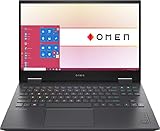
The OMEN is a straightforward entry point if your priority is getting the 1660 Ti into a laptop chassis for under a grand. The Ryzen 7 pairs well with the GPU in most titles, and the 512GB SSD covers your primary library without compromise. The obvious weak spot is 8GB of RAM, which is tight for modern AAA titles and can cause stutters that aren’t the GPU’s fault. If you can upgrade the memory post-purchase, this becomes a strong deal. If not, look elsewhere.
- Pro: Ryzen 7 handles the 1660 Ti without meaningful bottlenecking.
- Pro: Clean OMEN design language and a solid keyboard for the price tier.
- Con: 8GB RAM limits headroom in memory-hungry games and multitasking.
Skip it if you run more than two applications alongside games or play open-world titles that demand over 10GB.
MSI GTX 1660 Ti Ventus XS (Renewed)
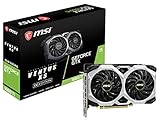
This is not a laptop — it is a renewed standalone graphics card, and it appears in this category because buyers searching for 1660 Ti hardware cast a wide net. At under $190 it represents the cheapest route to a 1660 Ti GPU, assuming you already own a desktop with an available PCIe x16 slot. The dual-fan cooling is adequate for the chip’s modest thermal output. Renewed condition means you should factor in a potentially shortened lifespan and verify the seller’s return window.
- Pro: Lowest absolute price to own a 1660 Ti.
- Pro: Dual-fan design keeps thermals manageable in compact cases.
- Con: Renewed status carries unknown prior usage hours and no new-unit warranty.
Skip it if you need a self-contained machine or are uncomfortable with refurbished hardware.
ASUS TUF Gaming A15
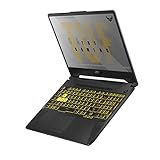
The A15 is the strongest laptop in this group on paper and in practice. The 4800H is a fast eight-core that never chokes the 1660 Ti, the 16GB of DDR4 removes the RAM ceiling problem entirely, and the 144Hz IPS panel lets you actually see the frame rates the GPU produces. The metal lid gives it a premium feel at a mid-range price. Its only real weakness is that the TUF chassis, while durable, runs warmer than the ROG line under sustained load, which can nudge GPU boost clocks down over long sessions.
- Pro: 144Hz panel paired with 16GB RAM is the ideal 1660 Ti configuration.
- Pro: Ryzen 7 4800H delivers strong multi-threaded performance for streaming or editing.
- Con: Chassis thermals throttle slightly under extended gaming sessions.
Skip it only if you need a 4K display or plan to play at 1440p and above.
51RISC GTX 1660 Ti
Another standalone GPU, this one from a lesser-known brand that sells directly on major marketplaces. The 192-bit memory bus and 6GB GDDR6 match the reference spec. What you’re really buying here is the lowest-risk new-condition entry at $200, useful if you want a 1660 Ti for a secondary desktop or a home theater PC. Brand recognition is thin, so driver support and warranty claims depend entirely on the seller’s policies. Performance-wise, it will behave identically to the reference card.
- Pro: New condition at a price competitive with renewed alternatives.
- Pro: Supports 2K gaming and multi-monitor output via DP, HDMI, and DVI.
- Con: Minimal brand support infrastructure compared to established AIB partners.
Skip it if warranty coverage matters to you or you need guaranteed long-term driver updates.
SRhonyra GTX 1660 Ti
This listing claims 6GB but specifies GDDR5 rather than the GDDR6 standard for the 1660 Ti. That discrepancy is a red flag. Either the product is mislabeled, or it uses a cut-down configuration with lower memory bandwidth that will underperform the reference card in bandwidth-sensitive titles. At $199.95 it is priced identically to other options, which makes the uncertainty harder to justify. If the memory spec is accurate, expect lower frame rates in newer games that stress the bus.
- Pro: Aggressive pricing puts it on par with trusted alternatives.
- Pro: Compact single-slot design fits smaller cases.
- Con: GDDR5 specification contradicts the expected GDDR6 bus, suggesting a potential performance shortfall.
Skip it unless the seller confirms GDDR6 and you can verify the spec with a return policy in place.
ASUS GA502DU
The GA502DU uses the Max-Q variant of the 1660 Ti, which trades a small amount of raw throughput for lower heat and noise. With 16GB of RAM, a Ryzen 7 3750H, and a 512GB SSD at the same $999 price as the OMEN, it is a better-equipped package out of the box. The 3750H is a Zen+ chip, not Zen 2, so it is slightly behind the A15’s processor in multi-threaded workloads. For pure gaming at 1080p, the gap is negligible. The chassis is thinner and quieter than the TUF line, making it a better fit for shared spaces.
- Pro: 16GB RAM and a quieter thermal profile at the same price as competitors.
- Pro: Max-Q design suits lighter daily carry and lower ambient noise.
- Con: Older Zen+ CPU slightly limits streaming or content-creation headroom.
Skip it if you do heavy multi-threaded work alongside gaming and want the extra cores.
MSI GTX 1660 Ti Ventus XS (New)
This is the new-condition equivalent of the renewed card reviewed above, at $299. You are paying roughly a hundred dollars over the renewed option for full warranty and zero usage history. The factory-overclocked profile gives a small edge over reference clocks out of the box. For anyone building or upgrading a desktop for 1080p competitive play who cannot find a laptop deal worth taking, this is the simplest GPU purchase. It is not a laptop and never was, but it solves the same GPU problem for a different form factor.
- Pro: Factory OC delivers slightly better frame rates than stock-reference boards.
- Pro: Full warranty and HDCP support for modern streaming protection.
- Con: $299 price point approaches newer-architecture alternatives on the used market.
Skip it if you can find an RTX 2060 for similar money, which adds ray-tracing hardware.
HP Pavilion Gaming 16
At $1999 this is the most expensive product in the list, and it does not look like a bargain. You are getting a 16.1-inch full-HD panel, a Core i7-10750H, 16GB DDR4, and the Max-Q 1660 Ti. The large screen makes it a desktop-replacement machine rather than a true portable. The Intel Comet Lake CPU is adequate but hot, and the Pavilion chassis is more consumer-grade than OMEN. You are paying a premium for screen size and brand trust. If a large panel is non-negotiable, it works. If not, the A15 delivers better value.
- Pro: 16.1-inch panel offers more immersive real estate for split-screen work.
- Pro: Backlit keyboard and large touchpad suit productivity alongside gaming.
- Con: Price is roughly double what the same GPU earns in other chassis.
Skip it unless you specifically need a large-format laptop and are unwilling to add an external monitor.
Buying Guide
Match the GPU to the Right Panel
The 1660 Ti produces 60 to 100+ frames in most current titles at 1080p high settings. On a 60Hz panel, you are leaving headroom unused. On a 144Hz panel, you can feel the difference in fast-paced shooters and fighting games. If the listing only specifies “FHD” without a refresh rate, assume 60Hz and ask before buying. The ASUS TUF A15 stands out here as the only laptop in this group that explicitly advertises 144Hz.
RAM Is the Silent Throttler
Eight gigabytes is no longer sufficient for a gaming laptop that also runs Discord, a browser, and a game simultaneously. The 1660 Ti’s frame times degrade noticeably when the system starts swapping to storage. Any laptop below 16GB should either ship with a confirmed upgrade path or be ruled out. This single factor eliminates the HP OMEN unless you plan to add memory yourself.
Desktop GPUs in a Laptop Search
Several products in this category are standalone graphics cards, not laptops. If you already own a desktop with a PCIe slot, a 1660 Ti card at $190 to $299 may deliver better raw performance than any laptop here, because desktop cards run at higher power limits. But if you need portability, a GPU card solves nothing. Confirm the form factor before checkout.
Our Verdict
Best overall: ASUS TUF Gaming A15. It pairs the 1660 Ti with the fastest CPU, most RAM, and best display in this group at a price that matches the weaker competitors. Budget pick: MSI GTX 1660 Ti Ventus XS (Renewed) at $189.99, for anyone who already has a desktop and wants the GPU for the least money possible. Condition to reconsider: if you need a large screen and do not travel with the machine, the HP Pavilion Gaming 16 justifies its premium over the A15 solely through panel size.
FAQ
Is the GTX 1660 Ti still worth buying in a laptop?
Yes, if your target resolution is 1080p and your budget is under a thousand dollars. The 1660 Ti still drives most current titles at 60-plus frames on high settings. It falls behind newer architectures in ray-traced titles and 1440p performance, but for competitive esports and mainstream gaming it remains cost-effective.
Why do some listings show desktop graphics cards instead of laptops?
Search engines and marketplace categories group products by GPU model rather than form factor. Desktop cards appear alongside laptops because buyers use the same keywords. Always check whether the product includes a display, battery, and keyboard before purchasing if you need a portable machine.
Can I upgrade RAM in a GTX 1660 Ti laptop?
Most laptops in this category with AMD Ryzen or Intel Core i7 CPUs use standard SO-DIMM slots that accept upgrades, but some thin-and-light models solder memory to the board. Check the manufacturer’s service manual for your specific model before assuming upgradeability.
What is the difference between the 1660 Ti and the 1660 Ti Max-Q?
Max-Q is a lower-power, lower-heat variant of the same GPU. It clocks more conservatively and typically trails the full-powered version by ten to fifteen percent in frame rates, but generates less noise and allows for thinner chassis. If silence and weight matter to you, Max-Q is a reasonable trade-off.
Part of our laptops buying guide hub.
Related guides
- Alienware 16 Aurora RTX 5070 Review: Display, Portability and Configuration Gaps
- Lenovo Legion Pro 7i Gen 10 Review: 64GB RAM and Dual-SSD Configuration
- MSI Katana 15.6-inch RTX 5050 Review: Configuration Strengths and Upgrade Unknowns
- ASUS ROG Strix SCAR 16 G635LX-XS97 Review: Display Ambition, Upgrade Questions


