For a budget gaming laptop in the UK, the safest value pattern in this set is an RTX 3050 or RTX 4050 model with a 144Hz screen, 16GB of RAM and a 512GB SSD, and the HP Victus with an i5-12450H, RTX 3050 and 16GB is the cleanest example. These twelve US-listed laptops are mostly near-siblings, so the page focuses on what separates them: memory, GPU memory, listing quality and the practical UK checks of plug, keyboard layout and warranty. No prices appear here; the tier column is only a rough relative guide, and you should read the live listing.
Our Top Picks
Top 3 picks at a glance
Comparison at a glance
As an Amazon Associate we earn from qualifying purchases at no extra cost to you.




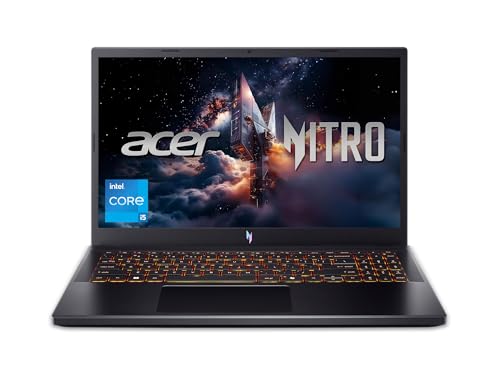


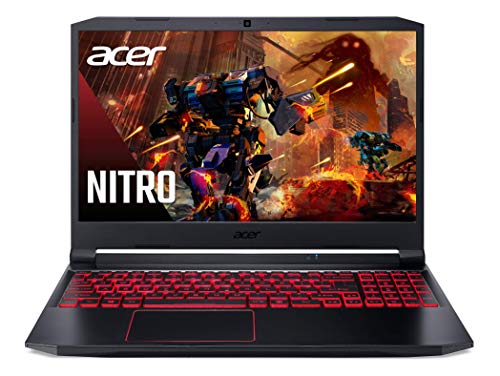
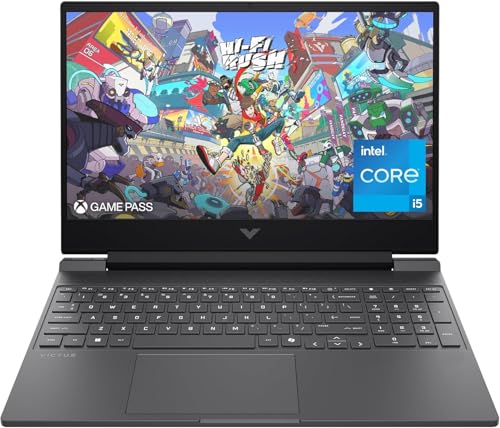
| Model | Key point from the title | Price tier | Best for |
|---|---|---|---|
| HP Victus 15.6 (i5-12450H) | RTX 3050, 144Hz, 16GB, 512GB PCIe SSD, Windows 11 Pro | Budget | Balanced entry pick |
| HP Victus Gaming 15 (13420H, 8GB) | RTX 3050, 144Hz, 8GB DDR4, 512GB NVMe | Budget | Cheapest-class with upgrade needed |
| HP Victus 15 (12500H, 2022) | RTX 3050, 8GB, 512GB, Enhanced Thermals | Budget | Older model year, thermals focus |
| HP Victus 15 (13420H, 16GB) | RTX 3050, 144Hz, 16GB, Wi-Fi 6, DTS:X | Budget | Memory-ready Victus |
| Acer Nitro V 15.6 | RTX 4050, 165Hz IPS, 8GB DDR5, 512GB Gen 4 | Mid-range | Stronger GPU, RAM upgrade needed |
| HP Victus 15 AI (anti-glare) | RTX 3050, 144Hz anti-glare, 8GB, 512GB | Budget | Glare-prone rooms |
| Acer Nitro V 16S | RTX 5060, 16-inch 180Hz, 32GB DDR5, 1TB | Premium | Longest runway in the set |
| HP Victus 15.6 (RTX 4050 6GB) | RTX 4050 6GB, 144Hz, 16GB DDR4, 512GB | Mid-range | Stronger GPU with 16GB |
| Acer Nitro 5 AN515-55 | i5-10300H, RTX 3050, 144Hz, 8GB DDR4, 256GB | Budget | Tight budgets only |
| HP Victus 15-fa2013dx | 15.6-inch 144Hz FHD, Intel Core i5 (details sparse) | Budget | Only if the listing fills in |
| HP Victus 15 (i5-13240H) | RTX 3050 6GB, 16GB, 512GB, 144Hz | Budget | 16GB Victus alternative |
| MSI GF63 Thin | i5-11400H, RTX 3050 4GB, 144Hz, 16GB DDR4, 512GB | Budget | Older-generation CPU |
The twelve laptops, one by one
HP Victus 15.6 (i5-12450H): balanced entry pick
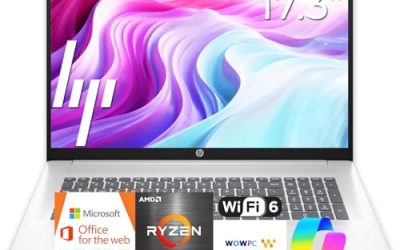
The title lists an i5-12450H, RTX 3050, 16GB of RAM, a 512GB PCIe SSD, Wi-Fi 6 and a 144Hz Full HD display with Windows 11 Pro. For a UK budget, 16GB plus a 512GB drive is the combination that avoids immediate upgrades.
- Pros: 16GB of RAM from the start.
- Windows 11 Pro is listed.
- Cons: RTX 3050 limits settings in newer games.
- 512GB fills quickly.
Who it’s for: First-time buyers who want no immediate upgrades.
HP Victus Gaming 15 (13420H, 8GB DDR4)
This listing shows an 8-core i5-13420H, RTX 3050, 8GB DDR4, a 512GB NVMe SSD and Windows 11 Home. The 8GB of memory is the issue: it works for light titles but is tight with a browser open. Check the listing for the RAM slot arrangement before relying on an upgrade.
- Pros: Newer-generation CPU than the 12th-gen siblings.
- 512GB NVMe drive.
- Cons: Only 8GB of RAM.
- DDR4 is an older memory type.
Who it’s for: Buyers who plan to add RAM.
HP Victus 15 (i5-12500H, older model year)
The title names an i5-12500H, RTX 3050, 8GB RAM, a 512GB SSD and “Enhanced Thermals”, with a 2022 model reference. It is an older generation than newer Victus entries, so only consider it if the listing is clearly priced below its siblings. “Enhanced Thermals” is a seller phrase, not a measured result.
- Pros: Cooling is highlighted in the title.
- Higher-tier H-series CPU.
- Cons: Older model year.
- Only 8GB of RAM.
Who it’s for: Bargain hunters who accept an older platform.
HP Victus 15 (13420H, 16GB, DTS:X)
The title lists an i5-13420H, 16GB of RAM, a 512GB SSD, RTX 3050, Type-C and Wi-Fi 6. The phrase “(>i7-12650H)” is a seller comparison, and “ICP Acc” is unclear, so check the listing for exactly what is in the box. It resembles other 16GB Victus entries here, making it a near-duplicate in class.
- Pros: 16GB of RAM.
- Modern 8-core CPU.
- Cons: Ambiguous title wording.
- Near-duplicate of other Victus listings.
Who it’s for: Buyers who want 16GB without the first Victus.
Acer Nitro V 15.6: RTX 4050 with DDR5
The listing names an i5-13420H, RTX 4050, a 15.6-inch FHD IPS 165Hz panel, 8GB DDR5 and a 512GB Gen 4 SSD. It has the strongest GPU of the 15.6-inch models, but the 8GB of RAM is the compromise. A UK buyer comfortable fitting a memory module gets the most from it; see our note on DDR5 RAM speed compatibility before buying.
- Pros: RTX 4050 and a 165Hz panel.
- DDR5 and Gen 4 SSD.
- Cons: 8GB of RAM.
- Self-upgrade may affect warranty terms.
Who it’s for: Gamers who want GPU strength first.
HP Victus 15 AI (anti-glare)
This Victus lists an i5-13420H, 8GB RAM, 512GB SSD, RTX 3050, an anti-glare 144Hz panel and Type-C. “AI” in the name is branding rather than a promise of better gaming. Anti-glare helps in bright rooms. It overlaps with the other 8GB Victus entries.
- Pros: Anti-glare screen.
- Type-C connectivity.
- Cons: Only 8GB of RAM.
- Overlaps with cheaper siblings.
Who it’s for: Buyers in bright, window-lit rooms.
Acer Nitro V 16S: the long-runway pick
The title lists a Ryzen 7 260, RTX 5060 laptop GPU, 16-inch 180Hz IPS, 32GB DDR5 and a 1TB Gen 4 SSD. It is a different class from the rest, and the “572 AI Tops” figure is a seller claim. If your budget stretches, it removes most upgrade worries.
- Pros: 32GB RAM and 1TB SSD.
- RTX 5060 for longer relevance.
- Cons: Highest tier of the set.
- Larger body.
Who it’s for: Buyers who stretch once to avoid upgrading later.
HP Victus 15.6 (RTX 4050 6GB, 16GB DDR4)
The listing shows an i5-13420H, RTX 4050 with 6GB, 16GB of DDR4 and a 512GB SSD, labeled 2024. It combines a stronger GPU with 16GB of memory, a good balance for a budget UK buyer.
- Pros: RTX 4050 plus 16GB.
- 144Hz Full HD.
- Cons: DDR4 memory.
- 512GB storage.
Who it’s for: Buyers who want GPU and RAM balance.
Acer Nitro 5 AN515-55: tight budgets only
This older Nitro lists an i5-10300H, RTX 3050, 8GB DDR4, a 256GB NVMe SSD and a 144Hz IPS display. The 256GB drive is the smallest here and the CPU is two generations behind several rivals. Consider it only if it is clearly cheaper.
- Pros: RTX 3050 at an older tier.
- 144Hz IPS.
- Cons: 256GB drive and 8GB RAM.
- Older CPU generation.
Who it’s for: Very tight budgets.
HP Victus 15-fa2013dx: thin listing
The title gives only a 15.6-inch Full HD 144Hz display and an Intel Core i5. GPU, RAM and storage are not stated, so check the listing for those details. It is not safe to assume a specification; confirm the GPU before buying.
- Pros: Known Victus line.
- 144Hz Full HD.
- Cons: Key specs missing in the title.
- Hard to compare.
Who it’s for: Shoppers who verify the full specification.
HP Victus 15 (i5-13240H, RTX 3050 6GB)
The title lists an 8-core i5-13240H up to 4.6GHz, 16GB RAM, 512GB SSD, a 144Hz display and an RTX 3050 with 6GB. It is another 16GB Victus, so the decision comes down to the live listing.
- Pros: 16GB RAM.
- 6GB RTX 3050.
- Cons: Close to other Victus entries.
- 512GB drive.
Who it’s for: Buyers comparing Victus variants.
MSI GF63 Thin: older-generation CPU
The listing shows an i5-11400H, RTX 3050 4GB, 16GB DDR4, a 512GB NVMe SSD and a 144Hz screen. The 4GB of graphics memory and older CPU make it the weaker long-term bet, though 16GB is welcome.
- Pros: 16GB RAM.
- Slim form factor.
- Cons: Only 4GB of GPU memory.
- Older CPU generation.
Who it’s for: Buyers who find it clearly cheaper.
How we picked these
This list uses product titles, published specifications, manufacturer documentation and buyer reviews. Nobody on the team used or measured these units. Many entries are near-duplicates, mostly HP Victus variants, and we say so rather than pretending each is distinct. Seller phrases like “Enhanced Thermals” or “(>i7-12650H)” are treated as marketing.
What to look for in a UK budget gaming laptop
Plug, power and charger
The UK uses 230V and the Type G plug. Many laptop chargers accept 100-240V, shown on the label, but a US-listed unit may ship with a US plug. Use a correct UK cord or a quality adapter, and confirm the input range with the seller.
Keyboard layout
US-listed laptops normally carry an ANSI layout, with no dedicated key for the pound sign and a different Enter and shift shape than UK ISO layouts. Check the listing, and decide whether you can live with it.
Warranty and returns
Look for who provides warranty service in the UK and what happens if the unit needs repair. A manufacturer warranty on a US unit may not apply in the UK. Ask in writing.
GPU memory, RAM and storage
RTX 3050 and 4050 cards handle 1080p at moderate settings. Prefer 16GB of RAM, and note 4GB or 6GB GPU memory limits texture settings in newer games. 512GB is a floor, not a comfortable size.
Upgrade paths
Laptops often have two memory slots and one or two M.2 slots, but this varies; check your exact model. See frame pacing for why a stable setup matters more than raw numbers.
A UK buying checklist
- Plug: UK cord or adapter confirmed.
- Keyboard: ANSI acceptable for you.
- Warranty: UK service route in writing.
- RAM: 16GB, or an upgrade plan.
- Storage: 512GB minimum, ideally with a spare M.2 slot.
- Listing: GPU, RAM and SSD named explicitly.
As a rough estimate, a laptop with 8GB of RAM needs a module upgrade within the first year for most players; plan for that in your budget.
Mistakes buyers make
The common errors are buying a laptop with missing specs on the listing, assuming an overseas warranty applies in the UK, overlooking the keyboard layout and forgetting the plug. Others buy 8GB of RAM thinking it is enough, or choose the older 4GB GPU model because of a lower tier. Compare similar-looking Victus listings carefully, since their titles differ only slightly.
Here is a simple way to sanity-check a listing. Count what must be named in the title or bullet points: GPU, GPU memory, RAM, SSD size and refresh rate. Every missing item is a question for the seller. Then add a small allowance for the fixes you already know you will need, such as a memory module for an 8GB model or an external drive for a 512GB one, and compare the real total across listings rather than the headline figure alone.
Verdict
For most UK budget buyers, the HP Victus with the i5-12450H, RTX 3050 and 16GB is the sensible default, the HP Victus RTX 4050 with 16GB is the step up, and the Acer Nitro V 16S is the long-term choice if you can stretch. Avoid listings that omit specifications.
Related guides
- Gaming Laptop Battery Draining While Plugged In Fix
- Graphics Cards For Low Wattage Power Supplies
- How To Stop Laptop Thermal Throttling In Software
Frequently asked questions
Can I use a US-listed gaming laptop in the UK?
Yes, in practice, with some checks. The UK uses 230V and a Type G plug, so you need a suitable cord or adapter, and the charger should accept 100-240V. Also confirm the keyboard layout, warranty coverage and return terms before ordering. Do not assume a US warranty is valid in the UK.
Is 8GB of RAM enough for a budget gaming laptop?
It is workable for light games but tight for modern titles with a browser open. Sixteen gigabytes is the more comfortable target, and several models here list it. If you buy an 8GB model, check the listing and your exact model for upgrade access before relying on a later upgrade.
Is RTX 4050 much better than RTX 3050?
The RTX 4050 is a newer generation and generally gives more headroom, but the difference depends on the specific laptop, RAM and cooling. GPU memory also matters: 4GB and 6GB variants limit texture settings. Compare the whole configuration rather than the GPU name alone.
Why do several HP Victus listings look identical?
Sellers list slightly different configurations under similar titles, so the differences are small, such as 8GB versus 16GB of RAM or a different CPU. Read each listing carefully and compare RAM, GPU memory and storage. Where details are missing, ask the seller or choose another listing.
What UK keyboard issues should I expect?
US-listed laptops usually have an ANSI layout, which lacks the dedicated pound key and uses a different Enter shape than UK layouts. Some buyers adapt easily; others dislike it for typing. Check the listing, and consider whether a replacement keyboard or keycaps matter to you.