Searching for “best student discount laptops” usually means one of two things: you want a machine that already sits at a low tier, or you hope to stack a school or education program on top of an ordinary listing. Those are different strategies. A laptop that is cheap because it is underpowered will not stop being underpowered after a coupon, while a better machine on a student program can end up a smarter purchase than the lowest-tier model. The real decision is how much laptop you need to survive four semesters.
The six models below are all aimed at classwork: documents, research, video lectures, and the occasional presentation. Most pair an entry-level Intel processor with Windows, a bundled Office subscription, and a modest SSD or flash drive. That is enough for a first-year course load in 2026, but the details differ in ways that matter, particularly RAM, storage type, and screen size. Use the thresholds in this guide to separate a smart bundle from a thin one.
Our Top Picks
Top 3 picks at a glance
Quick Picks
As an Amazon Associate we earn from qualifying purchases at no extra cost to you.


| Product | Best for | Key spec taken from the product title |
|---|---|---|
| DRKAKO 15.6-inch Student Laptop | Students who want more RAM at a low tier | 12GB RAM, 256GB SSD, J4105 quad-core |
| HP 14-inch Student Laptop | Carry-everywhere portability | Intel N150, Office 365, 1TB cloud storage, WiFi 6 |
| HP Essential Laptop | Basic coursework with a software bundle | 128GB storage, Windows 11, Copilot AI, Office 365 |
| Lenovo 15.6-inch Essential | Larger screen with faster memory | 8GB DDR5, 128GB storage, FHD display |
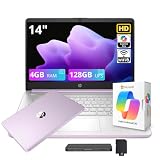
| HP Stream 14-inch | Light note-taking and web tasks | N150, 4GB RAM, 128GB UFS, 1-year Office 365 |
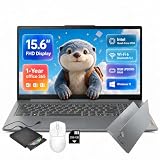
| Lenovo IdeaPad Slim-3i 15.6-inch | Best storage flexibility for the group | N150, 8GB LPDDR5, 128GB UFS, 256GB SD card |
How to Choose
RAM is the first spec to protect
At this tier, memory separates a smooth laptop from a sluggish one. A listing with 4GB of RAM, like the HP Stream, handles a few browser tabs and a word processor but struggles when you add video calls and streaming. Eight gigabytes is the practical minimum for a four-year device, and 12GB gives extra breathing room. Memory type also shows up in titles, with DDR5 and LPDDR5 offering more bandwidth than older DDR4, though capacity usually matters more for everyday use.
Storage type and cloud bundles
Several of these laptops list 128GB of flash storage paired with 1TB of cloud space. Cloud storage helps only with a reliable connection and is often time-limited. UFS and eMMC flash are slower than full NVMe SSDs, and 128GB fills up quickly after system updates. A 256GB SSD, as on the DRKAKO, is a more comfortable baseline. If a laptop comes with an SD card slot and a card, you can stretch storage affordably for files and media.
Screen size, weight, and battery
A 14-inch laptop is easier to carry between classes, while 15.6 inches suit a desk and long reading sessions. Look for FHD resolution rather than basic HD if you spend hours on documents, since sharper text reduces eye strain. Titles that promise long battery life rarely give a number, so treat that claim as a direction, not a guarantee. If you move between lecture halls all day, keep a charger in your bag regardless.
Software bundles and the student discount angle
Office 365 and Copilot features appear in many listings, but a one-year Office subscription can have a limited life, and many schools provide Office through the institution at no extra cost. Before you pay for a bundle, find out whether your school offers it. Education programs from manufacturers vary by region and eligibility, so confirm that a program applies to the exact model before you assume a reduction. Ignore AI assistant labels as a deciding factor; they are mostly software you can install later.
It also pays to think about timing. Back-to-school periods bring the widest selection of education offers, but stock of the better-equipped configurations can thin out quickly, leaving the weakest variants on the shelf. If a program gives you access to a stronger configuration for a similar outlay, that is usually a better use of the discount than shaving a little off the entry model. Keep proof of enrollment handy, because many programs ask for it at checkout.
The 6 Best Options
DRKAKO 15.6-inch Student Laptop
The DRKAKO lists a 15.6-inch FHD IPS display, 12GB of RAM, a 256GB SSD, a J4105 quad-core processor, a 180-degree lay-flat hinge, WiFi 5, and Bluetooth, with Office 365 and an AI assistant included. The combination of 12GB RAM and a 256GB SSD is the most generous storage and memory pairing in this roundup.
- Strength: 12GB of RAM and a 256GB SSD give more headroom than the other listings
- Strength: an FHD IPS display with a 180-degree hinge suits group work and flat sharing
- Trade-off: the J4105 is an older entry processor, and WiFi 5 is a generation behind WiFi 6
Skip it if you want newer processor architecture and WiFi 6.
HP 14-inch Student Laptop
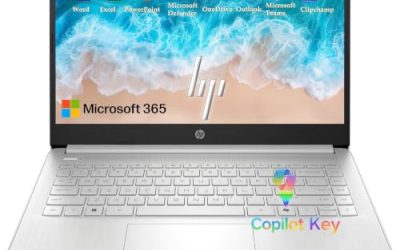
This HP lists a 14-inch design with an Intel N150, Office 365, 1TB of cloud storage, Copilot AI features, a lightweight portable body, long battery life, and WiFi 6. It aims at students who value carrying comfort over screen size. The N150 is a current-generation entry processor. For a student who walks across campus several times a day, that mix of small footprint and wireless speed is the practical heart of the listing, even though the missing RAM figure needs a second look.
- Strength: a 14-inch lightweight body is easier to carry between classes
- Strength: WiFi 6 and a current N150 processor are listed
- Trade-off: the title does not state RAM or local storage, so confirm them before buying
Skip it if you will not verify the memory and storage details first.
HP Essential Laptop
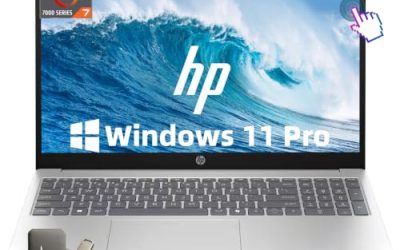
The HP Essential lists an unspecified Intel processor, 128GB of storage, Windows 11, Copilot AI, Office 365, an LED display, and 1TB of cloud storage in a portable, lightweight design. The title is light on specifics, so it reads as a bundle-first product. It fits a student who wants a branded laptop with software included and is willing to confirm the finer specifications on the product page before ordering. Because the listing leaves so much unsaid, it works best as a candidate to compare against the others rather than a blind pick.
- Strength: a major brand with Office 365 and Windows 11 included
- Strength: a lightweight, portable design is emphasized
- Trade-off: the processor and RAM are not named, which makes comparison hard
Skip it if you want clear processor and memory details in the listing.
Lenovo 15.6-inch FHD Essential Laptop
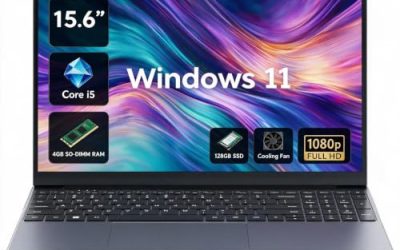
Lenovo’s Essential lists a 15.6-inch FHD display, an Intel processor, 8GB of DDR5 memory, 128GB of storage, 1TB of cloud storage, Copilot AI, Office 365, and long battery life. The 8GB of DDR5 is a notable strength compared with the 4GB model in this group. It suits a student who wants a roomy screen for long writing sessions and does not mind leaning on cloud sync for backups and larger files.
- Strength: 8GB of DDR5 meets the practical memory minimum
- Strength: a 15.6-inch FHD display is comfortable for reading and documents
- Trade-off: 128GB of storage is small and leans on the cloud
Skip it if you store large files locally.
HP Stream 14-inch Laptop
The HP Stream lists a 14-inch HD display, an Intel N150, 4GB of RAM, 128GB of UFS storage, 1TB of cloud storage, a one-year Office 365 subscription, Copilot features, and Intel graphics. It is the lightest spec sheet here, aimed at note-taking, web browsing, and online forms. Buyers who only need a second device for a dorm desk, or a backup for a main computer, are the natural audience, since heavier work would quickly expose its limits.
- Strength: a 14-inch body is easy to carry
- Strength: Office 365 and cloud storage come bundled for the first year
- Trade-off: 4GB of RAM and an HD display are limiting for multitasking
Skip it if your course load involves many tabs, video editing, or large spreadsheets.
Lenovo IdeaPad Slim-3i 15.6-inch
The IdeaPad Slim-3i lists a 15.6-inch FHD display, an Intel quad-core N150, 8GB of LPDDR5, 128GB of UFS storage, a 256GB SD card, WiFi 6, USB-C, Windows 11, and one year of Office 365. The SD card is the standout: it gives extra capacity for documents and media without buying a separate drive. For a student who juggles lecture recordings, PDFs, and group projects, that extra space can postpone the moment when storage becomes a problem.
- Strength: 8GB of LPDDR5 plus a 256GB SD card improve capacity and responsiveness
- Strength: WiFi 6 and USB-C cover current connectivity needs
- Trade-off: SD storage is slower than internal storage for heavy file work
Skip it if you want all your storage on a fast internal drive.
Which One Fits Your Situation
You want the most RAM and storage for the least
The DRKAKO leads on 12GB and a 256GB SSD. Trade in some processor freshness for that headroom, which is a fair bargain if your coursework is mostly browsers, documents, and video calls rather than anything that stresses the chip.
You carry your laptop all day
Choose the HP 14-inch Student Laptop for its lightweight design and WiFi 6, then confirm the memory in the full listing. If the RAM turns out to be 4GB, move to the Lenovo IdeaPad Slim-3i instead.
You want a balance of memory and screen size
The Lenovo 15.6-inch Essential and the IdeaPad Slim-3i both list 8GB, and the IdeaPad adds an SD card and USB-C for flexibility.
You only need the basics for a single semester
The HP Stream 14-inch covers email, documents, and web research at a minimal tier. Pair it with the school’s cloud tools and a habit of closing extra tabs, and it can handle a light first-year schedule without complaint.
Common Mistakes
- Counting cloud storage as local space when you often work offline.
- Accepting 4GB of RAM for a laptop that must last several semesters.
- Paying for an Office bundle when your school already provides it.
- Assuming a discount applies to every model without confirming eligibility.
- Choosing an HD screen for heavy reading when a Full HD panel is available.
Related guides
- Gaming Laptop Battery Draining While Plugged In Fix
- How To Stop Laptop Thermal Throttling In Software
- Gaming Laptop For High School Students
Frequently Asked Questions
Do student programs apply to every laptop?
No. Eligibility depends on the seller, the region, and the specific model. Read the terms of any education program before assuming it covers a particular laptop.
Is 128GB enough for college?
It can work for documents and web tools if you use cloud storage or an SD card. Larger project files and media libraries fill it quickly, so 256GB is more comfortable.
Do I need Office 365 included?
Not always. Many schools offer Office access to students, so check with your institution before paying for a bundled subscription.
Is an entry-level Intel N150 enough?
For writing, research, and video lectures, it is generally adequate. It is not designed for heavy video editing or demanding software. Students in design, engineering, or media programs should check their department’s recommended specifications before settling on an entry-level chip.