The best laptop for running local AI is the one with the most usable memory you can afford, backed by decent memory bandwidth and software support for its graphics hardware. Of the nine listings here, the AMD-based OneXPlayer Super X and the 24GB MacBook Air stand out for loading mid-size models, while the 32GB Windows laptops follow. Three of the nine are not laptops built for this job at all, and we say which.
This guide is written by the Editorial team from published specifications, manufacturer documentation and buyer reviews. Nobody on the team used or measured these units, so speeds are never quoted as results. Where we give figures, they are labelled as upper-bound estimates from simple arithmetic.
Our Top Picks
 NIMO 17.3" FHD AI Creator Laptop16GB RAM | 256GB SSD15.61 x 9.84 x 0.78 Inches4.6 PoundsCheck on Amazon
 StarTech 9-in-1 USB-C Mini Dock with 4K HDMI4.5x2.3x0.6 in4.5 x 2.3 x 0.6 inches0.26 poundsCheck on Amazon
Local AI Laptop Comparison

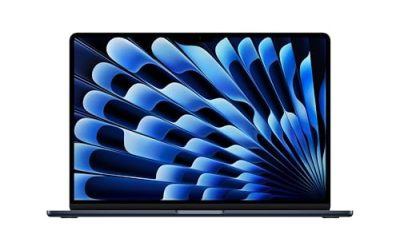
Apple 2026 MacBook Air 13-inch Laptop with M5 chip: Built for AI, 13.6-inch Liquid Retina Display, 24GB Unified Memory, 1TB SSD, 12MP Center Stage Camera, Touch ID, Wi-Fi 7; Midnight


As an Amazon Associate we earn from qualifying purchases. Product prices and availability are accurate as of the date/time indicated.

I Built My Own Offline ChatGPT: A Beginner-Friendly Guide to Running Your Own Private AI on a Low-End/High-End Laptop (4GB–8GB-16GB RAM, No Coding Required)
As an Amazon Associate we earn from qualifying purchases. Product prices and availability are accurate as of the date/time indicated.
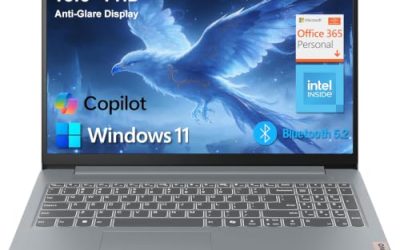
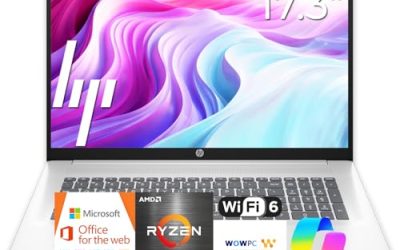
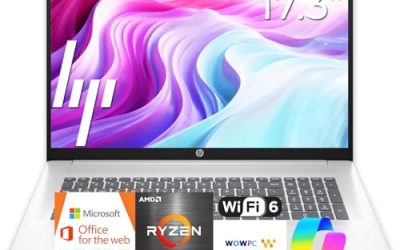
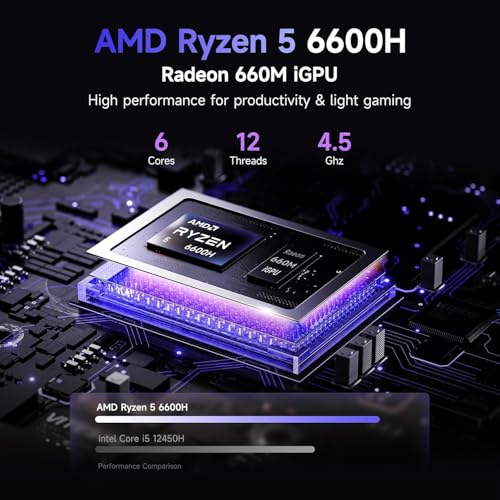
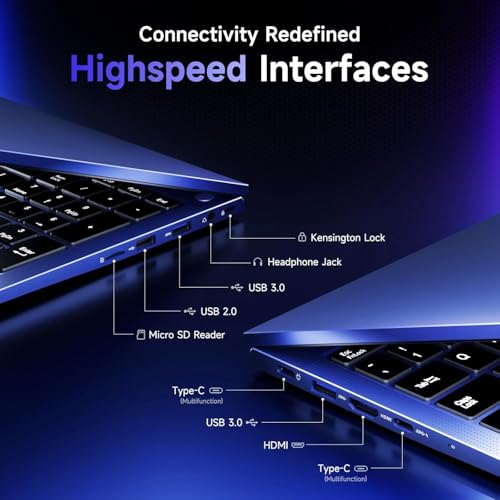
NIMO 17.3" FHD AI Creator Laptop, 6-Core AMD Ryzen 5 16GB 5600MHz 256GB SSD (Beat R5 7430U up to 4.5GHz) Radeon 660M, IPS 100W Fast PD Backlit-KB Video Editing Light Gaming & Study 2-Yr Warranty




As an Amazon Associate we earn from qualifying purchases. Product prices and availability are accurate as of the date/time indicated.

14" AI Laptop | 2026-2027 Edition High Performance N150 4GB RAM 128GB UFS | 1-Year Office 365 | Fast Charge WIFI6 | Copilot AI Windows 11 Computer for Student Study Work Online Classes


As an Amazon Associate we earn from qualifying purchases. Product prices and availability are accurate as of the date/time indicated.

MSI Summit 13 AI+ Evo (2024) 13.3" FHD+ Professional Laptop: Intel Core Ultra 7-258V, ARC Graphics, 32GB LPDDR5X, 2TB NVMe SSD, Thunderbolt 4, Win 11 Pro: Ink Black A2VMTG-017US


As an Amazon Associate we earn from qualifying purchases. Product prices and availability are accurate as of the date/time indicated.
StarTech 9-in-1 USB-C Mini Dock with 4K HDMI and 140W PD, 10Gbps, GbE, SD | 140W Power Delivery, MicroSD slot, Simultaneous card transfers, AI-ready laptops, Free lifetime 24/5 tech support





As an Amazon Associate we earn from qualifying purchases. Product prices and availability are accurate as of the date/time indicated.

HP OmniBook X Flip 2-in-1 14" 2K OLED Touchscreen Laptop, AMD Ryzen AI 7 445, 24GB LPDDR5X, 1TB SSD, Backlit Keyboard, Copilot+ PC, Wi-Fi 7, Win 11, Deep Espresso (Renewed)


As an Amazon Associate we earn from qualifying purchases. Product prices and availability are accurate as of the date/time indicated.

WEELIAO OneXPlayer Super X Gaming Laptop with AMD Ryzen AI Max+388 Processor Radeon 8060S 40 Compute Units,14-inch Display with Protective Bag | Magnetic Keyboard | Handle | Soft Film (48G+1TB)


As an Amazon Associate we earn from qualifying purchases. Product prices and availability are accurate as of the date/time indicated.

HP OmniBook X Flip 2-in-1 14" WUXGA OLED Touchscreen Laptop, AMD Ryzen AI 7 445, 24GB LPDDR5X, 2TB Storage (1TB SSD+1TB Docking Station), Copilot+ PC, Backlit Keyboard, Wi-Fi 7, Win 11, Deep Espresso


As an Amazon Associate we earn from qualifying purchases. Product prices and availability are accurate as of the date/time indicated.
| Listing | Memory and processor per title | Price tier | Best for |
|---|---|---|---|
| Apple MacBook Air 13 inch (M5) | 24GB unified memory, 1TB SSD | Mid to Premium | Quiet mid-size models, mobility |
| Offline ChatGPT guide book | Not a laptop; a beginner guide | Budget | Learning, not running |
| NIMO 17.3 inch AI Creator | 6-core Ryzen 5, 32GB, 1TB SSD, Radeon 660M | Budget to Mid | Small models on a budget |
| 14 inch AI Laptop (N150) | 4GB RAM, 128GB UFS | Budget | Not for local AI |
| MSI Summit 13 AI+ Evo | Core Ultra 7 258V, 32GB LPDDR5X, 2TB SSD | Premium | Light, 32GB Windows option |
| StarTech 9-in-1 USB-C Dock | Accessory; no processor or memory | Budget | Not a laptop |
| HP OmniBook X Flip (renewed) | Ryzen AI 7 445, 24GB LPDDR5X, 1TB SSD | Mid | Copilot+ class, 2-in-1 |
| WEELIAO OneXPlayer Super X | Ryzen AI Max+ 388, 40 CU Radeon 8060S, 48GB, 1TB | Premium | Larger models in a 14 inch body |
| HP OmniBook X Flip with dock storage | Ryzen AI 7 445, 24GB LPDDR5X, 1TB SSD plus dock | Mid to Premium | Same platform, bundled storage |
Hardware Requirements for Local Models
Running a model locally means loading its weights into memory and reading them again for every token it produces. That makes two numbers central: how much memory the model needs and how fast the system can read it. Compute matters less for chat than people expect. The processor type matters mostly for software support.
| Model size (4-bit) | Approximate weight memory | Practical total memory |
|---|---|---|
| 3B to 4B | About 2 to 3GB | 8GB can work, 16GB is comfortable |
| 7B to 8B | About 4 to 5GB | 16GB |
| 13B to 14B | About 8 to 9GB | 24GB |
| 30B to 34B | About 18 to 20GB | 32GB or more |
| 70B | About 40GB | 64GB or more |
These are rules of thumb and vary with quantisation level, context length and software. Our detailed guide on how much VRAM and RAM you need to run a local LLM on a laptop breaks the numbers down further. If you want a discrete-GPU machine instead of unified memory, the best gaming laptops for local LLMs and Stable Diffusion are the place to compare.
Architecture Classes in This Set
| Class | Examples here | Strength | Weakness |
|---|---|---|---|
| Unified memory, Apple silicon | MacBook Air M5 | Large shared pool, low power | Memory fixed at purchase; fanless thermals |
| Large-memory integrated AMD | OneXPlayer Super X | Big pool shared with a 40 CU GPU | Software support varies; premium cost |
| Mainstream AI PC (NPU class) | MSI Summit 13, both OmniBook X Flip | Efficient, Copilot+ branding | NPU is not what most local tools use |
| Budget integrated graphics | NIMO 17.3 | Low cost, 32GB | Slow memory and graphics |
| Not suited | N150 laptop, book, dock | None for this purpose | See below |
Software Support and Everyday Use
Hardware is only half of the decision. Local chat tools, coding assistants and image generators each support different graphics backends, and support changes with every release. Apple silicon is well covered by mainstream tools, NVIDIA graphics by almost everything, and AMD and Intel graphics by a growing but less even set. Before ordering, check the documentation of the one or two tools you intend to use and look for your exact chip family.
Think about the workload as well. Short chats and summaries need little: a small model on a 16GB laptop will do. Coding help and long documents benefit from bigger models and longer context, and a long context grows memory use on top of the weights. Image generation is more demanding on the GPU than chat is, and the integrated graphics in most of these listings will be slow at it. Plan for the heaviest task you expect, keep the laptop plugged in during long jobs, and expect fan noise and warmth from any thin machine that runs flat out.
The Nine Listings in Detail
Apple MacBook Air 13 Inch with M5 Chip
This Apple listing describes the 13.6 inch Liquid Retina model with the M5 chip, 24GB of unified memory, a 1TB SSD, a 12MP Center Stage camera, Touch ID and Wi-Fi 7, in Midnight. The title says the laptop is built for AI, which is Apple’s marketing line. The meaningful specs are the 24GB pool and the unified design, in which the CPU and GPU share memory rather than copying data between separate pools.
Apple’s published specifications list 153GB/s of memory bandwidth for the M5, which is useful for local language models. With 24GB you can load a 13B or 14B class model at 4-bit with room to spare, and smaller models run comfortably. The Air has no fan, so long generation sessions may slow as it warms. It suits students, writers and developers who want short local chats and good battery life.
- Pros: 24GB unified memory; published bandwidth of 153GB/s; quiet and light; broad macOS tool support.
- Cons: Fanless design under long loads; memory cannot be upgraded later; 24GB limits 30B class models.
Question to ask before buying: will your preferred local tools run natively on macOS, or only on Windows?
I Built My Own Offline ChatGPT: Beginner-Friendly Guide
This listing is a book or digital guide, priced like one, not a laptop. The title promises a beginner-friendly walk-through of running a private AI on low-end and high-end laptops with 4GB to 16GB of RAM, no coding required. It is in the set because search results mix products, and it is clearly off-type for a hardware roundup.
A guide can help a first-time user pick a tool and download a small model, but claims such as running on 4GB of RAM should be read with care: tiny models on a 4GB machine are slow and limited. Software tools change quickly, so check the publication date and reader comments before relying on the steps. If you need a laptop, skip this listing; if you want a primer, it is the cheapest item here.
- Pros: Very low cost; beginner-oriented; no hardware to return.
- Cons: Not a computer; steps may date quickly; RAM claims are optimistic.
Question to ask before buying: when was it published, and does it match the current version of the tools you plan to use?
NIMO 17.3 Inch FHD AI Creator Laptop
The NIMO listing offers a 17.3 inch full HD IPS display, a six-core AMD Ryzen 5 (the title cites a Ryzen 5 7430U comparison), 32GB of 5600MHz memory, a 1TB SSD, Radeon 660M integrated graphics and 100W PD charging, with a two-year warranty. The AI Creator label is marketing; the title names no NPU.
The 32GB of RAM is the attraction, because it lets small and mid-size models load. The weakness is bandwidth: dual-channel DDR5-5600 offers a theoretical peak of roughly 90GB/s, well below Apple’s published figure, so generation speed will be modest. Treat it as a budget way to experiment with 7B to 13B class models, not as a fast local AI laptop.
- Pros: 32GB RAM and 1TB SSD at a low cost tier; large screen; two-year warranty per title.
- Cons: Slow integrated graphics; no NPU named; modest bandwidth; comparison claim is unverified.
Question to ask before buying: is the RAM soldered, and is the dual-channel configuration confirmed?
14 Inch AI Laptop with N150, 4GB RAM and 128GB UFS
This listing is a budget 14 inch laptop with an N150 processor, 4GB of RAM, 128GB of UFS storage, a one-year Office 365 subscription, Wi-Fi 6 and Windows 11 with Copilot, aimed at students. The AI Laptop label refers to cloud-based Copilot features, not local model performance.
It is off-type for this keyword. With 4GB of RAM, Windows and a browser already use most of the memory, leaving almost nothing for model weights. It is a reasonable low-cost machine for web-based study and office tasks, and cloud AI services will work in a browser, but it cannot be recommended for running models on the device itself.
- Pros: Very low cost; light; includes an Office subscription period.
- Cons: 4GB RAM; 128GB storage; entry processor; AI branding is misleading for local use.
Question to ask before buying: are you after local AI, or only a cheap laptop that can open AI websites?
MSI Summit 13 AI+ Evo Professional Laptop
The Summit 13 listing describes a 13.3 inch FHD+ business laptop with an Intel Core Ultra 7 258V, Arc graphics, 32GB of LPDDR5X, a 2TB NVMe SSD, Thunderbolt 4 and Windows 11 Pro. The memory is on-package in this class of processor, which means it cannot be expanded but tends to be efficient.
The 32GB pool covers 7B to 14B class models and can stretch toward 30B class at low quantisation with small contexts. Intel’s chip includes an NPU, but the title gives no TOPS figure, so check the maker’s spec page. On-package LPDDR5X designs often offer more bandwidth than typical SO-DIMM laptops, but the title gives no figure, so confirm it on the spec sheet. It is a thin, professional machine that handles AI features in apps well and light local models adequately.
- Pros: 32GB LPDDR5X; 2TB SSD; Thunderbolt 4; light 13 inch body.
- Cons: Soldered memory; small screen; premium cost; no stated NPU rating in the title.
Question to ask before buying: what are the maker’s NPU and memory-speed specifications?
StarTech 9-in-1 USB-C Mini Dock
This listing is a docking accessory: a 9-in-1 USB-C mini dock with 4K HDMI, 140W Power Delivery pass-through, 10Gbps USB, Gigabit Ethernet and SD and microSD slots, with lifetime support. The AI-ready phrase in the title is marketing, because a dock has no processor or memory to run any model.
It is off-type for the keyword and appears only because the retailer lists it next to AI laptops. If you buy a thin laptop for local AI, a dock can be a useful companion, adding wired networking for downloading large model files and an external display. But it does nothing for local AI performance by itself.
- Pros: Useful ports; Ethernet helps with large downloads; 140W pass-through.
- Cons: Not a laptop; no effect on AI speed; compatibility depends on your laptop’s USB-C features.
Question to ask before buying: does your laptop’s USB-C port support power delivery and video output?
HP OmniBook X Flip 2-in-1 14 Inch, Renewed
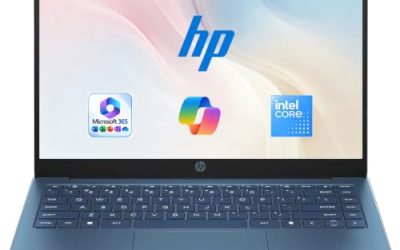
The first OmniBook X Flip listing is a renewed 14 inch 2K OLED touchscreen 2-in-1 with a Ryzen AI 7 445, 24GB of LPDDR5X, a 1TB SSD, a backlit keyboard, Wi-Fi 7 and Windows 11, in Deep Espresso, marketed as a Copilot+ PC. Renewed means a previously owned or refurbished unit, so check the grade and warranty on the page.
The 24GB pool suits 7B to 14B class models. Copilot+ branding typically implies a capable NPU, but the title does not state a figure, and most local tools do not yet lean on the NPU, so check the maker’s spec page for both NPU and memory speed. It is a flexible 2-in-1 for note-taking and light local models, with an OLED panel that is pleasant for reading.
- Pros: 24GB LPDDR5X; OLED touchscreen; Copilot+ class; lower cost than new.
- Cons: Renewed condition; soldered memory; no stated NPU figure in the title.
Question to ask before buying: what condition grade and warranty come with the renewed unit?
WEELIAO OneXPlayer Super X Gaming Laptop
This listing from WEELIAO describes a OneXPlayer Super X with an AMD Ryzen AI Max+ 388, a Radeon 8060S with 40 compute units, a 14 inch display, 48GB of memory and a 1TB SSD, bundled with a protective bag, magnetic keyboard, handle and soft film. AMD’s published specifications for the Ryzen AI Max+ 388 list eight cores, a 40 CU Radeon 8060S and quad-channel LPDDR5X memory at about 256GB/s.
That bandwidth is higher than Apple’s published figure for the Air and far above ordinary laptop DDR5, which is why this class of chip is popular for local models. With 48GB, a 30B class model fits at 4-bit, while a 70B class model is a tight squeeze at best. The software question is real: AMD graphics support in local tools exists but varies. The seller and warranty are less established than big brands, so verify support terms.
- Pros: 48GB of fast shared memory; strong integrated GPU; handles larger models than the others here.
- Cons: Premium cost; niche brand; tool support differs from NVIDIA; memory fixed at purchase.
Question to ask before buying: how much of the 48GB can be allocated to the GPU, and what does the warranty cover?
HP OmniBook X Flip 2-in-1 with Docking Station
The second OmniBook X Flip listing shares the Ryzen AI 7 445, 24GB of LPDDR5X, a WUXGA OLED touchscreen, Wi-Fi 7 and Windows 11, but the storage line reads 2TB made of a 1TB SSD plus a 1TB docking station. That wording is a flag: the second terabyte sits in an external dock, not inside the laptop, so you carry it only if you bring the dock.
For local AI the specs are the same as the renewed listing: 24GB suits 7B to 14B class models. Large model files can live on the dock, but loading them from external storage is slower than from the internal SSD. The listing is not marked renewed, so compare the cost against the first OmniBook before choosing it.
- Pros: 24GB LPDDR5X; OLED touchscreen; extra storage included; Copilot+ class.
- Cons: Storage claim is partly external; WUXGA OLED rather than 2K; same memory limit as the other OmniBook.
Question to ask before buying: what exactly is in the box, and is the dock needed to reach the stated storage?
Selection Matrix by Model Size
| You want to run… | Look at | Reason |
|---|---|---|
| Small 3B to 8B chat models | NIMO 17.3, MacBook Air, OmniBook X Flip | 16GB or more is plenty |
| 13B to 14B models | MacBook Air 24GB, OmniBook X Flip, Summit 13 | 24GB to 32GB pools |
| 30B class models | OneXPlayer Super X, Summit 13 (tight) | 32GB to 48GB |
| 70B class models | None of these | Needs 64GB or more |
| Cloud AI in a browser only | The N150 laptop | Does not need local hardware |
Worked Example: Token Speed From Memory Bandwidth
Each token requires reading roughly the whole model from memory, so a simple upper bound is bandwidth divided by model size. Real speeds are lower because of overhead, so this is a ceiling, not a prediction. The assumptions are an 8B model at 4-bit (about 5GB) and a 30B class model at 4-bit (about 19GB).
| System | Bandwidth (source) | Ceiling, 5GB model | Ceiling, 19GB model |
|---|---|---|---|
| Dual-channel DDR5-5600 laptop | About 90GB/s (arithmetic from spec) | About 18 tokens per second | Model may not fit in 16GB |
| MacBook Air M5 | 153GB/s (Apple) | About 30 tokens per second | Does not fit well in 24GB |
| Ryzen AI Max+ 388 class | About 256GB/s (AMD) | About 50 tokens per second | About 13 tokens per second |
Even a ceiling of 13 tokens per second is readable for chat, while a real figure well below that may feel slow. Other factors matter too: context length, the software, and how many layers run on the GPU. Use the table to compare classes rather than to promise speeds.
Pre-Purchase Verification Checklist
- Decide the largest model you want to run, then add several gigabytes for the system.
- Confirm whether memory is soldered; if so, buy the size you will need in two years.
- Look for the maker’s published memory bandwidth, not only the capacity.
- Check that your chosen tool supports the graphics chip on Windows or macOS.
- Treat NPU and TOPS claims as secondary unless your tool uses the NPU.
- Read the condition, seller and storage wording, especially for renewed and bundled listings.
Common Mistakes
| Mistake | Consequence | Fix |
|---|---|---|
| Buying by AI branding | Cloud-feature laptops cannot run models locally | Check RAM and graphics instead |
| Ignoring bandwidth | Models load but generate slowly | Compare published bandwidth |
| Choosing 16GB to save money | Locked to small models | Pick 24GB to 32GB or more |
| Counting dock storage as internal | Large files load more slowly | Read the storage line closely |
| Assuming every GPU has equal software support | Tools may not use your hardware | Check support before ordering |
Verdict by Use Case
For the largest models in a portable body, the OneXPlayer Super X has the most memory and the highest bandwidth in the set, with caveats on support and brand. For quiet, everyday local chat, the MacBook Air with 24GB is the simplest path. For Windows, the MSI Summit 13 with 32GB and the OmniBook X Flip with 24GB are workable mid-size options, and the NIMO is a budget experiment machine. The book, the N150 laptop and the dock should be skipped for local AI.
Related guides
- Gaming Laptop Battery Draining While Plugged In Fix
- Graphics Cards For Low Wattage Power Supplies
- How To Stop Laptop Thermal Throttling In Software
Frequently Asked Questions
How much memory does a laptop need to run local AI models?
Memory capacity decides which models you can load at all. As a rough guide, a 4-bit quantised model needs about half a gigabyte to six-tenths of a gigabyte per billion parameters, plus working space for context. An 8B model fits comfortably in 16GB of total memory, a 30B class model wants around 32GB or more, and a 70B model wants well over 48GB. Leave several gigabytes for the operating system.
Is an NPU or a TOPS number enough to run local language models?
Not by itself. TOPS counts operations per second on a neural processing unit, and sellers use it as a headline, but language model speed usually depends on memory bandwidth and software support. Many local tools run on the CPU or GPU rather than the NPU. Treat the number as a marketing claim and look at memory size and bandwidth first.
Can a MacBook Air run local AI?
Yes, for small and mid-size models. Apple’s chips use unified memory shared by the CPU and GPU, so a configuration with 24GB can load models that a laptop with 8GB of dedicated graphics memory cannot. A fanless Air may slow down during long generation sessions, so it suits short chats and drafting better than hours of continuous batch work.
Do I need an NVIDIA GPU for local AI on a laptop?
Not always. NVIDIA GPUs have the widest software support and strong speed on models that fit their video memory, but unified-memory laptops from Apple and AMD can load larger models. Software support differs between vendors and changes quickly, so check that the tool you want, such as a chat app or an image generator, supports your hardware before buying.
Is a laptop with 4GB of RAM able to run a local chatbot?
Only the very smallest models, and with little room left for anything else. Windows alone uses a large part of 4GB, and chat models need memory for the model weights and the conversation context. A 4GB laptop is fine for cloud-based AI services in a browser, but it is the wrong tool for running models locally.