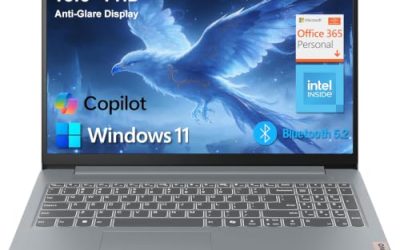
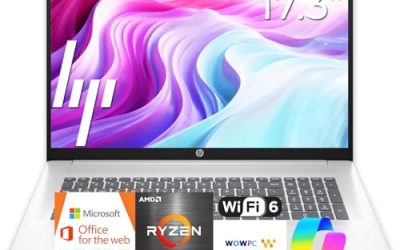
“Best 15 laptop” is really a question about screen real estate. Fifteen inches is the size class where a laptop stops feeling cramped for spreadsheets and split windows, yet still slides into most backpacks. The decision is less about the number itself and more about what you give up to get it: a 15-inch body usually weighs more than a 13-inch ultraportable, and the cheapest versions pair a big panel with slow memory and small storage. This guide sorts five listed models that cover the 15.3-inch to 15.6-inch range so you can match the panel, memory, and processor to your daily routine.
The picks suit students who want a roomy screen for research and writing, home-office workers who prefer one machine without an external monitor, and families looking for a shared computer that handles streaming, video calls, and homework. Because the listings are the only source used here, advice comes from the stated specs: processor family, memory type, storage size, display details, and wireless standards. For 2026 purchases the practical floor is 8GB of memory and a 512GB drive, and anything below that deserves a clear reason, such as a very tight budget.
Our Top Picks



Top 3 picks at a glance
Quick Picks
As an Amazon Associate we earn from qualifying purchases at no extra cost to you.



| Product | Best for | Key spec from the title |
|---|---|---|
| Apple MacBook Air 15 (M5) | Premium all-round use | 15.3-inch Liquid Retina, 16GB unified memory, 512GB SSD |
| ASUS Vivobook Go 15 | Students on the move | 15.6″ FHD, 8GB RAM, 512GB SSD, WiFi 6E |
| Dell 15.6 (Core 3 100U) | Bright rooms and shared desks | Anti-glare IPS, 250 nits, 512GB SSD |
| Dell 15.6 (Ryzen 5 7520U) | Smoother scrolling and video | FHD 120Hz IPS, LPDDR5, 512GB SSD |
| HP Portable 15 | Basic browsing on a small budget | HD IPS, Pentium, 4GB DDR4, 128GB SSD |
How to Choose
Screen size is not the same as screen quality
A 15.6-inch laptop can ship with an HD (1366×768) or a full HD (1920×1080) panel, and the difference is obvious in text sharpness and how many windows fit comfortably. Look for FHD as the baseline. If the title mentions 120Hz, scrolling and cursor movement look noticeably smoother than on the usual 60Hz panel. Brightness near 250 to 300 nits is fine indoors; anti-glare coatings help under office lighting. The Apple listing refers to a Liquid Retina display, which is a higher-density panel than the budget IPS screens in this group.
Memory type and size set the ceiling
Eight gigabytes is the practical minimum today, and 16GB is the number to chase if you keep many tabs open or plan to keep the laptop for years. Memory type matters too: DDR5 and LPDDR5 are newer and faster than DDR4, but they are often soldered, so the amount you buy is the amount you keep. Treat a 4GB configuration as a very light-duty option for browsing and documents.
Storage and wireless standards
Choose 512GB if you can, because storage is the part of a laptop you cannot easily expand later. A 128GB drive leaves little space after Windows updates, apps, and downloaded files. For wireless, Wi-Fi 6 or 6E handles crowded networks better than Wi-Fi 5, though the difference only appears if your router supports it. Bluetooth is nearly universal now, so it should not drive your decision.
Ports, keyboard, and build
Check whether the listing mentions HDMI for an external display and a full-size keyboard with a numeric keypad. Titles in this group are sometimes truncated, so verify USB-C and charging details on the product page. A “military grade” mention refers to durability standards used in marketing; it suggests the maker applied extra durability criteria, not an indestructible chassis, so keep a sleeve or bag anyway. Also consider battery life: titles rarely give reliable hours, so rely on the product page and plan for an all-day charger if you work away from outlets.
The 5 Best Options
Apple MacBook Air 15 (M5)
This is the most capable machine in the group on paper. The title lists an M5 chip, a 15.3-inch Liquid Retina display, 16GB of unified memory, a 512GB SSD, and a 12MP Center Stage camera. It fits professionals, students in creative fields, and anyone who wants a large, quiet laptop for years of use without hunting for upgrades. The camera detail also helps people who spend hours on video calls each week. Because the unified memory is shared between the processor and graphics, the 16GB figure goes further than the same number on a typical Windows laptop, which makes this a sensible option for photo editing, coding, and long document sessions on the larger 15.3-inch canvas.
- Strength: 16GB of memory and a 512GB drive offer lasting headroom.
- Strength: the Liquid Retina panel and camera suit meetings and media.
- Trade-off: it sits at the premium tier, well above the Windows models here.
Skip it if you depend on Windows-only software or have a strict budget.
ASUS Vivobook Go 15
The Vivobook Go 15 lists a 15.6-inch FHD 60Hz screen, an AMD Ryzen 5 processor (the exact model is cut off in the title), Radeon graphics, 8GB of RAM, and a 512GB SSD. It also mentions an ErgoSense keyboard, military grade durability, and WiFi 6E. That mix targets students and mobile workers who want a sturdy everyday laptop with a decent amount of storage. Since the processor name is truncated, confirm the exact Ryzen 5 model on the product page; the rest of the specs show a balanced configuration for lectures, group projects, and streaming after class.
- Strength: 512GB of storage and WiFi 6E at an accessible tier.
- Strength: durability and keyboard comfort are part of the pitch.
- Trade-off: 8GB of RAM is the minimum rather than a generous amount.
Skip it if you want a high refresh rate or more than 8GB of memory.
Dell 15.6 (Core 3 100U)
Dell lists an Intel Core 3 100U, 8GB of DDR4, a 512GB SSD, Windows 11 Home, Wi-Fi 6, and an FHD anti-glare IPS screen at 250 nits. It is a practical office-and-school laptop, better suited to documents, browsing, and streaming than to heavy multitasking. The anti-glare treatment makes it friendlier in classrooms and bright home offices. Households that want a straightforward Windows laptop without a premium price tend to value that kind of predictable, no-surprises configuration over flashy extras, and the 512GB drive means the first year of photos and files will fit.
- Strength: anti-glare IPS FHD display and a sizeable SSD.
- Strength: Wi-Fi 6 and Windows 11 Home are ready for everyday use.
- Trade-off: DDR4 memory and an entry-level chip limit demanding workloads.
Skip it if you plan to run many programs at once.
Dell 15.6 (Ryzen 5 7520U)
This Dell listing combines an AMD Ryzen 5 7520U with Radeon 610M graphics, LPDDR5 memory, a 512GB SSD, and an FHD 120Hz IPS display in Carbon Black. The 120Hz panel is the standout in a size class where 60Hz is the norm, and it is a tidy pick for people who scroll web pages, read documents, or watch video all day. Pairing a Ryzen 5 with LPDDR5 memory also suggests a modern platform for everyday multitasking, while the Carbon Black finish keeps the look understated for classrooms, coffee shops, and meeting rooms alike.
- Strength: 120Hz refresh gives smoother motion than standard panels.
- Strength: LPDDR5 memory and a 512GB drive keep it responsive.
- Trade-off: the title lists Wi-Fi 5, an older wireless standard.
Skip it if you need the newest Wi-Fi standard or have a large router upgrade planned.
HP Portable 15
The HP listing describes a 15-inch HD Micro-Edge IPS screen, an Intel Pentium processor up to 3.68GHz, 4GB of DDR4, a 128GB SSD, HDMI, a webcam, and Wi-Fi 6. It sits at the budget tier and fits a spare family laptop, a first computer for a child, or a secondary machine for basic web tasks and email. The Micro-Edge bezels keep the body a little more compact, and the included webcam covers video calls with relatives. Treat it as a light-duty device, and plan on cloud storage or an external drive if files will accumulate over time.
- Strength: low entry cost and an HDMI port for a TV or monitor.
- Strength: Wi-Fi 6 and a webcam cover everyday video chat.
- Trade-off: 4GB of RAM and 128GB of storage run out of room quickly.
Skip it if you plan to use it for work, many browser tabs, or years of file storage.
Which One Fits Your Situation
You want one laptop for the next five years
The Apple MacBook Air 15 (M5) lists the most memory and the most modern display of the group. If budget allows and Windows is not required, it ages best. Its memory and storage are the biggest in this roundup, and that matters most for a laptop you will not replace for half a decade.
You are a student with a limited budget
The ASUS Vivobook Go 15 offers 512GB of storage, an FHD screen, and a durability message that matters in backpacks. It is the balanced mid-range choice, with enough storage to avoid constant cleanup and a wireless standard that suits shared campus networks.
You read and scroll more than you type
The Dell 15.6 with the Ryzen 5 7520U brings a 120Hz panel to a familiar size, which makes long reading sessions and web browsing feel smoother. It also suits anyone who splits time between documents, news sites, and video, where motion clarity is noticed more than raw processing power.
You need a basic shared computer for the family
The HP Portable 15 can cover homework research, email, and video calls at the lowest tier, provided you accept its small memory and storage. Keep expectations modest: use cloud documents, close unused tabs, and consider a different model if the laptop will also serve as a primary work machine.
Common Mistakes
- Choosing a 15-inch laptop with an HD panel and expecting sharp text; the larger size spreads the same low pixel count across a bigger area.
- Buying 4GB of RAM for anything beyond very light use.
- Assuming a big screen means a powerful processor; some of the largest, cheapest listings pair a wide panel with entry-level chips.
- Overlooking weight; larger bodies are harder to carry daily.
- Ignoring the truncated parts of a listing and skipping the product page for the exact processor and port details.
Related guides
- Gaming Laptop Battery Draining While Plugged In Fix
- Graphics Cards For Low Wattage Power Supplies
- How To Stop Laptop Thermal Throttling In Software
Frequently Asked Questions
Is a 15-inch laptop too big for a backpack?
No. Most 15-inch models fit standard backpacks and sleeves, though they are heavier than 13-inch laptops. If you commute on foot daily, check the listed weight.
Is 8GB of RAM enough?
For documents, browsing, and streaming, yes. If you keep many tabs open or plan to keep the laptop for years, 16GB is safer.
Does a 120Hz screen matter?
It makes scrolling and cursor movement look smoother, which many people notice immediately. It does not change performance, so it is a comfort feature, not a power upgrade.
Mac or Windows for a 15-inch laptop?
Choose the platform your apps and workflow require. The Mac option here offers more memory and a premium display, while the Windows models offer lower entry costs and wider hardware variety. If you already own an iPhone or iPad, the Mac option gains extra appeal through shared photos, messages, and files, but Windows buyers should not pay for that benefit if they will not use it.