“Basic laptop” is a deceptively loose phrase. For some buyers it means a machine that opens email, a browser, and a video call without drama. For others it means the most stripped-down notebook that still runs Windows 11 and can be handed to a relative who only needs the internet. The decision this keyword implies is where to stop adding features: which parts of the spec sheet deserve a little extra attention, and which you can safely leave at the entry level. On a basic laptop, three numbers do most of the work: memory, storage type, and screen quality.
This guide is for first-time buyers, parents setting up a family computer, retirees, and anyone who needs a dependable second laptop for web and office work. It compares six entry-level Windows notebooks using only the specs in each listing, such as processor family, RAM, storage, screen, and ports. The honest truth in 2026 is that some basic laptops are far more basic than others, and a few extra gigabytes of memory or a real SSD can decide whether the machine feels fine or frustrating after a year of updates.
Our Top Picks
 HP 14" Ultra-Light Laptop for Student & Home4GB|128GB Storage12.76 x 8.86 x 0.71 Inches3.24 PoundsCheck on Amazon



Top 3 picks at a glance
Quick Picks
As an Amazon Associate we earn from qualifying purchases at no extra cost to you.




| Product | Best for | Key spec from the title |
|---|---|---|
| HP 14-inch Laptop (Intel N150, UFS) | Web, email, and streaming | N150, 4GB RAM, 128GB UFS, Microsoft 365 Personal for 1 year |
| HP 14-inch Ultra-Light (Celeron N4500) | Light carry for students and home | 4GB RAM, 64GB eMMC plus 64GB SD card, 12-hour claim |
| Dell 15.6-inch Laptop (Core 3 100U) | Most capable all-round basic pick | 8GB DDR4, 512GB SSD, anti-glare IPS, 250 nits, Wi-Fi 6 |
| HP 14-inch Laptop (N150, SSD) | Entry model with an SSD | N150, 4GB DDR5, 128GB SSD, 1TB cloud storage |
| OTVOC 15.6-inch Laptop | Upgrading memory and storage later | Core 8100Y, upgradeable RAM and SSD, FHD IPS, cooling fan |
| Acer Aspire 3 A315-24P | Faster storage and memory in a slim body | Ryzen 3 7320U, 8GB LPDDR5, 128GB NVMe SSD, Wi-Fi 6 |
How to Choose
Memory sets the ceiling on how long the laptop stays pleasant
Four gigabytes of RAM will run Windows 11 and a browser, but it leaves almost no space for a second window, a video call, or the background updates Windows installs on its own. Eight gigabytes is the number to look for if you want the laptop to feel responsive for several years. If a model lists upgradeable memory, that is a useful escape hatch, since you can add capacity later without replacing the whole device. Watch the memory type as well: LPDDR5 and DDR5 are faster than older DDR4, though capacity matters more at this level.
Storage type matters more than storage size
Basic laptops commonly use UFS or eMMC flash storage, which is slower than a true SSD, and small capacities such as 64GB or 128GB fill quickly after updates. An NVMe SSD is the fastest option you will see in this class, and 256GB is a comfortable starting point. Cloud storage plans and SD cards add convenience, but they are not a replacement for internal space, and bundled cloud storage often lasts a year before it asks for payment.
Screen quality and size
A 14-inch laptop is easier to carry and a 15.6-inch laptop is easier to type on. Look for a Full HD (1920 by 1080) IPS panel, which offers wider viewing angles and sharper text than a basic HD screen. A brightness of 250 nits is adequate for indoor use, but a dim panel struggles near windows. Anti-glare coatings are a plus if you work in bright rooms, and a webcam of any kind is enough for video calls.
Processors, ports, and what to ignore
For basic tasks, an Intel N150, a Celeron N4500, a Core 3, or a Ryzen 3 will all do the job, with the latter two being the more capable. Do not over-focus on gigahertz figures or on labels like “AI” and “Copilot” unless the hardware spec backs them up. Instead, check ports: a USB-C connector, a full-size USB port, and HDMI cover most needs. Wi-Fi 6 is a modest bonus. A bundled one-year Microsoft 365 plan is nice, but it expires.
A useful rule for basic laptops is to protect the parts you cannot change. Memory is often soldered and storage can be cramped, so a model that gets those two right will age better than one that spends its budget on a flashy label. Screen quality is the next factor, since you look at it for every minute of use. Processor choice, by contrast, matters least at this level, because every chip here handles web browsing, streaming, and office documents.
The 6 Best Options
HP 14-Inch Laptop (Intel N150, 128GB UFS)
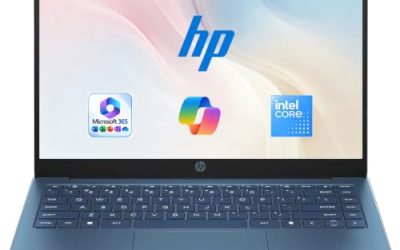
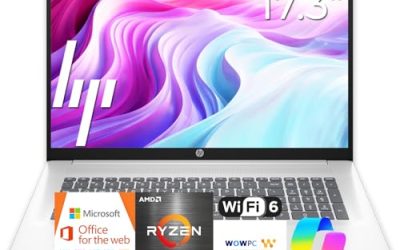
This 14-inch HP combines an Intel N150 processor, 4GB of RAM, 128GB of UFS storage, an HD display, and Windows 11 Home, with a one-year Microsoft 365 Personal subscription. It is the plainest of the group, aimed at email, streaming, and online documents. The HD panel is the most basic display of the group, which is fine for video but softer for reading small text.
- Strength: the bundled Microsoft 365 plan saves a software purchase for the first year.
- Strength: a 14-inch body is simple to carry from room to room.
- Trade-off: 4GB of RAM and UFS storage will feel limited as updates and apps pile up.
Skip it if you plan to keep many tabs or documents open at once.
HP 14-Inch Ultra-Light Laptop (Celeron N4500)
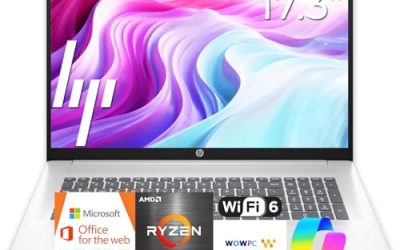
Marketed for students and home use, this HP lists a Celeron N4500, 4GB of RAM, and 64GB of eMMC storage with a 64GB SD card. It comes with a one-year Office 365 subscription and a 12-hour battery claim. The pairing of internal eMMC and an SD card suggests it is built for light, mostly online use.
- Strength: the long battery claim and ultra-light framing suit travel between rooms and classes.
- Strength: an SD card slot gives a spot to move photos and documents.
- Trade-off: 64GB of eMMC is tight, and Windows updates can consume much of it.
Skip it if you want a machine that will keep working smoothly for years.
Dell 15.6-Inch Laptop (Core 3 100U)
The Dell is the best-equipped laptop on this list, with an Intel Core 3 100U, 8GB of DDR4 memory, a 512GB SSD, Windows 11 Home, and a 15.6-inch Full HD anti-glare IPS display listed at 250 nits. It also lists Wi-Fi 6 and Bluetooth. Of the six laptops, its spec sheet reads most like a mainstream everyday notebook rather than a bare-minimum one.
- Strength: 8GB of RAM and a 512GB SSD give the most headroom of any model here.
- Strength: an FHD anti-glare IPS screen is easier on the eyes for long sessions.
- Trade-off: a 15.6-inch body is bulkier than the 14-inch models.
Skip it if you want the lightest possible laptop for carrying all day.
HP 14-Inch Laptop (N150, 128GB SSD)
Similar to the first HP in size and processor, this one lists 4GB of DDR5 memory and a 128GB SSD, with 1TB of cloud storage and Windows 11 with Microsoft 365. The SSD is the key upgrade over the flash-storage version, and the cloud storage allowance gives a place for backups during the first period of ownership.
- Strength: an SSD makes startup and app launches feel faster than UFS or eMMC.
- Strength: DDR5 memory is a more modern type than older entry-level laptops use.
- Trade-off: 4GB of RAM and 128GB of storage remain tight for long-term use.
Skip it if you plan to store lots of local files or run several apps together.
OTVOC 15.6-Inch Laptop
OTVOC lists a Core 8100Y processor, 4GB of SO-DIMM RAM, and a 128GB SSD with Windows 11. Its selling points are upgradeable RAM and SSD, a 15.6-inch FHD IPS display, a 2MP webcam, a cooling fan, and a Type-C port. That combination makes it the tinkerer’s choice, since it invites a small hardware upgrade after purchase.
- Strength: upgradeable memory and storage extend the life of the laptop.
- Strength: an FHD IPS screen and a cooling fan are welcome at this level.
- Trade-off: it ships with only 4GB of RAM, so an upgrade may be needed right away.
Skip it if you do not want to open the laptop or buy extra parts.
Acer Aspire 3 A315-24P
The Aspire 3 pairs a 15.6-inch Full HD screen with an AMD Ryzen 3 7320U quad-core processor, Radeon graphics, 8GB of LPDDR5 memory, and a 128GB NVMe SSD, along with Wi-Fi 6. Among the 15.6-inch options, the slim Aspire line is positioned as a step up in responsiveness from the N-series laptops.
- Strength: 8GB of LPDDR5 and an NVMe SSD are a quick pairing for a basic laptop.
- Strength: a quad-core Ryzen 3 offers more headroom than the N-series chips here.
- Trade-off: the 128GB drive is small, so storage fills quickly.
Skip it if you store a large photo or video library locally.
Which One Fits Your Situation
You want the most capable basic laptop
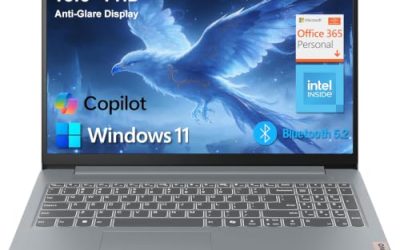
The Dell 15.6-inch with the Core 3 100U, 8GB of RAM, and a 512GB SSD leads the group on memory and storage.
You want something fast but simple
The Acer Aspire 3 combines a Ryzen 3, 8GB of LPDDR5, and an NVMe SSD, which suits everyday browsing and office work.
You expect to upgrade later
The OTVOC lists upgradeable RAM and SSD, so you can add memory when needed rather than replacing the laptop.
You carry the laptop between rooms
Choose the HP 14-inch Ultra-Light for its battery claim, or the HP 14-inch with the SSD for faster startup in a similar size. Both fit easily in a small backpack, and neither has the bulk of a 15.6-inch body.
Common Mistakes
- Choosing a laptop with 4GB of RAM and expecting it to feel quick after a year of updates.
- Treating cloud storage or an SD card as the same thing as internal storage.
- Focusing on the processor name while ignoring whether the storage is an SSD or slower flash memory.
- Assuming a bundled Microsoft 365 plan is permanent when it lasts only one year.
- Buying a large 15.6-inch laptop for frequent carrying when a 14-inch would be easier on the shoulder.
Related guides
- Gaming Laptop Battery Draining While Plugged In Fix
- Graphics Cards For Low Wattage Power Supplies
- How To Stop Laptop Thermal Throttling In Software
Frequently Asked Questions
Is 4GB of RAM enough for a basic laptop?
It is enough for a browser and a document, but it leaves little margin for video calls or many tabs. If you can, choose 8GB for a smoother experience.
What is the difference between eMMC, UFS, and an SSD?
eMMC and UFS are flash chips used in the most entry-level laptops, and they are slower than an SSD. An SSD speeds up startup and file access noticeably, so it is the better choice.
Is a 14-inch or 15.6-inch laptop better for basic use?
A 14-inch model is easier to carry, while a 15.6-inch model gives a larger screen and often a roomier keyboard. Pick based on whether the laptop will mostly stay on a desk.
Can I upgrade the memory in a basic laptop?
Only if the listing says so. Many entry-level laptops solder the memory to the board, while a model such as the OTVOC lists upgradeable RAM and SSD.