An everyday laptop earns its keep in small moments: opening a spreadsheet at 8 a.m., joining a call at noon, streaming a show on the couch at night, and doing it all on a single charge when the outlet is across the room. The buying decision is therefore about balance rather than raw speed. You want enough memory that the tenth browser tab does not stall the first, storage that does not fill after a few updates, and a screen you can read for hours. Spending heavily on gaming-grade hardware is usually wasted here, and so is a plan that ignores how often you will actually carry the laptop out of the house.
This guide is for people who need one reliable computer for school, home administration, light work, and entertainment. The seven laptops below span two operating systems and several memory tiers, from compact 14-inch HP machines to a 15.6-inch Dell with a 512GB drive and an Apple model with a different chip design. Specs are drawn from the listings only, and entry-level details change often, so verify the exact configuration on the product page before ordering in 2026. Treat the quick comparison table as a starting point, then read the sections below for the trade-offs that a single line of specs cannot show.
Our Top Picks
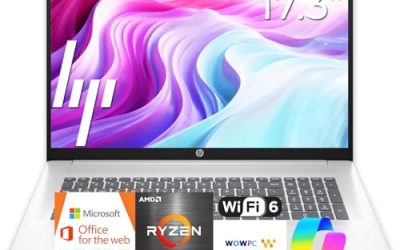
 HP 14 Inch Everyday Laptop16GB RAM | 512GB PCIe SSD12.76 x 8.86 x 0.71 inches3.24 PoundsCheck on Amazon
 HP Everyday Laptop • Microsoft Office 365 Included8GB RAM12.7 x 8.8 x 0.7 inches3.24 PoundsCheck on Amazon


Top 3 picks at a glance
Quick Picks
As an Amazon Associate we earn from qualifying purchases at no extra cost to you.


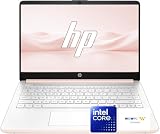

| Product | Best for | Key spec from the title |
|---|---|---|
| HP 14 Inch Everyday Laptop | Portable school and home use | Intel N150, 128GB SSD, Microsoft 365 included |
| HP Everyday Laptop (Copilot AI) | Bundled Office and fast charging | 128GB storage, 1TB cloud, Wi-Fi 6 |
| HP Everyday Slim Laptop (AMD) | Light tasks with newer memory type | AMD processor, 4GB DDR5, 128GB SSD |
| Dell 15.6 Laptop (300 nits) | Brighter screen for varied rooms | Core 3 100U, 8GB, DDR5, 512GB SSD |
| HP Everyday Laptop (8GB) | Everyday multitasking with Office included | 8GB RAM, 128GB SSD, 1TB cloud |
| Apple MacBook Neo 13-inch | Buyers leaving Windows behind | A18 Pro chip, 8GB unified memory, 256GB SSD |
| Dell 15.6 Laptop (250 nits) | Straightforward large-screen work | Core 3 100U, 8GB, DDR4, 512GB SSD |
How to Choose
Treat 8GB of memory as your anchor
For daily use, 8GB of RAM keeps Windows or macOS responsive with a browser, chat app, and document open together. Four gigabytes can work for one task at a time but leaves no cushion. DDR5 memory is a newer standard than DDR4, but the amount matters more than the type, so do not pay extra for DDR5 if it comes with only 4GB. Apple’s unified memory is shared across the chip, so 8GB there is a different design from 8GB of separate RAM, but it is still a modest amount for heavy multitasking.
Decide how much local storage you need
A 128GB drive handles apps and documents but fills quickly with photos and downloads. Many listings add 1TB of cloud storage, which helps only if you are comfortable depending on an internet connection and a subscription that eventually ends. If you keep large files offline, step up to 256GB or 512GB of onboard SSD space.
Look at the screen details, not just the size
For reading and spreadsheets, aim for full HD resolution and an anti-glare finish. Brightness is measured in nits: 250 is workable indoors, while 300 gives some extra headroom in a sunny room. A 14-inch body is easier to carry; a 15.6-inch body gives more working space and often a number pad. Whatever the size, check for a webcam and a headphone jack if you attend many video calls.
Know what bundled extras really mean
Listings often promise Microsoft 365, Copilot AI, and long battery life. Office bundles are typically time-limited, and battery claims rarely come with a capacity figure. Ignore adjectives and look for concrete numbers such as watt-hours, port types, Wi-Fi 6, and USB-C charging.
The 7 Best Options
HP 14 Inch Everyday Laptop (Intel N150)
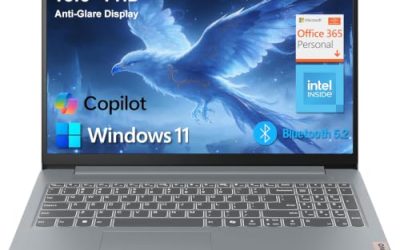
This compact HP pairs an Intel N150 processor with a 128GB SSD, 1TB of cloud storage, Microsoft 365, Windows 11, and Copilot AI features. It fits students and retirees who want a light machine for email, browsing, and documents.
- Strength: a true SSD is quicker than the eMMC storage common on cheaper machines.
- Strength: the 14-inch body travels easily between rooms and classes.
- Trade-off: the title does not list memory, so confirm the RAM before relying on it for multitasking.
Skip it if you plan to keep large media libraries offline or run demanding programs. A typical day of web pages, video calls, and word processing is the sweet spot here, and anything heavier belongs on a laptop with more memory and a faster processor class.
HP Everyday Laptop (Copilot AI, Wi-Fi 6)
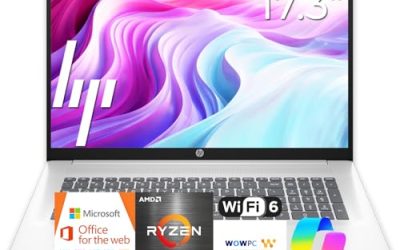
This HP lists an Intel CPU, 128GB of storage, 1TB of cloud storage, Office 365, Windows 11, fast charging, and Wi-Fi 6. It aims at buyers who value a quick top-up between meetings and a stable wireless connection.
- Strength: fast charging helps when you forget to plug in overnight.
- Strength: Wi-Fi 6 improves reliability on busy home networks.
- Trade-off: the processor and memory are not specified in the visible title, so check the listing.
Skip it if you need exact component details before buying, or if you prefer a larger display. Because several nearly identical HP listings circulate with this wording, compare the full spec table and read the product description to avoid mixing up variants.
HP Everyday Slim Laptop (AMD Processor)
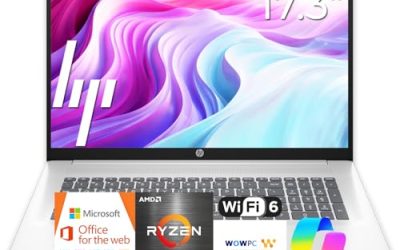
The HP Everyday Slim lists an AMD high performance processor, 4GB of DDR5 RAM, a 128GB SSD, and 1TB of cloud storage on Windows 11. It is a slim, light option for casual browsing and streaming.
- Strength: DDR5 memory is a more modern standard than the DDR4 used on older budget laptops.
- Strength: the slim body suits carrying to class or around the house.
- Trade-off: only 4GB of RAM limits how many programs you can run side by side.
Skip it if you multitask heavily or work with large spreadsheets. It makes more sense as a second or lighter-duty machine, and a model with 8GB would be a calmer long-term choice for most households.
Dell 15.6 Laptop (300 nits, DDR5)
This Dell configuration includes a 15.6-inch full HD anti-glare display at 300 nits, an Intel Core 3 100U, 8GB of RAM, a 512GB SSD, Wi-Fi 6, and Bluetooth. It is the most complete everyday spec sheet among the Windows options.
- Strength: 8GB of RAM and a 512GB SSD cover real daily workloads without storage worries.
- Strength: the 300 nits panel adds extra brightness over the 250 nits Dell variant.
- Trade-off: a 15.6-inch laptop is bulkier to carry than the 14-inch HP machines.
Skip it if portability matters more than screen size. A larger body also means a heavier bag, which matters if you commute with it every day.
HP Everyday Laptop (8GB RAM, Office 365)
This HP lists an Intel processor, 8GB of RAM, a 128GB SSD, 1TB of cloud storage, Office 365, Windows 11, fast charging, and long battery wording. It targets households that want a ready-to-use machine with sensible memory.
- Strength: 8GB of RAM is the right baseline for everyday multitasking.
- Strength: bundled Office and cloud storage shorten setup time.
- Trade-off: only 128GB of local storage fills up faster than the Dell alternatives.
Skip it if you store many photos or videos on the device. In that case, the 512GB Dell models are a more comfortable fit, since cloud storage depends on a subscription and a steady connection.
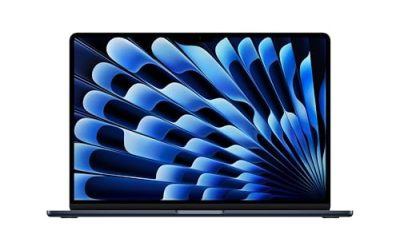
Apple MacBook Neo 13-inch
Apple’s laptop here uses an A18 Pro chip with 8GB of unified memory, a 256GB SSD, and a Liquid Retina display, positioned for AI features and Apple Intelligence. It suits people already using an iPhone who want smooth handoff between devices.
- Strength: 256GB of storage gives more headroom than the 128GB Windows models.
- Strength: the Liquid Retina display is a clear step up from many budget screens.
- Trade-off: it runs macOS, so Windows-only programs will not install.
Skip it if your school or employer requires Windows software. Also skip it if you rely on external devices that expect a larger port selection, and check the listing for what the 13-inch body offers.
Dell 15.6 Laptop (250 nits, DDR4)
This Dell shares the Core 3 100U, 8GB of RAM, and 512GB SSD with its sibling, but lists DDR4 memory and a 250 nits anti-glare IPS panel. It is a solid large-screen work laptop with Wi-Fi 6 and Bluetooth.
- Strength: the 512GB SSD stores years of documents and photos.
- Strength: the IPS panel keeps viewing angles consistent for shared screens.
- Trade-off: it is slightly dimmer than the 300 nits Dell variant.
Skip it if you often work near bright windows, where the 300 nits model is the better choice. Anyone sharing a screen with others should still like the IPS panel, and the matching memory and storage make this a fair alternative if the price tier suits you better.
Which One Fits Your Situation
You are a student who moves between classes
The HP 14 Inch Everyday Laptop with the Intel N150 is the lighter, easier-to-carry pick, and it includes Microsoft 365 for assignments.
You work from a desk most days
The Dell 15.6 with 300 nits brightness, 8GB of RAM, and 512GB of storage gives you a bigger display and plenty of space for files.
You already live in the Apple ecosystem
The MacBook Neo fits if you use an iPhone and do not need Windows-only programs, and it offers 256GB of storage.
You want an inexpensive family computer
The HP Everyday Laptop with 8GB of RAM and bundled Office 365 is a sensible shared machine for homework, bills, and streaming.
Common Mistakes
- Choosing 4GB of RAM because the listing mentions DDR5, when capacity matters more than type.
- Counting cloud storage as a replacement for local space.
- Assuming every near-identical HP listing has the same processor and memory.
- Buying a macOS laptop without confirming your required programs run on it.
- Paying for a larger screen when you need a laptop you can carry all day.
Related guides
- Gaming Laptop Battery Draining While Plugged In Fix
- Graphics Cards For Low Wattage Power Supplies
- How To Stop Laptop Thermal Throttling In Software
Frequently Asked Questions
Is 128GB enough for an everyday laptop?
It can be, if you keep files in the cloud and install few programs. For photos, downloads, and games, a 256GB or 512GB drive is a safer choice.
What does 300 nits mean?
Nits measure screen brightness. 300 nits is brighter than 250 nits and helps in sunlit rooms, though neither matches a premium display. If you mostly work indoors under normal lighting, either figure is perfectly workable.
Should I choose Windows or a Mac for daily use?
Choose Windows if you need broad software compatibility or workplace tools. Choose a Mac if you use an iPhone and want tight integration.
Is long battery life in the title reliable?
Treat it as a marketing phrase. Look for a battery capacity in watt-hours and independent runtime figures before trusting it. Wi-Fi 6 and USB-C charging are listed facts that you can verify, which makes them better guides than adjectives.