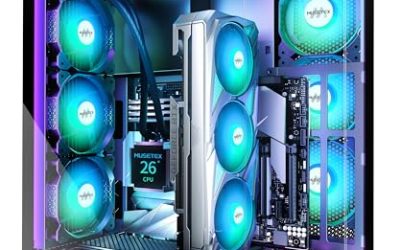
For Devil May Cry 5, a current six-core processor from either AMD or Intel is plenty, because the game scales across about eight threads and shows little gain beyond that; an X3D chip is a luxury here rather than a requirement, and money is better spent on the GPU. This guide covers what the publisher lists, what the performance analyses of the PC version reported, and how to match a processor to a graphics card without making up benchmark numbers.
As an Amazon Associate we earn from qualifying purchases at no extra cost to you.


Summary table
| Build goal | CPU class | Examples | Notes |
|---|---|---|---|
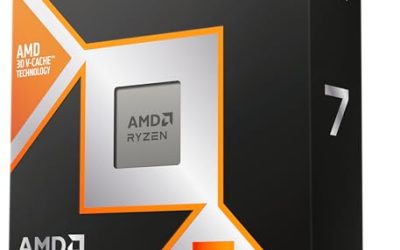
| Budget 1080p build | Current six-core | Ryzen 5 7600 or 9600X, Core i5 12400 / 14400 class | Well above the publisher’s recommended chip |
| Mid-range 1440p build | Six to eight cores | Ryzen 7 7700 or 9700X, Core Ultra 5 245K | Headroom for high refresh and background apps |
| High refresh enthusiast | Fast eight-core | Ryzen 7 9800X3D, Core Ultra 7 265K | Choose it for other games, not this one |
| Minimum to launch | Publisher floor | Core i5-4460, AMD FX-6300 | Old quad-core and six-module chips |
What the publisher lists
The Steam page gives a minimum of a Core i5-4460 or AMD FX-6300 and a recommended Core i7-3770 or FX-9590, both with 8 GB of memory, and a graphics tier from a GTX 760 up to a GTX 1060 6 GB or Radeon RX 480 8 GB. The processors named are over a decade old, which already tells buyers the game is not a heavy CPU consumer. There are no stated frame-rate targets attached to the CPU tiers.
What the analyses of the PC version found
These findings come from the original 2019 PC release, so they describe the engine’s behavior and not a specific recent processor. DSOGaming reported that the game scales across eight CPU threads while leaning heavily on one, and it recommended keeping Hyper-Threading enabled, which may reduce the stutter some players saw. The same outlet found the game does not need a high-end CPU: even a simulated dual-core configuration ran at 60 fps at 1080p on Ultra settings. Wccftech’s testing found little gain beyond four cores with eight threads, or six cores without Hyper-Threading, and noted performance becomes CPU-constrained at the top of the GPU range, so the CPU only matters at high frame rates with a fast graphics card.
Eurogamer, as cited in a community thread, noticed a difference from Denuvo only when the GPU bottleneck was removed at 480p on the lowest settings. Players also reported stutter when loading new areas, even on NVMe drives, with a drop toward about 30 fps at the loading point. Those complaints concern streaming, not processor speed.
Cores, clocks and cache: what to weigh
Core count
The reports point to four cores and eight threads as the useful ceiling, or six physical cores. Any current six-core CPU meets that. Eight-core chips give breathing room for a streaming setup or browser tabs, but they do not make this game faster by themselves.
Clock speed and single-thread strength
Since the engine leans heavily on one thread, strong single-core performance is the more relevant trait. Current Ryzen 9000 and Intel Core Ultra 200S parts all have strong per-core speed relative to the chips named by the publisher. Reviewers who rank processors typically show small differences between neighbouring models in games that already run well.
Cache and X3D
The analyses above do not report a cache-related benefit for this game, so there is no published evidence that a Ryzen 7 9800X3D would deliver a visible gain here over a standard Ryzen 7 9700X. The X3D family is aimed at games that stress the CPU at high frame rates, and Devil May Cry 5 is not documented as one of them. If the same machine plays simulation and competitive titles, the X3D premium makes sense; for this game alone it does not.
AMD or Intel
Both are fine. AMD’s Ryzen 9000 series and the 9800X3D use the AM5 platform with DDR5, while Intel’s Core Ultra 200S series uses the LGA1851 socket, also with DDR5. Platform choice should come from motherboard features, upgrade path and the rest of your games. Check the motherboard maker’s compatibility list before buying a CPU and board separately, because BIOS version requirements vary by board.
Pairing with a graphics card
| GPU class | Matching CPU | Reason |
|---|---|---|
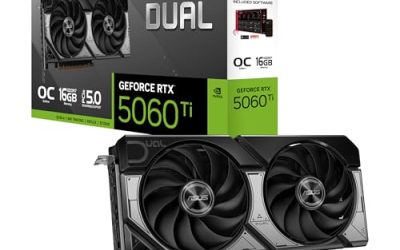
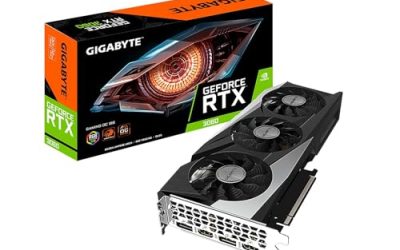
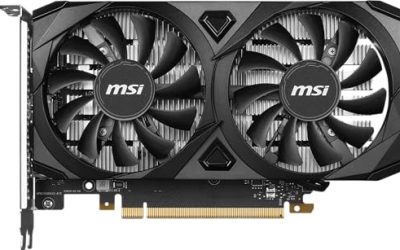
| GeForce RTX 5060 / Radeon RX 9060 XT | Six-core current CPU | GPU is the limit at 1080p and 1440p |
| GeForce RTX 5070 / RTX 5060 Ti 16 GB | Six or eight cores | Balanced pairing |
| GeForce RTX 5070 Ti / RX 9070 XT | Eight-core, strong single-thread | Wccftech reports CPU limits show at the top of the GPU stack |
| RTX 5080 or above | Fast eight-core, X3D optional | High frame rates push the CPU, especially at 1080p |
For 4K, the GPU is nearly always the limit, so processor choice matters even less.
When the CPU does start to matter
A CPU limit shows up when the graphics card can deliver more frames than the processor can prepare. In practice that means a fast GPU, a low resolution such as 1080p, and a high-refresh monitor. At 1440p and 4K the GPU is far more likely to be the limit, which is why Wccftech’s observation that the game becomes CPU-constrained at the top of the GPU stack matters mainly to competitive-style frame-rate chasers. If the target is a steady 60 fps or a 144 Hz display on a mid-range card, the processor choice is nearly irrelevant as long as it is a current six-core part.
It also helps to separate average speed from consistency. The stutter reports for this game concern area loading and the way the engine leans on a single thread, which is a different issue from raw core count. Keeping Windows, chipset drivers and graphics drivers updated, using the board maker’s recommended memory speed and leaving SMT enabled are the safe steps; deeper memory tuning or overclocking can cause instability and may affect the warranty, so it is not needed for a game this light.
Cooling and power matter little for the same reason. A game that does not load many cores at once will not drive a processor to its thermal limit, so a modest tower cooler or the cooler bundled with some retail chips is enough. Check the maker’s listing to see whether a cooler is included in the box, since several current models ship without one.
Pick this if
| Pick | If |
|---|---|
| Ryzen 5 or Core i5 six-core | The build is for this game plus general gaming at 1080p or 1440p |
| Ryzen 7 or Core Ultra 7 | You stream, record or keep many apps open |
| Ryzen 7 9800X3D | You want one chip for CPU-heavy games as well, and accept paying more than this title requires |
| Used previous-generation six-core | The budget is tight; the publisher’s chips are over a decade old |
Memory, storage and other support parts
The listing asks for 8 GB of memory, so 16 GB is a comfortable modern baseline. Storage is listed at 35 GB. Hyper-Threading or SMT should stay on, per the DSOGaming recommendation. Streaming stutter reported on fast drives suggests that the loading behavior is a game trait, so do not expect a faster SSD to remove it.
What to skip
- Paying more for a flagship CPU specifically for this game.
- Disabling Hyper-Threading or SMT.
- Pairing a very fast GPU with a quad-core processor with no SMT.
- Buying on the strength of an old benchmark for a different game, since engine behavior varies.
Frequently Asked Questions
What CPU does Devil May Cry 5 recommend?
The publisher lists a Core i7-3770 or AMD FX-9590 as recommended and a Core i5-4460 or FX-6300 as minimum. Any current desktop processor is far faster than these.
Is an X3D processor worth it for this game?
The analyses reviewed do not report a cache benefit in this title. An X3D chip is worth buying for other games, but for this one a standard six-core or eight-core CPU is enough.
How many cores does the game use?
DSOGaming reported scaling across eight threads while leaning heavily on one, and Wccftech found little gain beyond four cores with eight threads or six cores. Six modern cores cover it.
Should I keep Hyper-Threading on?
DSOGaming recommended keeping it enabled, as it may reduce the stutter some players saw. The same applies to SMT on AMD processors.
Will a faster CPU fix loading stutter?
Reports describe area-loading stutter even on NVMe drives, which points to the game’s streaming behavior. A faster processor is not documented as a cure, so keep drivers and the game patched.
Related guides
More from Amazon
Programs that pair well with the guide above. Offers and eligibility are set by Amazon and may change.
Free shipping on eligible items, Prime Video and more. Eligible new members can start with a free trial.
Start a Prime free trialAd-free music streaming. Eligible new subscribers can start with a free trial.
Try Music Unlimited freeA Prime membership for ages 18-24 with a trial period. Eligibility is set by Amazon.
See Prime for Young AdultsAudiobooks and podcasts to listen to on the go. Eligible new members can start with a free trial.
Try Audible freeAs an Amazon Associate we earn from qualifying purchases.