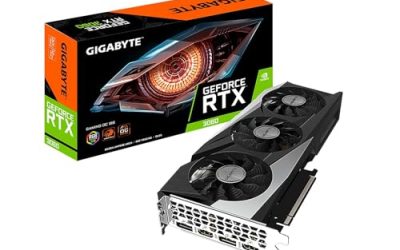
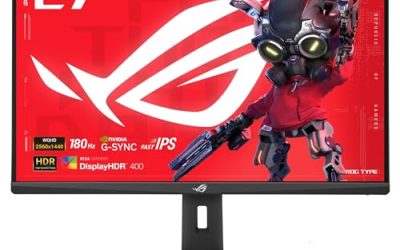
For God of War Ragnarök on PC, a mid-range card with 8 GB of VRAM such as the GeForce RTX 5060 or Radeon RX 9060 XT covers 1080p at high settings, a 12 to 16 GB card such as the RTX 5070, RTX 5070 Ti or Radeon RX 9070 handles 1440p comfortably, and 4K at maximum settings belongs to the premium tier (RTX 5080, RTX 5090, Radeon RX 9070 XT) with upscaling switched on. The game is demanding on the GPU rather than the processor, so the graphics card is where the budget should go.
As an Amazon Associate we earn from qualifying purchases at no extra cost to you.



Our Top Picks
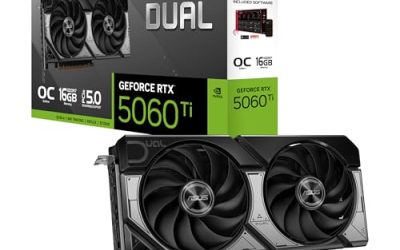
 ASUS Dual GeForce RTX 5060 Ti 16GB GDDR7RTX5060Ti|OC|16GB9 x 4.7 x 2 inches1.4 poundsCheck on Amazon
 msi Gaming RTX 3050 Ventus 2X 6G OC1.7" x 4.3" x 7.4"7.4 x 4.3 x 0.1 inches1.3 poundsCheck on Amazon

Top 3 picks at a glance
What the publisher lists
The Steam store page lists a minimum of an Intel Core i5-4670K or AMD Ryzen 3 1200, 8 GB of RAM and a GeForce GTX 1060 (6 GB), Radeon RX 5500 XT (8 GB) or Intel Arc A750, with 190 GB of storage and DirectX 12. The recommended line is an Intel Core i5-8600 or Ryzen 5 3600, 16 GB of RAM and a GeForce RTX 2060 Super, Radeon RX 5700 or Intel Arc A770. Those are the maker-published targets, and the page does not publish frame-rate figures for them. Treat them as the floor for playable results, not as a promise of high settings at 1440p or 4K.
Because the publisher does not state frame rates per card, the sizing below follows the broader pattern reported by outlets that covered the PC release: DSOGaming, GameSpot, Overclock3D and Nvidia’s own launch material. Their numbers come from specific test systems and patch versions, so use them as direction rather than guarantees.
At a glance: GPU tier by resolution
| Target | GPU class | Example models | VRAM | Notes |
|---|---|---|---|---|
| 1080p, high settings, 60 fps goal | Budget to lower mid-range | RTX 5060, RX 9060 XT, Arc B580, previous-generation RTX 4060 or RX 7600 XT | 8 to 12 GB | Upscaling quality mode helps with the heaviest settings |
| 1440p, high to ultra | Upper mid-range | RTX 5070, RTX 5060 Ti 16 GB, RX 9060 XT 16 GB, RX 9070 | 12 to 16 GB | Best balance of cost and image quality |
| 4K, high with upscaling | Premium | RTX 5070 Ti, RTX 5080, RX 9070 XT | 16 GB | DLSS or FSR quality mode is the practical route |
| 4K, ultra with high refresh | Enthusiast | RTX 5090 | 32 GB | Frame generation adds headroom for high-refresh monitors |
Why VRAM matters here
Reviewers who looked at the PC version reported very high memory use at the top of the settings ladder. One analysis put usage above 14 GB at 4K with the Ultra preset. That does not mean a 12 GB card fails; it means textures and resolution are the two settings to lower first if a card with less memory stutters. An 8 GB card is realistic at 1080p, and the texture setting is the first thing to drop if you notice hitching.
The practical rule: pick the resolution first, then match VRAM to it. For 1080p, 8 GB is acceptable. For 1440p, 12 GB is the safer starting point. For 4K, 16 GB is the sensible minimum if you intend to leave textures on a high preset.
Upscaling and frame generation
The PC version supports several upscalers: DLSS, AMD FSR 3.1, Intel XeSS and plain TAA. Frame generation is available through DLSS on supported GeForce cards and through FSR 3 on a wider range of hardware. Coverage from GameSpot and Prima Games suggested the two frame generation approaches behave differently, with reviewers split on which looks smoother; image quality and input latency vary by card and patch, so try both if your hardware allows it. Frame generation works best when the base frame rate is already healthy, because it adds smoothness rather than reducing input delay.
The upscalers are the main reason a mid-range card can punch above its class. A 1440p target on a card meant for 1080p becomes realistic with a quality-mode upscaler, while 4K on anything below the premium tier generally depends on a balanced or performance mode.
The tessellation and settings tip
Overclock3D reported that tessellation is set aggressively at the top preset and that lowering it to medium produced a large frame rate gain on an RTX 4070 Ti at native 4K. If a card sits just under your target, trimming a single expensive setting often does more than stepping down a whole GPU tier. Shadows, volumetrics and tessellation are the usual candidates; textures should stay high if VRAM allows.
Pick X if
| Pick this | If |
|---|---|
| RTX 5060 or RX 9060 XT 8 GB | You play at 1080p, want a modest budget and are happy to lower texture quality in the heaviest scenes |
| RX 9060 XT 16 GB or RTX 5060 Ti 16 GB | You want 1440p and extra memory headroom without stepping into the premium tier |
| RTX 5070 or RX 9070 | 1440p at high settings with room for ray-tracing-heavy games in the same library |
| RTX 5070 Ti or RX 9070 XT | You want 4K with an upscaler, or very high refresh at 1440p |
| RTX 5080 or RTX 5090 | You want 4K ultra and frame generation for a high-refresh display, and the budget is secondary |
Alternatives and previous-generation options
- Previous-generation GeForce RTX 40-series: an RTX 4070 or RTX 4070 Super remains a strong 1440p option where stock is available and carries DLSS frame generation.
- Previous-generation Radeon RX 7800 XT or RX 7900 GRE: generous VRAM for 1440p and FSR 3 frame generation support.
- Intel Arc B580 or A770: the maker lists the A770 in the recommended line, and the B580 is a newer 12 GB option for 1080p to light 1440p.
- Used cards: workable for the minimum or recommended tier, but weigh warranty and prior-use risk before buying.
What to skip
- Cards below the 6 GB mark. The publisher’s own minimum already requires 6 GB on the GTX 1060, so anything with 4 GB is below the listed floor.
- Pairing a premium card with a very old processor. The listed minimum is an i5-4670K class chip, but a modern six-core is a better match for a modern card.
- Buying for 4K without a plan for upscaling. Native 4K at the top preset is punishing, and the game ships with the tools to avoid it.
- Assuming launch-day numbers still apply. Patches have addressed bugs, including a frame generation issue reported at launch, so recent reviews are more useful than the oldest ones.
Common mistakes
The first is judging a card on the recommended spec alone. The recommended RTX 2060 Super line describes a baseline experience; it does not describe high-refresh play or max settings. The second is ignoring storage. The game lists 190 GB, so a smaller drive can force an uninstall of other titles, and an SSD is the sensible home for it. The third is overlooking the monitor: a 1440p display makes a 12 GB card the sweet spot, while a 4K television changes the maths entirely.
Matching the rest of the build
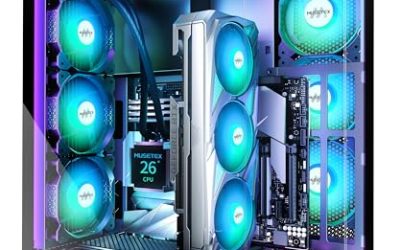
A card from the upper tiers will not be held back much by a processor in the Ryzen 5 or Core i5 range. The page lists a Ryzen 5 3600 as the recommended chip, which is far below a current mid-range part. Pair a premium GPU with at least a recent six or eight-core processor and 16 GB of RAM, with 32 GB a comfortable choice if you run other applications alongside the game. Check the power supply rating the graphics card maker lists for each model, and follow the maker’s guidance for the 12V-2×6 power connector on high-end GeForce cards.
Frequently Asked Questions
Is 8 GB of VRAM enough for God of War Ragnarök?
At 1080p, usually yes, provided textures and a few heavy settings are reduced. Reviewers reported memory use above 14 GB at 4K Ultra, so 8 GB becomes a limit as resolution and texture quality climb.
Does the game support DLSS and FSR?
Yes. The PC version offers DLSS, FSR 3.1 and XeSS alongside TAA, with frame generation through DLSS on supported GeForce cards and FSR 3 on other hardware. Pick the one native to your card for the best compatibility.
Can an older GTX 1060 run it?
The publisher lists the GTX 1060 6 GB in the minimum requirements, so the game is intended to start on it. Expect to use low settings and an upscaler, since the page does not publish performance targets for that card.
Is an AMD or Nvidia card better for this game?
Both are supported. DSOGaming reported that the Radeon RX 6900 XT pulled ahead of the RTX 3080 at 1440p and 4K while they were closer at 1080p, so the answer depends on the specific cards and resolution rather than the brand.
Do I need a new processor for a better graphics card?
Not usually. Coverage describes the game as strongly GPU-bound, and the recommended chip is an older Ryzen 5 3600 class part. A modern six-core is a sensible match for nearly every card in this guide.
Should I choose 1440p or 4K?
1440p gives the best balance for most budgets, since it keeps frame rates high on mid-range hardware. Choose 4K only if you are prepared to buy a premium GPU and use DLSS or FSR in a quality or balanced mode.
Related guides
More from Amazon
Programs that pair well with the guide above. Offers and eligibility are set by Amazon and may change.
Free shipping on eligible items, Prime Video and more. Eligible new members can start with a free trial.
Start a Prime free trialAd-free music streaming. Eligible new subscribers can start with a free trial.
Try Music Unlimited freeA Prime membership for ages 18-24 with a trial period. Eligibility is set by Amazon.
See Prime for Young AdultsAudiobooks and podcasts to listen to on the go. Eligible new members can start with a free trial.
Try Audible freeAs an Amazon Associate we earn from qualifying purchases.