In the 1500 dollar class in 2026, a prebuilt is the safer pick if you want a complete warranty and fewer decisions, while building yourself is only clearly better if you can find memory and graphics card pricing at sensible levels, because several outlets report that a memory shortage has narrowed or reversed the usual DIY advantage this year. The right answer depends on what you value: guaranteed parts and support, or control over each component and a better upgrade path.
What the 2026 Market Looks Like
Recent guides describe an unusual year. An AI-driven DRAM shortage has pushed up the cost of RAM and solid-state drives, and graphics card prices have also moved well above launch levels in many cases. One November 2026 source says DIY is usually not worth it right now, because prebuilt makers buy memory and storage in bulk and the discount outweighs the labor they charge. Another says you can still build in this class, but only just and only with 16 GB of RAM, rising noticeably with 32 GB. A third points out that Store bundles of CPU, board and RAM, where available, can sidestep part of the problem. Older articles from the spring show a better DIY picture, so the newest sources are the most useful and any number you read may already be out of date.
Prebuilt vs Build: At a Glance
| Factor | Prebuilt | Build yourself |
|---|---|---|
| Total cost in 2026 | Often competitive or better because makers buy RAM and storage on contract | Can match or beat it only with good timing on RAM and GPU |
| Warranty | One warranty for the whole system, one support contact | Separate warranty per part, you diagnose faults |
| Component quality | Varies; some use basic power supplies, slow RAM or proprietary parts | You choose every part and its quality |
| Time and skill | Plug in and play | Several hours and basic skills |
| Upgrade path | Depends on board, case and power supply used | Chosen by you |
| Software | Often includes the operating system installed | You buy and install it |
What 1500 Dollars Should Get You on Paper
Whichever route you choose, this tier should land in the range of a strong 1440p gaming PC. The key stated parts to look for are:
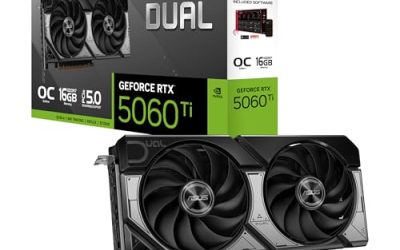
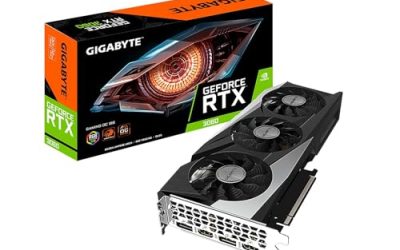
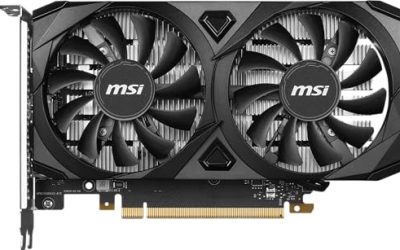
- Graphics card: NVIDIA lists the RTX 5070 with 12 GB of GDDR7 and a 250 W rating, and the RTX 5060 Ti in 16 GB and 8 GB versions with a 180 W rating. AMD’s Radeon RX 9060 XT comes in 8 GB and 16 GB versions. Prebuilts in this class are usually based on one of these.
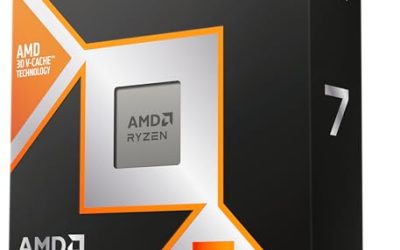
- CPU: a six- to eight-core current Ryzen or Intel Core Ultra chip is enough. Reviewers say the gaming difference between a Ryzen 5 9600X and costlier X3D chips is small at 1440p.
- Memory: 16 GB is common in prebuilts at this tier, with 32 GB offering more headroom.
- Storage: a 1 TB NVMe drive is the usual baseline.
- Power supply: meets the GPU maker’s recommendation, for example 650 W for an RTX 5070.
How to Judge a Prebuilt Spec Sheet
A prebuilt can look excellent on the first page and weak underneath. Before buying, read the full specification list and look for:
- RAM size and speed: many prebuilts under a higher price ship with only 16 GB, and some run a single stick, which reduces memory bandwidth.
- GPU memory: an RTX 5060 Ti can have 8 GB or 16 GB. The listing must say which.
- Power supply brand and wattage: generic units are a warning sign. A named brand with an 80 Plus rating is better.
- Motherboard model: a bare-bones board may limit upgrades or lack Wi-Fi and fast ports.
- Cooling: a basic cooler can be loud or throttle; check what is included.
- Proprietary parts: some brands use non-standard motherboard, case or power supply layouts that make future upgrades harder.
- Return and warranty terms: confirm duration, who pays shipping and what voids it.
Where Building Still Wins
If you can find parts at reasonable levels, a custom build gives you better component quality, a standard motherboard and case, and the freedom to choose each part. It also lets you spend more on the graphics card and less on cosmetic extras. Building also teaches you the machine, so troubleshooting later is easier. The risk is that a bad week for memory or GPU prices can cost more than the savings you were aiming for, and you take on the responsibility of assembly and fault finding.
Where a Prebuilt Wins
A prebuilt makes the most sense when you want a tested whole system, fast delivery and a single point of support. Outlets also note that in a shortage, bulk purchasing gives system builders a real cost edge at the low and mid tiers. Some prebuilt makers also allow configuration of RAM and storage, which lets you avoid the weakest spec choices.
Decision Table
| Pick this | If you… |
|---|---|
| A prebuilt | want one warranty, have no time to build, or see parts prices well above normal. |
| A custom build | can find reasonable RAM and GPU pricing, want better parts quality and a flexible upgrade path. |
| A build with bundle deals | live near a shop that offers CPU, board and RAM bundles that avoid the memory premium. |
| A prebuilt that is configurable | want a warranty but need 32 GB of RAM or a larger drive. |
| A used or refurbished system | want the lowest cost and can accept shorter or limited warranty. |
A Sensible Build Target if You Go DIY
A balanced build in this class pairs a Ryzen 5 9600X or similar six- to eight-core processor with an AM5 B650 board, 16 to 32 GB of DDR5, a 1 TB NVMe drive, a 650 W to 750 W quality power supply and either an RTX 5070, an RTX 5060 Ti 16GB or a Radeon RX 9060 XT 16GB. Reviewers favor 16 GB graphics cards for longevity at 1440p, while the RTX 5070 offers more raw speed with 12 GB. Choose based on whether you value speed or memory capacity.
Common Mistakes
- Comparing a prebuilt and a parts list with different specs. Match RAM, storage, GPU memory and power supply before drawing conclusions.
- Ignoring the operating system and peripherals. They can add to the DIY total.
- Buying a GPU with the wrong memory variant. 8 GB and 16 GB models can share a name.
- Underbuying the power supply. Follow the GPU maker’s recommendation.
- Locking into proprietary parts. This can make upgrades expensive or impossible.
- Trusting a single price snapshot. Prices change often in 2026, so compare over a few days.
Alternatives
Lower the tier
If prices are high, a system built around an RTX 5060 or a Radeon RX 9060 XT still handles 1080p and light 1440p, and it costs notably less.
Wait
If your current machine works, waiting may let memory and GPU pricing normalize. Several outlets describe the 2026 premium as shortage-driven rather than permanent.
Buy a barebones kit
Some shops sell a case, board, CPU and memory bundle that you complete with a GPU. It can reduce the memory premium and keeps the standard parts advantage.
Frequently Asked Questions
Is it cheaper to build or buy a prebuilt in 2026?
It depends on timing. Several late-2026 sources say prebuilts have an edge because of bulk memory purchasing, while earlier-year articles favored DIY. Compare complete specs and current offers before deciding.
Do prebuilt PCs use lower-quality parts?
Sometimes. Power supplies, memory speed and motherboards are common places for cost cutting. Read the full spec list and choose systems that name brands and models.
How much RAM should a 1500 dollar gaming PC have?
Sixteen gigabytes is common and works, while 32 GB gives more headroom for new games and multitasking. Check whether the prebuilt lets you upgrade at order time.
Is building a PC hard?
It is manageable with the motherboard manual and a few hours. The main risks are bent CPU pins, unseated memory and missing power connectors, all avoidable by following the manual.
Which graphics card is best for this budget?
Reviewers point to the RTX 5070 for speed and the RTX 5060 Ti 16GB or Radeon RX 9060 XT 16GB for memory and value. The best choice depends on whether you prioritize frame rate or longevity.
Can I upgrade a prebuilt later?
Usually yes, if it uses a standard motherboard, case and power supply. Check for proprietary parts and power supply headroom before buying.
Related guides
More from Amazon
Programs that pair well with the guide above. Offers and eligibility are set by Amazon and may change.
Free shipping on eligible items, Prime Video and more. Eligible new members can start with a free trial.
Start a Prime free trialAd-free music streaming. Eligible new subscribers can start with a free trial.
Try Music Unlimited freeA Prime membership for ages 18-24 with a trial period. Eligibility is set by Amazon.
See Prime for Young AdultsAudiobooks and podcasts to listen to on the go. Eligible new members can start with a free trial.
Try Audible freeAs an Amazon Associate we earn from qualifying purchases.