Gigabyte GPU software is Gigabyte Control Center, a free utility that bundles fan control, overclocking, RGB lighting through RGB Fusion, and driver updates into one dashboard for Gigabyte graphics cards. Older cards used AORUS Engine, which Control Center has replaced, so new Gigabyte owners should install Control Center from Gigabyte’s own download page and skip the older tool. The software only unlocks its full feature set on Gigabyte hardware, which is why the card you pair it with matters as much as the download itself.
This guide is for first-time builders fitting a Gigabyte card, owners who want quieter fans and synced lighting without juggling three utilities, and gamers moving from an older card who need to know what Control Center can and cannot change. Every card below was chosen from the name and specifications shown on its Amazon product page, so the hardware details match what the listing itself states.
Our Top Picks

Top 3 picks at a glance


Quick Picks
As an Amazon Associate we earn from qualifying purchases
| Product | Best for | Key spec from title |
|---|---|---|
| GIGABYTE GeForce RTX 5060 WINDFORCE OC 8G | New 1080p builds that want the latest features | 8GB GDDR7, PCIe 5.0 |
| GIGABYTE GeForce RTX 4060 WINDFORCE OC 8G | Compact builds on a modest power supply | 8GB GDDR6, 2X WINDFORCE fans |
| GIGABYTE GeForce RTX 5070 WINDFORCE OC SFF 12G | Small cases that still want strong 1440p play | 12GB GDDR7, SFF size |
| GIGABYTE GeForce RTX 5070 Gaming OC 12G | Triple-fan cooling for long gaming sessions | 12GB GDDR7, WINDFORCE triple-fan |
How to Choose
Match the software to the card generation
Gigabyte Control Center supports current Gigabyte cards, while AORUS Engine belongs to older generations, so check which utility your card lists on Gigabyte’s support page before installing anything. A 50-series card pairs with Control Center and its newer fan and lighting controls, whereas a card from several generations back may only expose the basics. Installing the wrong utility wastes an afternoon and leaves fan curves or lighting controls greyed out, so confirm compatibility first and download only from Gigabyte’s own site.
Size the card for the case before the software
Control Center cannot fix a card that does not fit, so measure the case clearance and compare it with the card length and slot width in the Amazon listing. Dual-fan WINDFORCE cards slide into compact builds with room to spare, while triple-fan Gaming OC models need longer cases and more airflow around them. A card that chokes against a side panel runs hot no matter how clever the fan curve is, and moving a card to a bigger case later costs far more time than measuring once.
Pick memory for the resolution you actually play
Memory size decides how comfortably a card handles high-resolution textures, so match it to the monitor rather than to a wish list. Eight gigabytes of GDDR6 or GDDR7 suits 1080p play with room for demanding titles, while 12GB cards handle 1440p with heavier texture packs and leave headroom for newer games. Buying more memory than the monitor can use adds nothing to the experience, and buying too little forces texture settings down within a year or two, so the monitor should drive the choice.
Check power and connectors in the listing
Every card draws power through a combination of the PCIe slot and one or more power connectors, so read the connector type and the recommended supply wattage in the listing before ordering. An 8-pin connector on a modest supply is a different job from a card that wants a 16-pin lead and a stronger unit, and an adapter bought in a hurry is a poor substitute for the right supply. Confirm the supply has the right leads free, because a card that cannot be powered properly will not run at its listed clocks.
The 4 Best Options
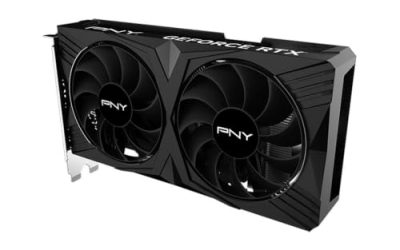
GIGABYTE GeForce RTX 5060 WINDFORCE OC 8G
This card suits a fresh 1080p build where the owner wants current-generation features, quiet dual-fan cooling, and a compact footprint that fits most mid-tower cases without fuss. Control Center gives it fan curves, lighting control, and overclocking sliders in one place, and the GDDR7 memory keeps demanding titles smooth at the resolution most new builders target. It is the natural starting point when the goal is a modern card that simply works with Gigabyte’s current software stack.
Specs
- 8GB 128-bit GDDR7 memory
- PCIe 5.0 interface
- WINDFORCE cooling system
- 2512 MHz core clock
- 3 x DisplayPort and 1 x HDMI output
- Model GV-N5060WF2OC-8GD
Best for: New builders who want a current-generation Gigabyte card with full Control Center support.
Watch out for: Check that the case has room for a dual-fan card and that the power supply has the right connector free before ordering.
GIGABYTE GeForce RTX 4060 WINDFORCE OC 8G
This card fits builders who want proven 1080p performance, a short dual-fan design, and low power draw that keeps an older or modest power supply in play. It runs Gigabyte Control Center the same way the newer cards do, so fan tuning and RGB Fusion lighting behave identically, and the GDDR6 memory handles the vast majority of current titles at 1080p without strain. For a first build or a straightforward upgrade, it delivers the software experience with the fewest surprises.
Specs
- 8GB 128-bit GDDR6 memory
- PCIe 4.0 interface
- 2X WINDFORCE fans
- Model GV-N4060WF2OC-8GD
- Weight 740 grams
Best for: Compact builds and upgrades where a modest power supply and a short card matter most.
Watch out for: Confirm the card length against the case clearance, since even dual-fan cards vary by a few millimetres between models.
GIGABYTE GeForce RTX 5070 WINDFORCE OC SFF 12G
This card is built for small-form-factor cases that still demand strong 1440p performance, packing 12GB of GDDR7 memory and triple-fan WINDFORCE cooling into a shorter board. Control Center handles its fan curves and lighting just like the larger cards, and the SFF label signals that Gigabyte designed it with tight clearances in mind. It suits owners who refuse to choose between a compact case and a card that can carry demanding games at higher settings.
Specs
- 12GB 192-bit GDDR7 memory
- PCIe 5.0 interface
- WINDFORCE cooling system
- Model GV-N5070WF3OC-12GD
- SFF size for small cases
Best for: Small cases where a short card still needs to drive 1440p gaming.
Watch out for: Measure the case twice, because SFF cards still need clear airflow around the fans to stay cool.
GIGABYTE GeForce RTX 5070 Gaming OC 12G

This card suits gamers who play for hours and want triple-fan cooling, 12GB of GDDR7 memory, and a full-size board that stays cool under sustained load. Control Center unlocks its fan profiles and RGB Fusion lighting, and the extra memory headroom keeps texture-heavy titles comfortable at 1440p. It is the pick when the build has room to breathe and the owner would rather have cooling margin than a compact footprint.
Specs
- 12GB 192-bit GDDR7 memory
- PCIe 5.0 interface
- WINDFORCE triple-fan cooling system
- Model GV-N5070GAMING OC-12GD
- Up to 8K resolution support
Best for: Long gaming sessions in a full-size case where cooling and memory headroom matter.
Watch out for: Verify the case length and the power supply leads, since triple-fan cards are longer and draw more power than dual-fan models.
Which One Fits Your Situation
Building a first PC and want the newest features
Pick the RTX 5060 WINDFORCE OC, because it pairs the latest GDDR7 memory and PCIe 5.0 interface with full Control Center support in a compact dual-fan card. It keeps the build simple, runs quietly, and covers 1080p gaming with room to spare, so a first-time builder gets modern features without wrestling with fit or power.
Upgrading an older PC on a modest power supply
Pick the RTX 4060 WINDFORCE OC, because its low power draw and short dual-fan design slot into existing builds with the least friction. It still runs the full Control Center feature set, so fan tuning and lighting work exactly as they do on newer cards, and 1080p play stays smooth.
Fitting a strong card into a small case
Pick the RTX 5070 WINDFORCE OC SFF, because it was designed for tight clearances while keeping 12GB of GDDR7 memory and triple-fan cooling. It brings 1440p performance to cases where a full-length card simply will not fit, and Control Center keeps its fans and lighting under one dashboard, so the small build stays simple to manage.
Gaming for hours in a full-size case
Pick the RTX 5070 Gaming OC, because its triple-fan cooler and 12GB of memory are built for sustained load. The larger board has room for airflow, the fans stay quieter at high settings, and Control Center lets the owner tune curves for long sessions without opening the case at all.
Common Mistakes
- Installing AORUS Engine on a new card instead of Gigabyte Control Center, then wondering why features are missing.
- Downloading GPU software from a third-party site instead of Gigabyte’s own download page.
- Buying a triple-fan card for a case that cannot fit it, then blaming the software for the heat.
- Setting a fan curve in Control Center and forgetting that a dusty case will still run hot.
- Expecting RGB Fusion to control lighting on non-Gigabyte parts without checking compatibility first.
Frequently Asked Questions
What is Gigabyte GPU software called?
Gigabyte GPU software is called Gigabyte Control Center, and it replaced the older AORUS Engine for current cards. It combines fan control, overclocking, RGB Fusion lighting, and driver updates in one dashboard. Owners should download it from Gigabyte’s own support page for their exact card model.
Does Gigabyte Control Center work with any graphics card?
Control Center works fully only with Gigabyte graphics cards, because its fan, lighting, and overclocking controls talk to Gigabyte hardware. It may install on other systems, but the card-specific features stay locked or greyed out. Owners of other brands should use the utility from their own card maker instead.
Can I control fan speed with Gigabyte Control Center?
Yes, Control Center includes fan curve controls that let owners set fan speed against temperature, so the card can run quieter at idle and cooler under load. A custom curve beats the default profile for noise, but it cannot fix poor case airflow, so keep the case clean and the fans unobstructed.
Do I still need AORUS Engine if I have Control Center?
No, Control Center replaces AORUS Engine on current Gigabyte cards, so owners should not run both at once. Running two utilities that fight over the same fan and lighting controls causes conflicts and odd behaviour. Uninstall the older tool, then install Control Center fresh for the card in the build.
Related guides
More from Amazon
Programs that pair well with the guide above. Offers and eligibility are set by Amazon and may change.
Free shipping on eligible items, Prime Video and more. Eligible new members can start with a free trial.
Start a Prime free trialAd-free music streaming. Eligible new subscribers can start with a free trial.
Try Music Unlimited freeA Prime membership for ages 18-24 with a trial period. Eligibility is set by Amazon.
See Prime for Young AdultsAudiobooks and podcasts to listen to on the go. Eligible new members can start with a free trial.
Try Audible freeAs an Amazon Associate we earn from qualifying purchases.