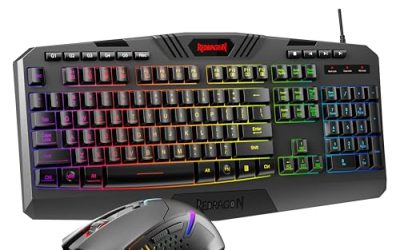
Choosing a gaming mouse for a PC sounds simple until the cursor starts moving. Sensitivity, shape, weight, button placement, and connection type all change how aiming feels, and a mouse that suits one player can feel awkward for another. Shooters reward light bodies and precise sensors, while strategy and role-playing games reward extra buttons that keep commands close to the thumb. A comfortable grip matters just as much as a fast sensor, because a mouse that causes fatigue after an hour will hurt performance long before its specifications do.
This guide is for PC players who want a clear shortlist without wading through dozens of listings. Competitive shooter players, MMO and strategy players, palm-grip players, claw-grip players, and people who split time between games and everyday computer work will each find a relevant option here. Every pick below comes from the name and specifications shown on its Amazon product page, so the sensor figures, button counts, weights, and connection details reflect what the listing itself states.
Our Top Picks


Top 3 picks at a glance

Quick Picks
As an Amazon Associate we earn from qualifying purchases
| Product | Best for | Key spec from title |
|---|---|---|
| Logitech G502 HERO | Button-heavy play across shooters, MMOs, and work | HERO 25K sensor, 25,600 DPI, 11 programmable buttons |
| Razer DeathAdder V3 Pro | Competitive FPS with a light ergonomic shape | 63g lightweight, Focus Pro 30K optical sensor |
| Logitech G PRO X Superlight 2 | Fast wireless play with a minimal shape | 60g, 44K DPI sensor, 8kHz report rate |
| Razer Basilisk V3 | Ergonomic comfort with a versatile scroll wheel | 26K DPI optical sensor, 11 programmable buttons |
| Logitech G502 X Lightspeed | Wireless G502 fans who want a lighter shell | LIGHTFORCE switches, HERO 25K sensor, 13 buttons |
How to Choose
Sensor and sensitivity range
A sensor decides how faithfully hand movement becomes cursor movement, so it deserves attention before anything cosmetic. Look for the maximum DPI figure on the listing and, more importantly, the sensor name, because a modern optical sensor holds tracking steady during fast flicks and slow, careful adjustments alike. A mouse with a 25,600 DPI ceiling gives plenty of headroom, yet most players settle far below the maximum and change sensitivity in software instead. Check whether the listing mentions adjustable DPI steps and onboard memory, since those features let the same mouse feel right in a shooter and in a slower strategy game without opening software every time.
Shape, grip, and hand size
Shape decides comfort over long sessions, and no sensor can fix a shell that fights the hand. Palm-grip players usually want a taller, longer body that fills the hand, while claw-grip players prefer a shorter shell with a defined hump, and fingertip players need a compact body they can steer with their fingers alone. Measure hand length from wrist to middle fingertip and compare it with the dimensions in the listing when they are given. Right-handed ergonomic shells support the thumb and outer fingers, whereas symmetrical shells suit both hands and make switching grips easier. A mouse that feels fine for ten minutes in a shop can still cause strain after two hours, so treat shape as a long-session decision.
Weight and balance
Weight changes how quickly a mouse starts, stops, and changes direction. Light mice near 60 grams suit fast flick aiming in shooters, because less mass means less effort for every small correction. Heavier mice near 120 grams can feel steadier for tracking a moving target and for players who rest their whole hand on the shell. Some models include removable tuning weights, which let the balance shift toward the palm or the front, and that adjustment can matter more than the total weight alone. Wireless mice carry a battery, so compare the listed weight with the connection type in mind, and remember that a cable adds drag to a wired mouse even when the mouse itself is light.
Buttons, wheel, and connection
Buttons turn a mouse from a pointing device into a control panel, and the right count depends on the games played. Two thumb buttons cover most shooters, while six or more thumb buttons help MMO and strategy players keep abilities, items, and camera controls under one hand. A dual-mode scroll wheel that switches between stepped and free-spinning modes helps when scrolling long inventories or web pages. Wired mice avoid charging entirely, while wireless mice with a dedicated 2.4 GHz receiver now provide very low latency for competitive play, and Bluetooth adds convenience for laptops at the cost of responsiveness. Confirm the connection options on the listing before buying.
The 5 Best Options
Logitech G502 HERO

The G502 HERO suits players who want one mouse for almost everything, from shooters to MMOs to spreadsheets. Its large right-handed shell fills a palm grip well, and eleven programmable buttons give plenty of room for abilities, weapon swaps, push-to-talk, and everyday shortcuts. A dual-mode hyper-fast scroll wheel handles long documents and inventories, while five removable tuning weights let the balance shift until the mouse feels settled under the hand. Players with larger hands and a palm grip will feel most at home here, and anyone who dislikes learning a new layout for every game will appreciate how much can be mapped onto this one device.
Specs
- HERO 25K sensor with up to 25,600 DPI
- 11 programmable buttons
- Adjustable weight system with five 3.6-gram weights
- Dual-mode hyper-fast scroll wheel
- On-board memory for up to five profiles
- Wired connection for PC and Mac
- RGB lighting
Best for: Players who want many programmable buttons and a full-size palm-grip shell for mixed gaming and work.
Watch out for: The shell is large and right-handed only, so check hand size and grip style before ordering, and confirm the wired cable length suits the desk layout.
Razer DeathAdder V3 Pro
The DeathAdder V3 Pro is built for competitive shooter players who want speed without giving up ergonomic comfort. At 63 grams it moves with very little effort, and its refined right-handed shape supports the palm during long matches while keeping the thumb clear of accidental clicks. The Focus Pro 30K optical sensor tracks fast flicks cleanly, and HyperSpeed wireless keeps the connection responsive without a cable dragging across the desk. Five programmable buttons keep the layout simple, which suits players who bind most actions to the keyboard and want the mouse to do one job extremely well.
Specs
- Focus Pro 30K optical sensor
- 63-gram lightweight design
- HyperSpeed wireless connection
- Optical Switches Gen-3
- 5 programmable buttons
- Up to 90 hours of battery life
- USB-C charging
Best for: Competitive FPS players who want a light, ergonomic wireless mouse with a clean button layout.
Watch out for: The shape is right-handed only and the button count is low, so MMO players who need many thumb buttons should look elsewhere.
Logitech G PRO X Superlight 2
The G PRO X Superlight 2 targets players who want the lightest possible wireless mouse with no extra bulk. Its symmetrical 60-gram body suits claw and fingertip grips, and the minimal button layout keeps the sides clean for fast, repeated movements. A 44K DPI sensor and an 8kHz report rate give the mouse a very responsive feel in fast-paced games, while USB-C charging keeps the setup modern and simple. This is the pick for players who already know their grip and sensitivity and want the mouse to disappear into the background during play.
Specs
- 60-gram pro-grade design
- 44K DPI sensor
- 8kHz report rate
- 5 programmable buttons
- LIGHTSPEED wireless connection
- USB-C charging
- For PC and Mac
Best for: Claw and fingertip players who want a minimal, very light wireless mouse for fast competitive games.
Watch out for: The symmetrical shape has no thumb rest, so palm-grip players should check the dimensions and grip style carefully before buying.
Razer Basilisk V3

The Basilisk V3 works well for players who want ergonomic comfort plus a scroll wheel that does more than scroll. Its right-handed shell includes a thumb rest, and the HyperScroll tilt wheel switches between tactile steps and free spinning, which helps with weapon selection, long pages, and inventory management. Eleven programmable buttons give room for extra commands without turning the thumb area into a crowded keypad. The 26K DPI optical sensor covers fast aiming and precise tracking alike, making this a strong all-round choice for players who mix shooters, action games, and everyday computer use.
Specs
- 26K DPI optical sensor
- 11 programmable buttons
- HyperScroll tilt wheel
- Chroma RGB lighting
- Ergonomic shape with thumb rest
- Wired connection
- Classic Black finish
Best for: Players who want a comfortable ergonomic mouse with a versatile tilt wheel and a useful set of extra buttons.
Watch out for: This is the wired model, so confirm the cable routing and desk space, and note that the right-handed shell does not suit left-handed players.
Logitech G502 X Lightspeed

The G502 X Lightspeed carries the familiar G502 layout into a wireless, lighter shell for players who liked the original but wanted less weight and no cable. Thirteen buttons cover shooters, MMOs, and productivity shortcuts, and LIGHTFORCE hybrid switches combine optical and mechanical parts for a crisp click feel. The HERO 25K sensor keeps tracking consistent, and the battery lasts for very long sessions on a single charge, with USB-C charging when it finally runs low. PowerPlay wireless charging support adds another option for players who already own a compatible charging mat.
Specs
- HERO 25K gaming sensor
- 13 buttons
- LIGHTFORCE hybrid optical-mechanical switches
- Up to 140 hours of battery life
- USB-C charging
- PowerPlay wireless charging capable
- Infinite scroll toggle
- For PC and Mac
Best for: G502 fans who want the same button-rich layout in a lighter wireless mouse for long sessions.
Watch out for: The shell is still large and right-handed, so smaller hands should compare the listed dimensions with their grip before ordering.
Which One Fits Your Situation
Competitive FPS on a tight aim budget
Pick the Razer DeathAdder V3 Pro when fast flicks and long matches matter most. Its 63-gram body and Focus Pro 30K sensor keep aiming light and precise, while HyperSpeed wireless removes cable drag without adding noticeable delay. The simple five-button layout keeps accidental presses rare during tense rounds, and the ergonomic shape supports the palm through long competitive sessions.
MMO, strategy, and ability-heavy games
Pick the Logitech G502 HERO or the Logitech G502 X Lightspeed when abilities, items, and camera controls need to live on the mouse. Both give many programmable buttons and a dual-mode wheel, with the wired HERO suiting a fixed desk and the X Lightspeed suiting players who want wireless freedom, a lighter shell, and a battery that lasts through long raids and strategy sessions without a cable.
Lightweight wireless for claw and fingertip grips
Pick the Logitech G PRO X Superlight 2 when the hand steers with fingers rather than the palm. Its 60-gram symmetrical body and minimal layout suit fast, small movements, and the 44K DPI sensor with an 8kHz report rate keeps the response feeling immediate in quick games. The clean sides and light weight also reduce fatigue during repeated flicks and long practice sessions.
One mouse for gaming and everyday work
Pick the Razer Basilisk V3 when a single mouse must cover games, documents, and browsing. The ergonomic shell with a thumb rest stays comfortable through long days, the tilt wheel handles scrolling in both directions, and eleven programmable buttons cover shortcuts without overwhelming the thumb. Its wired connection also means the mouse never needs charging during a long workday or an evening of play.
Common Mistakes
- Buying the highest DPI figure available instead of choosing a sensor and shape that suit the grip and the games played.
- Ignoring hand size and grip style, then discovering a large ergonomic shell or a tiny symmetrical mouse causes fatigue.
- Choosing a mouse with too few thumb buttons for MMO or strategy games, forcing constant keyboard reaches mid-fight.
- Picking Bluetooth as the main gaming connection when a dedicated 2.4 GHz receiver or a wired link would respond faster.
- Forgetting to check whether the mouse is right-handed only, which matters immediately for left-handed players.
Frequently Asked Questions
What DPI should I use for PC gaming?
Most players settle between 400 and 3,200 DPI and adjust in-game sensitivity to match, because very high DPI makes small hand movements cover too much screen space. A mouse with a high maximum still helps, since it gives headroom for different games and screen sizes. Start near 800 DPI, play a few matches, and change one setting at a time.
Is a wireless gaming mouse fast enough for competitive play?
Wireless mice with a dedicated 2.4 GHz receiver are fast enough for competitive play, and many professional players use them. Bluetooth is better suited to casual games and laptop use, because it can add latency. Check the listing for the connection type, keep the receiver close to the mouse, and charge the battery before important sessions.
How many buttons do I need on a gaming mouse?
Two thumb buttons cover most shooters, while five or six thumb buttons suit action games with extra commands. MMO and strategy players often want ten or more programmable buttons so abilities and items stay under the thumb. More buttons help only when they are easy to reach without looking, so shape matters as much as count.
Does mouse weight really change aiming?
Weight changes how much effort each movement takes, and lighter mice suit fast flicks while heavier mice can feel steadier for tracking. The difference is most obvious in shooters, where repeated corrections add up over a match. Tuning weights help, but the shell shape and grip usually matter more than a few grams either way.
Related guides
More from Amazon
Programs that pair well with the guide above. Offers and eligibility are set by Amazon and may change.
Free shipping on eligible items, Prime Video and more. Eligible new members can start with a free trial.
Start a Prime free trialAd-free music streaming. Eligible new subscribers can start with a free trial.
Try Music Unlimited freeA Prime membership for ages 18-24 with a trial period. Eligibility is set by Amazon.
See Prime for Young AdultsAudiobooks and podcasts to listen to on the go. Eligible new members can start with a free trial.
Try Audible freeAs an Amazon Associate we earn from qualifying purchases.