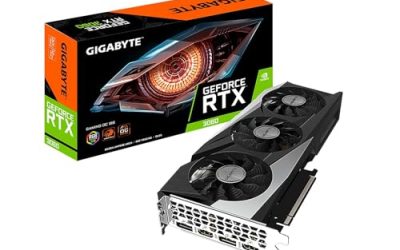
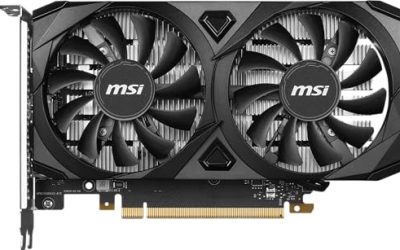
The best GPU for The Roottrees Are Dead is whatever you already own: the Steam page lists Intel HD Graphics 510 with at least 2 GB of video memory as the minimum, so even integrated graphics qualify, and buyers choosing a card for 1080p, 1440p or 4K should pick it for their other games rather than for this one.
Why this game does not drive a GPU purchase
The Roottrees Are Dead is a genealogy mystery set in 1998. You search a fictional early web, read documents and photos, and fill in a five-generation family tree. Reviewers frequently compare it to Return of the Obra Dinn and The Case of the Golden Idol, which are deduction games rather than graphics showcases. The publisher lists a 2.0 GHz dual-core CPU, 8 GB of RAM and 1 GB of storage next to that integrated-class GPU. No higher recommended set is published, and no resolution targets, frame rate goals or DLSS and FSR support are stated. Anyone claiming exact frame rates for it would be guessing.
So this guide does two honest things. It confirms what the game needs, and it gives a tiered shortlist of current graphics cards for buyers who want one GPU that handles this game plus bigger titles at 1080p, 1440p or 4K.
At a glance: GPU tiers by resolution
| Resolution goal | Candidate cards (2026 generation) | Memory the maker lists | Fit for this game | Better suited to |
|---|---|---|---|---|
| Already own integrated graphics | Recent Intel, AMD or Apple integrated GPU | Shared system memory | Meets the published floor | Light and indie titles |
| 1080p, budget tier | GeForce RTX 5060, Radeon RX 9060 XT, Intel Arc B580 | RTX 5060: 8 GB; RX 9060 XT: 8 GB or 16 GB versions; Arc B580: 12 GB | Far above the need | Modern 1080p gaming |
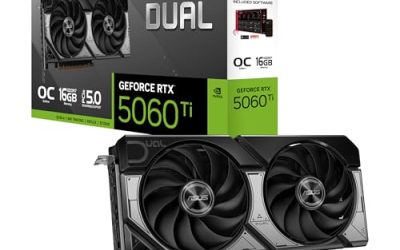
| 1440p, mid-range tier | GeForce RTX 5060 Ti, RTX 5070, Radeon RX 9070 | 5060 Ti: 8 GB or 16 GB versions; 5070: 12 GB; RX 9070: 16 GB | Far above the need | 1440p high settings |
| 4K, premium tier | GeForce RTX 5070 Ti, RTX 5080, Radeon RX 9070 XT | 5070 Ti: 16 GB; 5080: 16 GB; RX 9070 XT: 16 GB | Far above the need | 4K and ray tracing |
The memory figures above come from the makers’ product pages for each card family. The “fit” column reflects the game’s published minimum, not a benchmark.
1080p: what to buy and what to skip
At 1080p, the published requirements make this a non-issue even for a decade-old integrated chip. If you are buying a new card for 1080p generally, the current entry tier from each vendor is the sensible band. NVIDIA’s GeForce RTX 5060 is the maker’s 8 GB mainstream card, AMD’s Radeon RX 9060 XT is offered by the maker in both 8 GB and 16 GB versions, and Intel’s Arc B580 carries 12 GB. Reviewers tend to point out that 8 GB cards are the ones to think about carefully for newer, texture-heavy games; this particular title does not push memory, since it asks for only 2 GB.
- Pick this tier if: you play at 1080p and want modern features without overspending.
- Skip if: you only need this game and other light titles. Integrated graphics cover that.
1440p: the middle of the market
For a 1440p monitor, buyers usually look at the RTX 5060 Ti, RTX 5070 or RX 9070 class. Again, the game itself will not stress any of them. The relevant decision is the rest of your library: if you play demanding releases at 1440p high settings, 12 GB or 16 GB of video memory is the usual advice from reviewers. The 16 GB version of a card that also ships in an 8 GB variant is worth confirming on the box before you pay, because the two share a name.
- Pick this tier if: you own a 1440p display and play modern action or open-world games.
- Skip if: the machine is for this game, spreadsheets and streaming video.
4K: premium tier
At 4K, the buying logic is about demanding games and ray tracing. The RTX 5070 Ti, RTX 5080 and RX 9070 XT each list 16 GB per their makers. Nothing published for The Roottrees Are Dead suggests 4K would be harder than 1080p for it, but there is also no published statement about native 4K scaling of its interface, so reviewers’ screenshots are the better guide to how text looks on a large panel.
Pick X if… decision table
| Your situation | Pick | Reason |
|---|---|---|
| Only want to play this game | Your current integrated or older discrete GPU | Published floor is Intel HD Graphics 510 with 2 GB. |
| Building a budget 1080p PC | RTX 5060, RX 9060 XT or Arc B580 class | Entry current-generation cards with long driver support ahead. |
| 1440p gaming across many titles | RTX 5060 Ti 16 GB, RTX 5070 or RX 9070 | More video memory and headroom for newer games. |
| 4K gaming and ray tracing | RTX 5070 Ti, RTX 5080 or RX 9070 XT | Premium-tier cards with 16 GB listed. |
| Mac user | Apple M1 or newer | The macOS listing names M1. |
Upscaling: DLSS and FSR
Neither the store page nor the sources reviewed mention DLSS, FSR or XeSS support in The Roottrees Are Dead, and a game this light would not normally need them. Treat those features as selling points for your other games. If upscaling matters to you, the current NVIDIA, AMD and Intel cards each support their own technologies per the makers.
Alternatives to buying a card
- Add RAM first. The 8 GB RAM listing trips up older laptops more often than the GPU does.
- Update drivers. Fresh integrated or discrete graphics drivers from the maker cost nothing.
- Consider used or previous-generation cards only for other games, and only from sellers with return terms; for this one title they add nothing.
Mistakes to avoid
- Buying a card for a game whose published minimum is integrated graphics.
- Assuming an 8 GB and a 16 GB version of the same card perform alike in memory-heavy titles.
- Trusting third-party listings that quote different RAM numbers than the store page.
- Expecting a published recommended tier; the store page does not list a higher one.
- Judging a card by this game’s looks. The visuals are document-based, not a graphics benchmark.
Frequently Asked Questions
What is the best graphics card for The Roottrees Are Dead?
No specific card is needed. The Steam page lists Intel HD Graphics 510 with at least 2 GB of video memory as the minimum. Choose a GPU based on the other games you play.
Will 8 GB of VRAM be enough?
The game asks for at least 2 GB, so 8 GB is far more than needed. The 8 GB question matters mostly for newer, heavier titles at 1440p and above.
Does it support DLSS or FSR?
None of the sources reviewed mention either technology for this game. Because it is a document and search driven mystery, upscaling is unlikely to be a deciding factor, but the store page and settings menu are the final word.
Can integrated graphics run it at 4K?
The published listing only states a minimum and gives no resolution targets. Reviewers describe a light, deduction-focused game, but no official statement covers 4K, so a quick refund-window trial on your own machine is the practical test.
Is an Intel Arc or AMD Radeon card fine for this game?
The listing names Intel graphics as the floor and does not restrict by vendor. Any current Arc, Radeon or GeForce card is well beyond that.
Should I upgrade RAM or the GPU first?
Check RAM first. The listing asks for 8 GB, and older systems with 4 GB fall short of it even when graphics are adequate.
Related guides
More from Amazon
Programs that pair well with the guide above. Offers and eligibility are set by Amazon and may change.
Free shipping on eligible items, Prime Video and more. Eligible new members can start with a free trial.
Start a Prime free trialAd-free music streaming. Eligible new subscribers can start with a free trial.
Try Music Unlimited freeA Prime membership for ages 18-24 with a trial period. Eligibility is set by Amazon.
See Prime for Young AdultsAudiobooks and podcasts to listen to on the go. Eligible new members can start with a free trial.
Try Audible freeAs an Amazon Associate we earn from qualifying purchases.