A small business laptop has a job description that a family laptop never gets. It runs the invoicing software at the contractor’s kitchen table, handles payroll on Friday afternoon, joins client video calls from a parked truck, and holds customer files that cannot be lost or casually shared. The owner is often also the IT department, so the right machine is one that stays out of the way: enough memory to avoid slowdowns, enough storage to keep records locally, and the security features that protect them.
The six laptops below are screened for that profile using only the details in their titles. We prioritize Windows 11 Pro, 16GB of RAM, 512GB of storage and a business-oriented product line, and we point out where a title leaves key facts unstated. If you are setting up a new shop in 2026, a laptop that meets those thresholds can serve for several years, while a machine with 4GB of RAM tends to feel dated within the first year of real work.
Our Top Picks
 Lenovo V15 Gen 4 Business Laptop16GB RAM | 512GB SSD14.13 x 9.29 x 0.78 Inches3.64 PoundsCheck on Amazon
 Dell Latitude 5420 14" FHD Business Laptop Computeri5-1145G7-16-256-SV-Win1112.76 x 8.35 x 0.76 inches3 poundsCheck on Amazon



Top 3 picks at a glance
Quick Picks
As an Amazon Associate we earn from qualifying purchases at no extra cost to you.




| Product | Best for | Key spec from the title |
|---|---|---|
| Dell Pro 16 | Owners wanting a business-line machine | Core 5 120U, 16GB DDR5, 512GB SSD, 16″ FHD+ |
| Lenovo V15 Gen 4 | Offices with wired networks | Core i5-13420H, RJ45, HDMI, Windows 11 Pro |
| HP 255 G10 | Privacy and daily admin work | 16GB, 512GB SSD, Windows 11 Pro, webcam shutter |
| Dell Latitude 5420 (Renewed) | Compact, tighter budgets | 14″ FHD, i5-1145G7, 16GB, Windows 11 Pro |
| HP 17 Business Laptop | Bookkeeping on a big screen | 17.3″ FHD, Ryzen 5, 16GB, 512GB SSD |
| Lenovo Business 15.6 | Very light tasks and tight spending | 8GB DDR5, 128GB storage, Office 365 included |
How to Choose
Security Features That Protect Customer Data
If your laptop holds customer names, invoices or payment records, drive encryption is not optional. Windows 11 Pro supports BitLocker full-disk encryption, while Home editions generally do not. A webcam shutter adds a physical barrier against accidental camera exposure during shared calls. Also consider whether the laptop line belongs to a business family; these lines tend to offer fingerprint or IR camera options and clearer driver support. Plan for backups regardless, since encryption protects against theft, not against a failed drive. A simple routine of one cloud copy and one external drive covers most small firms, and it takes a few minutes to set up when the laptop is new.
Memory and Storage for Real Workloads
Accounting software, a browser with a dozen tabs, email and a video call at the same time can consume 8GB of RAM quickly. 16GB is the comfortable target. For storage, 512GB SSD handles years of invoices, scanned receipts and photos. Be careful with 128GB drives: after Windows updates and a few applications, little remains, and a nearly full drive slows down. If budget forces a smaller drive, pair it with external backup. Also remember that scanned receipts and photographs of job sites grow faster than most owners expect, so leave room for a year of that kind of clutter.
Screen Size and Ports for How You Actually Work
If you move between job sites, 14 inches is easy to carry. A 15.6-inch screen balances comfort and weight, and a 17.3-inch screen is best for people who stay at a desk. A numeric keypad helps with bookkeeping and point-of-sale data entry. HDMI lets you plug into a client’s TV for presentations, and an Ethernet port helps in shops where Wi-Fi is unreliable or inventory systems sit on a wired network. USB-C is increasingly useful for docks and charging. If you often present to clients, test the video output with the client’s display before the meeting rather than during it.
Where Budget Models Cut Corners and What to Ignore
Cheaper machines trim RAM, storage and processor class. Titles with 4GB of RAM or Windows Home S mode suit light personal use but not business workflows, because S mode restricts installing line-of-business software. Ignore comparison claims such as “beats” another chip and phrases like “long battery life” with no stated hours, because they are advertising language. A renewed business-line machine can beat a new consumer laptop at the same tier, as long as the warranty is clear.
The 6 Best Options
Dell Pro 16 Laptop
The Dell Pro 16 is listed as the next generation of the Latitude 5550 line, with an Intel Core 5 120U, 16GB of DDR5 memory, a 512GB SSD and a 16-inch FHD+ anti-glare display. The title also mentions an Ultra 5 125U, so confirm the exact processor on the listing. It is the business-line choice among these six, aimed at an owner who expects to keep one machine through several years of growth and wants a screen big enough to keep a spreadsheet and a customer email open side by side.
- Strength: 16GB DDR5 and a 512GB SSD hit the target specs.
- Strength: a 16-inch FHD+ anti-glare display is easier on the eyes for long days.
- Trade-off: the title has mixed processor references, so verify the CPU before ordering.
Skip it if you want the cheapest option or a smaller 14-inch machine. It is suited to owners who want business-line lineage and a large, comfortable screen, such as a property manager or an accountant who spends most of the day reading documents.
Lenovo V15 Gen 4 Business Laptop
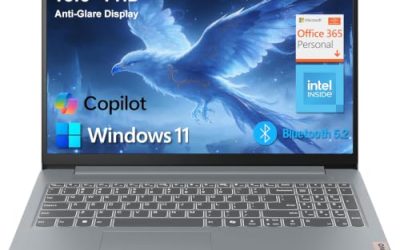
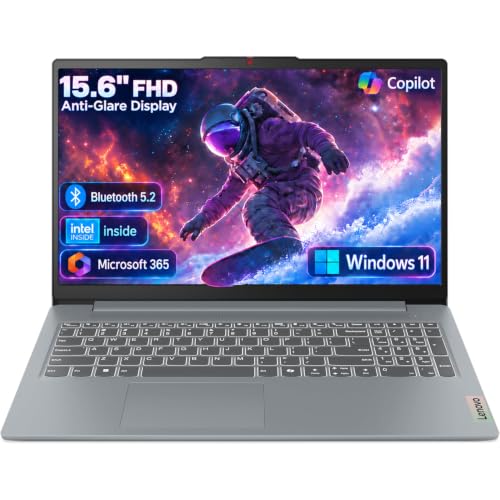
The V15 Gen 4 lists a 15.6-inch FHD display, an Intel Core i5-13420H, HDMI, an RJ45 Ethernet port, a webcam, a numeric keypad and Windows 11 Pro. For a shop where a point-of-sale system lives on a wired network, the Ethernet port is a real convenience, because a cable avoids the dropouts that frustrate a salon, a repair counter or a small clinic when the Wi-Fi gets crowded.
- Strength: Windows 11 Pro plus Ethernet and HDMI cover common small-office needs.
- Strength: a 13th-generation Core i5 processor and a numeric keypad suit daily admin work.
- Trade-off: RAM and storage are not shown in the title.
Skip it if the listing turns out to have only 8GB of memory and you plan to run accounting and video calls together. Confirm those two figures first, and treat the processor as the reason to consider it rather than the whole story.
HP 255 G10 Business Laptop
The HP 255 G10 is listed with an AMD quad-core processor, 16GB of RAM, a 512GB SSD, a 15.6-inch full HD display, a webcam with a shutter, a numeric keypad and Windows 11 Pro. It is a straightforward, security-aware option for daily administration, the sort of laptop a bookkeeper or office manager can leave on a desk all day and trust to behave the same way each morning.
- Strength: 16GB RAM and a 512GB SSD with Windows 11 Pro.
- Strength: webcam shutter and numeric keypad fit office routines.
- Trade-off: the specific AMD processor model is not named.
Skip it if you need a named CPU for a particular program or a very light travel laptop. It suits an owner who wants a plain, capable machine and values a physical camera cover when clients share a space with the screen.
Dell Latitude 5420 (Renewed)
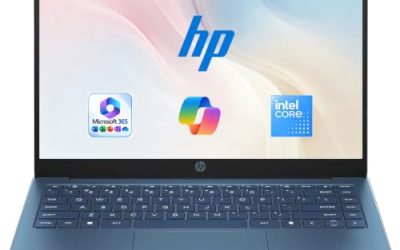
The Latitude 5420 is a 14-inch business laptop with an Intel quad-core i5-1145G7, 16GB of DDR4, a 256GB SSD, HDMI and Windows 11 Pro. It is renewed, so it is refurbished hardware from a business product line.
- Strength: 16GB of RAM and Windows 11 Pro in a compact 14-inch size.
- Strength: buying renewed can leave room in a budget for a dock or backup drive, though the listing does not confirm any saving.
- Trade-off: only 256GB of storage, and condition varies by seller.
Skip it if you want a manufacturer-new warranty or lots of local storage. It works for a mobile owner who keeps files in the cloud, such as an electrician or a mobile groomer who mostly types quotes and invoices between appointments.
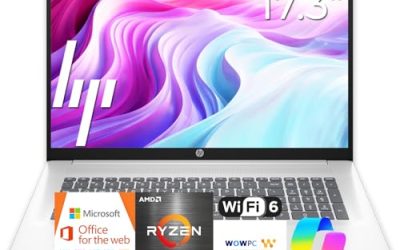
HP 17 Inch Business Laptop (Ryzen 5)
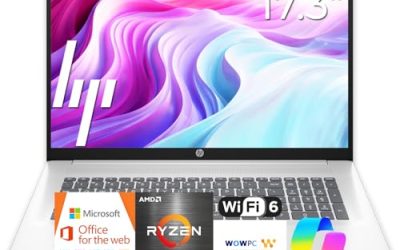
This HP combines a 17.3-inch FHD display, an AMD Ryzen 5 processor, 16GB of RAM, a 512GB SSD and a numeric keypad. It is the large-screen pick for bookkeeping and spreadsheet-heavy work at a fixed desk.
- Strength: 16GB RAM and 512GB SSD with a large 17.3″ screen.
- Strength: numeric keypad speeds up data entry.
- Trade-off: large and heavy to carry between job sites.
Skip it if you travel to clients daily. The title does not state an operating system edition, so verify Pro if encryption matters to you. Office managers who dislike squinting at small text will like the panel size, and anyone who prints reports regularly benefits from seeing a full page at once.
Lenovo Business 15.6 Inch Laptop
The most modest option lists an Intel processor, 8GB of DDR5, 128GB of storage, Office 365, WiFi 6, USB-C and an anti-glare 15.6-inch FHD screen. It targets light tasks and a tight spending plan.
- Strength: Office 365 and Wi-Fi 6 included for basic productivity.
- Strength: USB-C and anti-glare screen add flexibility.
- Trade-off: only 128GB of storage and unnamed processor.
Skip it if you handle many files or run accounting software heavily. A sole proprietor with a few clients and cloud-based tools could still make it work, for instance a tutor or consultant who lives in a browser, uses the included Office apps for letters and quotes, and keeps client documents online.
Which One Fits Your Situation
You Run a Shop With a Wired Network
The Lenovo V15 Gen 4 is the natural choice, with an RJ45 port and HDMI built in alongside Windows 11 Pro.
You Keep Customer Records Locally
The HP 255 G10 combines Windows 11 Pro, 16GB of RAM, a 512GB SSD and a webcam shutter, which makes it sensible for private data.
You Work From Job Sites
The Dell Latitude 5420 (Renewed) is compact at 14 inches and business-grade, so it travels more easily than the 17-inch HP.
You Want a Large, Comfortable Desk Machine
Between the Dell Pro 16 and the HP 17, choose the Dell for a business-line pedigree and the HP for the numeric keypad and bigger panel.
Common Mistakes
- Choosing Windows Home S mode and then being unable to install accounting or POS software.
- Buying 4GB of RAM because the processor sounds modern.
- Leaving customer files unencrypted on a portable machine.
- Overlooking an Ethernet port when the business runs on wired equipment.
- Ignoring the need for external backups.
Related guides
- Gaming Laptop Battery Draining While Plugged In Fix
- Graphics Cards For Low Wattage Power Supplies
- How To Stop Laptop Thermal Throttling In Software
Frequently Asked Questions
How much RAM does a small business laptop need?
16GB is comfortable for accounting software, email and video calls running together. 8GB is workable for lighter use but leaves less headroom.
Is a renewed laptop safe for business use?
It can be, particularly from business lines. Make sure the seller provides clear warranty terms and check battery condition. A business that cannot afford a week of downtime should also keep a spare charger and a recent backup on hand.
Do I need Windows 11 Pro?
If you store customer or financial data, Pro’s BitLocker encryption is worth having. For a laptop with no sensitive files, Home is acceptable.
Should I buy a bigger screen or a lighter laptop?
Choose by where you work. A 14-inch model travels easily, while 15.6 and 17.3 inches suit people who mostly work at one desk.