A work laptop is judged less by peak speed than by how few things annoy you across an eight-hour day. Does the screen cut glare under office lights? Is there enough memory to keep email, a browser full of tabs, a spreadsheet and a video call open together? Can you plug into a projector or a wired network without hunting for a dongle? Those practical questions, not headline speed numbers, separate a good best laptop for work from an expensive disappointment.
This guide is for office staff, remote workers, small-business owners and students on internships who need a dependable everyday machine. It compares seven laptops using only the facts printed in their titles: processors, memory, storage, screen details and ports. Prices span budget, mid-range and premium tiers, and since 2026 listings often bundle trial software, the notes below separate real hardware from bundle noise.
Our Top Picks




Top 3 picks at a glance
Quick Picks
As an Amazon Associate we earn from qualifying purchases at no extra cost to you.





| Product | Best for | Key spec from the title |
|---|---|---|
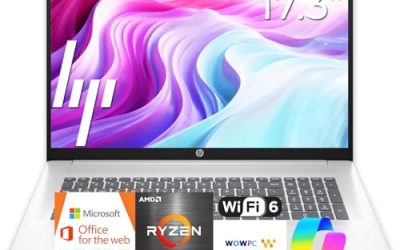
| HP 17-inch Business Laptop | Spreadsheets and data entry | Ryzen 5, 16GB RAM, 512GB SSD, numeric keypad |
| Dell 15.6 Core 3 100U | Steady all-round office use | 8GB RAM, 512GB SSD, anti-glare IPS, 250 nits |
| HP 14-inch N150 | Light tasks on a short budget | Intel N150, 4GB RAM, 128GB UFS |
| Dell 15.6 Core Ultra 5 225U | Multitasking and video calls | 16GB DDR5, 512GB SSD, backlit keyboard, 300 nits |
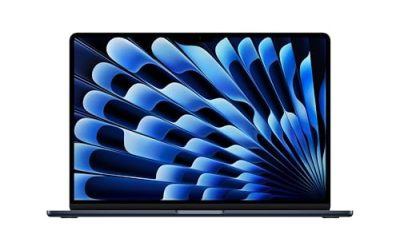
| Apple MacBook Neo 13-inch | Mobile professionals in Apple setups | A18 Pro chip, 8GB unified memory, 256GB SSD |
| Lenovo Business 15.6-inch | Cloud-based office workflows | 8GB DDR5, USB-C, anti-glare screen, WiFi 6 |
| Lenovo V15 Ryzen 5 | Wired office desks | 16GB RAM, 512GB SSD, HDMI, RJ45, numeric keypad |
How to Choose
Memory and storage that survive a workday
For office tasks, 8GB of RAM is the minimum that feels comfortable, and 16GB is the smart choice if you keep dozens of browser tabs, run a video call and edit large spreadsheets together. Storage should be an SSD of at least 256GB; 512GB leaves room for local files, updates and a year of downloads. Machines with only 4GB of RAM or 128GB of storage work for a single task at a time and show their limits quickly when you multitask.
Screen comfort for long hours
An anti-glare finish reduces reflections from windows and overhead lights, and a full HD (1920×1080) resolution keeps text sharp. IPS panels hold their color from side angles, which helps when you share a screen. Brightness listed in nits matters: 250 nits is acceptable indoors, while 300 or more is easier near windows. A 15.6-inch screen is the sweet spot for desk work; 17.3 inches suits spreadsheets but adds weight.
Ports, keyboard and connectivity
Office life still depends on ports. Look for HDMI for projectors, a USB-C port for docks and chargers, and an Ethernet (RJ45) jack if your desk uses a wired connection. A numeric keypad speeds up spreadsheet work, and a backlit keyboard helps in dim rooms. Wi-Fi 6 gives more reliable video calls on busy office networks than older standards.
Operating system, processor and security
Windows 11 Home covers most users, but companies that rely on managed devices often prefer Windows 11 Pro for extra security tools. Processors from the Core 3, Core Ultra 5 and Ryzen 5 families handle office loads easily; N-series chips like the N150 suit lighter use. Treat Office and cloud-storage bundles as short-term extras, and confirm the subscription length before counting them as savings.
The 7 Best Options
HP 17-Inch Business Laptop
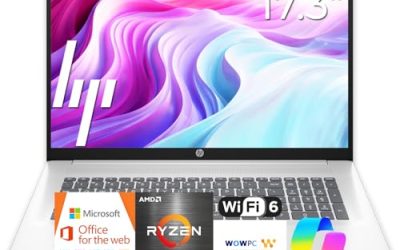
This is the data-heavy pick. The title lists a Ryzen 5 processor, 16GB of RAM, a 512GB SSD, a 17.3-inch FHD display, a numeric keypad and long battery life, aimed at people who spend the day inside spreadsheets, reports and long email threads.
- Strength: 16GB of RAM and a 512GB SSD handle heavy multitasking comfortably.
- Strength: the large screen and numeric keypad suit spreadsheets and accounting work.
- Trade-off: a 17.3-inch body is bulkier to carry than a 14- or 15.6-inch laptop.
Skip it if you commute by train every day or work from small desks, because the size becomes a nuisance. The title does not list a wired network port either, so buyers who rely on Ethernet should check the product page before ordering, and anyone who presents often may also want to confirm the video output.
Dell 15.6 Core 3 100U Laptop
A middle-of-the-road office machine. The title lists an Intel Core 3 100U, 8GB of DDR4 RAM, a 512GB SSD, a full HD anti-glare IPS display at 250 nits, Intel UHD graphics, Wi-Fi 6 and Bluetooth.
- Strength: the anti-glare IPS screen suits long document sessions.
- Strength: a 512GB SSD gives space that cheaper models lack.
- Trade-off: 8GB of RAM is workable but offers less headroom than the 16GB models.
Skip it if you run heavy multitasking or want a brighter display for sunny rooms. A 250-nit panel is fine indoors but dimmer than the 300-nit option below. Because the title does not mention a backlit keyboard, people who work in dim rooms or late evenings should also verify that detail on the product page.
HP 14-Inch N150 Laptop
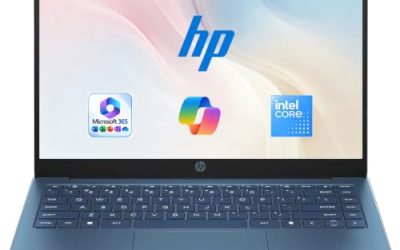
The budget option for light work. The title lists an HD display, an Intel N150, 4GB of RAM, 128GB of UFS storage, Intel graphics, Windows 11 Home and a one-year Microsoft 365 Personal subscription.
- Strength: the compact 14-inch size is easy to carry between meetings.
- Strength: the bundled subscription covers basic documents at the start.
- Trade-off: 4GB of RAM and an HD screen limit multitasking and text sharpness.
Skip it if you plan to use the machine as your primary work computer for years, or if you keep many applications open together. It fits email and web tasks best, and it makes more sense as a secondary or travel machine than as the one computer your job depends on every single day.
Dell 15.6 Core Ultra 5 225U Laptop
This Dell is for people who run calls and apps together all day. The title lists a Core Ultra 5 225U, 16GB of DDR5 RAM, a 512GB SSD, a full HD anti-glare panel at 300 nits, Intel graphics and a backlit keyboard.
- Strength: 16GB of DDR5 RAM gives the most headroom of the Dell models.
- Strength: 300 nits and a backlit keyboard suit bright offices and dim evenings.
- Trade-off: the title mentions no extra ports such as Ethernet, so check connectivity first.
Skip it if your tasks are limited to browsing and email, since you would pay for performance you will not use. It also gives no hint of a bundled software subscription, so factor in the cost of office software if your employer does not supply it, and compare the total against laptops that bundle a trial.
Apple MacBook Neo 13-Inch
For mobile professionals in the Apple ecosystem who already use an iPhone and want files and messages to flow between devices. The title lists an A18 Pro chip, 8GB of unified memory, a 256GB SSD and a Liquid Retina display, with Apple Intelligence features highlighted.
- Strength: the 13-inch size and SSD suit travel between offices and clients.
- Strength: the Liquid Retina display is a screen-quality highlight.
- Trade-off: 8GB and 256GB are modest for heavy work, and nothing suggests upgrade options.
Skip it if your company software runs only on Windows, or if you need many ports and a numeric keypad. Buyers who store large project files should plan for external drives or cloud storage, and those who rely on specialized business software should confirm that it runs on macOS before buying.
Lenovo Business 15.6-Inch Laptop
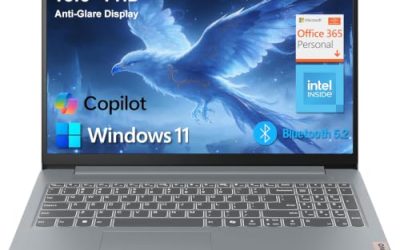
A cloud-friendly office laptop. The title lists a 15.6-inch FHD display, an Intel processor, 8GB of DDR5 RAM, 128GB of storage, Office 365, Copilot AI, WiFi 6, a USB-C port, an anti-glare screen and long battery life.
- Strength: USB-C and WiFi 6 cover modern docking and network needs.
- Strength: DDR5 memory and an anti-glare screen are good matches for office use.
- Trade-off: only 128GB of storage fills quickly with local files and updates.
Skip it if you handle large files offline, or if you want an exact processor model; the title says only “Intel Processor.” Pair it with cloud storage if you choose it, and remember that “long battery life” in the title is a general claim without an hour figure, so treat it as a hint rather than a guarantee.
Lenovo V15 Ryzen 5 Laptop
This is the wired-desk choice. The title lists a 15.6-inch FHD display, a Ryzen 5 5500U six-core processor, 16GB of RAM, a 512GB SSD, HDMI, an RJ45 Ethernet port and a numeric keypad.
- Strength: HDMI and Ethernet ports save you from carrying adapters.
- Strength: 16GB of RAM and a 512GB SSD give strong office headroom.
- Trade-off: the 5500U belongs to an older processor generation than the Core Ultra model.
Skip it if you want the newest chip or the lightest possible build. It is better at a desk with a monitor and wired network than in a cafe, and people who change locations several times a day will appreciate a lighter body more than a full set of built-in ports.
Which One Fits Your Situation
An accountant who lives in spreadsheets
The HP 17-inch gives a large screen, numeric keypad and 16GB of RAM, and the Lenovo V15 offers similar memory with HDMI and Ethernet.
A remote worker on video calls all day
The Dell Core Ultra 5 225U pairs 16GB of RAM with a 300-nit panel and a backlit keyboard, which helps in varied lighting.
A traveling consultant
The MacBook Neo suits Apple users who value a compact body, while the Lenovo Business model adds USB-C and a familiar Windows setup.
A tight budget with light tasks
The HP 14-inch N150 covers email and documents, but start with a plan to add cloud storage because the local drive is small.
Common Mistakes
- Buying 4GB of RAM for a primary work computer.
- Ignoring ports, then needing a dock for HDMI or Ethernet on day one.
- Choosing a glossy or dim screen for a bright office.
- Counting a short Office trial as permanent software.
- Paying for a premium chip when work is mostly browsing and email.
Work Laptop Specs and Terms Explained
Windows Home versus Pro
Pro adds BitLocker drive encryption, domain join and remote desktop hosting. Many offices need at least one of these, so check the edition before ordering. Upgrading later is possible, though it adds a step and cost.
NPU and AI branding
Newer processors such as the Core Ultra family include a neural processing unit for on-device AI features like background blur on calls. For plain office work it is a nice extra, not a requirement.
TPM and fingerprint sign-in
TPM 2.0 is a security chip needed for modern Windows features and many company policies. A fingerprint reader speeds sign-in but is rarely a deal-breaker.
Numeric keypad and key travel
Full-size 15.6-inch and 17-inch machines often include a numeric pad, handy for spreadsheets. Smaller 14-inch bodies drop it, which saves space but slows data entry.
Which One Should You Buy?
| If you… | Choose… |
|---|---|
| want the largest screen and a numeric pad | HP 17-Inch Business Laptop |
| need an entry-level processor class for basic desk work | Dell 15.6 Core 3 100U Laptop |
| prefer a light 14-inch body for meetings | HP 14-Inch N150 Laptop |
| want a newer processor generation with AI-ready hardware | Dell 15.6 Core Ultra 5 225U Laptop |
| work within the Apple ecosystem | Apple MacBook Neo 13-Inch |
| want a classic business-style Lenovo | Lenovo Business 15.6-Inch Laptop or Lenovo V15 Ryzen 5 Laptop |
Setup and Care Tips
- Turn on disk encryption before saving any client files.
- Set up a second backup location, such as a cloud folder and an external drive.
- Use a separate user account for work and personal browsing.
- Check that your VPN client and printer drivers support the operating system version you are running.
Who Should Skip These
If your job involves heavy video editing, large datasets or engineering software, a thin office laptop will struggle. Also skip the compact models if your work requires frequent data entry on a full keyboard, and add an external one instead.
Questions to Ask Before You Order
- Does my employer require a specific operating system edition or disk encryption?
- How many external screens will I connect, and does the laptop have the right video output?
- Do I need an Ethernet port or must I rely on a dongle?
- Will I use the laptop with the lid closed on a desk dock?
- Do I need a webcam shutter or a camera with decent low-light behavior for daily calls?
Answering these first narrows the list quickly: a spreadsheet-heavy role points to a full-size keyboard with a number pad, while a role built around travel and meetings points to the lighter 14-inch body.
Related guides
- Gaming Laptop Battery Draining While Plugged In Fix
- Graphics Cards For Low Wattage Power Supplies
- How To Stop Laptop Thermal Throttling In Software
Frequently Asked Questions
How much RAM does a work laptop need?
Eight gigabytes is the minimum for comfortable office use. Sixteen gigabytes is better if you multitask heavily or plan to keep the laptop for several years.
Is Windows 11 Home enough for work?
For most individual users, yes. Companies that manage devices or need extra security tools may prefer Windows 11 Pro, so ask your IT team.
Do I need a numeric keypad?
If you enter lots of numbers, it speeds you up. Otherwise a compact keyboard on a smaller laptop is fine.
Are Office bundles worth counting?
Treat them as a short-term perk. Confirm the subscription term, then budget for a permanent license or a cloud plan. If your employer already provides office software, a bundle adds nothing, and you can put that part of the budget toward memory or a better screen instead.