A monitor with a built-in webcam answers a very specific home-office annoyance: the clutter of a clip-on camera, a USB cable, a microphone, and a pair of speakers all fighting for desk space. Put them in one panel and the video-call setup becomes a single power cable and, with the right model, a single USB-C link to the laptop. The camera also ends up at eye level, centered on the screen you are actually looking at, which makes you look more attentive on calls.
The catch is that the camera and microphone are usually the weakest parts of the package. This guide is for remote workers, freelancers, and hybrid staff who spend several hours a day on video meetings and want a tidy desk without buying separate gear. The eight monitors here run from a 22-inch conferencing display to 34-inch ultrawide models with USB-C docking, so the first filter is how much screen real estate and how much laptop connectivity you need.
Our Top Picks
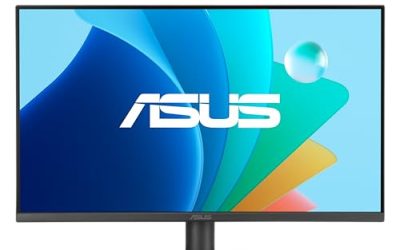
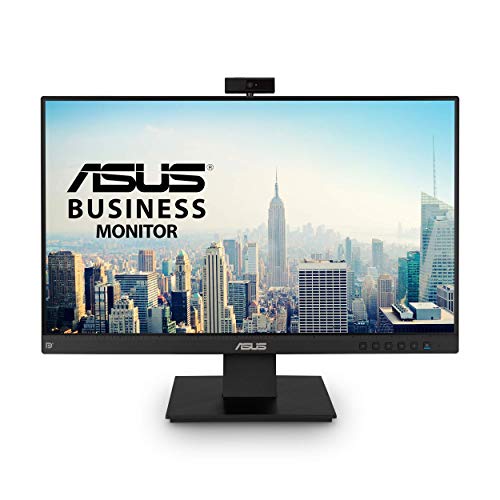 ASUS BE24EQK 24 Inch 1080P Computer Monitor24 Inch24.02 x 19.45 x 6 inches12.8 poundsCheck on Amazon
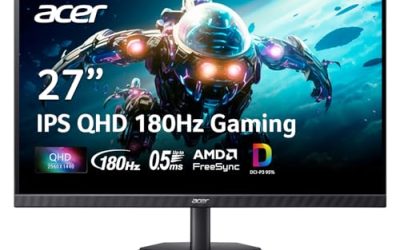
 ASUS BE279QSK 27 Inch 1080P FHD Computer Monitor27 Inch15.67 x 24.06 x 10.47 inches14.99 poundsCheck on Amazon
Top 3 picks at a glance
Quick Picks
As an Amazon Associate we earn from qualifying purchases at no extra cost to you.


| Product | Best for | Key spec from the title |
|---|---|---|
| ASUS BE24EQK | Compact meeting desk | 24-inch 1080P IPS, 2MP webcam, mic array |
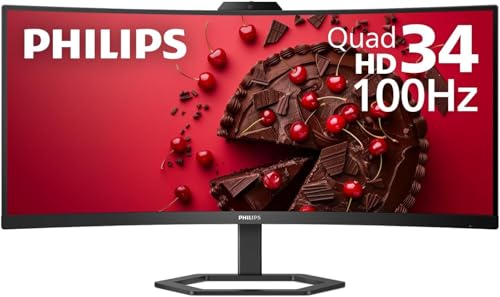
| Philips 34E1C5600HE | Ultrawide laptop dock | 34-inch UWQHD 100Hz, USB-C 65W PD, webcam |
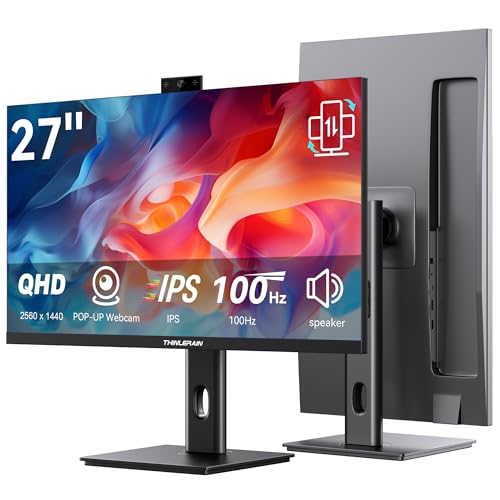
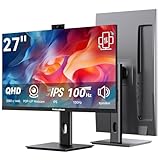
| Thinlerain 27 Inch 2K | Privacy-minded video calls | 2560 x 1440 IPS, pop-up 3MP webcam |
| Thinlerain 27 Inch 4K | High-resolution workspace | 3840 x 2160 IPS, 160Hz, pop-up 3MP webcam |
| ASUS BE279QSK | Everyday 27-inch work screen | 27-inch 1080P IPS, 2MP webcam, speakers |
| CUNPU 27 Inch QHD | Sharper camera on a budget | QHD, 5MP pop-up webcam, pivot stand |
| Lenovo ThinkVision 22 | Small office or second screen | 22-inch FHD IPS conferencing monitor |
| Dell P3426WEB | Premium single-cable setup | 34-inch WQHD 100Hz, USB-C hub, 5MP webcam |
How to Choose
Screen size and resolution
For spreadsheets and documents, 1080p at 24 inches is workable, but 27-inch QHD (2560 x 1440) is where text looks noticeably cleaner. 4K at 27 inches gives the sharpest text but needs a laptop that can drive it. Ultrawide 34-inch models at 3440 x 1440 replace two side-by-side windows, though they take more desk depth and need a sturdy surface.
Webcam resolution and privacy
The listings here range from 2MP to 5MP. Two megapixels roughly matches a standard 1080p video call, while 3MP and 5MP cameras offer extra detail, though real-world quality depends on lens and software. Pop-up designs hide the camera when not in use, a physical privacy feature that beats a sticker. Treat built-in webcams as convenient rather than studio quality, and put a lamp in front of you instead of behind, since good light improves any small sensor more than extra megapixels do.
Connectivity and docking
A USB-C port with 65W power delivery lets a single cable carry video, data, and charging to a laptop, which is the cleanest home-office dock. If your laptop lacks that, HDMI and DisplayPort inputs still work, but you will add a separate USB cable for the webcam and microphone. Check that the monitor lists a microphone and speakers if you want a full call setup.
Ergonomics and what to ignore
Height adjustment, tilt, swivel, and pivot matter for hours of use. Ignore gaming refresh-rate boasts if your work is documents and calls; 60Hz to 100Hz is plenty. Budget models often cut corners on stand adjustment and speaker quality, so a VESA mount pattern, such as 100 x 100mm on the Lenovo, gives you an escape route to a better arm.
The 8 Best Options
ASUS BE24EQK
ASUS pairs a 24-inch 1080P IPS panel with a 2MP webcam, mic array, stereo speakers, eye care features, and HDMI, DisplayPort, and VGA inputs, positioned for video conferencing. It is a compact choice for a shared desk or small apartment office, with enough inputs to cover both modern and older equipment. A spare bedroom doubling as an office, a student’s study corner, or a part-time remote desk suits this size, since nothing about it demands a dedicated workstation. The eye care branding in the title is aimed at people who stare at documents for long stretches.
- HDMI, DisplayPort, and VGA inputs cover many devices.
- Webcam, mic array, and speakers in one panel.
- Trade-off: 1080P at 24 inches is modest for detailed work.
Skip it if you need a high-resolution workspace or USB-C docking.
Philips 34E1C5600HE
Philips offers a 34-inch curved UWQHD VA panel at 3440 x 1440 and 100Hz, with USB-C that delivers 65W of power, a webcam, speakers, and noise-canceling microphone support. It suits someone who wants one cable to a laptop and a wide canvas for side-by-side documents and a video call. The 100Hz refresh rate is a small bonus for scrolling and the curved shape helps keep the screen edges within view. Laptops that support USB-C charging can run on a single connection all day.
- USB-C with 65W power delivery simplifies laptop connection.
- 21:9 curved ultrawide fits two windows side by side.
- Trade-off: it demands a deeper desk and a stable surface.
Skip it if desk space is limited.
Thinlerain 27 Inch 2K Monitor
This 27-inch IPS monitor offers 2560 x 1440 resolution at 100Hz, with a pop-up 3MP webcam and built-in microphone, and it is pitched for vertical use. The pop-up camera hides when you do not need it, a plus for anyone who dislikes an always-visible lens in a home office. The vertical-use mention in the title also suits people who like a portrait-oriented screen for code or long documents, although it is worth confirming the stand supports rotation before relying on that.
- Pop-up webcam adds a built-in privacy cover.
- QHD resolution gives crisp text for documents.
- Trade-off: a lesser-known brand than the established monitor makers.
Skip it if you prefer a recognized brand with business-focused support.
Thinlerain 27 Inch 4K Monitor
The 4K variant steps up to 3840 x 2160 at 160Hz with a pop-up 3MP webcam, speakers, microphone, and HDMI, DisplayPort, and USB inputs. It is the sharpest option for designers and spreadsheet users who also take regular calls. A photographer checking images between client meetings, or an analyst with dense tables, would see the benefit of the extra pixel density on a single panel without needing a second screen.
- 4K resolution produces very sharp text and detail.
- 160Hz refresh adds smoothness for occasional gaming.
- Trade-off: 4K needs a capable laptop and sometimes scaling adjustments.
Skip it if your laptop struggles with a 4K external display.
ASUS BE279QSK
This 27-inch ASUS uses a 1080P Full HD IPS panel with a built-in 2MP webcam, mic array, speakers, eye care technology, and HDMI, DisplayPort, and VGA inputs. It is a straightforward choice for office workers who want a larger screen without paying for high resolution. Teams that need to standardize several identical desks, such as a small accounting practice, can appreciate the same inputs and feature set repeated across units. Its roughly 2MP camera matches what most office meeting software expects.
- 27-inch screen with a familiar brand behind it.
- Eye care features aimed at long workdays.
- Trade-off: 1080P stretched across 27 inches is less sharp than QHD.
Skip it if you read fine text all day.
CUNPU 27-Inch Monitor with 5MP Webcam
CUNPU lists a QHD panel, a 5MP pop-up webcam, microphone, speakers, and height-adjustable swivel and pivot stand. The 5MP figure is the highest camera number among the 27-inch models, and the full ergonomic stand is useful for shared desks. Two people who alternate on one workstation can quickly adjust height and angle, and the pivot option lets anyone who prefers portrait documents rotate the panel without buying a separate arm.
- 5MP pop-up camera with a built-in cover.
- Height, swivel, and pivot adjustments included.
- Trade-off: the brand is not widely known, so support is unclear.
Skip it if you want a name-brand warranty.
Lenovo ThinkVision 22-Inch Conferencing Monitor
Lenovo’s 22-inch FHD IPS panel is described as a conferencing monitor with a 4ms response time, anti-glare coating, a 100 x 100mm VESA mount, and height, tilt, swivel, and pivot adjustment. Confirm the exact webcam details on the spec sheet, since the title focuses on the display. It suits a small desk or a second screen. A support-desk agent or a front-office assistant who mostly handles calls and a few windows will find the screen size adequate, and the anti-glare finish helps near bright windows or overhead lights.
- Fully adjustable stand with VESA compatibility.
- Anti-glare finish for bright rooms.
- Trade-off: 22 inches is small for multi-window work.
Skip it if you need a larger primary monitor.
Dell P3426WEB
Dell bundles a 34-inch WQHD IPS monitor at 100Hz with a USB-C hub and a 5MP webcam, aimed at home and office users. It is the most complete single-cable workstation in this group and suits a hybrid worker who docks a laptop daily. Walking in, plugging in one cable, and being ready for a call with the camera, mic, and screen already in place is the kind of routine this bundle is designed to support.
- USB-C hub consolidates laptop connections.
- 5MP webcam and a large ultrawide panel.
- Trade-off: it is the most substantial and likely the most expensive option.
Skip it if you only need a basic call screen.
Which One Fits Your Situation
A small bedroom desk
The ASUS BE24EQK keeps the footprint small while bundling a camera, microphone, and speakers.
A hybrid worker who docks a laptop every day
The Dell P3426WEB or Philips 34E1C5600HE reduce the setup to one cable. The Dell adds a 5MP camera. Either one pairs well with a laptop stand, a wireless keyboard, and a tidy cable run under the desk.
A privacy-conscious remote worker
The Thinlerain or CUNPU pop-up cameras tuck away out of sight. That helps in a bedroom office where the screen faces the bed, or in a shared living area where family members walk behind the desk.
A budget-focused family office
The ASUS BE279QSK gives a bigger screen from a known brand without a heavy price jump. It also keeps the camera, microphone, and speakers together, so a family sharing one office can skip the pile of peripherals.
Common Mistakes
- Assuming a built-in webcam matches a dedicated one for quality.
- Buying 4K without checking whether the laptop can drive it.
- Overlooking USB-C power delivery and then buying an extra dock.
- Forgetting that ultrawide models need more depth on the desk.
- Ignoring stand adjustments, which affect neck comfort over a full day.
Related guides
- Gaming Laptop Battery Draining While Plugged In Fix
- Graphics Cards For Low Wattage Power Supplies
- How To Stop Laptop Thermal Throttling In Software
Frequently Asked Questions
Are monitor webcams good enough for meetings?
For standard video calls, yes. Higher megapixel cameras help, but lighting matters more than resolution.
Do I need USB-C?
Not required, but it simplifies a laptop setup. Without it, HDMI or DisplayPort plus a USB cable works.
Is a pop-up webcam better?
It adds privacy, since the camera is hidden when not in use. The trade-off is a small moving part.
What size should I choose for 2026 home-office work?
A 27-inch QHD screen is the sweet spot for most. Choose 34-inch ultrawide for multitasking and 24-inch for tight desks.
Related guides
More from Amazon
Programs that pair well with the guide above. Offers and eligibility are set by Amazon and may change.
Free shipping on eligible items, Prime Video and more. Eligible new members can start with a free trial.
Start a Prime free trialAd-free music streaming. Eligible new subscribers can start with a free trial.
Try Music Unlimited freeA Prime membership for ages 18-24 with a trial period. Eligibility is set by Amazon.
See Prime for Young AdultsAudiobooks and podcasts to listen to on the go. Eligible new members can start with a free trial.
Try Audible freeAs an Amazon Associate we earn from qualifying purchases.