A hard ceiling of under 300 dollars changes how you read a spec sheet. At this level nobody gets everything, so the question is which compromise a student can live with: a small drive, a slower processor, a plastic body, or a screen that is merely adequate. The right answer depends on whether the laptop is for a middle schooler writing reports, a high schooler juggling a learning platform and video calls, or a younger child who needs a simple, durable machine for homework.
This guide is for parents, guardians, and students shopping to a strict budget. We read each listing for the facts that matter at school: memory, storage, screen size, battery, and the operating system, since a Chromebook and a Windows laptop behave very differently in a classroom. Prices swing with promotions and bundles, so use the cap as your filter at checkout and confirm the current cost before ordering. In 2026, the entry tier is better than it used to be, but the pitfalls are still real.
Our Top Picks
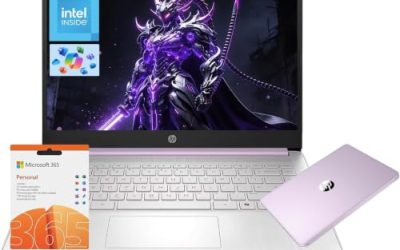
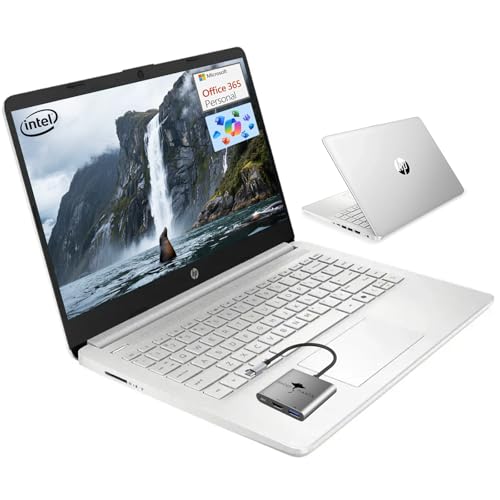 HP 14 Student-Laptop Back to School4GB RAM | 128GB Storage12.76 x 8.86 x 0.71 inches3.24 PoundsCheck on Amazon


Top 3 picks at a glance
Quick Picks
As an Amazon Associate we earn from qualifying purchases at no extra cost to you.


| Product | Best for | Key spec from the title |
|---|---|---|
| Phatom 15.6-inch (upgradeable) | Growing with the student | 4GB RAM, 128GB SSD, upgradeable RAM and SSD |
| Phatom 15.6-inch (IPS) | Straightforward homework | 1080P IPS display, 4GB RAM, 128GB SSD |
| HP Ultra Thin 14 | Lots of memory and bundled extras | Intel N150, 16GB RAM, Office 365 |
| Acer Chromebook 315 | Classroom web apps and battery | Celeron N4020, 4GB, 64GB eMMC, 12.5H battery |
| HP 14 Student | Light everyday schoolwork | Quad-core, 4GB RAM, 128GB SSD, Office 365 |
| Zrasu 15.6-inch | Memory on a budget | Pentium Gold 6500Y, 12GB RAM, USB-C |
| HP 17.3-inch Ryzen 5 | Big screen, stronger processor | Ryzen 5 7430U, 17.3-inch FHD IPS, 8GB and 256GB |
How to Choose
Operating system: Windows or Chromebook
The first fork is software. A Chromebook runs web apps and a browser, which is exactly what many schools use for assignments, collaborative documents, and online learning platforms. It is simple, quick to start, and light on storage needs, which is why a 64GB drive can be enough. A Windows laptop runs traditional programs and works offline with desktop software, but it asks for more memory and storage to feel fast. Ask the school which platform its classes require before buying, since some districts standardize on one or the other and some exam software supports only certain systems.
Keep in mind that a Chromebook is the more forgiving choice for a young student because updates, security, and sign-in are handled for you, and the machine is hard to clutter with unwanted programs. A Windows laptop gives older students more freedom, such as installing a graphing tool, a coding editor, or a full desktop office suite, but it also demands more maintenance. If two children will share a laptop over the years, favor the model with the most memory and the roomiest drive, because a machine that feels fast on day one still has to feel acceptable after two school years of updates and downloads.
Memory and storage floors at this price
Try to get 8GB of RAM or more on a Windows machine, and treat 4GB as workable only for a single task at a time. Several listings here show 4GB, which is enough for a browser and a document but not for a crowded session with video chat. For storage, 128GB is the practical floor on a Windows laptop, since the operating system and updates consume a large share. The eMMC storage on some models is slower than an SSD, so boot and load times will feel less snappy. A listing with a memory card slot or upgradeable parts gives you a path to add capacity later.
Screen, size, and battery for a school bag
Check the screen resolution and panel type. Full HD at 1920×1080 is clearer for reading and spreadsheets than a plain HD panel, and IPS gives better viewing angles when two people share a screen. A 14-inch laptop is easier to carry, a 15.6-inch gives more room for reading, and a 17.3-inch is a home-desk machine that is awkward for a backpack. For battery, a school day is roughly six to eight hours, so a listing with a long runtime claim matters. Treat manufacturer figures as best cases and plan on a charger for heavy use.
What to ignore and where budget laptops cut corners
Ignore phrases like “beats Celeron” or “beats i3” in titles; they are marketing comparisons, and the actual processor name is the useful fact. Ignore extras like bundled mice, hubs, and trial software unless you need them. Budget machines cut corners on memory, storage speed, build quality, and display brightness first, and they rarely have a keyboard that stands up to years of use. A common trap is a listing padded with accessories while the core specs stay weak, so compare the memory, storage, and processor before the freebies.
The 7 Best Options
Phatom 15.6-inch (upgradeable)
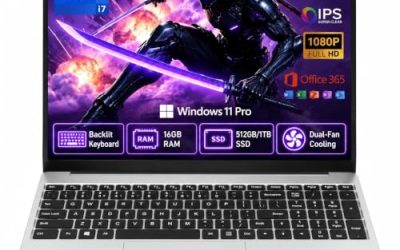
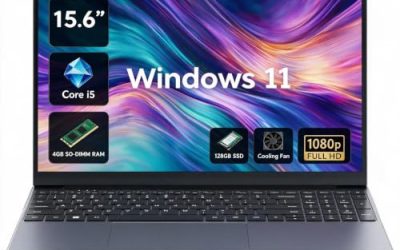
This Phatom model is a 15.6-inch Full HD laptop with 4GB of RAM and a 128GB SSD. The title highlights upgradeable RAM and SSD, support for storage up to 2TB, and 1080P HDMI output. Its Pentium processor is positioned as faster than Celeron. It suits a family that wants a cheap start and plans to add memory later.
- Strength: upgradeable RAM and SSD give the laptop room to grow.
- Strength: Full HD resolution and an HDMI output work for homework and a second monitor.
- Trade-off: 4GB of RAM is thin until you upgrade it.
Skip it if you do not want to open the laptop or buy upgrades.
Phatom 15.6-inch (IPS)
The second Phatom listing carries the same 4GB of RAM and 128GB SSD in a 15.6-inch laptop that the title calls a student laptop for school, with a 1080P IPS display and a lightweight design. It is aimed at buyers who want a plain homework machine.
- Strength: an IPS display improves viewing angles for shared screens.
- Strength: Windows 11 compatibility is stated for familiar software.
- Trade-off: the listing does not emphasize upgrades, so memory may be harder to expand.
Skip it if you want guaranteed room to add RAM later.
HP Ultra Thin 14
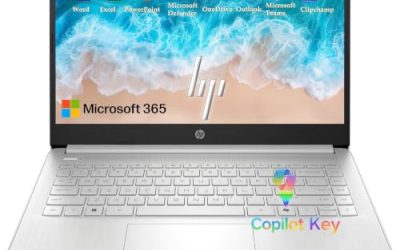
The HP Ultra Thin lists an Intel N150 processor, Office 365, 16GB of RAM, and 256GB of total storage split between a 128GB SD card and a 128GB eMMC, plus a Copilot AI PC label, an 8-in-1 hub, and a mouse. At 14 inches it is the most portable Windows option. Memory is its headline strength.
- Strength: 16GB of RAM is the most generous memory in the group.
- Strength: the bundle of Office 365, a hub, and a mouse adds practical extras.
- Trade-off: the storage is eMMC plus an SD card, not a single fast SSD.
Skip it if you want fast internal storage or a larger screen.
Acer Chromebook 315
The Chromebook 315 offers a 15.6-inch HD display, an Intel Celeron N4020 processor up to 2.8GHz, 4GB of RAM, 64GB of eMMC storage, Intel UHD graphics, and a 12.5-hour battery claim. It is the classroom-web pick: simple, light on resources, and built around cloud apps.
- Strength: the 12.5-hour battery claim is the longest in the group.
- Strength: a Chromebook is simple to manage for younger students.
- Trade-off: the HD display and 64GB eMMC are basic, and it will not run traditional Windows programs.
Skip it if your school requires Windows software.
HP 14 Student
The HP 14 Student laptop lists a quad-core processor, 4GB of RAM, a 128GB SSD, Windows 11, and a one-year Office 365 Copilot AI subscription, aimed at back-to-school buyers. It is a plain 14-inch machine for documents, web research, and classes.
- Strength: a 14-inch body is easy to carry in a backpack.
- Strength: a bundled year of Office covers school documents and slides.
- Trade-off: 4GB of RAM limits multitasking.
Skip it if you need to run several programs or video chat alongside a browser.
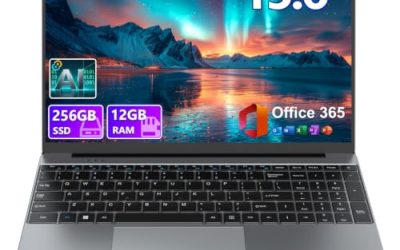
Zrasu 15.6-inch
The Zrasu lists a Pentium Gold 6500Y processor up to 3.4GHz, 12GB of RAM, a 128GB SSD, a 1080P Full HD display, USB-C, Wi-Fi 5, and Bluetooth 5.0. It stands out for memory at this tier, which makes everyday multitasking more comfortable.
- Strength: 12GB of RAM is a solid memory allowance.
- Strength: USB-C and a Full HD display add modern convenience.
- Trade-off: the 128GB drive fills quickly with large downloads.
Skip it if you store many videos or large files locally.
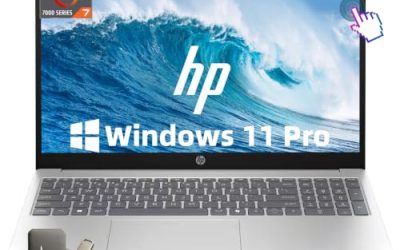
HP 17.3-inch Ryzen 5
The largest machine here pairs a 17.3-inch Full HD IPS anti-glare 300-nit display with a Ryzen 5 7430U, 8GB of RAM, and 256GB of storage, plus a webcam shutter, a Copilot key, Wi-Fi 6, and Bluetooth 5.4. It is the strongest processor in the lineup, so confirm that its current cost stays under your cap.
- Strength: the Ryzen 5 7430U is the most capable processor listed.
- Strength: a 17.3-inch anti-glare screen and a webcam shutter suit home study and privacy.
- Trade-off: a 17.3-inch laptop is bulky and sits at the top of the price tier.
Skip it if you need a backpack-friendly laptop or must stay well under the cap.
Which One Fits Your Situation
The school uses Google-style web apps
Pick the Acer Chromebook 315. Its 12.5-hour battery claim and simple, cloud-based design suit assignments in a browser.
Your student needs a Windows laptop for general schoolwork
Pick the Zrasu 15.6-inch for its 12GB of RAM, or the HP Ultra Thin 14 for its 16GB and its smaller size. Both are friendlier to multitasking than the 4GB models.
You want room to upgrade later
Pick the Phatom 15.6-inch with upgradeable RAM and SSD. Starting at 4GB is a limitation, but the upgrade path means the laptop can improve over time.
You want the strongest performance and a big screen
Pick the HP 17.3-inch Ryzen 5 if the current cost fits your ceiling. It is the most capable machine here, though it is a home-desk laptop more than a backpack companion.
Common Mistakes
- Buying a Windows laptop with 4GB of RAM and expecting it to handle video calls and many tabs.
- Choosing a Chromebook without confirming the school does not require Windows programs.
- Paying attention to bundled accessories while ignoring memory, storage, and processor.
- Overlooking storage type, since eMMC is slower than an SSD.
- Skipping a check of the live cost against the cap, since promotions change the total.
Related guides
- Gaming Laptop Battery Draining While Plugged In Fix
- Graphics Cards For Low Wattage Power Supplies
- How To Stop Laptop Thermal Throttling In Software
Frequently Asked Questions
Is a Chromebook good enough for school?
For many classes it is, especially when assignments use web apps and cloud documents. Confirm that your school does not require Windows-only programs.
Is 4GB of RAM enough?
It can handle a browser and a document, but it struggles with several tasks at once. If you can reach 8GB or more, multitasking will be much smoother.
What is the difference between eMMC and an SSD?
Both are flash storage, but an SSD is generally faster. eMMC is common on budget laptops and works fine for simple tasks, though boot and load times are slower.
Should I pick a 14-inch or a 15.6-inch screen?
Choose 14 inches for easier carrying and 15.6 inches for more reading and working space. A 17.3-inch screen is best kept at a desk.