Every “budget RTX 4070 laptop” on the market in 2026 is hiding the same trick: the GPU name is identical, but the silicon behind it is tuned to wildly different power limits, and that wattage gap is what actually separates a $1,350 model from a $1,700 one. If you’re shopping by price alone, you need to know which corner each brand cut to get there, because an RTX 4070 running at 105W is not the same card as one running at 140W, even though both show up as “RTX 4070” in every spec sheet and store listing.
As an Amazon Associate we earn from qualifying purchases at no extra cost to you.



Our Top Picks
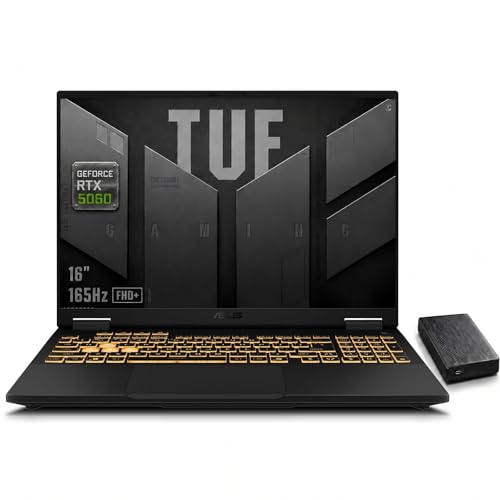
 ASUS TUF 15.6 i7 RTX 4070 Premium Gaming32GB RAM | 1TB SSD13.97 x 9.92 x 0.89 inches4.85 poundsCheck on Amazon


Top 3 picks at a glance
The Real Variable: TGP, Not the GPU Name
Nvidia lets laptop makers configure the mobile RTX 4070 anywhere from 60W to 115W base power, with Dynamic Boost pushing some units up to 140W total graphics power (TGP) when thermal headroom allows. In practice, the budget tier clusters around 105-115W TGP, while mid-range and “performance” variants of the same chip push 130-140W. That’s a 25-35W gap, and at this power tier it translates to a real, measurable framerate difference, not a rounding error.
A rough rule of thumb for Ada Lovelace mobile GPUs: each 10W of TGP headroom is worth roughly 3-5% more sustained performance once you’re past the first 20-30W (where diminishing returns kick in less). So going from 105W to 140W isn’t a 33% power increase delivering 33% more frames, it’s closer to a 12-18% real-world gain in GPU-bound titles at 1440p, because the chip is already fairly efficient at the lower end. That gain shows up most in CPU-light, GPU-heavy scenarios like ray-traced open world games, less in esports titles where you’re CPU or refresh-rate limited anyway.
Worked Example: Is the Wattage Gap Worth the Price Gap?
Say Laptop A (105W TGP) costs $1,399 and Laptop B (140W TGP) costs $1,599, a $200 difference. If Laptop B delivers 15% more average fps in a GPU-bound title, and Laptop A runs that same title at 72fps, Laptop B would land around 83fps. That’s the difference between “mostly stays above 60fps with dips” and “comfortably above 60fps most of the time” at 1440p ultra settings. Whether that’s worth $200 depends on what you’re playing: for a 1080p esports-focused build, it’s not worth it. For 1440p single-player AAA gaming, it usually is.
Head-to-Head: Where Budget RTX 4070 Laptops Cut Corners
Below is how the three things that actually differ between “cheap” and “slightly less cheap” RTX 4070 laptops stack up. Prices are general market ranges, not fixed figures, since they shift with sales cycles.
| Spec Tier | Typical TGP | Cooling Setup | Panel Quality | Usual Price Range |
|---|---|---|---|---|
| Entry budget | 105W (fixed, no Dynamic Boost) | Single-fan-per-component, thinner vapor chamber, lower fan curve ceiling | 1080p, 144Hz, 45% NTSC or ~65% sRGB, 250-300 nits | usually $1,250-$1,450 |
| Mid budget | 115-125W (with Dynamic Boost to ~130W) | Dual-fan with liquid metal or larger heat pipes on some SKUs | 1080p or 1440p, 165Hz, 100% sRGB | usually $1,450-$1,600 |
| Upper budget | 140W TGP | Dual-fan, full-size vapor chamber, higher sustained clocks | 1440p, 165-240Hz, 100% sRGB or DCI-P3 coverage | usually $1,600-$1,800 |
The panel is the sneakiest cut. A 1080p 144Hz screen with 45% NTSC color gamut and 300 nits brightness costs the manufacturer a fraction of a 1440p 165Hz 100% sRGB panel, but both get marketed as “144Hz gaming display” without the color gamut number anywhere near the headline spec. If you’re buying for competitive shooters, the cheap panel is genuinely fine. If you care about how games actually look, washed-out color and low contrast will bother you within a week.
Cooling Headroom: Why Two “140W” Laptops Can Perform Differently
TGP is a ceiling, not a guarantee. A chassis with a thin heatsink and small fans will hit thermal throttling before it ever sustains that 140W figure for more than a few minutes, especially under a combined CPU+GPU load during ray tracing. This is the part spec sheets never show you, because throttling behavior depends on fan curve tuning, heat pipe count, and chassis venting, none of which appear on a listing page.
Practical ways to tell if a budget chassis has real cooling headroom before you buy:
- Check if the laptop has a “Performance” or “Turbo” mode in its control software that unlocks a higher TGP than the stock profile. If the base mode is capped well under the GPU’s max TGP, that’s the brand being honest about chassis limits.
- Look for independent teardown photos or reviews mentioning heat pipe count. Budget chassis often use 3-4 heat pipes shared across CPU and GPU; better cooling designs use 5-6, sometimes with separate pipes per component.
- Check listed fan RPM or noise specs. A laptop rated for 40-45dB at max fan speed usually has more airflow margin than one capped around 38dB, which is often a sign the fans are undersized to keep it quiet rather than cool.
- If a 140W-TGP model is priced suspiciously close to a 105W model from the same brand, assume the chassis wasn’t redesigned to dissipate the extra 35W, and sustained performance may land closer to the cheaper unit than the spec sheet implies.
Decision Matrix: Which Corner-Cutting Matters to You
Use this to match your actual use case to the tier worth paying for, instead of chasing the highest TGP number by default.
| Your Priority | Best Tier to Target | Reasoning |
|---|---|---|
| Competitive esports (CS2, Valorant, Overwatch 2) at 1080p | Entry budget (105W) | These titles are CPU/refresh-rate bound, not GPU-bound. The extra 35W of TGP barely matters when you’re already pushing 200+ fps. |
| Single-player AAA titles at 1440p with ray tracing | Upper budget (140W) | Ray tracing is heavily GPU-bound; the 12-18% real-world gain from higher TGP directly raises your minimum fps in demanding scenes. |
| Color-accurate work alongside gaming (editing, design) | Mid or upper budget, prioritize panel over TGP | A 45% NTSC panel will visibly misrepresent colors; this matters more than the wattage gap for this use case. |
| Mixed gaming + long battery life on the go | Entry budget | Lower TGP chassis tend to pair with smaller, more efficient coolers and sometimes better idle power management, helping unplugged runtime. |
Battery Runtime: The Hidden Cost of Higher TGP
A 140W TGP chip draws more power under load, which has a real effect on away-from-wall gaming time, even though most buyers only compare battery capacity in Wh. Take two laptops with the same 76Wh battery: one running a 105W-TGP RTX 4070, one running 140W. On battery power, laptops typically throttle the dGPU hard, often to 25-40W regardless of the wall-power TGP, so gaming battery life differences between tiers are smaller than you’d expect, usually 10-20 minutes, not hours. Where the gap actually shows up is sustained CPU+GPU workloads on AC power with a thinner chassis: the 140W unit generates more heat per hour, so fans run louder and more often, and in a cramped chassis, long sessions are more likely to throttle below rated clocks after 20-30 minutes.
What to Check Before Buying
- Confirm the exact TGP in the manufacturer’s spec sheet (search the model number plus “TGP” if it’s not on the main listing), since the storefront description rarely states it directly.
- Check panel specs for NTSC/sRGB percentage and nits, not just resolution and refresh rate.
- Look up heat pipe count or thermal design specifics for the exact chassis, since the same brand often reuses one chassis across multiple GPU tiers.
- If choosing between a 105W model with a 1440p panel and a 140W model with a weak 1080p panel, decide which trade-off matches your actual use: GPU headroom or display quality, since budget tiers almost never give you both.
Frequently asked questions
Does a higher RTX 4070 TGP always mean better gaming performance?
No. Higher TGP can improve sustained performance, but the gain depends on whether the game is GPU-bound and whether the chassis can dissipate the heat. The article estimates that moving from 105W to 140W may provide a 12-18% real-world gain in GPU-bound titles, while esports games may see little benefit because they are often CPU- or refresh-rate limited.
Why can two laptops with the same RTX 4070 and TGP perform differently?
Because TGP is a ceiling rather than a guarantee of sustained performance. Cooling design, fan curves, heat pipe count, and chassis venting determine whether the laptop can maintain its rated power. A thinner heatsink or smaller fan may cause thermal throttling, particularly during combined CPU and GPU workloads, even when the specification lists the same TGP.
Is a 1080p 144Hz display a bad choice for a gaming laptop?
No, it can be suitable for competitive shooters and other esports-focused gaming. The article says the more important compromise is often the panel’s color gamut and brightness: budget displays may use 45% NTSC coverage and 250-300 nits. Those specifications may look washed out compared with a 100% sRGB panel, especially outside competitive gaming.
Can a higher-TGP laptop have worse battery life?
Yes, particularly during demanding workloads, because a 140W TGP configuration draws more power under load than a 105W configuration. However, battery gaming differences are usually smaller than expected because laptops commonly reduce dGPU power on battery to 25-40W. With the same 76Wh battery, the article describes the typical difference as 10-20 minutes rather than hours.
How can I find the exact TGP for a laptop before buying it?
Check the manufacturer’s specification sheet for the exact model number, and search that model number with “TGP” if the listing does not state it. Storefront descriptions often omit the figure. Also check whether Dynamic Boost is supported, because some laptops list a base power level while allowing higher total graphics power when thermal headroom permits.