
If you are searching for how to choose between 16 inch and 18 inch laptops, the screen measurement is only the beginning. Many shoppers compare display size, then overlook the details that affect everyday use: the laptop’s footprint, weight, ports, battery capacity, cooling system, and the cost of carrying it.
The biggest mistake is assuming that an 18-inch laptop is simply a larger version of a 16-inch model. An 18-inch computer can be significantly wider and heavier, while a 16-inch model may offer nearly as much working space in a more portable body. Another common error is buying based on processor names alone. A fast chip in a thin chassis may perform differently from the same chip in a larger, better-cooled design.
As an Amazon Associate we earn from qualifying purchases at no extra cost to you.


For 2026 buying, start with how and where you will use the laptop. A spacious 18-inch screen can be excellent for gaming, spreadsheets, video editing, and split-screen work. A 16-inch model is usually easier to carry, store, and use on a small desk or airplane tray. The right choice depends on the trade-offs you are willing to make.
Top 3 picks at a glance
Decide These 3 Things First
- How often will you carry it? If the laptop will commute daily, try to stay near 4.5 pounds or less. If it will mostly live on a desk, weight matters less.
- Do you need maximum screen area? An 18-inch display is helpful for gaming, creative software, and multiple windows. For writing, browsing, and office work, a good 16-inch screen may be sufficient.
- What is your complete budget? Include a backpack, cooling pad, dock, monitor, and any extended warranty. Accessories can add $50 to $250 or more.
Size and Workspace
Screen size is measured diagonally, not by width. A typical 16-inch laptop has a display around 13.5 to 14 inches wide, while an 18-inch model may be approximately 15.5 to 16 inches wide. Exact measurements vary with the aspect ratio and bezel design.
That extra area can make a noticeable difference. An 18-inch laptop gives spreadsheets more room for columns, makes timelines easier to view, and can reduce the need to zoom in creative applications. For gaming, the larger panel can feel more immersive, especially at a 16:10 aspect ratio.
The trade-off is desk and bag space. Many 18-inch laptops are roughly 16 to 17 inches wide and 11 to 12 inches deep. A 16-inch model may be closer to 14 to 15 inches wide and 9.5 to 11 inches deep. Measure your desk, shelf, and laptop compartment before ordering.
Resolution matters as much as diagonal size. Look for at least 1920 by 1200 pixels on a 16:10 display. A 2560 by 1600 panel provides sharper text and more workspace, but it can use more power and raise the price. An 18-inch screen with a low-quality panel is not automatically better than a sharp 16-inch display.
Material and Exterior Design
Materials influence weight, durability, heat management, and appearance. Aluminum lids and palm rests often feel more substantial than plastic, but they can add cost and do not guarantee a stronger hinge. Plastic designs can be perfectly practical, particularly when they use a reinforced internal frame.
Check the keyboard deck for flex by looking at hands-on reviews or inspecting the laptop in a store. A small amount of movement may be normal, but visible bowing under ordinary typing is undesirable. Also look for a firm hinge that opens smoothly without making the screen wobble.
Surface finishes deserve attention. Matte plastic tends to hide fingerprints better than glossy metal. Textured finishes can improve grip when moving a large 18-inch machine. A 16-inch aluminum laptop may feel more refined, while a larger gaming laptop may prioritize ventilation and upgrade access over a slim profile.
Construction, Ports, and Upgrades
Large laptops often have room for more ports and larger cooling hardware. Before buying, count the connections you actually need. A useful setup may include two USB-A ports, one or two USB-C ports, HDMI, an audio jack, and a full-size SD card reader. Some premium thin laptops omit USB-A or HDMI, requiring adapters.
Port placement matters when the computer is wide. Rear or side vents should not be blocked by a wall, monitor stand, or your hand. If you plan to connect a monitor, keyboard, mouse, storage drive, and wired network, confirm whether a USB-C port supports video output, charging, or only data.
For a laptop expected to last four or five years, check upgradeability. A removable or replaceable SSD can extend useful life, and two memory slots may offer more flexibility than soldered RAM. Many current laptops have some components permanently attached, so read the manufacturer’s specifications before purchase.
Comfort and Performance
Weight is the clearest comfort difference. A mainstream 16-inch laptop may weigh about 4 to 5.5 pounds, while an 18-inch gaming model can weigh 6 to 8 pounds before adding its charger. Power adapters may add another 1 to 2.5 pounds. A laptop that seems manageable on a desk can become tiring in a backpack.
Keyboard and trackpad size can favor the 18-inch format. Some large models include a full-size number pad, useful for accounting and data entry. However, a number pad can shift the keyboard and trackpad off center. Try to confirm the layout if typing comfort is a priority.
For general work, 16GB of RAM and a 512GB SSD are sensible minimums. Choose 32GB for photo or video work, large spreadsheets, software development, and heavier multitasking. Consider 1TB of storage if you keep games, media, or project files locally. Integrated graphics are adequate for office work and casual games; demanding gaming and 3D applications need a dedicated graphics processor.
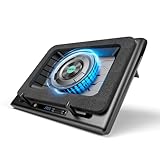
Cooling affects sustained performance. A large chassis can accommodate bigger fans, but it may also produce more noise under load. A cooling pad can improve airflow when the laptop’s intake vents are on the underside. For example, the AICHESON RGB model is listed for 15- to 19-inch laptops and priced around $49.99, while the llano V12 is a higher-priced option at about $112.49. Treat either as an accessory, not a substitute for a well-designed laptop.
Price Tiers and Total Cost
At roughly $500 to $800, expect a 16-inch laptop with a mainstream processor, 8GB to 16GB of RAM, a 512GB SSD, and a basic display. Affordable 18-inch options are less common, and compromises may include a dimmer screen, plastic construction, or limited battery life.
From about $800 to $1,300, buyers can find stronger processors, 16GB or 32GB of RAM, 1TB storage, better displays, and more capable graphics. The ASUS Vivobook 18 example, listed at $999 with a Ryzen 7 processor, 16GB of DDR5 memory, and a claimed 1.5TB storage package, represents this broad category. Confirm whether bundled storage is internal, external, or part of a docking-station package before comparing it with another laptop.
At approximately $1,300 to $2,500 or more, premium 16-inch and 18-inch models may offer high-refresh-rate displays, dedicated graphics, stronger chassis materials, larger batteries, and better speakers. Gaming workstations can exceed $3,000. Budget separately for a backpack: a purpose-built 18-inch gaming bag, such as the Smatree example listed at $199.99, costs far more than a basic sleeve but may provide more padding and room for a large charger.
Warranty and Service
A one-year limited warranty is common, but read what it covers. Accidental damage, liquid spills, battery degradation, and cosmetic damage are often excluded. Extended coverage can cost roughly $100 to $400 depending on the laptop price and protection level.
Pay attention to battery terms. Batteries are consumable parts, and warranty coverage may be shorter or limited by a capacity threshold. Also check whether repairs require shipping the laptop away, whether the manufacturer offers authorized service nearby, and whether memory or storage upgrades affect coverage.
For a $1,500 gaming laptop or a computer used for work, a service plan may be worthwhile if downtime is expensive. For a $600 basic laptop, putting that money toward a larger SSD, backup drive, or replacement fund may make more sense.
Delivery, Setup, and Carrying
There is no furniture-style assembly with a laptop, but setup still deserves planning. Allow time for operating-system updates, driver installation, account setup, file migration, and a full backup. Confirm the return window before opening or customizing the computer; some retailers have different rules for laptops and accessories.
Inspect the package at delivery and photograph obvious damage before turning the laptop on. Keep the box until you have tested the display, keyboard, ports, webcam, speakers, charging, Wi-Fi, and sleep or wake behavior.
A 16-inch sleeve may not fit an 18-inch laptop, even when the listed diagonal sizes seem close. Use the manufacturer’s external dimensions, not just the screen label. For an 18-inch computer, choose a bag with a padded compartment sized for at least 17 inches of width and 12 inches of depth when those measurements match the laptop. Leave room for the charger and cooling pad.
Spec Checklist
| Spec | Budget | Mid | Premium |
|---|---|---|---|
| Screen | 16-inch, 1920 × 1200, 60Hz | 16 or 18-inch, 1920 × 1200 or 2560 × 1600, 120Hz+ | 16 or 18-inch, high-color 2560 × 1600 or higher, 165Hz+ |
| Memory | 8GB to 16GB | 16GB to 32GB | 32GB or more |
| Storage | 512GB SSD | 1TB SSD | 1TB to 2TB SSD |
| Weight target | 4.5 to 6 pounds | 4 to 6.5 pounds | 4 to 8 pounds, depending on graphics |
| Ports | USB-C, USB-A, audio | Two USB-A, USB-C, HDMI, audio | Multiple USB-C, HDMI, SD card, fast networking |
| Typical price | $500 to $800 | $800 to $1,300 | $1,300 to $3,000+ |
Red Flags
- An 18-inch screen paired with only 8GB of RAM and a small 256GB SSD.
- Unclear storage bundles that combine internal storage with a separate docking station or external drive.
- No published external dimensions, making it difficult to select a backpack or sleeve.
- A powerful processor in a very thin chassis with no explanation of cooling or power limits.
- Only one USB-C port when you need charging, a monitor, and accessories at the same time.
- A high refresh-rate display that lacks details about resolution, brightness, or color coverage.
- A very low price with a short return window, unclear warranty, or refurbished condition that is not prominently disclosed.
FAQ
Is an 18-inch laptop better than a 16-inch laptop?
Not automatically. An 18-inch model is better for maximum screen area and may have stronger cooling, while a 16-inch model is generally easier to carry and store. Compare the display quality, processor, graphics, weight, and battery rather than choosing by size alone.
Is a 16-inch laptop portable enough for daily commuting?
Often, yes. Look for a total carry weight under 6 pounds, including the charger, and check the laptop’s external dimensions. Slim 16-inch models are more commuter-friendly than large gaming versions with heavy power adapters.
Do I need a cooling pad for an 18-inch laptop?
Not necessarily. A cooling pad is most useful when the laptop has bottom intake vents and you regularly run games or demanding software. It cannot correct blocked vents, poor room ventilation, or an undersized internal cooling system.
What should I buy for office work and streaming?
A 16-inch laptop with 16GB of RAM, a 512GB or 1TB SSD, a 1920 × 1200 display, and a comfortable keyboard is usually enough. Choose an 18-inch model if you frequently use split-screen documents or want a larger viewing area at a desk.
Related guides
- Alienware 16 Aurora RTX 5070 Review: Display, Portability and Configuration Gaps
- Lenovo Legion Pro 7i Gen 10 Review: 64GB RAM and Dual-SSD Configuration
- MSI Katana 15.6-inch RTX 5050 Review: Configuration Strengths and Upgrade Unknowns
- ASUS ROG Strix SCAR 16 G635LX-XS97 Review: Display Ambition, Upgrade Questions


